
1. Introduction
Thank you for choosing the HBN Outdoor Light Timer with Remote Control. This device is designed to automate your outdoor lighting and appliances, offering convenience and energy efficiency. It features multiple timing options, a photocell sensor for automatic dusk-to-dawn operation, and a remote control for easy management. Please read this manual thoroughly before use to ensure proper installation and operation.
2. Important Safety Instructions
- For outdoor use only.
- Always plug into a grounded outlet.
- Do not immerse in water.
- Ensure the timer is mounted vertically at least 2 feet (60 cm) above the ground to prevent water ingress and ensure optimal waterproof performance.
- Do not exceed the electrical ratings of 15A/1875W Resistive, 10A/1250W Tungsten, 1/2HP, TV-5.
- Keep children away from the device.
- Unplug the timer from the outlet before performing any maintenance or cleaning.
- Do not use with extension cords that are not rated for outdoor use.
3. Package Contents
- 1 x HBN Outdoor Light Timer (Model 204R)
- 1 x Remote Control
- 1 x Battery (Alkaline, 12V/23A)
- 1 x Instruction Manual
4. Product Features
- Multiple Timer Functions: Offers 4 countdown options (ON at dusk, OFF after 2/4/6/8 hours), 2 switch modes (always on/off), and 1 photocell sensor mode (ON at dusk, OFF at dawn).
- Photocell Light Sensor: Built-in sensor automatically detects dusk and darkness, turning lights on and off without manual intervention.
- Space-Saving & Durable Design: Features a flat plug design ideal for crowded outlets. The durable casing is resistant to sun and water damage.
- Remote Control: Includes a 6-inch cord and 3 grounded outlets. The remote control utilizes a strong RF signal with a range of up to 100 feet, capable of penetrating walls and doors.
5. Setup
- Unpack the Timer: Carefully remove the timer unit and remote control from the packaging.
- Install Remote Battery: Open the battery compartment on the remote control and insert the provided 12V/23A alkaline battery, ensuring correct polarity.
- Mount the Timer: Mount the timer vertically at least 2 feet (60 cm) above the ground. This ensures proper water drainage and optimal performance of the photocell sensor.
- Plug into Outlet: Plug the timer's flat plug into a grounded outdoor electrical outlet.
- Connect Devices: Plug your outdoor lights or appliances into the 3 grounded outlets on the timer unit.

Image: The HBN Outdoor Light Timer unit with its remote control, showcasing the main components.
6. Operating Instructions
6.1. Using the Dial Selector
The timer unit features a rotating dial to select various operating modes:
- ON: Keeps connected devices continuously on.
- OFF: Keeps connected devices continuously off.
- DUSK-DAWN: Turns devices on automatically at dusk and off at dawn.
- 2Hrs/4Hrs/6Hrs/8Hrs: Turns devices on at dusk and automatically turns them off after the selected duration (2, 4, 6, or 8 hours).
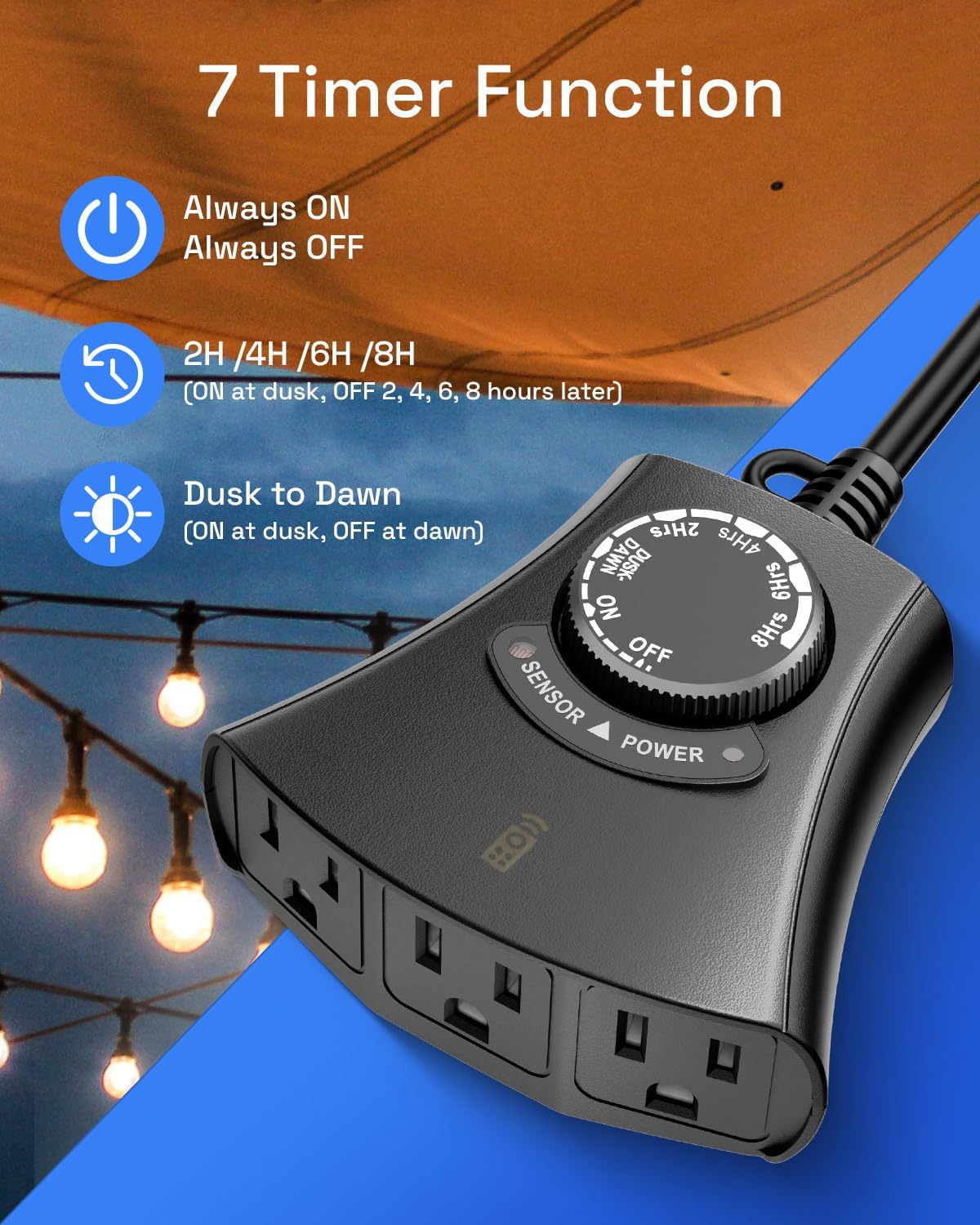
Image: The HBN Outdoor Light Timer with its dial clearly indicating the 7 available timer functions.
6.2. Using the Remote Control
The remote control allows you to manually turn the connected devices ON or OFF, overriding the dial settings if needed. The remote has a 100 ft range and can penetrate walls and doors.
- Press the ON button to turn connected devices on.
- Press the OFF button to turn connected devices off.

Image: A person comfortably operating outdoor lights with the remote control from inside their home, highlighting the 100ft wireless range.
6.3. Official Product Overview Video
Video: An official overview of the HBN Outdoor Light Timer with Remote Control, demonstrating its features and basic operation.
7. Timer Modes Explained
7.1. Dusk-to-Dawn Mode
In this mode, the built-in photocell sensor detects ambient light levels. When it gets dark (dusk), the connected devices will automatically turn on. When it gets light again (dawn), they will automatically turn off. This mode is ideal for continuous nighttime illumination.
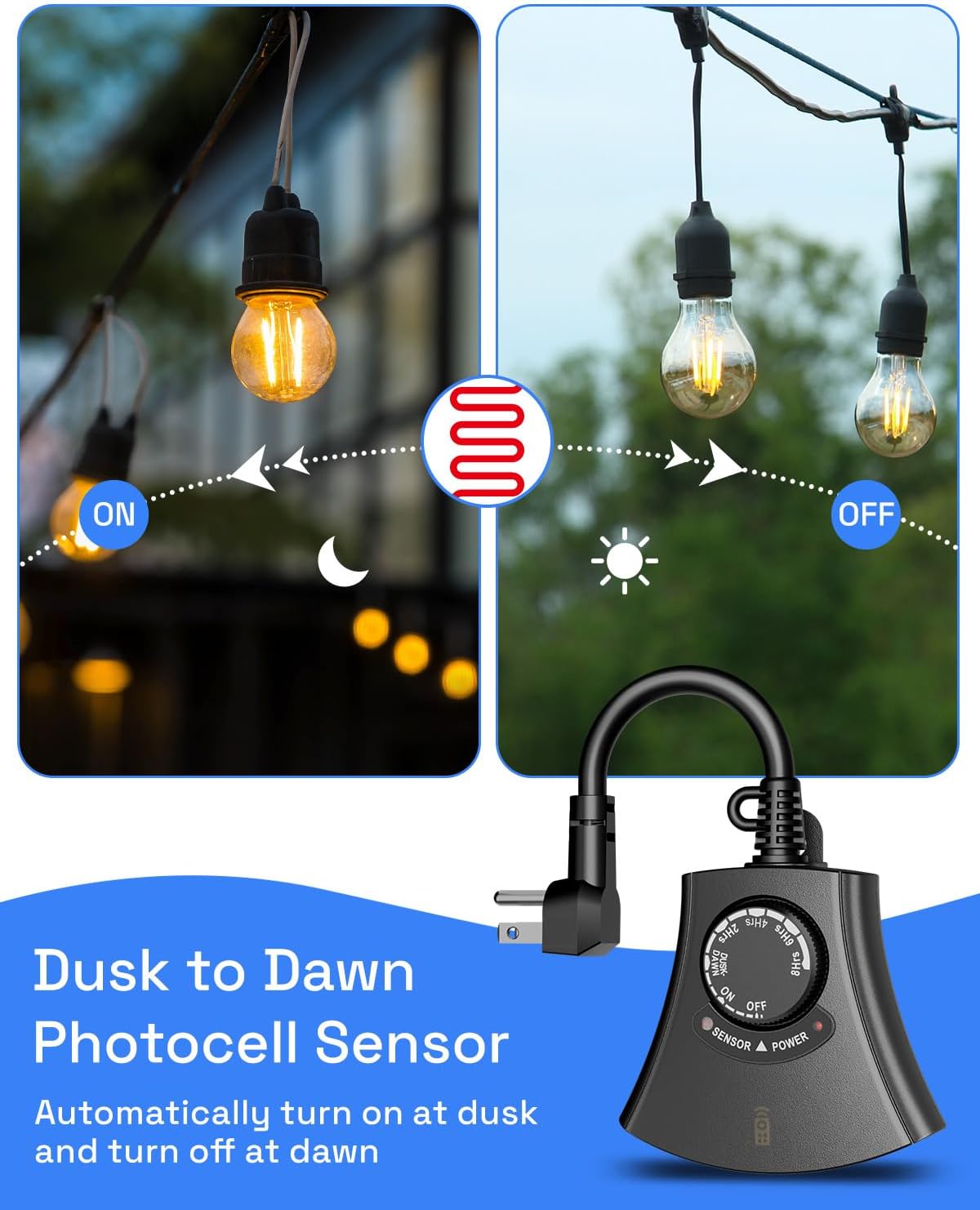
Image: Visual representation of the Dusk-to-Dawn photocell sensor functionality, showing lights turning on at dusk and off at dawn.
7.2. Countdown Timer Modes (2/4/6/8 Hours)
When one of these modes is selected, the devices will turn on at dusk (detected by the photocell sensor) and remain on for the specified duration (2, 4, 6, or 8 hours) before automatically turning off. This is useful for saving energy while still providing light for a set period after dark.
8. Remote Control Pairing
If your remote control is not responding, it may need to be paired with the timer unit. Follow these steps:
- Press and hold both the ON and OFF buttons on the remote control handset simultaneously.
- While still holding the buttons, plug the timer unit into an electrical outlet.
- Continue holding both buttons on the remote control handset.
- The power output indicator light on the timer unit will flash for approximately 2 seconds and then go off.
- Release the buttons. The remote control is now successfully paired with the timer unit.
9. Installation Guidelines
- Placement: Choose a location where the photocell sensor is not obstructed by direct light sources (e.g., porch lights, car headlights) that could interfere with its operation.
- Mounting: For optimal weather resistance, mount the timer vertically with the outlets facing downward, at least 2 feet (60 cm) above the ground. This prevents water from accumulating in the outlets.
- Weather Resistance: The timer is designed to be waterproof, windproof, snowproof, and sunproof. However, proper mounting is crucial for long-term durability.

Image: The HBN Outdoor Light Timer mounted vertically on an exterior wall, demonstrating its weatherproof design.
10. Maintenance
- Cleaning: Periodically wipe the timer unit with a damp cloth to remove dirt and debris. Ensure the photocell sensor is clean and unobstructed.
- Inspection: Regularly inspect the power cord and outlets for any signs of damage. If damage is found, discontinue use and replace the unit.
- Battery Replacement: Replace the remote control battery (12V/23A Alkaline) when the remote's indicator light does not illuminate or its range decreases.
11. Troubleshooting
Refer to the following common issues and solutions:
11.1. Troubleshooting Video
Video: An official HBN troubleshooting guide for the Remote Control Timer, addressing common operational issues.
11.2. Common Issues and Solutions
| Issue | Possible Cause | Solution |
|---|---|---|
| Devices fail to activate at dusk. | Timer is placed in an area with excessive ambient light, preventing the photocell from detecting darkness. | Relocate the timer to a darker area free from ambient light. |
| Devices do not turn on even when the timer is set to the "ON" position. | Connected devices may be turned off or malfunctioning. Light bulbs may need to be replaced. | Test connected devices by plugging them directly into a working outlet. Ensure each device is switched on if it has its own power switch. |
| Lights are flickering (repeatedly turning on and off). | The timer is set to Dusk-to-Dawn mode, and light from the connected appliance is interfering with the photocell sensor. | Relocate the lights further from the timer, or adjust the timer's position so that the lights do not shine directly on the photocell. |
| Power indicator light is not on. | The timer is not fully plugged into the outlet, or the circuit breaker connected to the outlet has tripped. | Ensure the timer is securely plugged into the outlet. Check the circuit breaker connected to the outlet and reset it if necessary. |
| The remote control does not respond. | The batteries are depleted or the remote is not paired. | Replace the batteries (12V/23A Alkaline) and re-pair the remote following the steps in Section 8. |
| Timer stays on after 2Hrs/4Hrs/6Hrs/8Hrs countdown. | The photocell sensor may be exposed to ambient light, preventing it from accurately detecting darkness to initiate the countdown. | Conduct a countdown test after covering the light sensor. If the appliance turns off, relocate the timer to a darker area, as ambient light (e.g., car headlights, window light) may be interfering with the sensor. |
12. Specifications
| Feature | Detail |
|---|---|
| Model Number | 204R |
| Brand | HBN |
| Color | Black |
| Material | Plastic |
| Product Dimensions | 5.71"D x 2.83"W x 2.91"H |
| Item Weight | 8 ounces |
| Number of Outlets | 3 Grounded Outlets |
| Voltage | 125V |
| Frequency | 60Hz |
| Resistive Rating | 15A/1875W |
| Tungsten Rating | 10A/1250W |
| Motor Rating | 1/2HP |
| Remote Control Range | Up to 100 ft (line of sight) |
| Remote Battery Type | Alkaline, 12V/23A |
| Mounting Type | Wall Mount |
| UPC | 810079582617 |

Image: Detailed view of the HBN Outdoor Light Timer, highlighting its dimensions and electrical specifications.
13. Warranty and Support
The HBN Outdoor Light Timer comes with a 1-year warranty. Additionally, lifetime technical support is provided by our USA-based customer service team. For any questions or concerns, please contact us:
- Email: support@bn-link.com


