
Introduction
Thank you for choosing the WISHBETY 4K Digital Infrared Night Vision Binoculars. This device is designed to provide clear visibility in low-light conditions and complete darkness, making it ideal for various outdoor activities such as hunting, surveillance, camping, night fishing, and wildlife observation. Please read this manual carefully before use to ensure proper operation and to maximize your experience.
Package Contents
Verify that all items listed below are present in your package.
- 1 x WISHBETY 4K Night Vision Binoculars
- 1 x 32GB TF Card
- 1 x Neck Strap
- 1 x USB Data Cable
- 1 x User Manual
- 1 x Camera Box
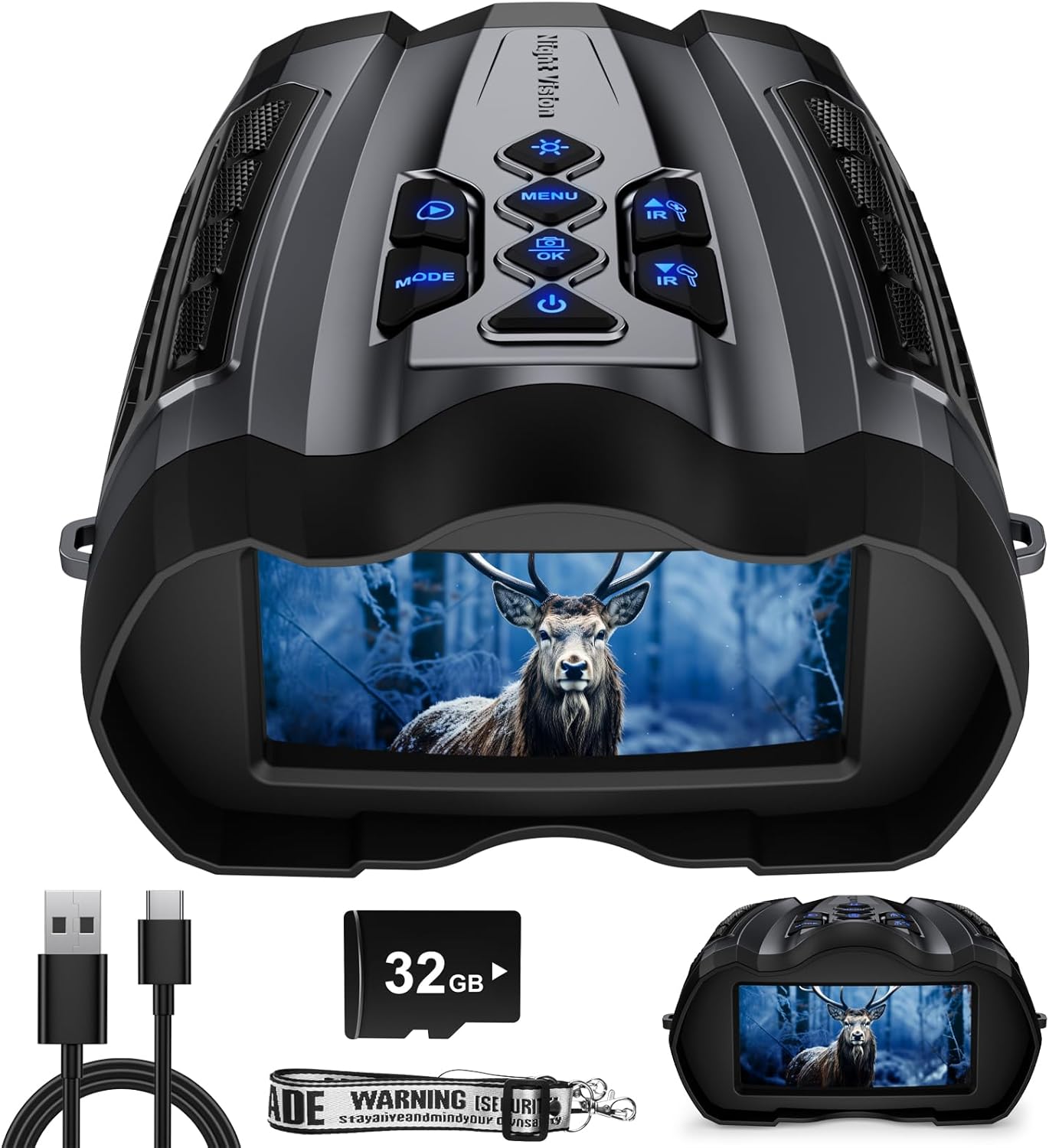
An image showing the WISHBETY 4K Digital Infrared Night Vision Binoculars along with its accessories: a USB cable, a 32GB SD card, and a neck strap. The binoculars feature a central screen displaying a deer.
Product Overview
Familiarize yourself with the main components and controls of your night vision binoculars.
A top-down view of the WISHBETY 4K Digital Infrared Night Vision Binoculars, highlighting the control panel with buttons for Power, Menu, Mode, OK, Play, and IR adjustment. The screen displays a deer.
Controls and Ports
- Power Button: Turns the device on/off.
- Menu Button: Accesses settings and options.
- Mode Button: Switches between photo, video, and playback modes.
- OK Button: Confirms selections.
- Play Button: Enters playback mode to view recorded media.
- IR Up/Down Buttons: Adjusts the infrared illuminator intensity (9 levels).
- Focus Wheel: Manual adjustment for image clarity.
- USB Port: For charging and data transfer.
- TF Card Slot: For inserting the 32GB memory card.
Setup
1. Charging the Battery
The device is powered by a built-in 4000 mAh rechargeable lithium-ion battery.
- Connect the included USB data cable to the USB port on the binoculars.
- Connect the other end of the USB cable to a compatible USB power adapter (not included) or a computer's USB port.
- The charging indicator will illuminate. A full charge typically takes a few hours.
- Disconnect the cable once charging is complete.
2. Inserting the TF Card
A 32GB TF card is included for storing photos and videos.
- Locate the TF card slot on the device.
- Gently insert the 32GB TF card into the slot with the gold contacts facing down until it clicks into place.
- To remove, push the card in slightly until it springs out.
A close-up of the included 32GB TF card, ready to be inserted into the night vision binoculars for media storage.
Operating Instructions
1. Powering On/Off
Press and hold the Power button to turn the device on or off.
2. Adjusting Focus
To achieve a clear image, rotate the manual focus adjustment wheel located on the device. Adjust until the image on the screen is sharp.

An image highlighting the manual focus adjustment wheel on the WISHBETY Night Vision Binoculars, demonstrating how to rotate it for clear viewing. The image also shows the 16x digital zoom capability.
3. Day and Night Mode
The device automatically adapts to ambient light conditions.
Day Mode
In daylight, the device operates as a standard digital binocular, capturing full-color images and videos.
Night Mode (Infrared Illumination)
In low light or complete darkness, the infrared illuminator activates.
- Use the IR Up/Down buttons to adjust the infrared intensity. There are 9 adjustable IR levels (850nm illuminator).
- Higher IR levels provide greater visibility in darker conditions but may consume more battery.

An image demonstrating the effectiveness of the 9-level adjustable IR mode. It shows a comparison of what the human eye sees in darkness versus the clear vision provided by the binoculars at IR3, IR6, and IR9 settings, with owls visible in increasing clarity.

An image illustrating the enhanced night vision capabilities of the upgraded WISHBETY binoculars, showing a night vision distance of 50-300 meters and a best imaging distance of 50-1000 meters, compared to older models.
4. Digital Zoom
The binoculars feature up to 16x digital zoom. Use the zoom controls (often integrated with IR buttons or separate zoom buttons) to magnify your view.
5. Capturing Photos and Videos
The device supports 36MP photos and 4K UHD video recording.
- Press the MODE button to switch between Photo mode and Video mode.
- In Photo mode, press the OK button to take a picture.
- In Video mode, press the OK button to start recording. Press OK again to stop recording.
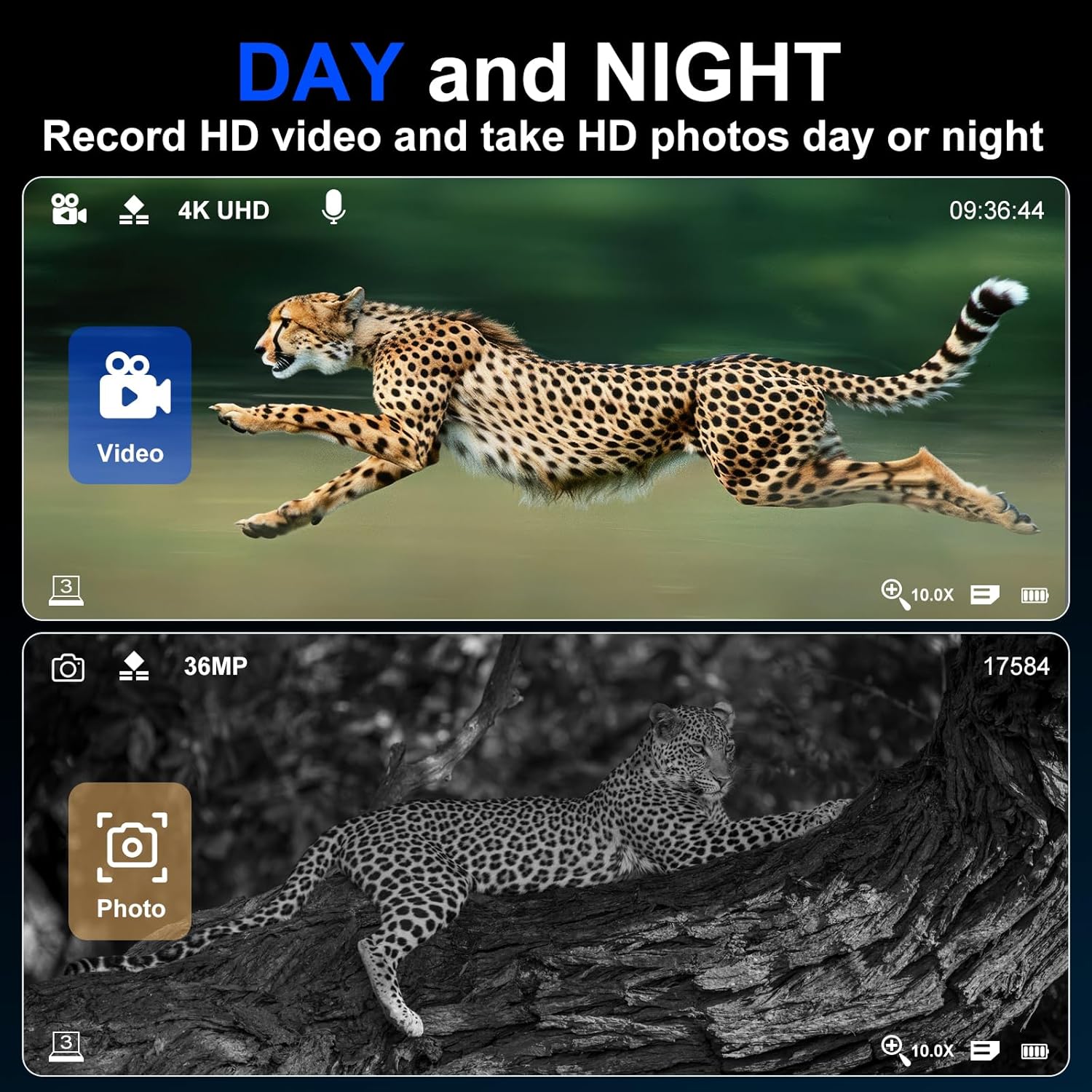
An image showing the capability of the binoculars to record 4K UHD video and take 36MP photos. The top half shows a cheetah in color (day mode video), and the bottom half shows a leopard in grayscale (night mode photo).
6. Playback
To review your captured media:
- Press the PLAY button to enter playback mode.
- Use the navigation buttons (often IR Up/Down or arrow keys) to browse through your photos and videos.
- Press OK to view a selected item or play a video.
- Press PLAY again or MODE to exit playback mode.
7. Menu Settings
Press the MENU button to access various settings, including:
- Resolution settings for photos and videos.
- Date and time stamp.
- Language selection.
- Format TF card.
- Time-lapse photography and slow-motion recording options.

An image summarizing the multifunctional features of the night vision goggles, including 36MP images, 4K video, 16x digital zoom, day & night use, 32GB memory card, 9 levels IR, 3.5-inch screen, playback, 5000mAh lithium battery, and Type-C fast charging.
Maintenance
Cleaning
Use a soft, lint-free cloth to clean the lenses and screen. For stubborn smudges, use a lens cleaning solution specifically designed for optical surfaces. Do not use abrasive cleaners or solvents.
Storage
Store the binoculars in a cool, dry place, away from direct sunlight and extreme temperatures. If storing for an extended period, ensure the battery is partially charged (around 50%) and recharge it every few months to maintain battery health. Keep the device in its protective case to prevent dust and scratches.
Troubleshooting
Device does not power on.
- Ensure the battery is fully charged. Connect to a power source and check the charging indicator.
- Press and hold the power button for a few seconds.
Image is blurry or out of focus.
- Adjust the manual focus wheel until the image becomes clear.
- Ensure the lenses are clean and free from smudges.
Poor visibility in darkness.
- Increase the IR illuminator level using the IR Up button.
- Ensure there are no obstructions blocking the IR illuminator.
Cannot record photos or videos.
- Check if the TF card is correctly inserted.
- Ensure the TF card has sufficient free space.
- Format the TF card through the device's menu settings (this will erase all data).
- Ensure you are in the correct mode (Photo or Video).
Device freezes or becomes unresponsive.
- Press and hold the power button for 10-15 seconds to force a shutdown.
- If the issue persists, try resetting the device (refer to menu settings for a reset option, if available).
Specifications
| Feature | Specification |
|---|---|
| Model | Ja-50 |
| Brand | WISHBETY |
| Objective Lens Diameter | 50 mm |
| Digital Zoom | 10x (up to 16x) |
| IR Illuminator | 850nm, 9 adjustable levels |
| Photo Resolution | Up to 36 MP |
| Video Resolution | Up to 4K UHD |
| Display Screen | 3.5-inch LCD |
| Battery | 4000 mAh Lithium-ion (rechargeable) |
| Storage | Supports TF card (32GB included) |
| Product Dimensions | 16.99 x 14.1 x 7.62 cm |
| Product Weight | 889 g |
Warranty and Support
The product comes with a 2-year warranty. Additionally, a 30-day money-back guarantee is offered. For technical support, warranty claims, or any questions regarding your WISHBETY 4K Digital Infrared Night Vision Binoculars, please contact your retailer or the manufacturer directly.
Please retain your proof of purchase for warranty purposes.