
1. Introduction
Thank you for choosing the STRICH SEA-10 Mini Guitar Amplifier. This portable and rechargeable amplifier is designed for electric guitar practice, offering both clean and drive channels, Bluetooth connectivity, and a headphone output for versatile use. This manual provides detailed instructions for setup, operation, maintenance, and troubleshooting to ensure optimal performance and longevity of your device.
2. Product Overview
2.1 Key Features
- Pure Analog Tone: Full analog circuitry (100Hz-20kHz response) for natural clarity.
- Dual Modes: Switch between CLEAN and DRIVE channels with indicators.
- Wireless Connectivity: Bluetooth 5.3 for stable audio streaming.
- Dual 5W Speakers: Two 5W speakers deliver rich sound.
- Flexible Connectivity: 3.5mm headphone jack for silent practice and AUX input for external audio sources.
- Compact & Portable: Dimensions of 152x73x99mm (590g) with a 3000mAh rechargeable battery for hours of use.
- Intuitive Controls: Easy-to-use knobs for Gain, Tone, Volume, and dedicated switches.
2.2 Amplifier Components

Figure 1: Front view of the STRICH SEA-10 Mini Guitar Amplifier.

Figure 2: Front Panel Controls and Functions.
- BT. Button/Indicator: Activates Bluetooth pairing mode. Blue light indicates status.
- BT./AUX VOL Knob: Adjusts the volume for Bluetooth and AUX input audio.
- GAIN Knob: Adjusts the input signal gain for your guitar.
- TONE Knob: Adjusts the audio tone. Clockwise for brighter tone, counter-clockwise for warmer tone.
- OFF/POWER VOL Knob: Turns the amplifier on/off and adjusts the main output signal volume.
- CLEAN/DRIVE Switch: Toggles between clean and overdriven guitar tones. Green light for Clean, Red light for Drive.
- INPUT (SEA-10) Jack: 1/4-inch input for connecting your electric guitar.

Figure 3: Rear Panel Ports and Functions.
- 5V DC Charging Port (USB-C): For charging the internal battery.
- 1/8 Headphone Output: 3.5mm jack for connecting headphones for silent practice.
- 1/8 Audio Input (AUX): 3.5mm jack for connecting external audio devices like phones or MP3 players.
3. Setup
3.1 Charging the Amplifier
The STRICH SEA-10 features a built-in 3000mAh rechargeable battery. Before first use, or when the battery indicator shows low power, charge the amplifier using the provided USB-C cable.
- Connect the USB-C cable to the 5V DC Charging Port on the rear panel.
- Connect the other end of the cable to a standard 5V USB power adapter (not included).
- The charging indicator will illuminate during charging and turn off when fully charged. A full charge typically provides 4-6 hours of working time.
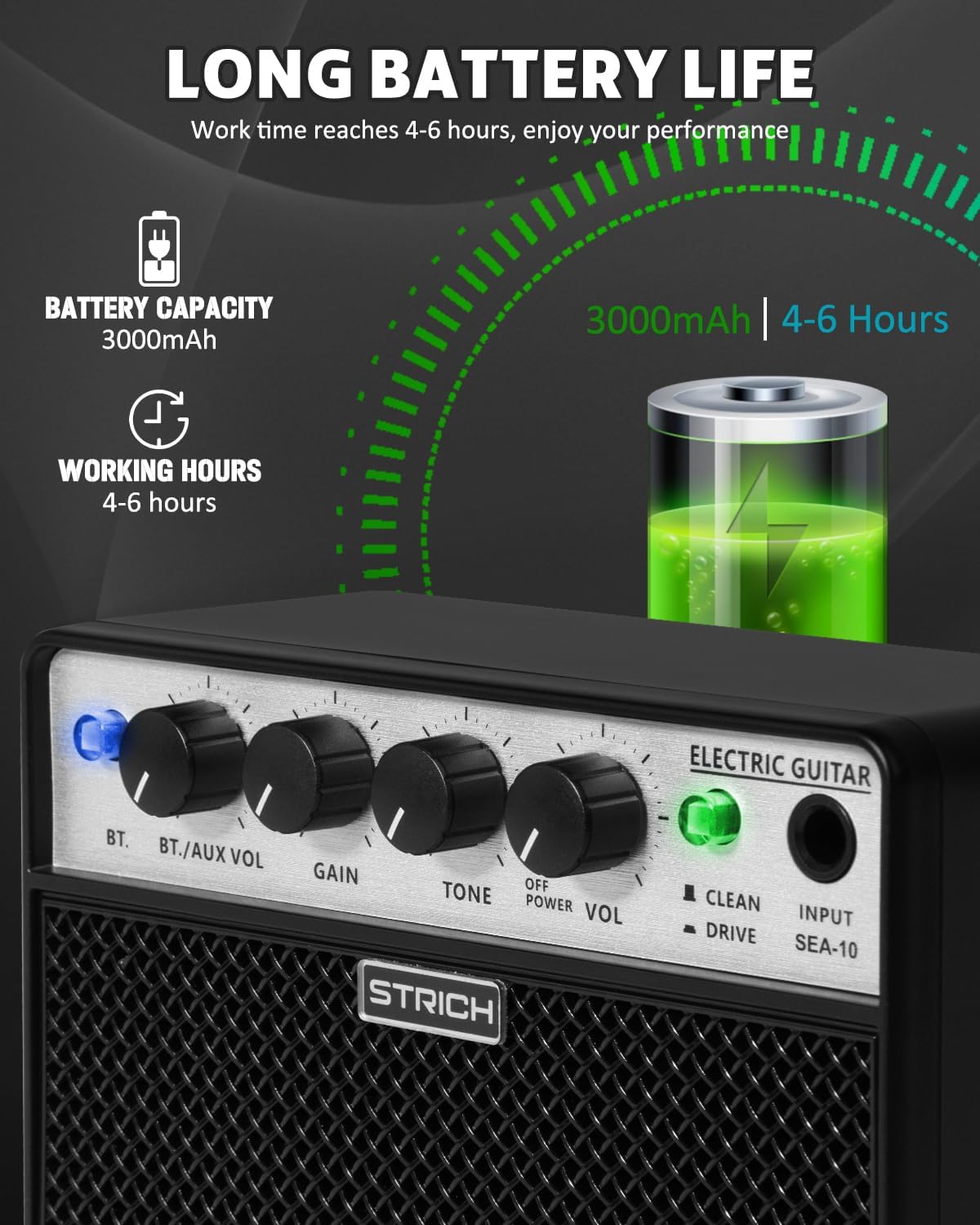
Figure 4: Battery Life Information.
3.2 Initial Power On
- Rotate the OFF/POWER VOL knob clockwise until it clicks to turn on the amplifier.
- The power indicator will light up.
4. Operating Instructions
4.1 Connecting Your Guitar
- Ensure the amplifier is powered on.
- Connect your electric guitar to the INPUT (SEA-10) 1/4-inch jack on the front panel using a standard instrument cable.
4.2 Adjusting Guitar Tone and Volume
- GAIN: Rotate the GAIN knob to adjust the input sensitivity and amount of distortion (especially in Drive mode).
- TONE: Use the TONE knob to shape your sound. Turn clockwise for brighter tones, counter-clockwise for warmer tones.
- VOL: Adjust the overall output volume of your guitar using the OFF/POWER VOL knob. Start at a low setting and increase gradually.
4.3 Switching Between Clean and Drive Channels
- The CLEAN/DRIVE switch allows you to select between two distinct tones.
- Push the switch to the CLEAN position for a clear, undistorted guitar sound. The indicator will be green.
- Push the switch to the DRIVE position for an overdriven, distorted tone suitable for rock and blues. The indicator will be red.

Figure 5: Clean and Drive Mode Indicators.
4.4 Using Bluetooth Connectivity
The amplifier supports Bluetooth 5.3 for wireless audio streaming from your devices.
- Press the BT. button on the front panel to activate Bluetooth pairing mode. The blue indicator light will flicker.
- On your smartphone, tablet, or computer, search for Bluetooth devices and select "STRICH SEA-10".
- Once connected, the blue indicator light will remain solid.
- Adjust the volume of the Bluetooth audio using the BT./AUX VOL knob.
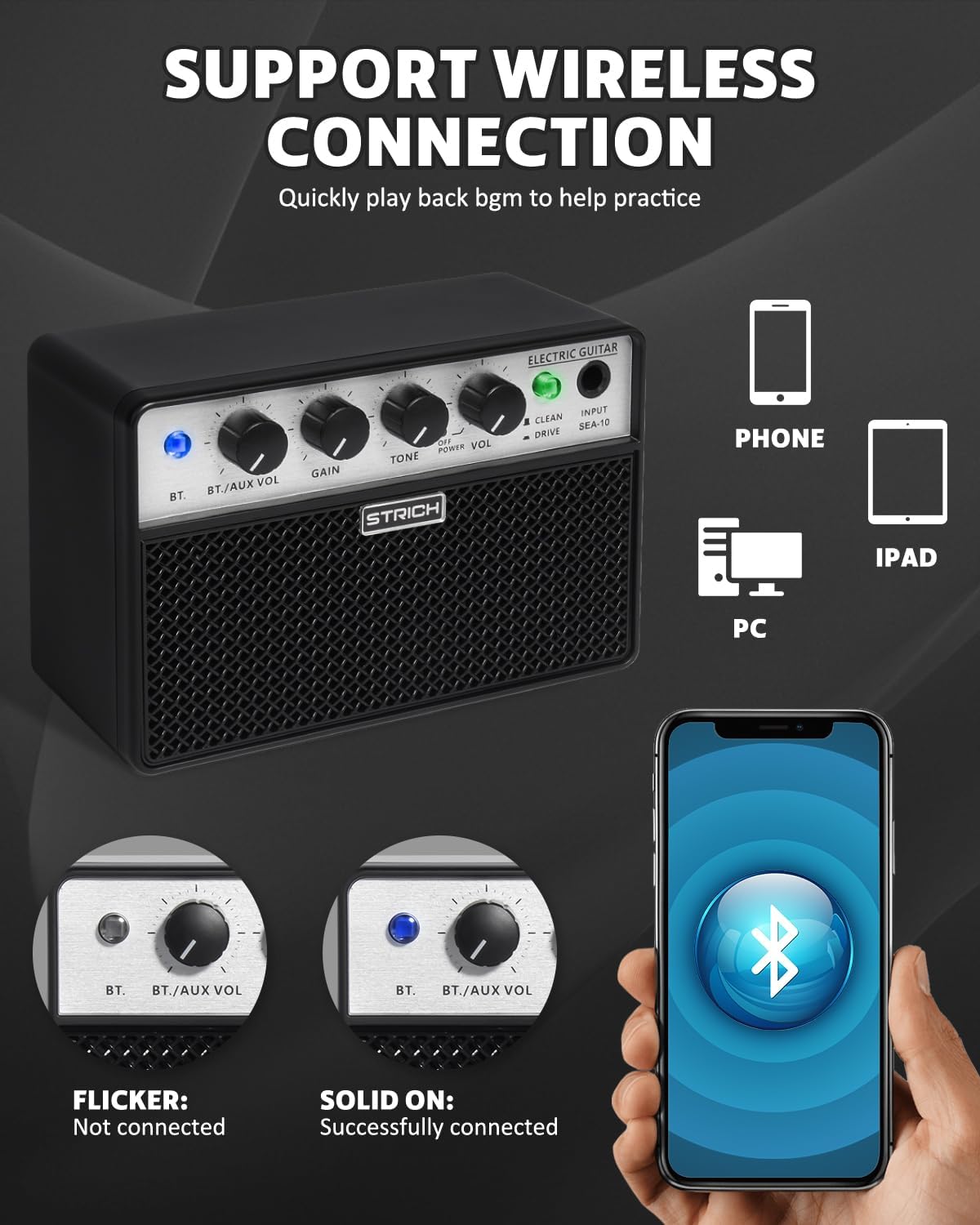
Figure 6: Bluetooth Connection Guide.
4.5 Using AUX Input
Connect external audio devices via the 3.5mm AUX input.
- Connect your audio device (e.g., MP3 player, phone) to the 1/8 Audio Input (AUX) on the rear panel using a 3.5mm audio cable.
- Adjust the volume of the AUX audio using the BT./AUX VOL knob.
4.6 Using Headphone Output
For silent practice, connect headphones to the amplifier.
- Plug your headphones into the 1/8 Headphone Output on the rear panel.
- The internal speakers will automatically mute when headphones are connected.
- Adjust the headphone volume using the OFF/POWER VOL knob.
5. Maintenance
- Cleaning: Use a soft, dry cloth to clean the exterior of the amplifier. Do not use liquid cleaners or abrasive materials.
- Storage: Store the amplifier in a cool, dry place away from direct sunlight and extreme temperatures.
- Battery Care: For optimal battery life, avoid fully discharging the battery frequently. Charge the amplifier regularly, even if not in use for extended periods.
- Avoid Moisture: Keep the amplifier away from water and high humidity to prevent damage to electronic components.
6. Troubleshooting
| Problem | Possible Cause | Solution |
|---|---|---|
| No sound from amplifier. | Amplifier is off; Volume is too low; Guitar cable is faulty or not connected; Headphones are plugged in. | Turn on amplifier and increase VOL knob; Check guitar cable connections; Disconnect headphones if using speakers. |
| No sound from Bluetooth/AUX. | BT./AUX VOL knob is too low; Device not paired (Bluetooth); AUX cable faulty or not connected. | Increase BT./AUX VOL knob; Re-pair Bluetooth device; Check AUX cable and connection. |
| Distorted sound (unexpected). | GAIN knob is too high; Volume is too high; DRIVE mode is active. | Reduce GAIN and/or VOL; Switch to CLEAN mode if clean tone is desired. |
| Bluetooth not connecting. | Amplifier not in pairing mode; Device too far; Interference. | Press BT. button to enter pairing mode (flickering blue light); Move device closer; Avoid strong interference sources. |
| Short battery life. | Battery not fully charged; Old battery. | Ensure full charge before use; Contact support if battery life significantly degrades. |
7. Specifications
- Model: SEA-10
- Output Wattage: 2 x 5 Watts (10W total)
- Frequency Response: 100Hz-20kHz
- Bluetooth Version: 5.3
- Battery Capacity: 3000mAh
- Working Hours: 4-6 hours (approx.)
- Charging: USB-C, 5V DC
- Input: 1/4-inch Instrument Jack
- Outputs: 3.5mm Headphone Jack
- Auxiliary Input: 3.5mm Jack
- Product Dimensions: 6.5 x 3.43 x 4.45 inches (152x73x99mm)
- Item Weight: 1.5 pounds (590g)
- Material: Acrylonitrile Butadiene Styrene (ABS), Handcrafted Two-Tone Woven Grille
8. Warranty and Support
STRICH is committed to providing quality products and excellent customer service.
- 30-Day Returns: This product is backed by Amazon's 30-day return policy.
- 12-Month Warranty: The STRICH SEA-10 Mini Guitar Amplifier comes with a 12-month warranty from the date of purchase, covering manufacturing defects.
- Customer Support: For any questions, technical assistance, or warranty claims, please contact STRICH customer support. We offer 24/7 support to assist you.
Please retain your proof of purchase for warranty purposes.