
BSIDE S30X Smart Multimeter Digital
BSIDE S30X Smart Digital Multimeter User Manual
Model: S30X Smart Multimeter Digital | Brand: BSIDE
1. Introduction
Thank you for choosing the BSIDE S30X Smart Digital Multimeter. This device is a professional, intelligent, and highly accurate measuring instrument designed for electricians, hobbyists, and general household use. It combines the functions of a digital multimeter with an infrared thermometer, offering a wide range of measurement capabilities including voltage, current, resistance, capacitance, frequency, diode, continuity, and non-contact voltage detection. Please read this manual thoroughly before operation to ensure safe and proper use.
2. Safety Information
WARNING: To avoid possible electric shock, fire, or personal injury, please read all safety information before you use the product.
- Always adhere to local and national safety codes.
- Do not use the meter if it is damaged or operating abnormally.
- Do not apply more than the rated voltage, as marked on the meter, between the terminals or between any terminal and earth ground.
- Use caution with voltages above 30V AC RMS, 42V peak, or 60V DC. These voltages pose a shock hazard.
- Keep fingers behind the finger guards on the test probes during use.
- Do not operate the meter around explosive gas, vapor, or dust.
- Before measuring current, ensure the meter's fuses are intact and the circuit is de-energized.
- Disconnect circuit power and discharge all high-voltage capacitors before testing resistance, continuity, diodes, or capacitance.
- Replace the battery when the low battery indicator appears to ensure accurate readings.
3. Package Contents
Verify that all items listed below are included in your package:
- 1 x BSIDE S30X Smart Multimeter Tester
- 1 x Test Leads (Red and Black)
- 1 x USB Charging Cable
- 1 x Carrying Case
- 1 x Rechargeable Lithium Battery (pre-installed)
- 1 x User Manual

Figure 3.1: Contents of the BSIDE S30X package, including the multimeter, test leads, charging cable, and carrying case.
4. Product Overview
The BSIDE S30X is designed for versatility and ease of use. Its compact form factor and integrated features make it suitable for various electrical testing scenarios.
4.1 Key Features
- Infrared Thermometer: Measures surface temperature with a 12:1 distance-to-spot ratio, displaying both real-time and maximum temperatures.
- High & Low Voltage Diodes Test: Capable of testing various diode types, including rectifier, voltage regulator, and light-emitting diodes, with test voltages up to 15V.
- Dual Mode Power System: Operates on a built-in rechargeable lithium battery and can also use 2 alkaline batteries (not included) for continuous operation.
- Smart Mode: Automatically identifies and measures AC/DC voltage, resistance, and continuity, simplifying operation. Manual mode selection is also available.
- Protective Case: Comes with a durable, detachable protective case to guard against shocks, friction, and bumps.

Figure 4.1: The BSIDE S30X display illustrating the various measurement functions available, including the smart auto mode.
5. Setup
5.1 Battery Installation and Charging
The BSIDE S30X comes with a built-in rechargeable lithium battery. For initial use or when the low battery indicator appears, charge the device.
- Connect the provided USB charging cable to the multimeter's charging port.
- Connect the other end of the USB cable to a standard USB power adapter (e.g., phone charger, computer USB port).
- The charging indicator on the display will show the charging status.
- A full charge typically takes a few hours.
The device also supports 2 alkaline batteries (AAA, 1.5V) as an alternative power source. To install or replace these:
- Ensure the multimeter is powered off.
- Locate the battery compartment on the back of the device.
- Open the battery cover.
- Insert 2 AAA 1.5V alkaline batteries, observing the correct polarity (+/-).
- Close the battery cover securely.

Figure 5.1: Illustration of the dual power system, highlighting the rechargeable lithium battery and the slots for optional alkaline batteries.
6. Operating Instructions
The BSIDE S30X features a smart mode for automatic measurement and various manual modes for specific tests.
6.1 Power On/Off
Press and hold the power button (U) to turn the multimeter on or off.
6.2 Smart Mode (Auto)
Upon powering on, the multimeter defaults to Smart Mode. In this mode, the device automatically identifies and measures AC/DC voltage, resistance, and continuity. Simply connect the test leads to the circuit or component, and the meter will display the appropriate reading.

Figure 6.1: The multimeter in use, demonstrating AC voltage measurement in an electrical maintenance scenario.
6.3 Manual Mode Selection
Press the SEL button to cycle through different manual measurement functions. The display will indicate the selected mode.
6.4 Infrared Thermometer
To use the infrared thermometer function:
- Select the infrared thermometer mode using the SEL button.
- Point the infrared sensor at the target object.
- The display will show the real-time temperature and the maximum temperature detected.

Figure 6.2: The BSIDE S30X actively measuring temperature using its integrated infrared thermometer function.
6.5 Diode Test
The S30X supports both low and high voltage diode testing.
- Select the diode test mode.
- Connect the red test lead to the anode and the black test lead to the cathode of the diode.
- The display will show the forward voltage drop. For high voltage diodes, the meter can test up to 15V.
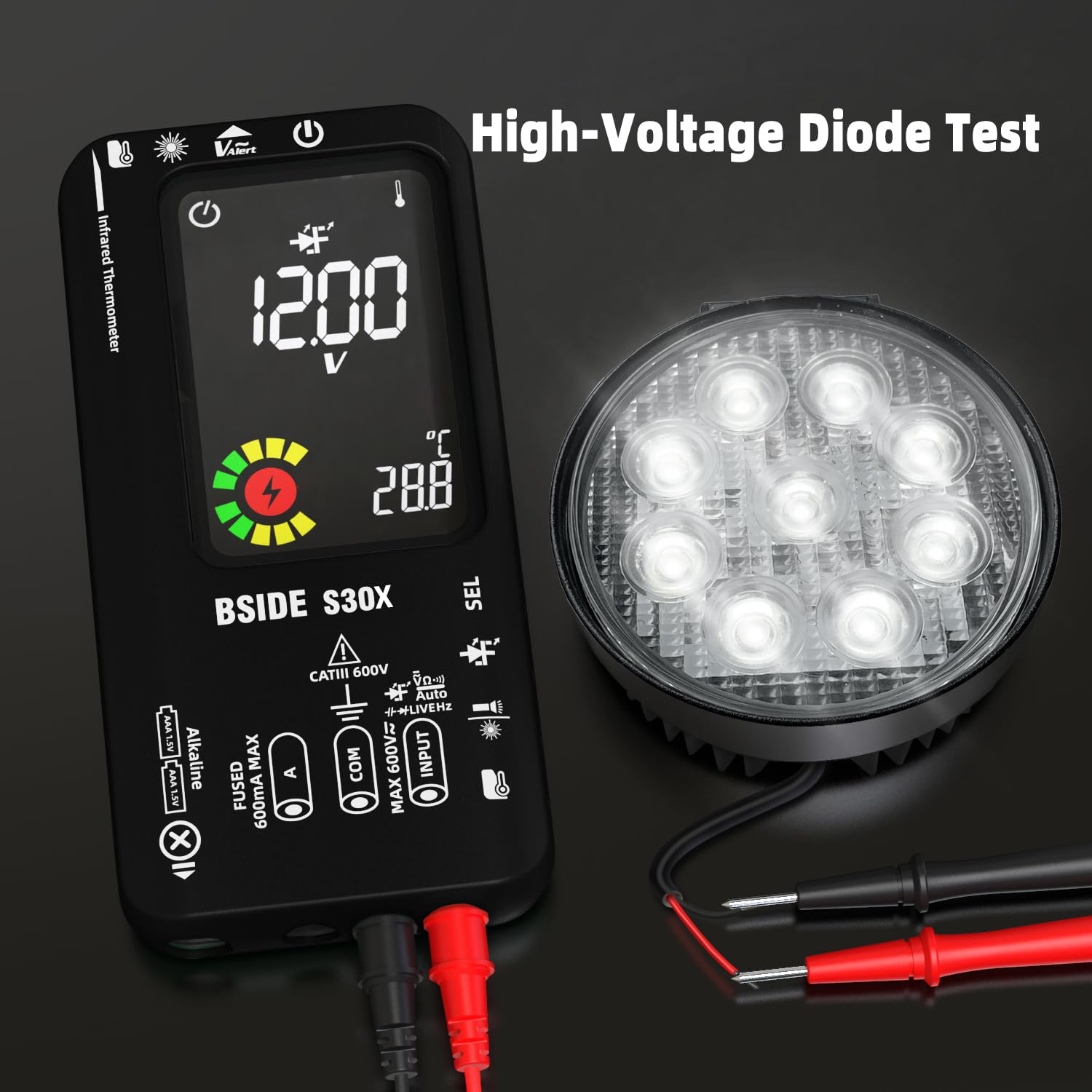
Figure 6.3: The multimeter conducting a high-voltage diode test, showing its capability to test various diode types.
6.6 Capacitance Measurement
- Select the capacitance measurement mode.
- Ensure the capacitor is fully discharged before testing.
- Connect the test leads across the capacitor terminals.
- The display will show the capacitance value.

Figure 6.4: The BSIDE S30X performing capacitance measurement, useful for electronic maintenance.
6.7 Current Measurement (Amp Smart Identification)
The S30X can automatically switch to AC/DC ampere test mode when the test leads are correctly connected for current measurement.
- Select the current measurement mode (mA).
- Connect the test leads in series with the circuit where current needs to be measured.
- The meter will automatically identify AC or DC current and display the reading.

Figure 6.5: The multimeter demonstrating its amp smart identification feature during current measurement.
6.8 V-Alert (Non-Contact Voltage Detection) & Live Wire Check
These features allow for safe detection of live voltage without direct contact.
- V-Alert: Hold the top of the multimeter near a live wire or outlet. The meter will indicate the presence of AC voltage through visual and audible alerts.
- Live Wire Check: Use the red test lead to touch the suspected live wire. The display will indicate if the wire is live.
7. Maintenance
7.1 Cleaning
Wipe the case with a damp cloth and mild detergent. Do not use abrasives or solvents. Keep the test leads clean and free of debris.
7.2 Storage
When not in use for extended periods, store the multimeter in its carrying case in a cool, dry place. If using alkaline batteries, remove them to prevent leakage.
7.3 Protective Case
The protective case is detachable for cleaning or replacement. Ensure it is properly re-installed to provide adequate protection.
8. Troubleshooting
If you encounter issues with your BSIDE S30X, refer to the following common problems and solutions:
- Meter does not power on: Check if the rechargeable battery is charged. If using alkaline batteries, ensure they are correctly installed and not depleted.
- Inaccurate readings: Ensure test leads are properly connected. Check battery level; low battery can affect accuracy. Verify the correct measurement mode is selected.
- No continuity beep: Ensure the resistance is below 30Ω for the beeper to sound.
- Infrared thermometer not reading: Ensure the sensor is clean and pointed directly at the target. Check for obstructions.
- Display shows "OL" (Overload): The measured value exceeds the meter's range for the selected function. Switch to a higher range if available, or ensure the input is within specifications.
If the problem persists, contact customer support.
9. Specifications
| Parameter | Specification |
|---|---|
| MAX Display | 9999 counts |
| Distance to Spot Ratio (Infrared) | 12:1 |
| DC Voltage | 0-9.999V (±0.8%+3), 10-99.99V (±0.8%+3), 100-620V (±1.0%+5) |
| AC Voltage | 0-9.999V (±1.0%+3), 10-99.99V (±1.0%+3), 100-620V (±1.2%+5) |
| DC Current | 1-610mA (±1.5%+3) |
| AC Current | 1-610mA (40-200Hz) (±2.0%+3) |
| Resistance | 0-99.9Ω (±1.2%+3), 100Ω-9999Ω (±1.2%+3), 10KΩ-99.99KΩ (±1.2%+3), 100KΩ-999.9KΩ (±1.2%+3), 1MΩ-9.999MΩ (±1.5%+5) |
| Infrared Thermometer Range | -20℃-0℃ (±3%+2℃), 0.1℃-400℃ (±2.5%+3℃) |
| Capacitance | 0.5μF-999.9μF (±3.5%+8), 1000μF-9999μF (±4.5%+10) |
| Frequency | 10-99.99Hz (±1.0%+5), 100-1000Hz (±1.0%+5) |
| V-Alert (NCV) | Yes |
| Live Wire Check | Yes |
| Continuity | Beeper sounds if resistance < 30Ω |
| Diode Test | Low Voltage Mode: within 2V; High Voltage Mode: up to 15V (1mA test current) |
| Environment Temperature | 0-50℃ (±2.0℃) |
| Power | 3.7V 1200mA (built-in, rechargeable) |
| Size | 161 x 78 x 21mm (6.34 x 3.07 x 0.87 inches) |
| Weight | 245g (8.64 ounces) |
10. Warranty and Support
BSIDE products are manufactured under strict quality standards. For warranty information and technical support, please refer to the warranty card included with your product or visit the official BSIDE website. Keep your purchase receipt as proof of purchase for any warranty claims.
Ask a question about this manual
Ask about setup, troubleshooting, compatibility, parts, safety, or missing instructions. Manuals+ will review the question and use this page’s manual context to help answer it.