
Introduction
Thank you for choosing MIDOLA B15 Bluetooth Over-Ear Headphones. This manual provides essential information for the safe and efficient use of your new headphones. Please read it thoroughly before use and retain it for future reference.

Image: MIDOLA B15 Red Bluetooth Over-Ear Headphones, showcasing their sleek design.
What's in the Box
Your MIDOLA B15 headphones package includes the following items:
- MIDOLA B15 Headphone
- AUX Cable
- USB Charging Cable
- User Manual (this document)
Product Overview
Key Features
- Lightweight & Portable: Foldable design for easy transport and storage.
- Comfortable Design: Soft, durable memory-protein earmuffs and an adjustable headband ensure comfort for extended listening.
- Advanced Bluetooth Technology: Compatible with most electronic devices, offering a stable connection up to 33 feet (10 meters).
- Built-in Microphone: Omnidirectional microphone for hands-free calling, online learning, and video conferencing.
- Dual Mode Connectivity: Enjoy music wirelessly via Bluetooth or wired using the included 3.5mm AUX cable.
- Extended Playtime: Up to 68 hours of music playback at 60% volume.
- Multiple EQ Modes: Six optional music EQ modes (Pop, Rock, Vocal, Jazz, BassUp, Classic) to customize your audio experience.
- High-Fidelity Audio: Equipped with powerful 40mm dynamic drivers for clear, detailed sound and shaking bass.
- MicroSD Card Slot: Play music directly from a MicroSD card.
Controls and Ports
The right earcup houses all essential controls and ports:
- Power Switch: On/Off slider.
- Volume Buttons: Press for volume adjustment, long-press for track navigation.
- Play/Pause Button: Controls media playback.
- EQ Button: Cycles through the 6 sound effect modes.
- USB-C Charging Port: For charging the headphones.
- 3.5mm AUX Port: For wired audio connection.
- MicroSD Card Slot: For direct music playback.

Image: Overview of MIDOLA B15 headphones highlighting lightweight design, 40mm drivers, HiFi stereo, and built-in microphone for calls.

Image: Detailed view of the internal audio components of the MIDOLA B15 headphones, including the 40mm dynamic driver, PET film for bass, and DLC diaphragm for clear sound.
Video: An official MIDOLA video demonstrating the features and controls of the B15 headphones, including their foldable design and various ports.
Setup
Charging the Headphones
- Locate the USB-C charging port on the right earcup.
- Connect the provided USB charging cable to the headphones and a compatible USB power source (e.g., wall adapter, computer USB port).
- The LED indicator will show charging status. A full charge typically takes approximately 2 hours.
- Once fully charged, disconnect the charging cable.

Image: MIDOLA B15 headphones illustrating their impressive 68-hour music time and a quick 5-minute charge providing 3 hours of playtime.
Bluetooth Pairing
- Ensure the headphones are fully charged.
- Slide the Power Switch to the 'ON' position. The headphones will enter pairing mode, indicated by a flashing LED light (usually blue and red).
- On your device (smartphone, tablet, PC), go to Bluetooth settings and enable Bluetooth.
- Search for available devices. Select "MIDOLA B15" from the list.
- Once connected, the LED indicator will typically show a solid blue light or flash slowly.
Operating Instructions
Power On/Off
- To power on, slide the Power Switch to 'ON'.
- To power off, slide the Power Switch to 'OFF'.
Adjusting Volume and Tracks
- Volume Up: Press the '+' button.
- Volume Down: Press the '-' button.
- Next Track: Long-press the '+' button.
- Previous Track: Long-press the '-' button.
- Play/Pause: Press the central Play/Pause button.
Using the Microphone
The built-in omnidirectional microphone allows for hands-free communication:
- Answer/End Call: Press the Play/Pause button once during an incoming call.
- Reject Call: Long-press the Play/Pause button during an incoming call.
Wired Mode (3.5mm AUX)
To use the headphones in wired mode:
- Connect one end of the included 3.5mm AUX cable to the AUX port on the headphones.
- Connect the other end to your audio device's 3.5mm jack.
- Note: In wired mode, the headphone's battery is not consumed, and some controls on the headphones may be inactive, requiring control from the connected device.
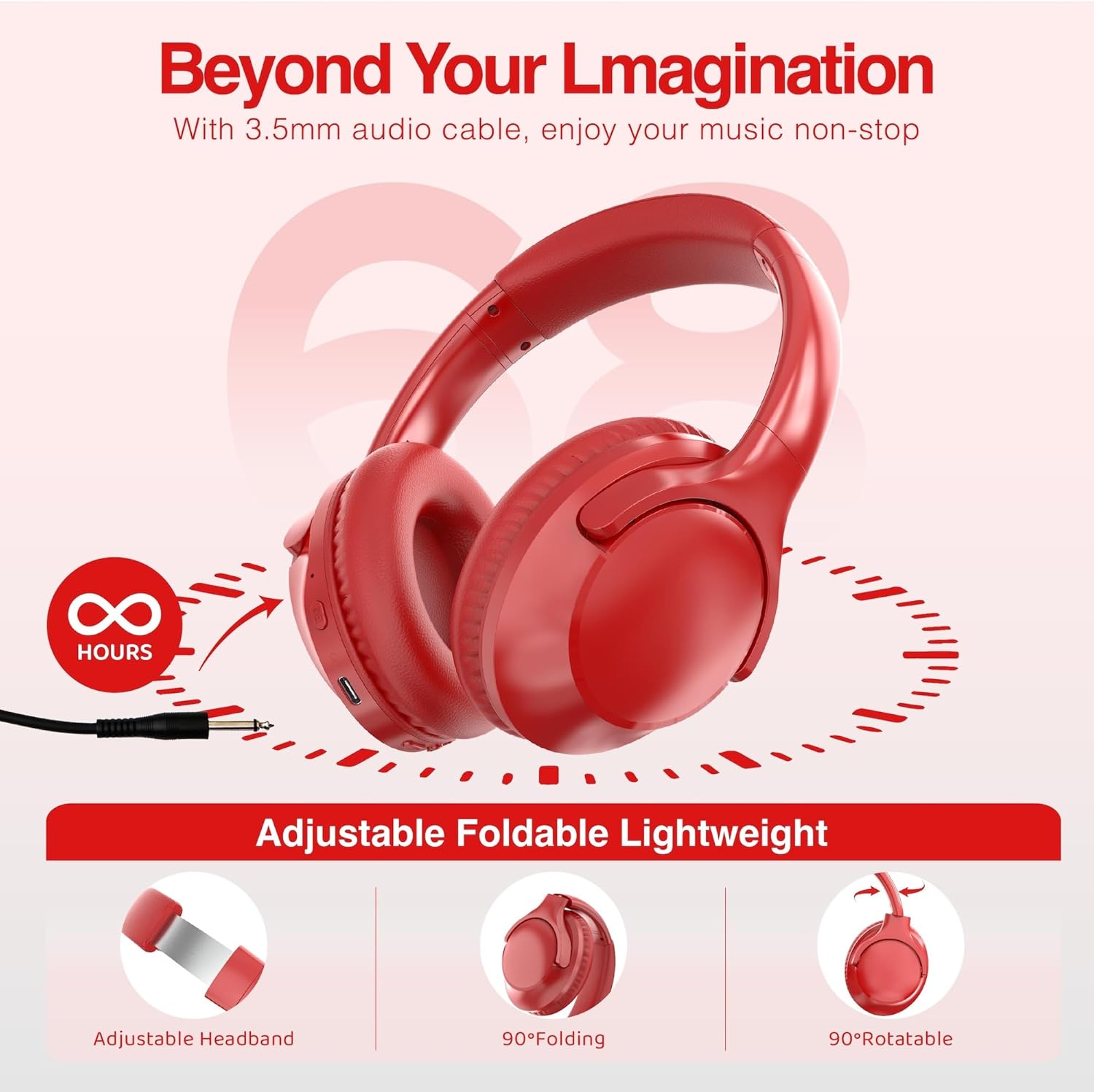
Image: MIDOLA B15 headphones demonstrating their wired mode capability with a 3.5mm audio cable, alongside features like an adjustable headband and foldable earcups for portability.
Using EQ Modes
Press the 'EQ' button on the right earcup to cycle through the 6 available sound effect modes: Pop, Rock, Vocal, Jazz, BassUp, and Classic. A voice prompt will indicate the selected mode.

Image: MIDOLA B15 headphones highlighting the 6 optional music EQ modes (Pop, Rock, Vocal, Jazz, BassUp, Classic) and their compatibility with cell phones, iPads, PCs, and laptops.
MicroSD Card Playback
Insert a MicroSD card with MP3 files into the dedicated slot on the right earcup. The headphones will automatically begin playing music from the card.
Maintenance
- Cleaning: Use a soft, dry cloth to clean the headphones. Do not use harsh chemicals or abrasive materials.
- Storage: When not in use, store the headphones in a cool, dry place, away from direct sunlight and extreme temperatures. The foldable design allows for compact storage.
- Battery Care: To prolong battery life, avoid fully discharging the headphones frequently. Charge them regularly, even if not in constant use.
- Water Resistance: These headphones are not water-resistant. Avoid exposure to liquids.
Troubleshooting
| Problem | Possible Cause | Solution |
|---|---|---|
| Cannot power on | Low battery | Charge the headphones fully. |
| Cannot pair via Bluetooth | Headphones not in pairing mode; Bluetooth off on device; too far from device | Ensure headphones are in pairing mode (flashing LED). Turn on Bluetooth on your device. Move headphones closer to the device (within 33ft/10m). |
| No sound | Volume too low; device not connected; incorrect audio source | Increase volume on headphones and device. Re-pair Bluetooth or check AUX cable connection. Ensure correct audio output is selected on your device. |
| Poor audio quality | Weak Bluetooth signal; interference | Move closer to the connected device. Avoid sources of strong electromagnetic interference. |
| Microphone not working | Device settings; headphones not selected as input | Check your device's audio input settings and ensure MIDOLA B15 is selected. |
Specifications
| Model Name | B15 |
| Brand | MIDOLA |
| Connectivity Technology | Wired, Wireless (Bluetooth 5.3) |
| Wireless Range | Up to 33 feet (10 meters) |
| Audio Driver Size | 40 Millimeters |
| Battery Life | Up to 68 Hours (at 60% volume) |
| Charging Time | Approx. 2 hours for full charge |
| Headphones Jack | 3.5 mm Jack |
| Noise Control | Sound Isolation |
| Frequency Response | 20 KHz |
| Sensitivity | 105 dB |
| Impedance | 32 Ohms |
| Audio Latency | 16 Milliseconds |
| Item Weight | 7.04 ounces |
| Material | Plastic |
| Control Type | Volume Control, Touch |
| Water Resistance Level | Not Water Resistant |
Warranty and Support
MIDOLA products are designed for reliability and performance. For any questions, technical support, or warranty claims, please refer to the contact information provided with your purchase or visit the official MIDOLA support website. Please retain your proof of purchase for warranty service.


