
Introduction
Thank you for choosing the DAUZ DQ709 Flame Air Diffuser Humidifier. This device is designed to provide humidification and ambient lighting, creating a comfortable and relaxing atmosphere in your home or office. Please read this manual carefully before use to ensure proper operation and maintenance.

The DAUZ DQ709 Flame Air Diffuser Humidifier, a compact device designed to enhance your home environment with humidification and ambient lighting.
Package Contents
Please check the package for the following items:
- 1 x DAUZ DQ709 Flame Air Diffuser Humidifier
- 1 x USB Cable
- 1 x Instruction Manual (this document)

The DAUZ DQ709 Flame Air Diffuser Humidifier alongside its USB power cable, ready for connection.
Product Overview
Familiarize yourself with the main components of your diffuser humidifier:
- Mist Outlet: Where the humidifying mist and flame effect are emitted.
- Water Tank: Holds up to 150ml of water.
- Control Buttons: For power, timer, and lighting modes.
- USB Power Port: For connecting the power cable.
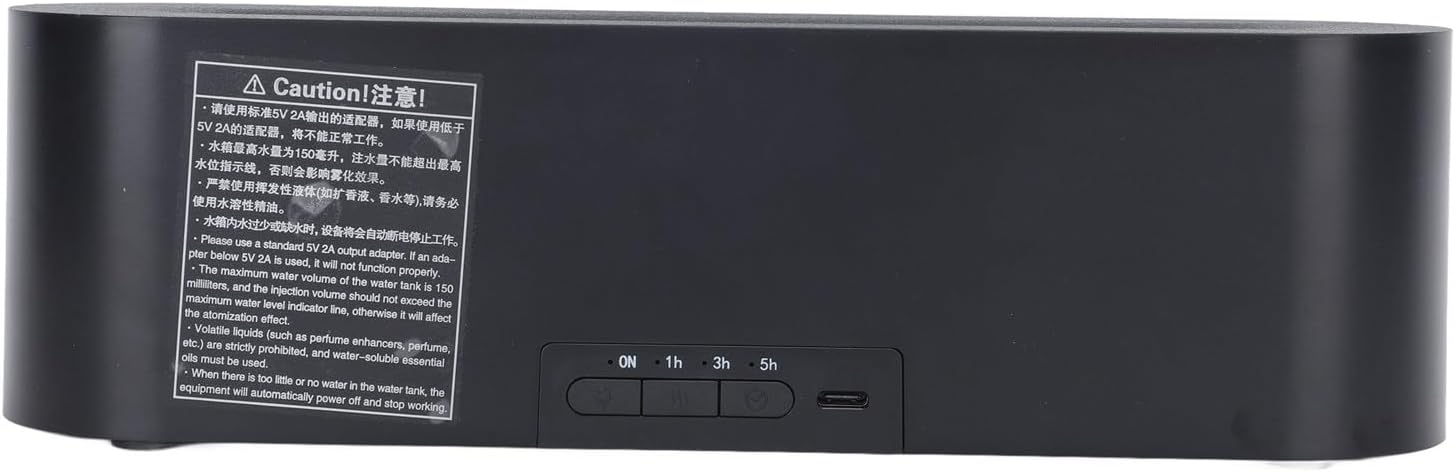
A view of the rear panel, displaying the power button, timer buttons (1H, 3H, 5H), and the USB power input port. Important caution labels are also visible.
Setup Instructions
- Placement: Place the diffuser on a flat, stable surface away from direct sunlight or heat sources.
- Open the Cover: Gently lift the top cover of the diffuser to access the water tank.
- Fill Water Tank: Fill the water tank with clean tap water up to the 150ml maximum water level indicator. Do not exceed the maximum line to avoid affecting atomization.

The internal water tank of the diffuser, demonstrating where water and water-soluble essential oils can be added for aromatherapy.
- Add Essential Oils (Optional): If desired, add 2-3 drops of water-soluble essential oil directly into the water tank. Note: Volatile liquids such as perfume enhancers or non-water-soluble oils are strictly prohibited as they can damage the device.
- Close Cover: Securely place the top cover back onto the diffuser.
- Connect Power: Plug the USB cable into the diffuser's USB port and connect the other end to a standard 5V 2A USB power adapter (not included). If an adapter below 5V 2A is used, the unit may not function properly.
Operating Instructions
Once set up, you can begin using your diffuser humidifier:
- Power On/Off: Press the power button (usually marked with a power symbol) to turn the device on or off.
- Mist & Flame Effect: Upon powering on, the device will typically start emitting mist with the simulated flame effect.
- Lighting Modes: The diffuser features three lighting modes, including a colorful flame effect with 7 color options. Press the light button (if available, or cycle through power button presses) to change between modes or colors.
- Timer Settings: Use the timer buttons (1H, 3H, 5H) to set the operating duration. The device will automatically shut off after the selected time.
- Automatic Power Off: The diffuser is equipped with waterless automatic power outage protection. When the water level is too low or the tank is empty, the device will automatically power off to prevent dry burning and ensure safety.
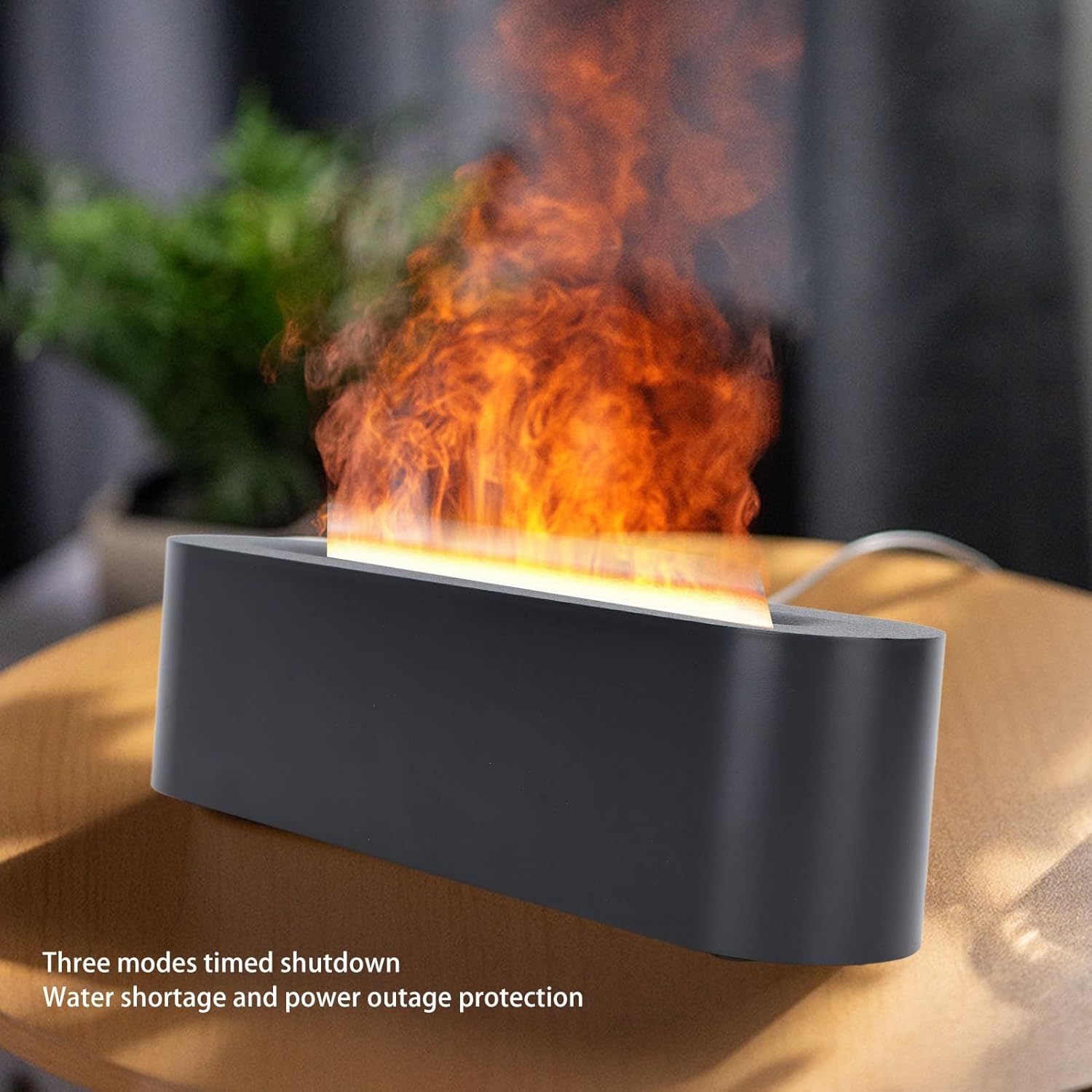
This image illustrates the simulated flame effect and mist output of the diffuser, highlighting its aesthetic and functional features.
Official product video demonstrating the setup and various features of the DAUZ Flame Air Diffuser Humidifier, including water filling, mist operation, and lighting effects.
Maintenance
Regular cleaning ensures optimal performance and extends the lifespan of your diffuser:
- Empty Water Tank: Before cleaning, ensure the device is unplugged and empty any remaining water from the tank.
- Clean Tank: Wipe the inside of the water tank with a soft, damp cloth. For stubborn residue, use a cotton swab dipped in white vinegar to gently clean the ultrasonic plate. Rinse thoroughly with clean water.
- Exterior Cleaning: Wipe the exterior of the diffuser with a soft, dry cloth.
- Drying: Allow all parts to air dry completely before reassembling or storing.
- Storage: If not in use for an extended period, clean and dry the diffuser thoroughly, then store it in a cool, dry place.
Troubleshooting
| Problem | Possible Cause | Solution |
|---|---|---|
| No mist or weak mist | Low water level; Water tank not properly seated; Ultrasonic plate dirty; Fan blocked. | Refill water tank; Ensure tank is correctly placed; Clean ultrasonic plate; Check for obstructions in fan area. |
| Device does not power on | No power; USB cable not connected properly; Power adapter insufficient (less than 5V 2A). | Check power source; Reconnect USB cable; Use a 5V 2A or higher power adapter. |
| Unusual odor | Dirty water tank; Stale water; Non-water-soluble essential oils used. | Clean water tank thoroughly; Replace water daily; Only use water-soluble essential oils. |
Specifications
| Brand | DAUZ |
| Model Number | DQ709 (DAUZu9wtyp3xiz-11) |
| Water Tank Capacity | 150 ml |
| Special Features | Aroma Diffuser, Night Light, Flame Effect |
| Lighting Modes | 3 modes, 7 flame colors |
| Operation Mode | Manual |
| Voltage | 5 Volts |
| Safety Features | Waterless Automatic Power Outage Protection |
| Room Type | Bedroom, Office |
Warranty and Support
This product is covered by a standard manufacturer's warranty. For specific warranty details, please refer to the documentation provided at the time of purchase or contact your retailer. For technical support or inquiries, please reach out to DAUZ customer service through your purchase platform.