
Energizer E303735000
Energizer X2000 LED Rechargeable Flashlight User Manual
Model: E303735000
Introduction
The Energizer X2000 LED Rechargeable Flashlight is designed for powerful illumination and versatile use in various situations. Featuring advanced Digital Focus technology and a robust aircraft-grade aluminum body, this flashlight provides high-definition vision and reliable performance. It is an ideal lighting solution for everyday tasks, emergencies, outdoor activities, and more.
Key features include:
- Powerful 2000 Lumens output with an 820-foot beam distance.
- Digital Focus technology for switching between focused and area light.
- USB port-out functionality to charge other devices.
- IPX4 water resistance and impact resistance up to 3 feet.
- Long-lasting illumination, up to 3 hours on High setting and up to 7 hours on Low setting.
Setup
Before first use, ensure your Energizer X2000 flashlight is fully charged. The flashlight comes with a USB charging cable for convenience.
Charging the Flashlight
- Locate the USB charging port on the flashlight.
- Connect the included USB charging cable to the flashlight's port.
- Plug the other end of the USB cable into a compatible USB power source (e.g., wall adapter, computer USB port).
- Allow approximately 8 hours for a full charge. The indicator light will change to show charging status (refer to product packaging for specific indicator behavior).

Image: The Energizer X2000 flashlight highlighting its rechargeable feature and included USB cable.
Operating Instructions
Power On/Off and Mode Selection
The Energizer X2000 features a single button for power control and mode cycling:
- Press the power button once to turn the flashlight ON to its High setting.
- Press the power button again to cycle through available modes (e.g., High, Low, Strobe).
- Press the power button to turn the flashlight OFF.
Digital Focus Technology
The patented Digital Focus technology allows you to adjust the beam from a focused spot to a wide area light. This is typically achieved by rotating the head of the flashlight or pressing the power button in a specific sequence (refer to product packaging for exact mechanism if not immediately apparent).

Image: Demonstrates the powerful 2000 Lumens output, illuminating a wide area.
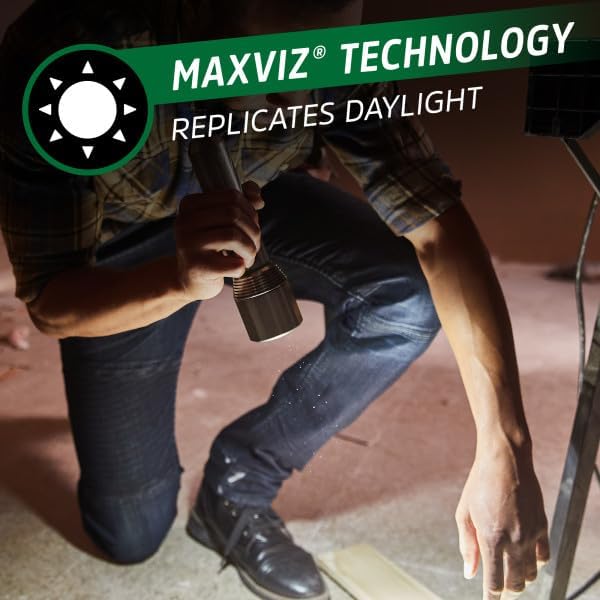
Image: Illustrates the MaxViz technology, providing light that replicates daylight for clear vision.

Image: Shows the impressive 250-meter beam distance of the flashlight.
Charging External Devices (Power Bank Function)
The Energizer X2000 can also serve as a power bank to charge your mobile devices.
- Locate the USB-out port on the flashlight (often the same port used for charging the flashlight itself, or a separate one).
- Connect your device's charging cable to the flashlight's USB-out port.
- Connect the other end of your device's charging cable to your mobile device.
- Charging will begin automatically.

Image: The flashlight being used to charge a mobile device, demonstrating its power bank capability.
Maintenance
To ensure the longevity and optimal performance of your Energizer X2000 LED Rechargeable Flashlight, follow these maintenance guidelines:
- Cleaning: Wipe the flashlight body with a soft, damp cloth. Do not use abrasive cleaners or solvents. Keep the lens clean for maximum light output.
- Storage: Store the flashlight in a cool, dry place away from direct sunlight and extreme temperatures. If storing for extended periods, ensure the battery is partially charged (around 50%) to preserve battery health.
- Battery Care: Recharge the flashlight regularly, even if not in frequent use, to maintain battery capacity. Avoid fully discharging the battery repeatedly.
- Water Resistance: While IPX4 water resistant, avoid submerging the flashlight in water. Ensure the charging port cover is securely closed when not in use to maintain water resistance.
Troubleshooting
If you encounter issues with your Energizer X2000 flashlight, try the following steps:
- Flashlight Not Turning On:
- Ensure the battery is charged. Connect the flashlight to a power source and allow it to charge for at least 30 minutes.
- Check the power button for any obstructions or damage.
- Dim Light Output:
- The battery might be low. Recharge the flashlight fully.
- Clean the flashlight lens with a soft cloth.
- Device Not Charging from Flashlight:
- Ensure the flashlight itself has sufficient charge.
- Verify that the charging cable for your device is working correctly and is securely connected to both the flashlight and your device.
- Some devices may draw more power than the flashlight can provide, or may not be compatible.
If problems persist after attempting these troubleshooting steps, please contact Energizer customer support.
Specifications
| Feature | Detail |
|---|---|
| Brand | Energizer |
| Model Number | E303735000 |
| Special Feature | Rechargeable |
| Color | Silver |
| Power Source | Battery Powered |
| Light Source Type | LED |
| Material | Aluminum |
| White Brightness | 2000 Lumens |
| Included Components | Flashlight, USB Cable |
| Product Dimensions | 12.8"D x 6.5"W x 2.9"H |
| Voltage | 3.7 Volts |
| Battery Cell Composition | Lithium Ion |
| Item Weight | 1.3 pounds (0.59 Kilograms) |
| Number of Batteries | 1 Lithium Ion (included) |
| Water Resistance Level | IPX4 Water Resistant |
| Runtime (High) | 3 hours |
Warranty and Support
Warranty Information: The provided product information states 'Warranty Description: N/a.' Please refer to the product packaging or contact Energizer directly for any specific warranty details.
Customer Support: For further assistance, technical support, or inquiries, please visit the official Energizer website or contact their customer service department. Contact information can typically be found on the product packaging or the manufacturer's website.
Ask a question about this manual
Ask about setup, troubleshooting, compatibility, parts, safety, or missing instructions. Manuals+ will review the question and use this page’s manual context to help answer it.