
1. Introduction
Thank you for choosing the Shiftcam LensUltra 1.33x Anamorphic Lens. This lens is designed to transform your mobile footage into cinematic masterpieces, offering a true widescreen ratio, unique lens flares, and surreal perspectives. This manual provides essential information for setting up, operating, maintaining, and troubleshooting your new lens to ensure optimal performance and longevity.
2. Product Overview
2.1 Components
- Shiftcam LensUltra 1.33x Anamorphic Lens
- Innovative Dual-Purpose Lens Pouch
- Lens Cleaning Cloth (may vary)
2.2 Key Features
- Cinematic Widescreen Experience: Achieves a 21:9 cinematic widescreen ratio for immersive visuals.
- Dreamy Focus and Moody Flares: Creates surreal perspectives with dreamy focus and signature blue lens flares.
- Advanced Fluorite Optics: Utilizes fluorite to reduce color fringing and enhance color accuracy, resulting in sharper and clearer images.
- Innovative Dual-Purpose Lens Pouch: Protects the lens and provides quick access, eliminating the need for separate lens caps.
- Filter Compatibility: Designed for use with Variable Neutral Density (VND) and Circular Polarizer (CPL) filters (sold separately) for enhanced control over light and reflections.

Figure 2.2.1: The Shiftcam LensUltra 1.33x Anamorphic Lens attached to a smartphone, showcasing its compact design and integration.

Figure 2.2.2: A detailed close-up of the 1.33x Anamorphic Lens, highlighting its optical elements and robust construction.

Figure 2.2.3: The innovative dual-purpose lens pouch, designed for convenient storage and quick access to the lens, along with a lens cleaning pen.
3. Setup Guide
To use the LensUltra 1.33x Anamorphic Lens, it must be securely mounted to your smartphone. ShiftCam offers dedicated camera cases for specific phone models or a universal mount for broader compatibility. These mounting solutions are sold separately.
3.1 Attaching the Lens
- Ensure your smartphone is clean and free of debris around the camera module.
- If using a ShiftCam camera case, snap your phone into the case. Align the lens with the primary camera of your smartphone.
- If using a universal mount, carefully position the mount over your phone's camera, ensuring the lens opening on the mount aligns perfectly with your phone's primary camera. Tighten the mount gently but firmly to secure it.
- Screw the LensUltra 1.33x Anamorphic Lens onto the mounting thread until it is snug. Do not overtighten.

Figure 3.1.1: Illustration of ShiftCam's mounting solutions, including a dedicated iPhone case and a universal lens mount for other devices.
3.2 De-Squeezing Footage
The 1.33x Anamorphic Lens captures footage in a 'squeezed' format to achieve the widescreen effect. To view and edit your footage correctly, you will need to de-squeeze it using compatible software or applications. Recommended applications include:
- Filmic Pro (mobile app)
- Adobe Premiere Pro (desktop software)
- Final Cut Pro (desktop software)
Refer to the specific application's documentation for instructions on de-squeezing anamorphic footage.
4. Operating Instructions
Once mounted and ready, the LensUltra 1.33x Anamorphic Lens enhances your mobile photography and videography with distinct cinematic characteristics.
4.1 Achieving Cinematic Effects
- Widescreen Ratio (21:9): The lens naturally captures a wider field of view, which, once de-squeezed, results in the classic 21:9 cinematic aspect ratio. Frame your shots with this wider canvas in mind.
- Cinematic Lens Flare: The anamorphic design produces distinctive horizontal blue flares when shooting into light sources. Experiment with different light angles to achieve desired flare effects.
- Surreal Perspectives & Bokeh: The lens creates a unique depth of field and soft, oval-shaped bokeh (background blur), adding a dreamlike quality to your footage. Focus on your subject to emphasize this effect.

Figure 4.1.1: An example demonstrating the signature blue lens flare effect produced by the anamorphic lens when light hits it directly.

Figure 4.1.2: A scene captured with the lens, illustrating the dreamy focus and surreal perspective with soft background blur.

Figure 4.1.3: A wide cinematic shot demonstrating the expansive 21:9 aspect ratio and enhanced visual depth.
4.2 Using with Filters
The LensUltra 1.33x Anamorphic Lens is compatible with ShiftCam's Variable Neutral Density (VND) and Circular Polarizer (CPL) filters. These filters can be screwed onto the front of the anamorphic lens.
- VND Filters: Reduce the amount of light entering the lens, allowing for slower shutter speeds in bright conditions to achieve motion blur effects.
- CPL Filters: Reduce glare and reflections from non-metallic surfaces (like water or glass) and enhance color saturation, especially in skies and foliage.
5. Maintenance
Proper care and maintenance will extend the life and performance of your LensUltra 1.33x Anamorphic Lens.
5.1 Cleaning the Lens
- Always use the provided lens cleaning cloth or a professional lens cleaning kit.
- Gently wipe the lens surfaces to remove dust and smudges. Avoid excessive pressure.
- For stubborn marks, use a small amount of lens cleaning solution applied to the cloth, not directly to the lens.
- Never use abrasive materials, paper towels, or household cleaners, as these can scratch the lens coating.
5.2 Storage
- Store the lens in its innovative dual-purpose pouch when not in use to protect it from dust, scratches, and impacts.
- Keep the lens in a cool, dry place, away from direct sunlight and extreme temperatures.
6. Troubleshooting
If you encounter issues with your LensUltra 1.33x Anamorphic Lens, refer to the following common problems and solutions:
| Problem | Possible Cause | Solution |
|---|---|---|
| Images appear soft or blurry. | Improper focus; lens not clean; lens not aligned correctly. | Ensure your phone's camera is properly focused. Clean the lens surfaces. Re-align the lens on its mount to ensure it is centered over your phone's camera. |
| Excessive glare or unwanted reflections. | Direct light source hitting the lens; reflections from surfaces. | Adjust shooting angle to avoid direct light. Consider using a Circular Polarizer (CPL) filter to reduce reflections. |
| Difficulty mounting the lens. | Incorrect alignment; debris in mounting threads. | Ensure the lens and mount threads are clean. Carefully align the lens with the mount before screwing it on. Do not force it. |
| Footage appears stretched or distorted. | Footage has not been de-squeezed. | Use a compatible video editing application (e.g., Filmic Pro, Adobe Premiere Pro, Final Cut Pro) to de-squeeze the anamorphic footage. |
7. Specifications
Detailed technical specifications for the Shiftcam LensUltra 1.33x Anamorphic Lens:
| Specification | Value |
|---|---|
| Magnification | 1.33x |
| Angle | MAX 113° |
| AR Coating | Multilayer |
| Deformation | -18% |
| Min Focus Distance | 70-90cm |
| Length | 21.3mm |
| Net Weight | 34g |
| Material | Fluorite Glass & Aluminium |
| Product Dimensions | 3.93 x 8.11 x 8.11 inches |
| Item Weight | 12 ounces |
| ASIN | B0CHWFXLD2 |
| Manufacturer | ShiftCam |
| Country of Origin | China |
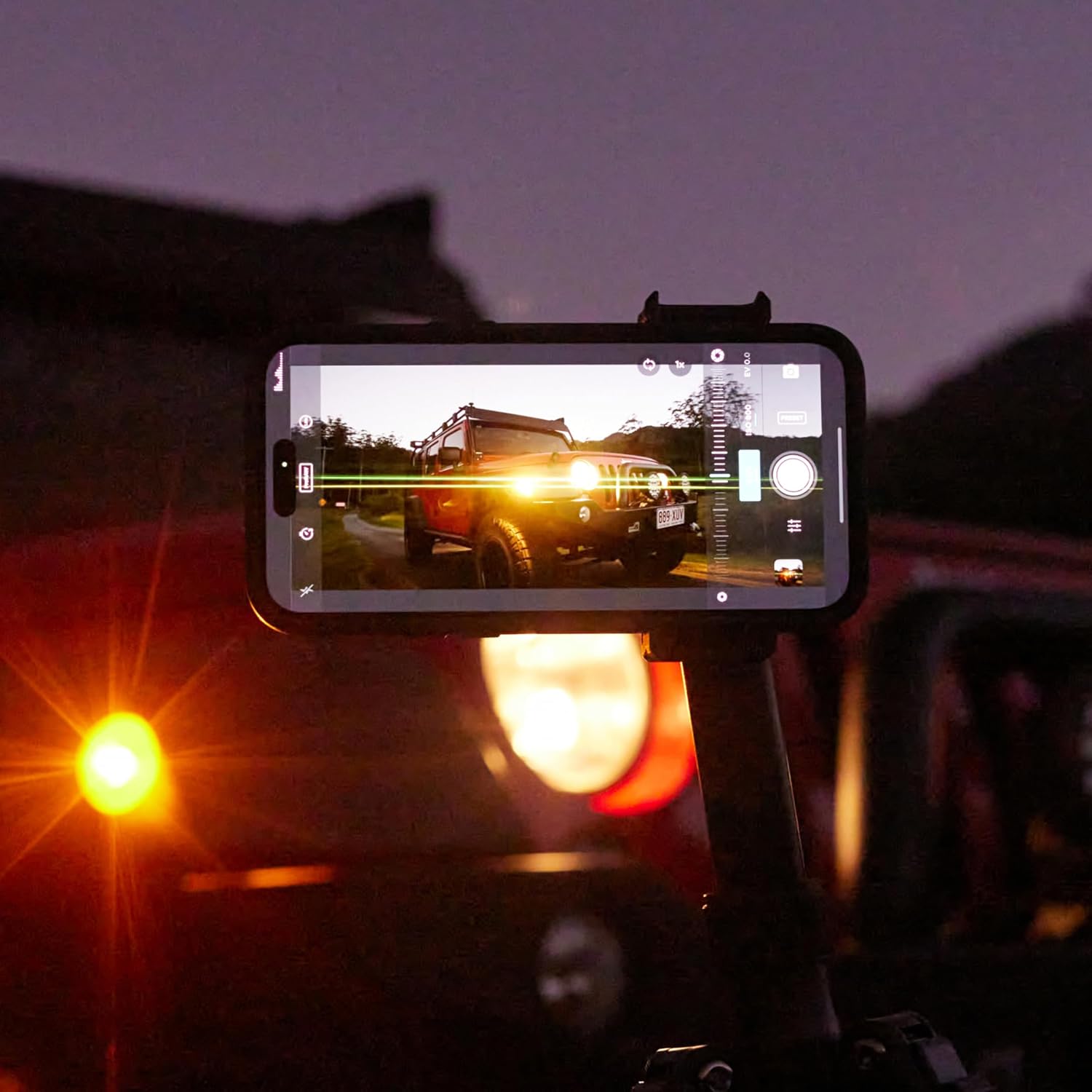
Figure 7.1: Visual representation of key technical specifications for the 1.33x Anamorphic Lens.
8. Warranty and Support
For information regarding product warranty, please refer to the official ShiftCam website or contact ShiftCam customer support directly. Warranty terms and conditions may vary by region and purchase location.
8.1 Customer Support
If you require further assistance, have questions about your product, or need to report an issue, please contact ShiftCam customer support through their official channels. Visit the ShiftCam Store on Amazon or their official website for contact information.
9. Important Notes
Video Integration Note: This manual aims to provide comprehensive information. However, due to the absence of specific video URLs with creator type and preview status in the provided product data, official product videos could not be embedded. Please refer to the manufacturer's official product page or channels for any available video guides or demonstrations.