
1. Product Overview
The DANOPLUS Wireless Decibel Meter (Model DP-379) is a high-accuracy sound level meter designed for precise noise measurement and data logging. It features Bluetooth connectivity, allowing seamless integration with a dedicated mobile application for convenient data transfer and analysis. With a measurement range of 30 to 130 dBA and a high precision of +/-1.5 dB, this device is suitable for various environments including classrooms, homes, offices, and workshops.
The meter is capable of recording up to 20,000 data groups, providing comprehensive monitoring capabilities. Its compact and functional design ensures ease of portability and versatile application.

Figure 1.1: The DANOPLUS Wireless Decibel Meter shown alongside its mobile application interface.
2. Key Features
- Data Logger: Records up to 20,000 data groups for detailed monitoring and analysis of decibel levels.
- Bluetooth Function: Connects to your smartphone via the "dB Tester" app (iOS and Android compatible) for convenient data transfer and analysis.
- High Precision: Accurately measures sound levels from 30 to 130 dBA, with an accuracy of +/-1.5 dB and a resolution of 0.1 dB.
- Calibration Mode: Designed with a calibration function, using a 94dB at 1KHz standard sound source for accurate readings.
- Wide Applications: Compact and functional design, easily portable and widely used in classrooms, homes, offices, workshops, and more.
- LCD Screen: Clear digital display with indicators for battery power, Bluetooth connection, data hold, minimum/maximum values, and sound level unit (dBA).
- High Precision Noise Sensor: Equipped with a sensitive sensor and a wind-resistant ball for accurate measurements.
- Portable with Tripod Socket: Features a tripod mount for stable, hands-free operation (tripod not included).
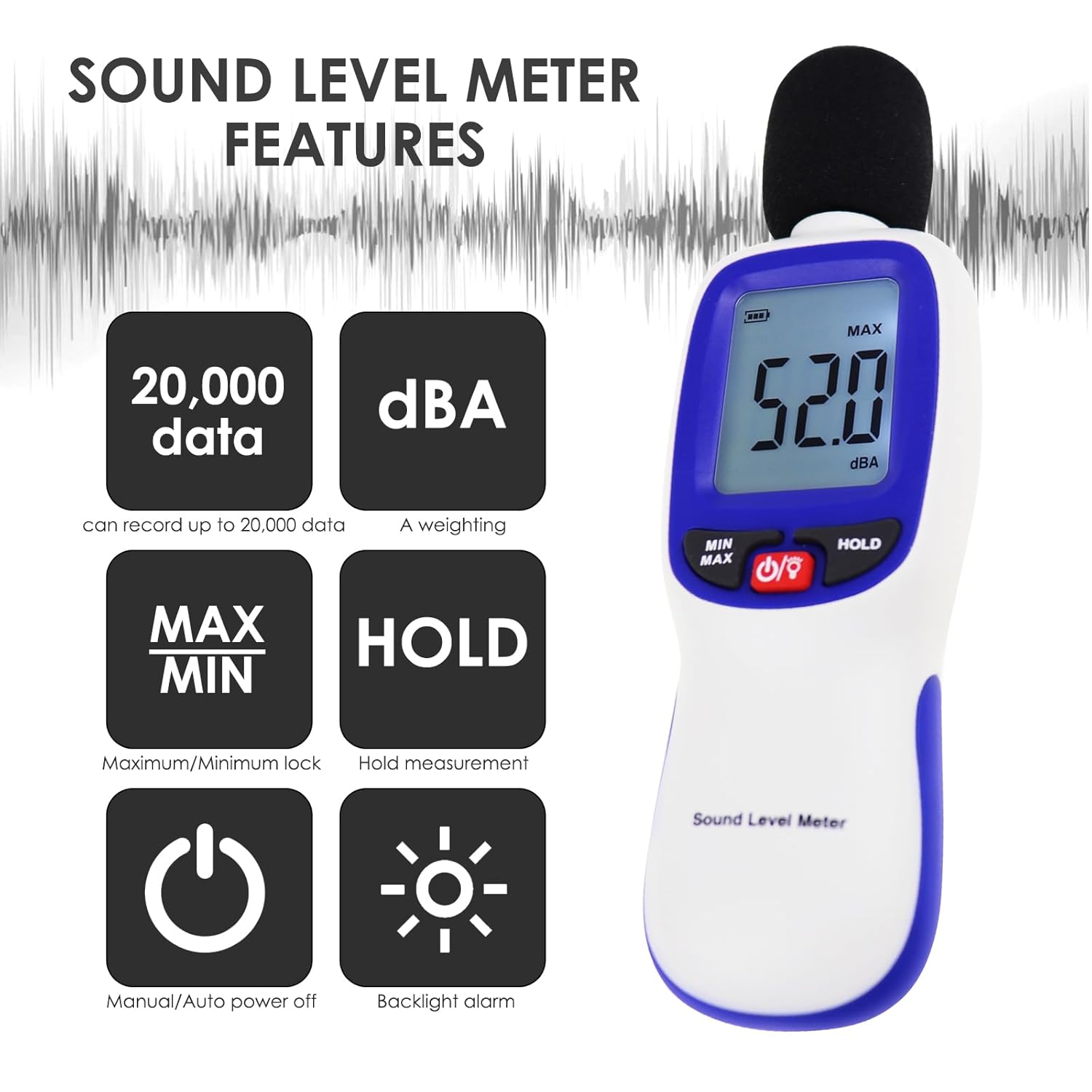
Figure 2.1: Overview of Sound Level Meter features including data capacity, weighting, MAX/MIN, HOLD, power, and backlight.

Figure 2.2: Detailed view of the LCD screen indicating minimum value, over warning sign, Bluetooth indicator, battery power indicator, data hold, maximum value, sound level value, and sound level unit (A weighting).

Figure 2.3: The bottom of the decibel meter showing the tripod mount screw hole.
3. Setup and Bluetooth Connection
- Power On: Press the power button to turn on the decibel meter.
- Activate Bluetooth on Meter: Long-press the "HOLD" button on the sound level device until the Bluetooth icon appears or flashes on the display, indicating Bluetooth is active.
- Turn on Bluetooth on Mobile Phone: Open the settings on your mobile phone (iOS or Android) and enable Bluetooth.
- Open "dB Tester" App: Launch the "dB Tester" application on your smartphone.
- Connect to Meter: Within the app, look for and click on the Bluetooth icon (usually in the upper left corner). A list of available devices will appear. Select "SoundMeter" from the list to establish a connection.
Video 3.1: Demonstrates how to activate Bluetooth on the decibel meter, enable Bluetooth on a mobile phone, and connect the device via the "dB Tester" app. It also shows how to record, save, and share data.

Figure 3.1: Screenshots of the Bluetooth app interface for both Android and iOS, showing real-time data display and recording options.
4. Operating Instructions
4.1 Real-time Measurement
Once connected via Bluetooth, the "dB Tester" app will display real-time sound level readings. The meter itself also shows the current decibel level on its LCD screen.
4.2 Data Recording and Export
- Start Recording: In the "dB Tester" app, click the "Record on Phone" button to begin capturing sound data. The app will display a graph of the sound levels over time.
- Stop Recording: After capturing the desired sound data, click the "Stop" button in the app to end the recording.
- Save Data: Click the menu bar (usually three lines or dots) at the top of the app interface. Select "Save" and then confirm by entering a title for your recording.
- View Recorded Data: To access saved recordings, click on the folder icon within the app. This will display a list of all recorded sessions.
- Export Data: From the recorded data list, you can swipe left on a recording to reveal sharing options. Choose the desired method (e.g., email, cloud storage) to share the file (typically in .xls format) with others.

Figure 4.1: Illustrates the process of recording and exporting data from the decibel meter to the mobile application, including steps for saving and sharing data groups.
4.3 MAX/MIN and HOLD Functions
- MAX/MIN: Press the "MIN/MAX" button to toggle between displaying the maximum and minimum sound levels recorded during a session.
- HOLD: Press the "HOLD" button to freeze the current reading on the display. Press it again to release the hold and resume real-time measurement.
5. Calibration
The decibel meter is designed with a calibration function to ensure accuracy. It is recommended to recalibrate the meter annually.
- Prepare Standard Sound Source: Use a 94dB at 1KHz standard sound source (not included).
- Plug in Microphone: Carefully plug the microphone head of the decibel meter into the 1/2 inch hold of the standard sound source.
- Adjust Potentiometer: Turn on the power switch of the standard sound source. Use a straight screwdriver to adjust the potentiometer located at the back of the sound level meter until the LCD display shows "94.0".
Note: Standard sound source and screwdriver are not included in the set.
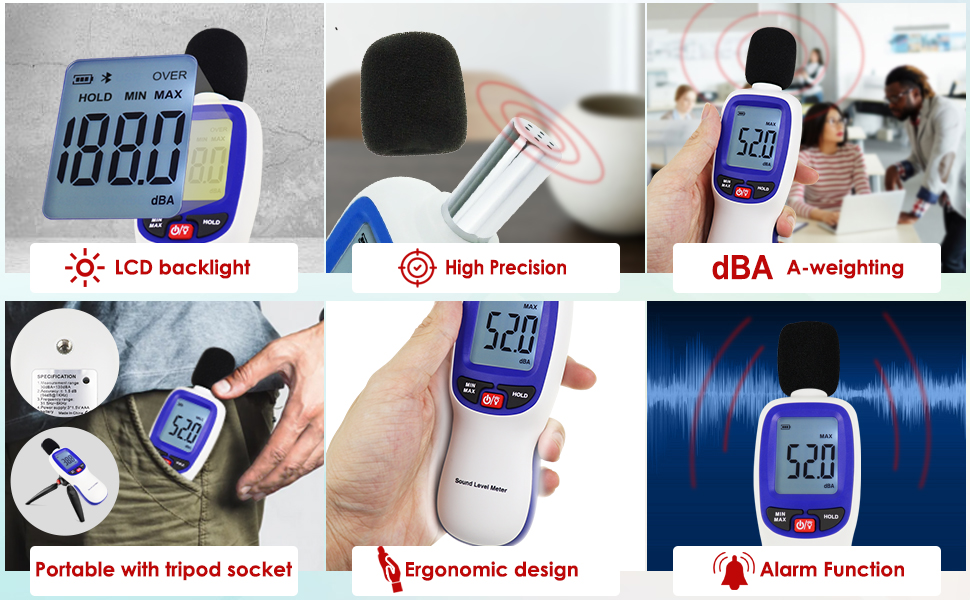
Figure 5.1: Visual guide for the simple calibration method using a standard sound source.
6. Specifications
| Parameter | Value |
|---|---|
| Measurement Range | 30dBA – 130dBA |
| Accuracy | ±1.5 dB (94dB@1KHz) |
| Frequency Range | 31.5Hz – 8KHz |
| Power Supply | 3 x 1.5V AAA battery |
| Item Model Number | DP-379 |
| Manufacturer | Danoplus |
| Package Dimensions | 8.62 x 4.69 x 1.65 inches |
| Item Weight | 7.05 ounces |
| Working Temperature and Humidity | -10~60℃, 10~90%RH |
| Storage Temperature and Humidity | -10~60℃, 10~70%RH |

Figure 6.1: Dimensions of the DANOPLUS DP-379 Sound Level Meter.
7. Applications
The DANOPLUS Wireless Decibel Meter is versatile and can be used in a variety of settings for noise detection and inspection:
- Traffic road noise detection
- Musical instrument inspection
- Office noise detection
- Airport noise inspection
- Public noise detection
- Mechanical processing inspection

Figure 7.1: Visual representation of common applications for the sound level meter.

Figure 7.2: Sound Level Index chart showing typical decibel ranges for different noise environments, from silence to hearing loss levels.
8. Troubleshooting
- No Power: Ensure fresh AAA batteries are correctly installed. Check battery polarity.
- Bluetooth Connection Issues: Ensure Bluetooth is enabled on both the meter and your smartphone. Make sure the "dB Tester" app is open and you have selected "SoundMeter" from the device list. Try restarting both the meter and the app.
- Inaccurate Readings: Perform a calibration as described in Section 5. Ensure the microphone is not obstructed and is clean. Avoid measuring in extremely windy conditions without the wind-resistant ball.
- App Not Recording Data: Check if the app has necessary permissions on your phone (e.g., storage access). Ensure the meter is properly connected via Bluetooth.
9. Maintenance
- Cleaning: Wipe the device with a soft, dry cloth. Do not use abrasive cleaners or solvents.
- Storage: Store the meter in a cool, dry place away from direct sunlight and extreme temperatures. If storing for extended periods, remove the batteries to prevent leakage.
- Battery Replacement: Replace batteries when the low battery indicator appears on the LCD screen. Use 3 x 1.5V AAA batteries.
- Microphone Care: Keep the microphone clean and free from dust or debris. Use the wind-resistant ball when measuring outdoors to protect the microphone.
10. Warranty and Support
For warranty information and technical support, please refer to the contact details provided on the product packaging or visit the official DANOPLUS website. Keep your purchase receipt for warranty claims.
Manufacturer: Danoplus
For further assistance, you may contact the seller DP-GLOBAL via Amazon's messaging system or refer to the contact information provided in the product packaging.