
Introduction
Welcome to the instruction manual for your new Accutime Bluey Digital Watch for Kids. This guide provides essential information on how to set up, operate, maintain, and troubleshoot your watch. Please read these instructions carefully to ensure proper use and longevity of your product.
Product Overview
The Accutime Bluey Digital Watch is designed for children, featuring a light-up digital display and a comfortable silicone strap adorned with Bluey and friends characters. It provides an easy way for children to tell time.
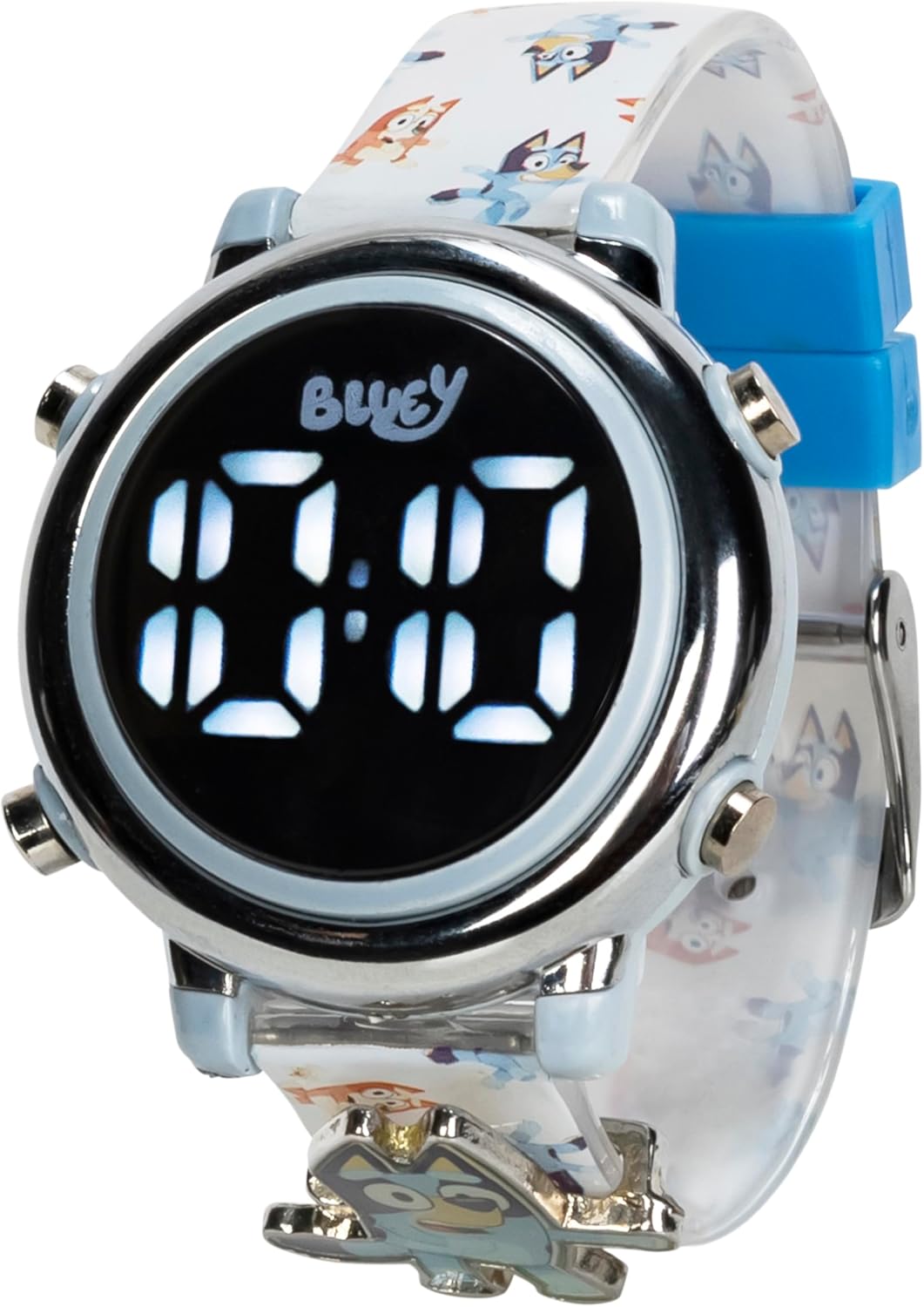
Image 1: Angled view of the Accutime Bluey Digital Watch, highlighting its light-up digital display and the Bluey character design on the strap.
Components:
- Digital Display: Shows time in bright white LED numbers.
- Function Buttons: Typically located on the sides of the watch case, used for displaying time, activating the light, and setting the time.
- Silicone Strap: Adjustable and comfortable, featuring Bluey and friends artwork.
- Buckle Closure: Secures the watch on the wrist.

Image 2: Front view of the watch, clearly showing the digital time display and the 'Bluey' branding above it.
Setup
1. Initial Activation
Upon first use, the watch may be in a power-saving mode. Press any button to activate the display and show the current time.
2. Setting the Time
To ensure accurate time-telling, follow these general steps to set the time. Specific button functions may vary slightly, but the principle remains consistent for most digital watches of this type:
- Enter Setting Mode: Typically, press and hold one of the side buttons (often the bottom right button) for a few seconds until the hour digits begin to flash.
- Adjust Hours: While the hour digits are flashing, press the same button repeatedly to advance the hour. Ensure you set the correct AM/PM if applicable (though this watch typically uses a 24-hour format or a simple digital display without AM/PM indicators).
- Adjust Minutes: Press a different button (often the top right button) to switch to setting the minute digits. Once the minute digits are flashing, press the first button repeatedly to advance the minutes.
- Exit Setting Mode: After setting the minutes, press and hold the button used to switch between hours/minutes (or the initial setting button) until the digits stop flashing, or wait a few seconds for the watch to automatically exit setting mode.
Operating the Watch
1. Displaying Time
To view the time, simply press the main function button (usually the top right button). The bright LED display will illuminate for a few seconds, showing the current time.
2. Light-Up Feature
The watch display illuminates automatically when the time is shown. There is no separate button for the light-up feature; it is integrated with the time display function.
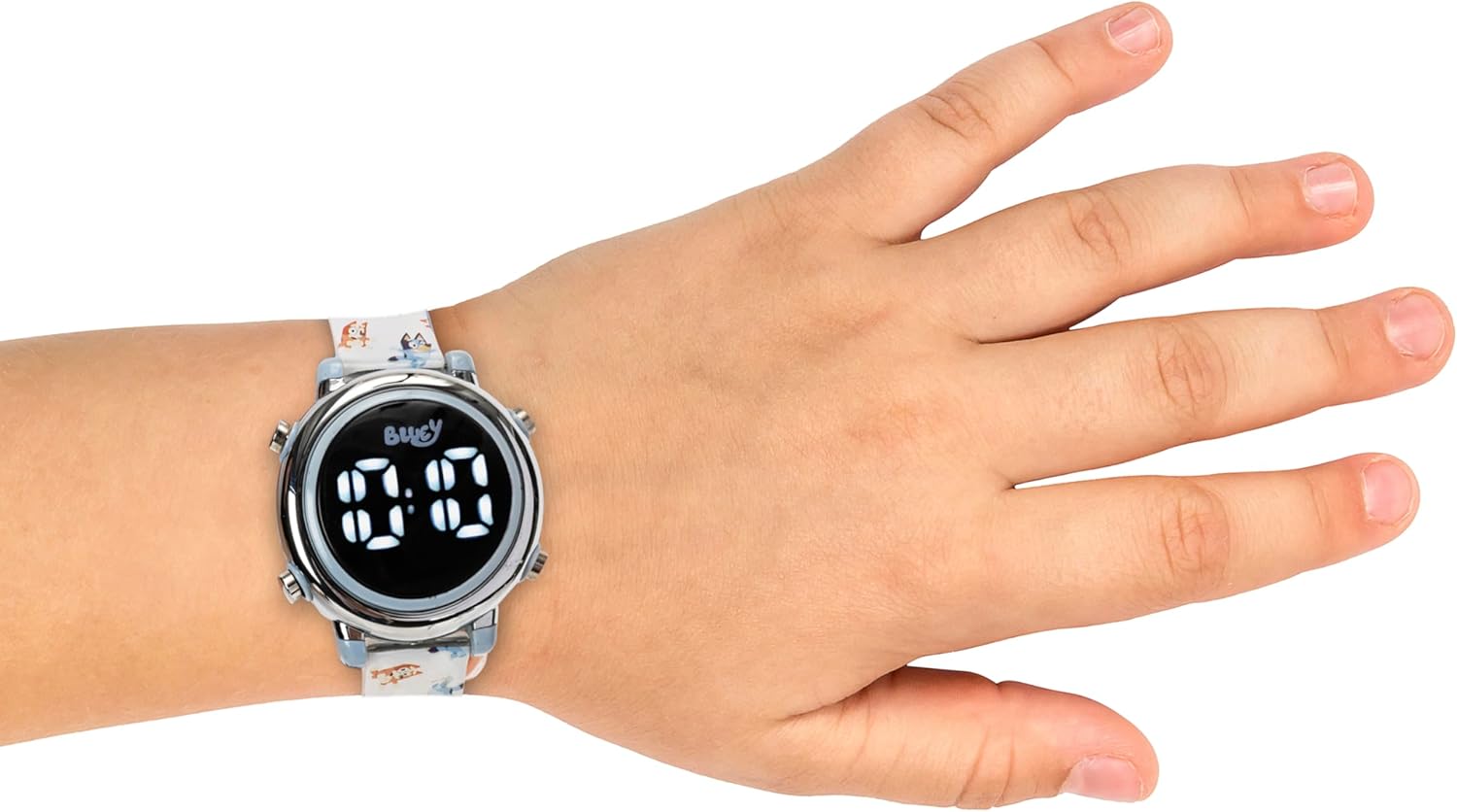
Image 3: The Accutime Bluey Digital Watch worn on a child's wrist, demonstrating its size and fit.
Maintenance
1. Cleaning
To clean your watch, gently wipe the display and strap with a soft, damp cloth. Avoid using harsh chemicals or abrasive materials, as these can damage the watch's finish or the silicone strap.
2. Battery Replacement
The watch uses one CR2016 (3V) battery. When the display becomes dim or stops illuminating, it may be time to replace the battery. Battery replacement should ideally be performed by an adult or a qualified technician to avoid damaging the watch's internal components or compromising its water resistance.

Image 4: Rear view of the watch case, displaying the model number BLY4003AZ and battery type (1 x CR2016 (3V)).
3. Water Resistance
This watch is designed for everyday wear and is generally splash-resistant. It is not suitable for swimming, showering, or submersion in water. Avoid exposing the watch to excessive moisture to prevent damage.
Troubleshooting
- Display is dim or not lighting up: This usually indicates a low battery. Refer to the 'Battery Replacement' section for guidance.
- Time is incorrect: The time may need to be reset. Follow the steps in the 'Setting the Time' section.
- Watch not responding to button presses: Ensure the battery is not depleted. If the issue persists after battery replacement, contact customer support.
Specifications
| Model Number | BLY4003AZ |
| Brand | Accutime |
| Battery Type | 1 x CR2016 (3V) |
| Strap Material | Silicone |
| Wrist Size Range | 5.5 to 8 inches |
| Department | Boys (Unisex for Kids) |
| Manufacturer | Accutime Watch Corp. |
Warranty and Support
Accutime products are manufactured with quality and care. For information regarding warranty coverage or to obtain support for your Accutime Bluey Digital Watch, please refer to the warranty card included with your purchase or visit the official Accutime website. Keep your proof of purchase for any warranty claims.


