
Introduction
The Blink Wired Floodlight Camera is a smart security camera designed to provide outdoor surveillance with integrated lighting. It features 1080p HD video, two-way audio, motion detection, and a built-in siren. This manual provides instructions for the installation, operation, and maintenance of your Blink Wired Floodlight Camera.
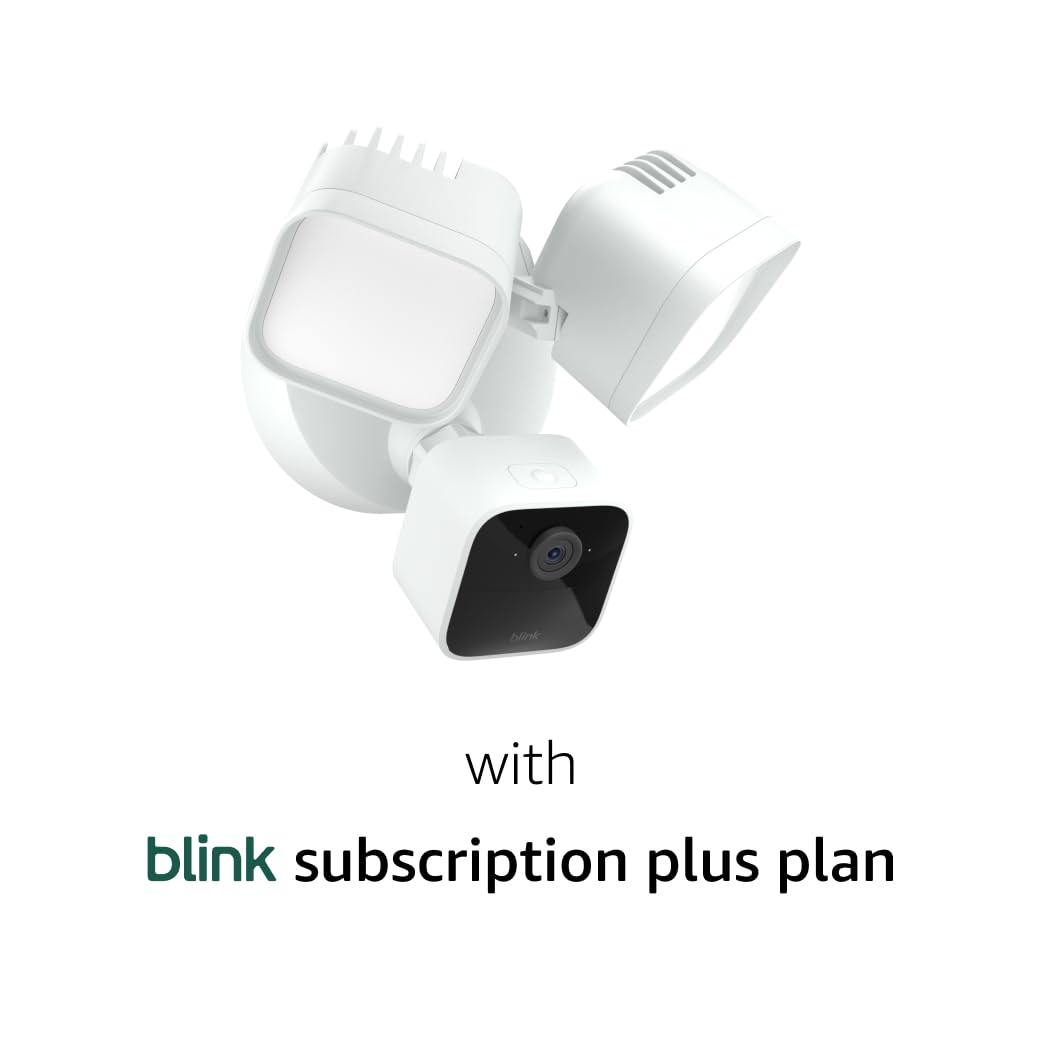
Image: Front view of the Blink Wired Floodlight Camera, showing the camera unit and two adjustable floodlights.
Setup
The Blink Wired Floodlight Camera requires hardwired installation to an existing outdoor electrical box. Ensure power is off at the circuit breaker before beginning installation.
Components Included:
- Blink Wired Floodlight Camera
- 1-year Blink Plus Plan (subscription details provided separately)
- Installation kit
Requirements:
- Existing 4-inch round, UL listed, weatherproof electrical box on a wall or covered ceiling.
- Neutral wire.
- 100-240VAC, 50/60Hz, 45W power supply.
- High-speed internet connection (such as broadband, fiber, or DSL).
- 2.4 GHz 802.11b/g/n Wi-Fi network.
- Smartphone with iOS 14, Android 6.0, or Fire OS 7 or newer.
- Blink Home Monitor app.
- Outdoor silicone sealant (not included).
Installation Steps:
- Turn off power at the circuit breaker to the electrical box where the floodlight camera will be installed.
- Mount the camera to the existing 4-inch round, UL listed, weatherproof electrical box using the included installation kit.
- Connect the camera's wiring to your home's existing outdoor wiring, ensuring the neutral wire is connected.
- Apply outdoor silicone sealant around the mounting plate to prevent water intrusion (sealant not included).
- Restore power at the circuit breaker.
- Download and install the Blink Home Monitor app on your smartphone.
- Follow the in-app instructions to add your new Blink Wired Floodlight Camera to your Blink system and connect it to your Wi-Fi network.
Operating Instructions
The Blink Wired Floodlight Camera offers various features for home security and monitoring, accessible through the Blink Home Monitor app.
Live View and Two-Way Audio:
Access 1080p HD live video and two-way audio through the Blink Home Monitor app. Night view is available in color, enhanced by the 2600 lumen LED floodlights.

Image: The floodlight camera mounted on a wall, illuminating a patio area at night with bright light.

Image: A smartphone screen showing a live view from the camera, capturing a person waving from a car, illustrating two-way audio and live monitoring.
Motion Detection:
The camera features dual-zone, customizable motion detection. Configure motion zones within the Blink Home Monitor app to receive alerts only for relevant activity, reducing unnecessary notifications.
Person Detection:
With the included 1-year Blink Plus Plan, the camera utilizes embedded computer vision (CV) for person detection, distinguishing human activity from other motion sources.
Security Siren:
A built-in 105-decibel siren can be activated remotely via the Blink app to deter intruders or alert others.
Cloud Storage:
The 1-year Blink Plus Plan allows video events to be stored in the cloud for up to 60 days. Important videos can be downloaded to your mobile device for longer retention. Local storage backup is an option with a Sync Module 2 and a USB drive (sold separately).
Alexa Integration:
Connect your camera to Alexa-enabled devices to use voice commands for live view, arming, and disarming the camera.

Image: An Amazon Echo Show device displaying a live feed from the Blink camera, demonstrating Alexa integration.
Maintenance
Regular maintenance ensures optimal performance and longevity of your Blink Wired Floodlight Camera.
Cleaning:
Periodically clean the camera lens and floodlight surfaces with a soft, damp cloth to remove dust, dirt, and debris. Avoid using abrasive cleaners or solvents, as these can damage the camera's finish or lens.
Connection Check:
Annually inspect all wiring connections to ensure they remain secure and free from corrosion. Check the silicone sealant around the mounting plate for any cracks or deterioration and reapply if necessary to maintain weatherproofing.
Software Updates:
Keep the Blink Home Monitor app updated to the latest version to receive new features, performance improvements, and security enhancements. The camera's firmware updates are typically managed automatically through the app when connected to the internet.
Troubleshooting
If you encounter issues with your Blink Wired Floodlight Camera, refer to these common troubleshooting steps before contacting support.
No Power/Lights Not Working:
- Verify the circuit breaker supplying power to the electrical box is in the 'ON' position.
- Check all wiring connections at the camera and electrical box for proper installation and secure contact.
No Video/Offline Camera:
- Ensure your home's Wi-Fi network is active and functioning correctly.
- Confirm the camera is within range of your Wi-Fi router. If not, consider repositioning the router or using a Wi-Fi extender.
- Restart your Wi-Fi router and modem.
- Check the Blink Home Monitor app for the camera's status and Wi-Fi signal strength.
- Confirm your smartphone meets the minimum operating system requirements (iOS 14, Android 6.0, or Fire OS 7 or newer).
Motion Detection Issues:
- Review motion zone settings in the Blink Home Monitor app to ensure they cover the desired areas.
- Ensure the camera lens is clean and unobstructed by spiderwebs, dirt, or foliage.
- Adjust motion sensitivity settings in the app if you are receiving too many or too few alerts.
Siren Not Activating:
- Verify the camera is powered and connected to the network.
- Ensure the command to activate the siren is correctly issued through the Blink app or an integrated Alexa device.
Specifications
| Field of view | 143° diagonal |
| Camera resolution | 1080p HD video |
| Camera frame rate | Up to 30 fps |
| Size | 178 x 173 x 198mm |
| Weight | 1.13 kilograms |
| Power | Hardwired. Neutral wire required. 100-240VAC, 50/60Hz, 45W |
| Wifi connectivity | High-speed internet connection (such as broadband, fiber, or DSL). Wifi network: 2.4 GHz 802.11b/g/n. |
| Installation requirements | Mount to existing 4-inch round, UL listed, weatherproof electrical box on a wall or covered ceiling using included installation kit. Outdoor silicone sealant not included. |
| Sync module compatibility | Camera compatible with all Blink Sync Modules. |
| Available colors | White, Black |
| Minimum smartphone requirements | iOS 14, Android 6.0, or Fire OS 7 |
| Blink app | Blink Home Monitor |
| Included in the box | Includes one Blink Wired Floodlight Camera, a 1-year Blink Plus Plan, and one installation kit. |
| Audio | Siren and 2-way audio |
| Lighting | 2600 Lumen, 5000°K color temperature LEDs |
| Siren | 105 decibels (level measured at 4 inch/10cm distance) |
| Generation | 1st Generation |
| Cloud video storage | The Blink Plus Subscription Plan allows videos to be stored in the cloud for up to 60 days. To keep important videos beyond this period, download them to your mobile device. |
Warranty and Support
Warranty:
The Blink Wired Floodlight Camera includes a 1-year limited warranty. Purchase and use of Blink cameras are subject to the terms found on the official Blink website.
Support:
For further assistance, troubleshooting guides, or to contact customer service, please visit the official Blink support page.


