
Introduction
Thank you for choosing the BACEKOLL 9-Tier 64-inch Indoor Plant Stand with Full-Spectrum Grow Lights. This manual provides detailed instructions for the assembly, operation, and maintenance of your new plant stand. Please read this manual thoroughly before assembly and use to ensure proper setup and safe operation.
This plant stand is designed to provide an organized and illuminated display for your indoor plants. It features a robust metal frame, durable particleboard shelves, and integrated full-spectrum grow lights to support plant growth.

Image: The BACEKOLL 9-Tier 64-inch Indoor Plant Stand fully assembled and decorated with plants, showcasing its curved design and integrated lighting.
Safety Information
- Always assemble the product on a soft, clean surface to prevent scratches.
- Ensure all screws and fasteners are securely tightened before use. Periodically check and re-tighten as necessary.
- Do not overload the shelves. Refer to the specifications for weight capacity.
- Keep electrical components (grow lights) away from water to prevent electric shock.
- Use the provided furniture straps to secure the plant stand to a wall, especially if children or pets are present, to prevent tipping.
- Do not allow children to climb on the plant stand.
- Unplug the grow lights from the power source before cleaning or performing any maintenance.
Package Contents
Please verify that all components are present before beginning assembly. If any parts are missing or damaged, contact customer support.
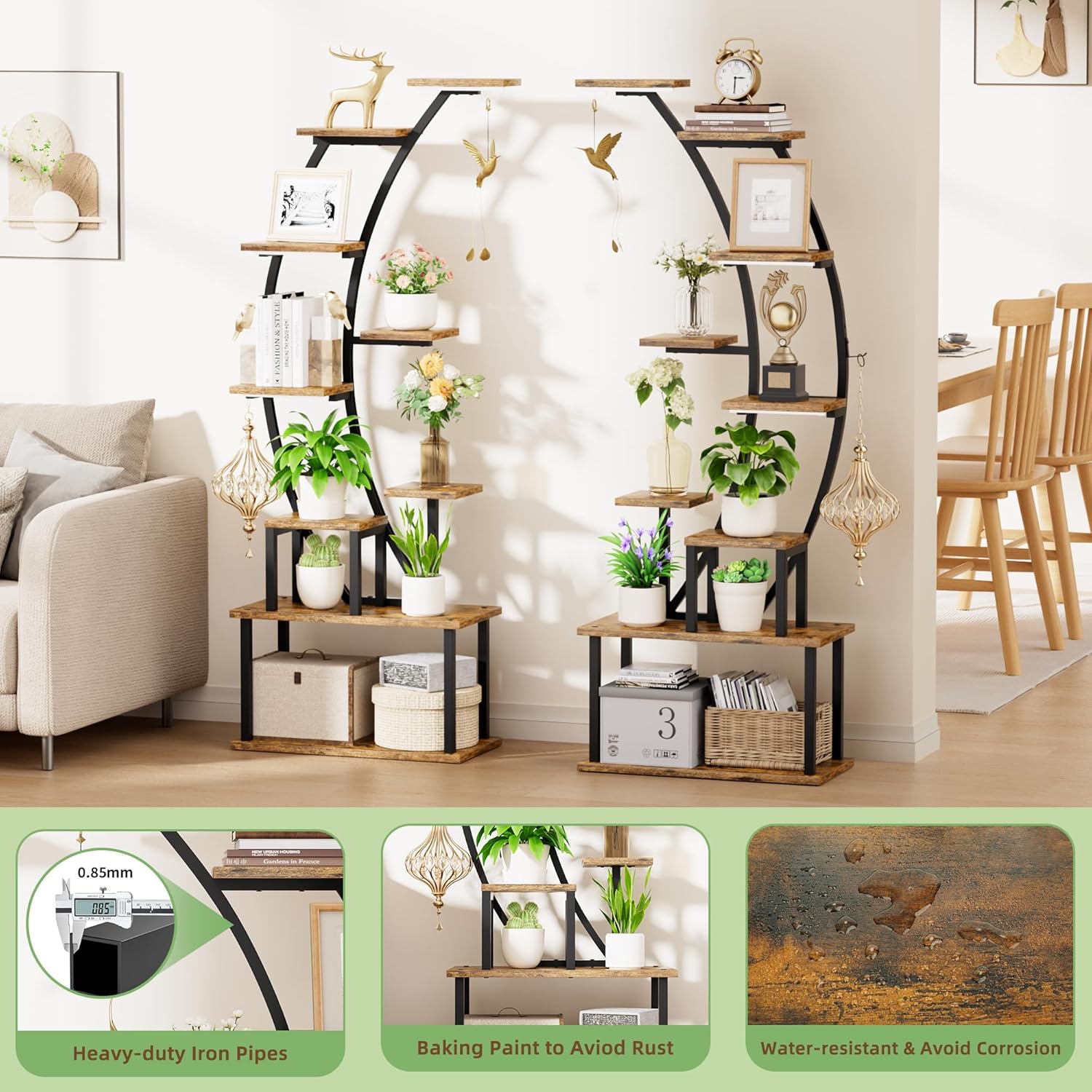
Image: A detailed diagram illustrating the dimensions and labeled components of the plant stand, including various shelf sizes and frame pieces.
Components for One Plant Stand Unit:
- Metal Frame Components: Curved main frame, base supports, and connecting rods.
- Particleboard Shelves: Various sizes (e.g., 20.5"x11.0", 9.4"x7.1", 7.1"x7.1", 9.4"x4.72") to form 9 tiers.
- Full-Spectrum Grow Lights: Three-head grow light unit with controller.
- Hardware Pack: Screws, nuts, and other fasteners.
- Tools: Screwdriver, small wrench.
- Accessories: Furniture anti-tipping straps, zip ties, velcro wire wraps.
- Hanging Hooks: 4 units for hanging plants.
Note: This product is often sold as a set of two plant stands. Ensure you have received the correct number of components for your purchase.
Assembly Instructions
Follow these steps carefully for proper assembly. Refer to the component diagram in the 'Package Contents' section for part identification.
- Unpack and Identify Parts: Lay out all components on a clean, soft surface. Compare them with the parts list and diagram to ensure everything is present and undamaged.
- Assemble Base Frames: Attach the horizontal base supports to the vertical base frames using the provided screws and the small wrench. Ensure they are stable.
- Connect Vertical Supports: Secure the curved metal main frame to the assembled base frames. Pay attention to the orientation as shown in the diagram.
- Install Shelves: Attach the particleboard shelves to the metal frame at the designated points. The pre-drilled holes contain plastic inserts for a snug fit. Use the screwdriver to secure each shelf. Ensure the shelves are level and firmly attached.
- Install Grow Lights: Mount the three-head full-spectrum grow light unit to the top section of the metal frame. Route the power cable neatly using the provided zip ties or velcro wraps.
- Attach Hanging Hooks: Secure the four hanging hooks to the designated points on the frame.
- Secure with Anti-Tipping Straps: For safety, especially in households with children or pets, attach the furniture anti-tipping straps to the top of the plant stand and secure them to a wall stud using appropriate wall anchors (not included).
- Final Check: Once assembled, gently shake the stand to ensure all connections are secure and the unit is stable.
Operating Instructions (Grow Lights)
The integrated full-spectrum grow lights are designed to provide optimal lighting conditions for your plants. The lights feature a timer and adjustable brightness levels.

Image: Visual representation of the grow light features, showing icons for 3h, 9h, 12h timer settings and 10%-100% brightness adjustment.
Grow Light Features:
- Full-Spectrum Lighting: Mimics natural sunlight to support all stages of plant growth.
- Timer Function: Set the lights to automatically turn on and off for 3, 9, or 12 hours. Press the timer button on the controller to cycle through the options. The lights will then follow this schedule daily.
- Adjustable Brightness: Choose from 10 brightness levels (10% to 100%) to suit the specific needs of your plants. Use the '+' and '-' buttons on the controller to adjust.
- Power Control: Use the power button on the controller to manually turn the lights on or off.
Usage Tip: Position the grow light heads directly above the plants that require the most light. Adjust brightness and timer settings according to your plants' species and growth stage.
Maintenance
- Cleaning: Wipe the metal frame and particleboard shelves with a soft, damp cloth. Avoid abrasive cleaners or harsh chemicals that could damage the finish.
- Water Resistance: The particleboard shelves are coated with a water-resistant layer. However, promptly wipe away any standing water to prevent long-term damage, warping, or corrosion.
- Stability Check: Periodically inspect all screws and connections to ensure they remain tight. Re-tighten if any looseness is detected.
- Grow Light Care: Keep the grow light heads clean from dust to ensure optimal light output. Do not immerse the lights or controller in water.
Troubleshooting
- Stand is Unstable: Ensure all screws are fully tightened. Verify that the stand is placed on a flat, level surface. If necessary, re-assemble the affected sections, paying close attention to the alignment of parts.
- Grow Lights Not Turning On: Check if the power adapter is securely plugged into a working electrical outlet. Ensure the grow light cable is properly connected to the adapter. Press the power button on the controller.
- Grow Lights Not Responding to Timer/Brightness Controls: Ensure the lights are powered on. Try unplugging and re-plugging the power adapter to reset the controller.
- Plants Not Thriving Under Lights: Adjust the brightness level or the duration of the timer. Ensure the grow light heads are positioned appropriately for the plants. Consider the specific light requirements of your plant species.
Specifications
| Brand | BACEKOLL |
| Model Number | B0CHS4VL4C |
| Material | Metal (heavy-duty iron pipe), Particleboard |
| Color | Black (frame), Rustic Brown (shelves) |
| Shape | Irregular (Curved / Half-Moon design) |
| Base Type | Leg |
| Assembly Required | Yes |
| Overall Dimensions (Approx. per unit) | 63.0 inches (Height) x 26.5 inches (Width at top) x 11.0 inches (Depth) |
| Item Weight | 44 pounds (approx. for two units) / 20 Kilograms |
| Grow Lights | Full-spectrum, 3-head unit, 3/9/12H timer, 10 brightness levels |
| Special Features | Heavy-duty iron pipe frame, water-resistant particleboard layers, anti-tipping furniture straps included. |
Warranty and Support
For warranty information, technical support, or to report missing/damaged parts, please contact BACEKOLL customer service through the retailer where the product was purchased. Please have your purchase receipt and product model number (B0CHS4VL4C) available when contacting support.