
Introduction
Thank you for purchasing the MONOLITH C 185-C Professional Micro-Cut Paper Shredder. This manual provides essential information for the safe and efficient operation, maintenance, and troubleshooting of your new shredder. Please read it thoroughly before use and retain it for future reference.
This shredder is designed for professional and home office use, offering high-security micro-cut shredding for confidential documents, credit cards, and staples. Its robust design ensures reliable performance and ease of use.
Important Safety Instructions
- Always keep fingers, loose clothing, jewelry, and hair away from the paper entry slot.
- Keep children and pets away from the shredder at all times.
- Do not spray any flammable products or lubricants into the shredder.
- Do not shred adhesive labels, continuous forms, or plastic sheets other than credit cards.
- Ensure the shredder is placed on a stable, level surface.
- Unplug the shredder from the power outlet when not in use or before cleaning.
- Do not operate the shredder if the power cord is damaged. Contact customer support for assistance.
- Do not attempt to open or repair the shredder yourself. Refer all servicing to qualified personnel.
Product Components
Familiarize yourself with the main parts of your MONOLITH C 185-C paper shredder:
- Paper Entry Slot: For inserting documents to be shredded.
- Control Panel: Contains power, auto, reverse, and forward buttons.
- Waste Bin: Removable bin for collecting shredded material.
- Viewing Window: Allows monitoring of the waste bin fill level.
- Casters (Wheels): For easy mobility of the shredder.

Setup
- Unpack: Carefully remove the shredder from its packaging.
- Position: Place the shredder on a flat, stable surface. The integrated casters allow for easy movement. Ensure there is adequate space around the shredder for ventilation.
- Connect Power: Plug the power cord into a standard electrical outlet.
- Initial Check: Ensure the waste bin is correctly inserted. The shredder will not operate if the bin is not properly seated.
Operating Instructions
Powering On/Off
- Press the Power button on the control panel to turn the shredder on. The shredder will enter standby mode.
- To turn off, press the Power button again.
Shredding Documents
- Ensure the shredder is powered on and in Auto mode (indicated by a light on the control panel).
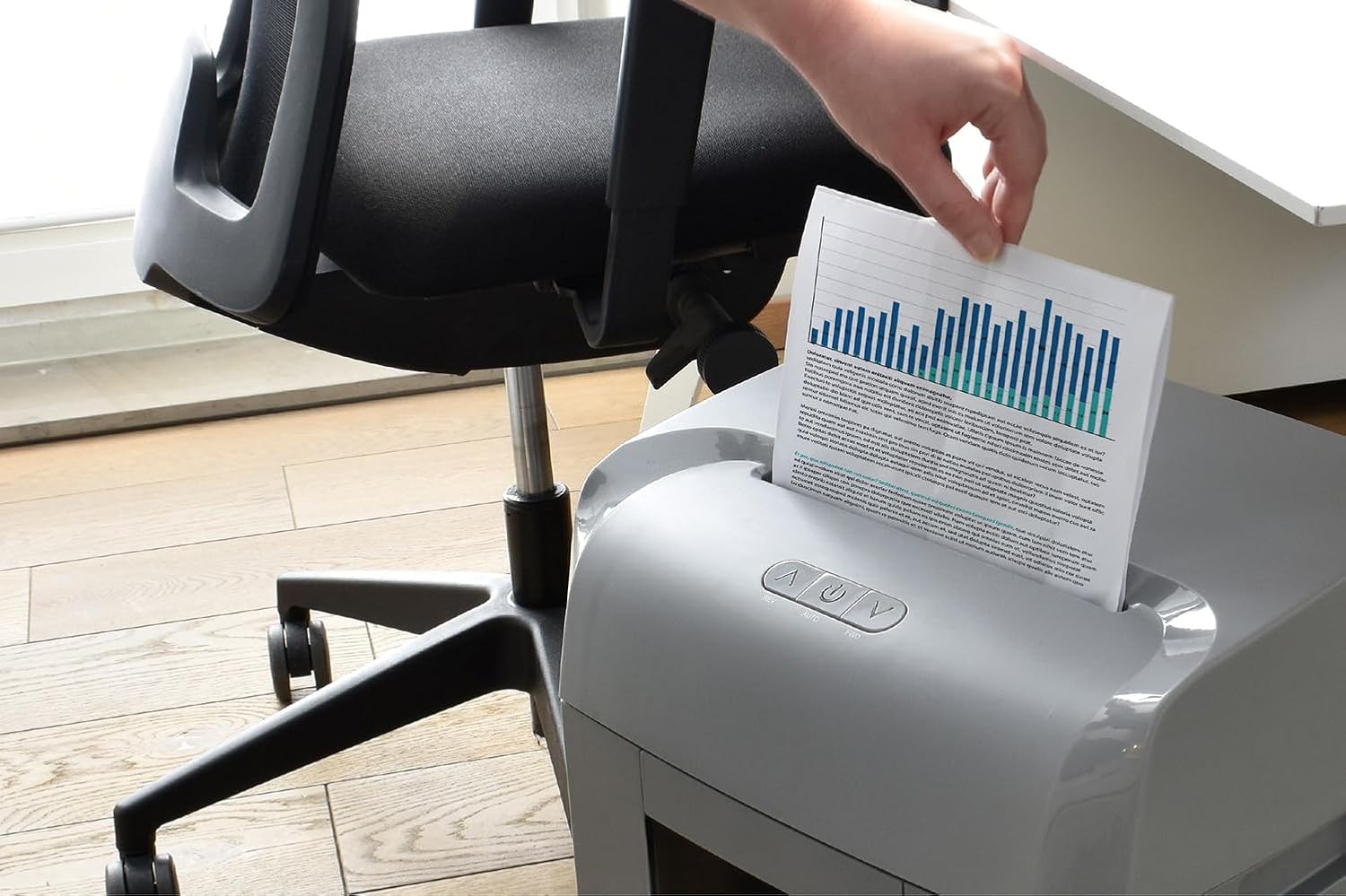
- Insert up to 10 sheets of paper (A4, 70gsm) into the paper entry slot. The shredder will automatically start and stop once shredding is complete.
- The shredder can also handle staples and credit cards without needing to remove them from documents.
- For optimal performance and to prevent overheating, avoid exceeding the maximum sheet capacity. The shredder features a 30-minute continuous run time thanks to its integrated ventilation system.
Micro-Cut Security
The MONOLITH C 185-C utilizes micro-cut technology (DIN P-5), shredding documents into tiny particles (10 x 2 mm). This provides a high level of security, making it virtually impossible to reconstruct shredded information, thus protecting your sensitive data.

Reverse and Forward Functions
- The Reverse (REV) button is used to clear paper jams. If paper becomes stuck, press and hold this button to reverse the shredding mechanism and pull the paper out.
- The Forward (FWD) button can be used to manually engage the shredding mechanism, which can be helpful for clearing minor obstructions or for specific shredding tasks.
Maintenance
Emptying the Waste Bin
The shredder features a 23-liter removable waste bin. Monitor the fill level through the viewing window. When full:
- Ensure the shredder is turned off and unplugged.
- Carefully pull out the waste bin from the front of the shredder.
- Dispose of the shredded material.
- Slide the waste bin back into place until it clicks securely. The shredder will not operate if the bin is not correctly inserted.
Cleaning
- Always unplug the shredder before cleaning.
- Wipe the exterior of the shredder with a soft, dry cloth. Do not use abrasive cleaners or solvents.
- Regularly oil the shredder blades with shredder oil (sold separately) to maintain performance and extend the life of the machine. Follow the oil manufacturer's instructions.
Troubleshooting
| Problem | Possible Cause | Solution |
|---|---|---|
| Shredder does not turn on. | No power, waste bin not properly inserted. | Check power connection. Ensure waste bin is fully closed and seated. |
| Paper jam. | Too much paper inserted, paper folded incorrectly. | Press and hold the Reverse (REV) button to clear the jam. Remove excess paper. |
| Shredder stops during operation. | Overheating, waste bin full. | Allow the shredder to cool down for at least 30 minutes. Empty the waste bin. |
| Shredder is unusually noisy. | Blades need oiling, foreign object in blades. | Oil the shredder blades. Unplug and carefully inspect for foreign objects. |
Specifications
| Feature | Detail |
|---|---|
| Brand | Monolith |
| Model | C 185-C |
| Shred Type | Micro-Cut (DIN P-5) |
| Sheet Capacity | 10 sheets (A4, 70gsm) |
| Bin Capacity | 23 Liters |
| Continuous Run Time | 30 minutes |
| Shred Speed | 1.80 m/minute |
| Shreds | Paper, staples, credit cards |
| Noise Level | Approx. 70 dB |
| Power | 460 W, 2.0 A |
| Dimensions (L x W x H) | 28.3 x 36.7 x 57.2 cm |
| Special Features | Automatic start-stop, swivel wheels, anti-jam (forward/reverse) |
Warranty Information
The MONOLITH C 185-C Professional Micro-Cut Paper Shredder comes with a 2-year warranty from the date of purchase. This warranty covers manufacturing defects and workmanship under normal use. Please retain your proof of purchase for warranty claims. The warranty does not cover damage caused by misuse, neglect, unauthorized repairs, or normal wear and tear.
Customer Support
If you encounter any issues or have questions regarding your MONOLITH C 185-C paper shredder that are not addressed in this manual, please contact our customer support team. For the most up-to-date contact information, please refer to the official Monolith website or your purchase documentation.