1. Introduction and Safety Information
Thank you for choosing DUMOS Dining Chairs. This manual provides essential information for the safe assembly, operation, and maintenance of your new chairs. Please read all instructions carefully before beginning assembly and retain this manual for future reference.
Important Safety Warnings:
- Always read and follow the user manual for safe assembly and use.
- Do not exceed the maximum weight capacity of 250 lbs (113 kg) to ensure stability and prevent accidents.
- Ensure all bolts and screws are securely tightened before use. Periodically check and re-tighten as necessary.
- Keep small parts and packaging materials away from children to prevent choking hazards.
- Assemble the chairs on a soft, clean surface to prevent scratching.
2. Package Contents
Before assembly, please verify that all components listed below are present and undamaged. If any parts are missing or damaged, please contact DUMOS customer support.
- (A) Backrest: 1 unit
- (B) Seat Cushion: 1 unit
- (C) Chair Legs: 2 units
- Hardware Pack: Includes Bolts (E), Bolts (F), Washers (H), Washers (I), and Allen Wrench.

Image: All components of the DUMOS Dining Chair laid out for assembly, including the backrest, seat cushion, two legs, and a hardware pack.
3. Assembly Instructions
Follow these steps to assemble your DUMOS Dining Chairs. It is recommended to have a second person assist with assembly for easier handling.
Video: Full assembly guide for the DUMOS Dining Chair, demonstrating each step from unpacking to final tightening.
Step-by-Step Guide:
Step 1: Unpack Components
Carefully lift the non-woven fabric cover at the bottom of the Seat Cushion (B) and remove the chair legs and hardware pack stored inside. Lay out all parts on a soft, clean surface.
Image: A person lifting the fabric cover from the underside of the seat cushion to reveal the stored chair legs and hardware.
Step 2: Attach Backrest to Seat Cushion (Partial Tightening)
Insert one Washer (H) and one Washer (I) onto a Bolt (F). Align the Backrest (A) with the Seat Cushion (B) and insert the Bolt (F) into the middle connection point. Tighten this bolt only 50% to allow for adjustment in the next step.
Step 3: Secure Backrest to Seat Cushion (Full Tightening)
Insert Washers (H) and (I) onto four Bolts (E). Attach the Seat Cushion (B) to the Backrest (A) using these four Bolts (E) on both sides. Once all four Bolts (E) are in place, tighten them 100%. Then, fully tighten the middle Bolt (F) from Step 2.

Image: Detail of the backrest and seat cushion connection, showing the secure attachment points with bolts.
Step 4: Attach Chair Legs
Tip the partially assembled chair over. Insert Washers (H) and (I) onto four Bolts (F). Attach each Chair Leg (C) to the designated corners of the Seat Cushion (B) using two Bolts (F) per leg. Ensure all four bolts for the legs are tightened 100% for stability.
Step 5: Seal Seat Bottom Cover
Once all legs are securely attached, seal the non-woven fabric cover back into place at the bottom of the Seat Cushion (B). This covers the internal components and gives a finished look.
4. Operating Instructions
Your DUMOS Dining Chairs are designed for comfortable seating in dining rooms, kitchens, living rooms, or other suitable areas. To use, simply place the chair on a flat, stable surface and sit. Ensure the chair is not placed on uneven ground to prevent tipping.
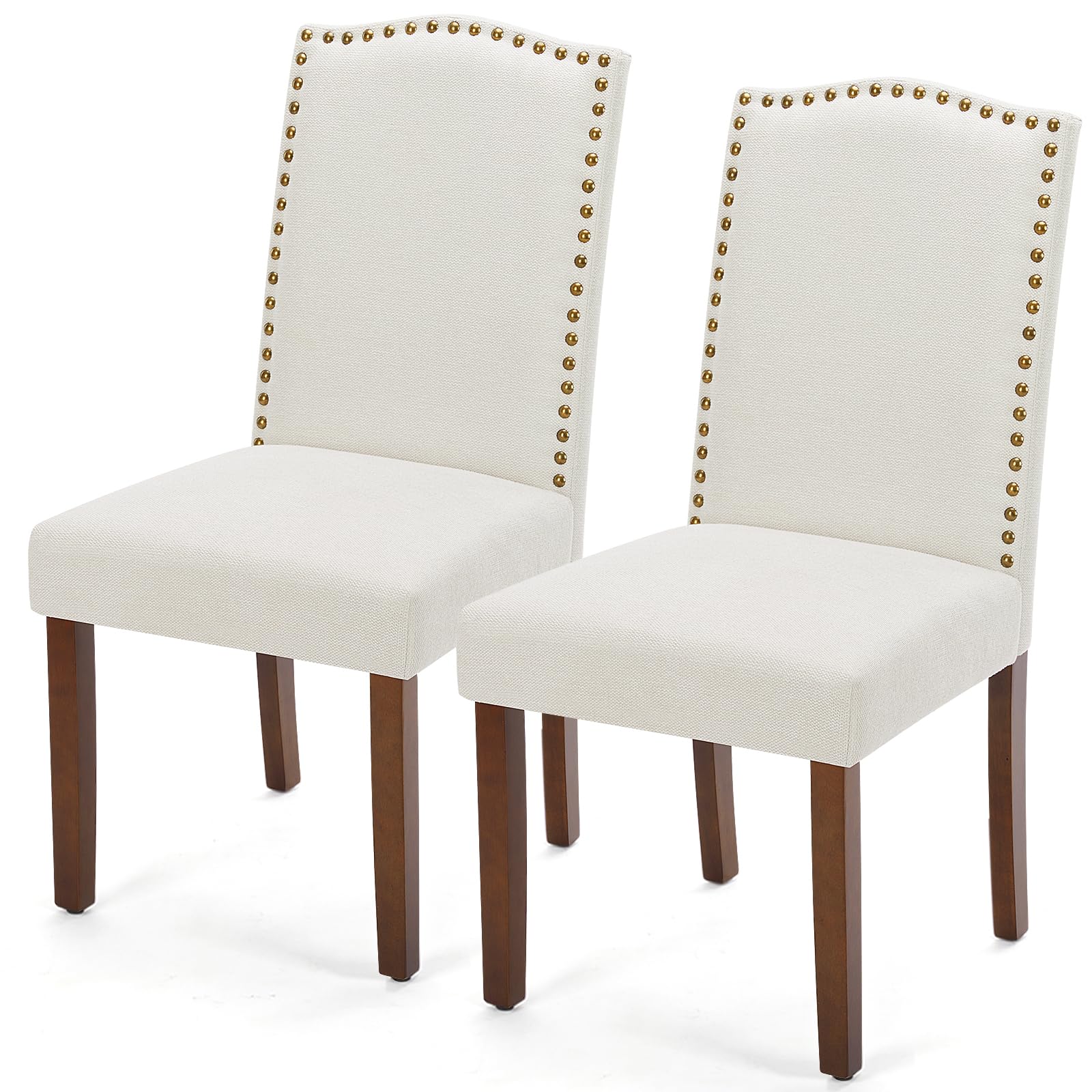
Image: A person sitting comfortably on a DUMOS Dining Chair, demonstrating proper use.
5. Care and Maintenance
Proper care will extend the life and appearance of your DUMOS Dining Chairs.
- Cleaning: Wipe clean with a soft, damp cloth. Avoid harsh chemicals or abrasive cleaners that may damage the fabric or wood finish.
- Spills: For spills, blot immediately with a clean, dry cloth. Do not rub.
- Inspection: Periodically inspect all bolts and connections to ensure they remain tight. Re-tighten as needed to maintain stability.
- Placement: Avoid prolonged exposure to direct sunlight or extreme temperatures, which can cause fading or damage to the materials.
- Floor Protection: The chair legs are equipped with rubber pads to prevent floor scratching. Ensure these pads are intact and replace if worn.
6. Troubleshooting
If you encounter any issues with your DUMOS Dining Chairs, please refer to the following common solutions:
- Wobbling Chair:
- Ensure all assembly bolts are fully tightened.
- Check if the chair is placed on an even surface.
- Verify that the rubber pads on the chair legs are evenly distributed and not missing.
- Loose Parts:
- Re-tighten any loose bolts or screws using the provided Allen wrench.
- Difficulty Assembling:
- Review the assembly video and step-by-step instructions carefully.
- Ensure parts are correctly oriented before tightening bolts.
- Do not fully tighten all bolts until the chair is mostly assembled, allowing for minor adjustments.
If problems persist, please contact DUMOS customer support for assistance.
7. Product Specifications
| Feature | Detail |
|---|---|
| Brand | DUMOS |
| Model Number (ASIN) | B0CHRYL3NG |
| Color | Beige |
| Material | Wood, Fabric |
| Overall Height | 39.1 inches (100 cm) |
| Seat Length | 16.34 inches |
| Seat Width | 24.2 inches |
| Seat Height | 17.71 inches |
| Item Weight | 15 Kilograms (approx. 33 lbs) per chair |
| Maximum Recommended Load | 113.4 kg (250 lbs) |
| Assembly Required | Yes |
| Included Components | Assembly Tools, Dining Chair components, Instruction Manual |

Image: A diagram illustrating the key dimensions of the DUMOS Dining Chair, including height, width, and depth.
8. Warranty and Customer Support
DUMOS provides a 12-month insurance (warranty) for your dining chairs, covering manufacturing defects from the date of purchase. Please retain your proof of purchase for warranty claims.
For any questions, missing parts, or warranty claims, please contact DUMOS customer support through the retailer where you purchased the product. Please have your model number (B0CHRYL3NG) and purchase details ready.


