
1. Introduction
This manual provides detailed instructions for the setup, operation, and maintenance of your SMSL AO300 MA5332MS Class D Amplifier. Please read this manual thoroughly before using the product to ensure optimal performance and safety.

Figure 1: SMSL AO300 MA5332MS Class D Amplifier (Silver model shown)
2. Safety Notes
To ensure safe operation and prolong the lifespan of your device, please observe the following safety guidelines:
- Install this unit in a well ventilated, cool, dry, clean place away from direct sunlight, heat sources, vibration, dust, moisture, or cold.
- Use the voltage specified on this unit ONLY. Using this unit with a higher voltage than specified is dangerous and may cause fire, damage to this unit, or personal injury. The manufacturer is not responsible for any damage resulting from the use of this unit with a voltage other than that specified.
- Do not attempt to modify or repair this unit yourself. Contact your salesperson or customer service when any service is needed. The cabinet should never be opened for any reason.
- When not planning to use this unit for long periods of time (e.g., when going on vacation), disconnect the power cable from the AC wall outlet.
Important Note: The product specifications and information mentioned in this manual are for reference only. The content of this manual is subject to change without notice.
3. Features
The SMSL AO300 amplifier incorporates advanced technology and design to deliver a high-fidelity audio experience:
- Features a new digital high-power amplifier chip from Infineon, Germany, offering high efficiency and low power consumption.
- Utilizes JRC's electronic volume control chip NJW1194 from Japan for precise volume control and ultra-low distortion.
- Supports MQA decoding and MQA-CD playback.
- Equipped with the new 3rd generation XMOS XU-316, supporting PCM up to 32bit/768kHz and DSD up to DSD256.
- Features Bluetooth 5.3 reception for longer transmission distance and enhanced sound quality.
- Constructed with an all-aluminum alloy CNC precision-processed shell, featuring anodizing technology and chamfering for exquisite workmanship and a delicate touch.
- User-friendly operating system with a full-featured remote control function.
- Incorporates professional Hi-Fi audio components to enhance the sound experience.
- High-quality gold-plated input and output terminals ensure reliable connections.
- Includes a perfect protection circuit for overheating, overcurrent, and other potential issues.
- Built-in high-quality power supply specifically designed for audio performance.

Figure 2: SMSL AO300 Key Features
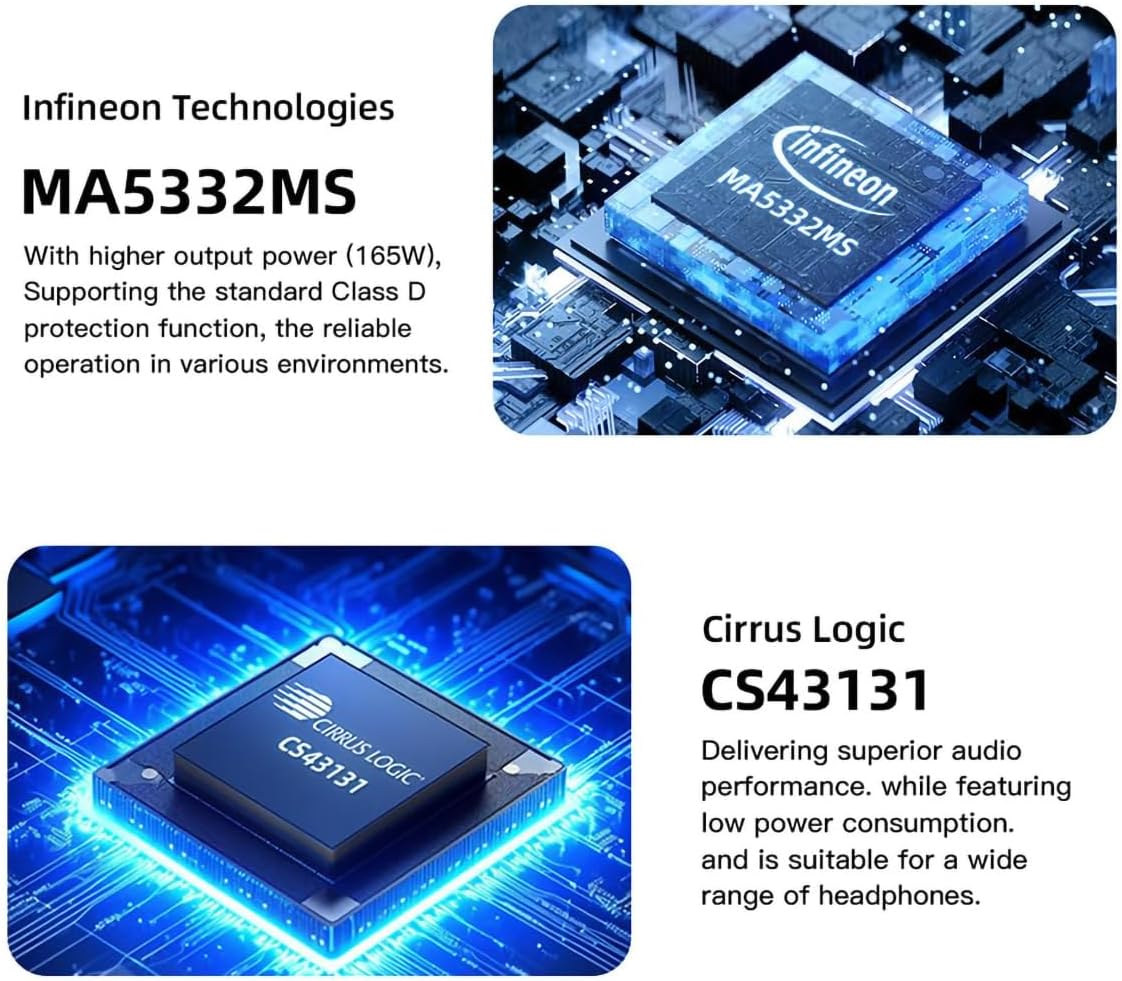
Figure 3: Infineon MA5332MS and Cirrus Logic CS43131 Chips
4. Specifications
| Input | HDMI(ARC)/RCA/BT/USB/Optical/Coaxial |
| THD+N | 0.003% |
| SNR | 107dB |
| Channel Separation | 98dB |
| Input Sensitivity / Input Impedance | 280mV/22kΩ |
| Output Power (Stereophonic) | 165Wx2 (4Ω) / 85Wx2 (8Ω) |
| USB Transmission | USB2.0 (Asynchronous Transfer) |
| USB Compatibility | Windows 7 / 8 / 8.1 / 10 / 11, Mac OSX, Linux |
| MQA Decoder | USB |
| MQA-CD Decoder | Optical/Coaxial |
| Bit Depth (USB) | 1bit, 16-32bit |
| Bit Depth (Optical/Coaxial) | 1bit, 16-24bit |
| Sampling Rate (USB PCM) | 44.1-768kHz |
| Sampling Rate (USB DSD) | 2.8224-11.2896MHz |
| Sampling Rate (Optical/Coaxial PCM) | 44.1-192kHz |
| Sampling Rate (Optical/Coaxial DSD) | DSD64(DoP) |
| Power Consumption | 40W (Normal Volume) |
| Dimensions (WxHxD) | 219x42x185mm (8.62 x 1.65 x 7.28 inches) |
| Weight | 1.52kg (3.35lbs) |
5. Package Contents
Upon opening the package, please verify that all items listed below are included:
- 1 x SMSL AO300 Amplifier
- 1 x Remote Control
- 1 x Bluetooth Antenna
- 1 x AC Power Cable
- 1 x USB Cable
- 1 x HDMI Cable
- 1 x User Manual
- 1 x Warranty Card

Figure 4: SMSL AO300 Package Contents
Video 1: Unboxing and Overview of SMSL AO300. This video demonstrates the unboxing process and provides a visual overview of the amplifier and its included accessories.
6. Product Overview
6.1 Front Panel

Figure 5: SMSL AO300 Front Panel
- Display Screen: Shows current input, volume, and menu options.
- Infrared Receiving Window: Receives signals from the remote control.
- Indicator Light: Provides status feedback.
- Function Knob: Used for navigation and selection within the menu, and volume control.
- 6.35mm Headphone Jack: Standard headphone output.
- 4.4mm Headphone Jack: Balanced headphone output.
6.2 Rear Panel

Figure 6: SMSL AO300 Rear Panel
- RCA Line Input (Left/Right): For analog audio sources.
- Subwoofer Output (SW OUT): Connects to an active subwoofer.
- Coaxial Input: For digital audio sources via coaxial cable.
- USB Input: Connects to a computer for USB audio.
- HDMI (ARC) Input: Connects to a TV's HDMI ARC port for audio return.
- Optical Input: For digital audio sources via optical cable.
- Speaker Output (Right): Connects to the right passive speaker.
- Speaker Output (Left): Connects to the left passive speaker.
- AC IN (Power Input): Connects to the power cable.
- Power Switch: Turns the unit on or off.
7. Setup and Connections
Follow these steps to connect your SMSL AO300 amplifier to your audio sources and speakers.
7.1 General Connections

Figure 7: General Connection Diagram
- Speakers: Connect your passive speakers to the Left and Right speaker outputs using appropriate speaker cables.
- Subwoofer: Connect an active subwoofer to the SW OUT port using an RCA cable.
- Headphones: Plug your headphones into either the 6.35mm or 4.4mm headphone jack on the front panel.
- USB Input: Connect a computer to the USB input using the provided USB cable for high-resolution audio playback.
- Optical/Coaxial Input: Connect digital audio sources like CD/DVD players or DACs to the Optical or Coaxial inputs.
- RCA Line Input: Connect analog audio sources to the RCA Line In ports.
- Bluetooth: Attach the Bluetooth antenna to the designated port. Pair your mobile device or PC via Bluetooth settings (see section 8.3 for details).
Video 2: Connection Guide for SMSL AO300. This video demonstrates how to connect various audio sources and outputs to the amplifier.
7.2 HDMI (ARC) Connection
The SMSL AO300 supports HDMI Audio Return Channel (ARC) for receiving audio from your TV.
- Use a commercially available HDMI cable to connect the HDMI (ARC) input on the AO300 to the HDMI IN port labeled "ARC" or "eARC/ARC" on your TV.
- This type of label indicates that the port supports "only ARC" or "both eARC and ARC". If connected to a port that does not support ARC, the ARC input function of this product cannot be used.
- You may need to change the settings on your TV. Please refer to your TV's user manual for specific instructions.
- When using this input, the TV digital audio output format must be set to PCM.

Figure 8: HDMI (ARC) Connection
Video 3: HDMI (ARC) Audio Return Function. This video demonstrates how to set up and use the HDMI ARC feature.
8. Operating Instructions
8.1 Remote Control
The SMSL AO300 comes with a full-featured remote control for convenient operation. It requires 2 x R03/AAA batteries (not included).

Figure 9: Remote Control Layout and Functions
- Power ON/OFF: Turns the unit on or off.
- Up/Down: Navigates through menu options or adjusts settings.
- MENU/OK: Enters the menu or confirms a selection.
- Next Level Menu: Moves to the next level in the menu structure.
- Return: Goes back to the previous menu level.
- Input Select: Cycles through available input sources.
- Mute: Mutes or unmutes the audio output.
- FN (Function): Customizable button, defined in the menu.
- Volume +/-: Adjusts the output volume.
Remote Control Maintenance:
- If the remote control becomes ineffective, replace the batteries.
- Remove batteries if the remote control will not be used for an extended period.
- Dispose of used batteries according to local regulations.
Video 4: How to Use the Remote Control. This video demonstrates the basic functions of the remote control for the SMSL AO300.
8.2 Menu Navigation and Settings
Access the setup menu to customize various audio and display settings.

Figure 10: Setup Menu Overview
- Input: Select the desired audio input source (USB Audio, Optical, Coaxial, Bluetooth, ARC IN, AUX IN).
- Output: Configure output settings (e.g., speaker/headphone priority).
- EQ Setting: Choose from various equalization modes: Direct, Tone, SDB, Bass, Super Bass, Rock, Soft, Clear.
- Treble Adjustment: Adjust treble levels from -09dB to +09dB. Note: Adjusting treble in Direct or other EQ modes will automatically switch to Tone mode.
- Bass Adjustment: Adjust bass levels from -09dB to +09dB. Note: Adjusting bass in Direct or other EQ modes will automatically switch to Tone mode.
- Filter: Select from different digital filter options: Fast and Low-latency, Fast and Phase-compensated, Slow and Low-latency, Slow and Phase-compensated, Nonoversampling.
- Color: Change the display screen color (White, Green, Yellow, Orange, Red, Blue, Cyan, Purple).
- Dimmer: Set display dimmer to Always On or Auto Off.
- BT Clear: Clear current Bluetooth paired devices.
Video 5: EQ Audio Modes and Filters. This video demonstrates how to navigate and adjust the 8 EQ audio modes and 5 filter options.
8.3 Bluetooth Operating Instructions
To connect your device via Bluetooth:
- Switch the input source to Bluetooth in the SETTING MENU or press the Bluetooth button (FN) on the remote control.
- Turn on the Bluetooth function on your mobile phone or PC, search for "AO300", and tap to pair. The device will display "connected" upon successful pairing.
Re-connection: If the connection is lost (e.g., after leaving and returning home), some phones may not automatically re-connect unless the AO300 is rebooted. You can short press the Bluetooth button (FN) on the remote to re-connect.
Clear Pairing: Long press the "Bluetooth" button (FN) on the remote control to clear all paired devices. If some phones still cannot find "AO300" after clearing, you may need to delete "AO300" from your phone's saved Bluetooth devices and then search and pair again.
9. Troubleshooting
This section addresses common issues you might encounter with your SMSL AO300 amplifier.
9.1 HDMI ARC Related Issues
- Q: The ARC input is connected to the TV, but the TV does not recognize the device or there is no sound.
A: Ensure the ARC input of the AO300 is connected to the HDMI ARC interface of the TV. The TV's audio output mode must be set to "ARC/ARC+TV speakers". - Q: Can the TV remote control adjust the volume of this product?
A: No, volume adjustment via TV remote is not supported for the AO300. - Q: Will the product synchronize on/off after turning the TV on/off?
A: No, synchronous power on/off is not supported. When using HDMI ARC input, the AO300 needs to be restarted when the TV is turned off and then turned on again. - Q: What should I do if there is no sound after connecting the TV to the product?
A: When using this product, please confirm that the audio output format of the TV is PCM. - Q: Does it support connecting to a TV set-top box?
A: No, connecting to a TV set-top box is not supported.
Video 6: HDMI ARC Precautions. This video provides important information and troubleshooting tips for using the HDMI ARC function.
9.2 General Troubleshooting
- No Power: Ensure the power cable is securely connected to both the unit and a working AC outlet. Check the power switch on the rear panel.
- No Sound: Verify the correct input source is selected. Check all cable connections (input and output). Ensure volume is not muted or set too low. Test with different audio sources and speakers/headphones.
- Distorted Sound: Check cable connections for looseness or damage. Ensure the audio source is not overdriving the input. Try a different audio source.
- Remote Control Not Working: Replace batteries. Ensure there are no obstructions between the remote and the unit's infrared receiver.
10. Maintenance
To maintain the performance and appearance of your SMSL AO300:
- Clean the unit with a soft, dry cloth. Do not use abrasive cleaners, waxes, or solvents.
- Avoid exposing the unit to excessive heat, humidity, or direct sunlight.
- Ensure proper ventilation around the unit to prevent overheating.
11. Warranty and Support
Foshan Shuangmusanlin Technology Co., Ltd (SMSL) provides the following warranty terms for the AO300 amplifier:
- Return/Replacement Policy: If the product is found to be defective within 7 days of purchase under normal use, you may return it for a refund, replacement, or repair. The product must be in a condition that does not affect its resale.
- Free Repair: Free repair service is provided for one year from the date of purchase under normal use.
- Proof of Purchase: The date of purchase is determined by the date on your invoice or receipt. For online purchases, a screenshot of the transaction can serve as proof.
- Voided Warranty: The warranty will be void if the unit is damaged due to inappropriate usage, including:
- Use under non-normal working environments or without following instructions.
- Dismantling, refitting, or repairing by the user without authorization.
- Damage caused by using non-designated or non-accredited fittings.
- Inability to provide credible proof of purchase.
- Support: For returns, replacements, or repairs, please contact your S.M.S.L Audio reseller.


