
Introduction
This manual provides essential information for the setup, operation, and maintenance of your AODSK 88 Key Weighted Action Digital Piano (Model B83) and accompanying Iron Piano Bench (Model UAP-10). Please read these instructions carefully to ensure proper use and longevity of your product.
The AODSK Digital Piano features 88 fully weighted keys, a three-pedal design, and a stereo system with external audio/headphone support. The bundle includes the digital piano and a black glossy leather iron piano bench.

Figure 1: AODSK 88 Key Weighted Action Digital Piano B83 with matching black iron piano bench UAP-10.
Setup
Unboxing and Component Check
Carefully remove all components from the packaging. Ensure all parts listed below are present:
- Digital Piano Unit (B83)
- Iron Piano Bench (UAP-10)
- Power Adapter
- Sustain Pedal Unit
- Assembly Hardware (screws, tools)
- User Manual
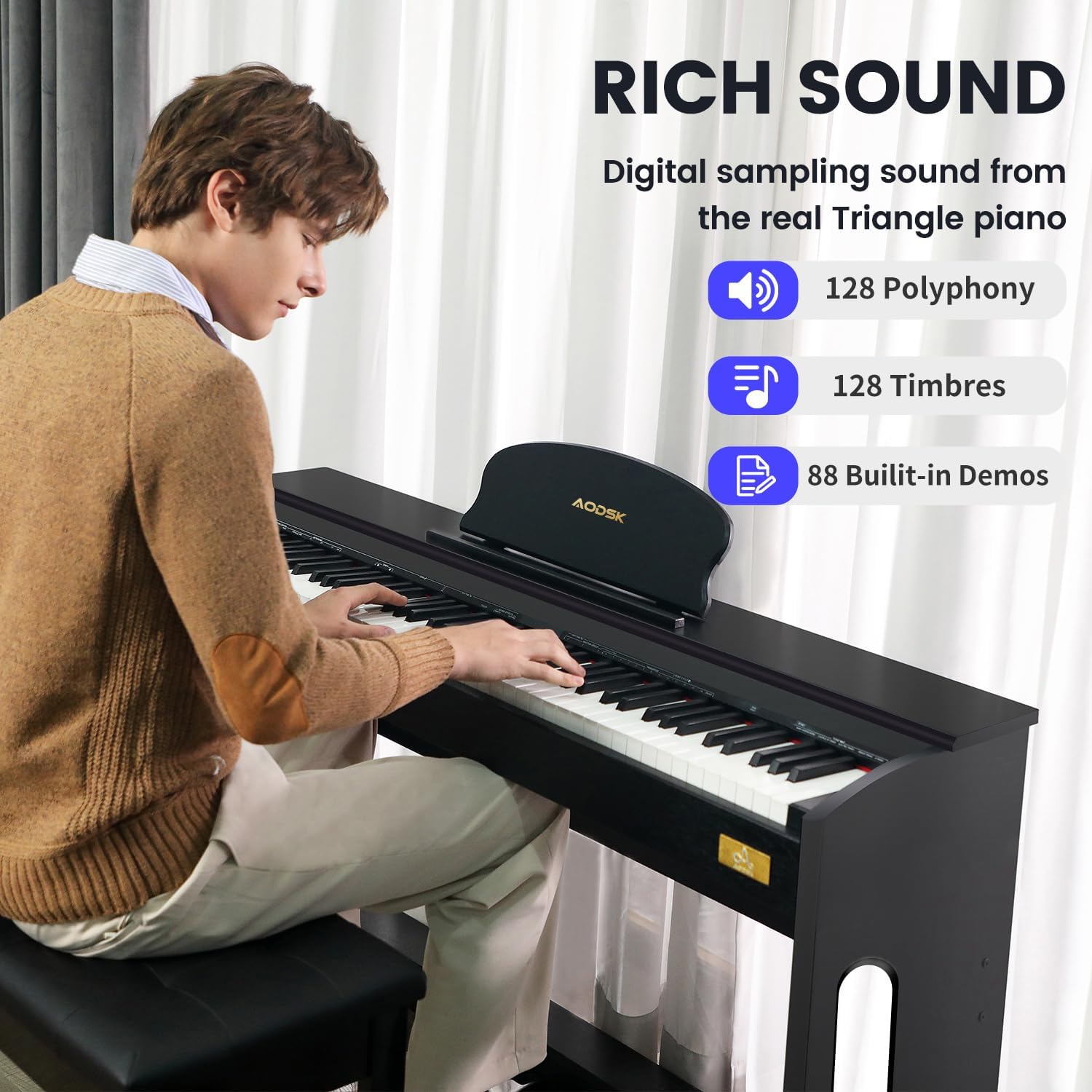
Figure 2: Unboxed components ready for assembly.
Assembly Instructions
The piano and bench require minimal assembly. The bench can be assembled by connecting the legs using the provided toolkit. For the digital piano, follow the detailed diagrams in the included user manual to attach the stand components and pedal unit securely.
For a visual guide on the assembly process, please refer to the video below:
Video 1: AODSK Digital Piano Unboxing and Assembly Guide. This video demonstrates the step-by-step process of unboxing and assembling the AODSK 88 Key Weighted Hammer Action Digital Piano, including attaching the stand and connecting the pedals.
Operating Instructions
Control Panel Overview
The control panel, located on the left side of the keyboard, allows you to manage various functions:
- Power Button: Turns the piano on/off.
- Volume Control: Adjusts the overall sound output.
- Tone Selection: Choose from 128 built-in tones.
- Rhythm Selection: Select from various rhythm patterns.
- Demo Songs: Play pre-recorded demonstration songs (88 available).
- Record/Playback: Record your performances and play them back.
- Split/Double Voice: Enable keyboard split or layer two voices.
- Effect: Apply various sound effects.
- Touch: Adjust key touch sensitivity.

Figure 3: Digital piano control panel with various function buttons.
Connectivity
The piano offers multiple connectivity options:
- USB MIDI: Connect to a computer or smart device for MIDI functionality.
- Audio Output: Connect to external speakers or an amplifier.
- 3.5mm Headphone Jacks (x2): For private practice without disturbing others.
- Sustain Pedal Input: Connect the included three-pedal unit.

Figure 4: Rear panel connectivity ports.
Key Features
- Fully Weighted Keys: Provides a realistic piano feel with adjustable touch response.
- Rich Sound: Digital sampling from a real grand piano, offering 128 polyphony and 128 timbres.
- Headphone Mode: Practice quietly by plugging in headphones.

Figure 5: Explanation of fully-weighted keys and touch response.
Figure 6: Headphone mode for immersive, quiet practice.
Maintenance
Cleaning
The piano and bench feature durable synthetic leather and wood finishes that are easy to clean. Use a soft, damp cloth to wipe down surfaces. Avoid harsh chemicals or abrasive cleaners that may damage the finish.

Figure 7: Easy-to-clean synthetic leather finish of the piano bench.
General Care
- Keep the instrument away from direct sunlight, heat sources, and excessive humidity.
- Avoid placing heavy objects on the keyboard or bench.
- Ensure all connections are secure before use.
Troubleshooting
- No Sound: Check power connection, volume levels, and headphone connections. Ensure external speakers/headphones are properly connected if used.
- Keys Not Responding: Verify the power is on and the piano is not in a demo or specific mode that disables manual play.
- Unstable Piano/Bench: Ensure all assembly screws are tightened. Refer to the assembly section for guidance.
Specifications
| Feature | Specification |
|---|---|
| Brand | AODSK |
| Model Name | UAP 10 (Piano B83, Bench UAP-10) |
| Number of Keys | 88 |
| Key Type | Weighted Action |
| Color | Black |
| Material Type (Piano) | Wood |
| Body Material (Bench) | Leather, Metal |
| Product Dimensions | 13.78"D x 29.13"W x 13.78"H (Piano) |
| Bench Size | 53.9 inches x 17.72 inches |
| Connectivity Technology | Auxiliary, USB MIDI |
| Headphones Jack | 3.5mm Jack (x2) |
| Power Source | Corded Electric |
| Special Features | Recording, Weighted Keys |
| Skill Level | Beginner, Professional |
Warranty and Support
For warranty information or technical support, please contact AODSK customer service. Refer to the product packaging or the official AODSK website for contact details.

