
Harman Kardon HKLUNABLKEU
Harman Kardon Luna Portable Speaker User Manual
Model: HKLUNABLKEU
Introduction
The Harman Kardon Luna is a portable Bluetooth speaker designed to deliver sophisticated sound wherever you are. With its elegant design, durable construction, and long-lasting battery, it's perfect for both indoor and outdoor use.

Figure 1: Front view of the Harman Kardon Luna portable speaker.
What's in the Box
Ensure all items are present before proceeding with setup:
- 1x Harman Kardon Luna Portable Bluetooth Speaker (Black)
- 1x USB Type-C Cable
- 1x Quick Start Guide
- 1x Safety Sheet
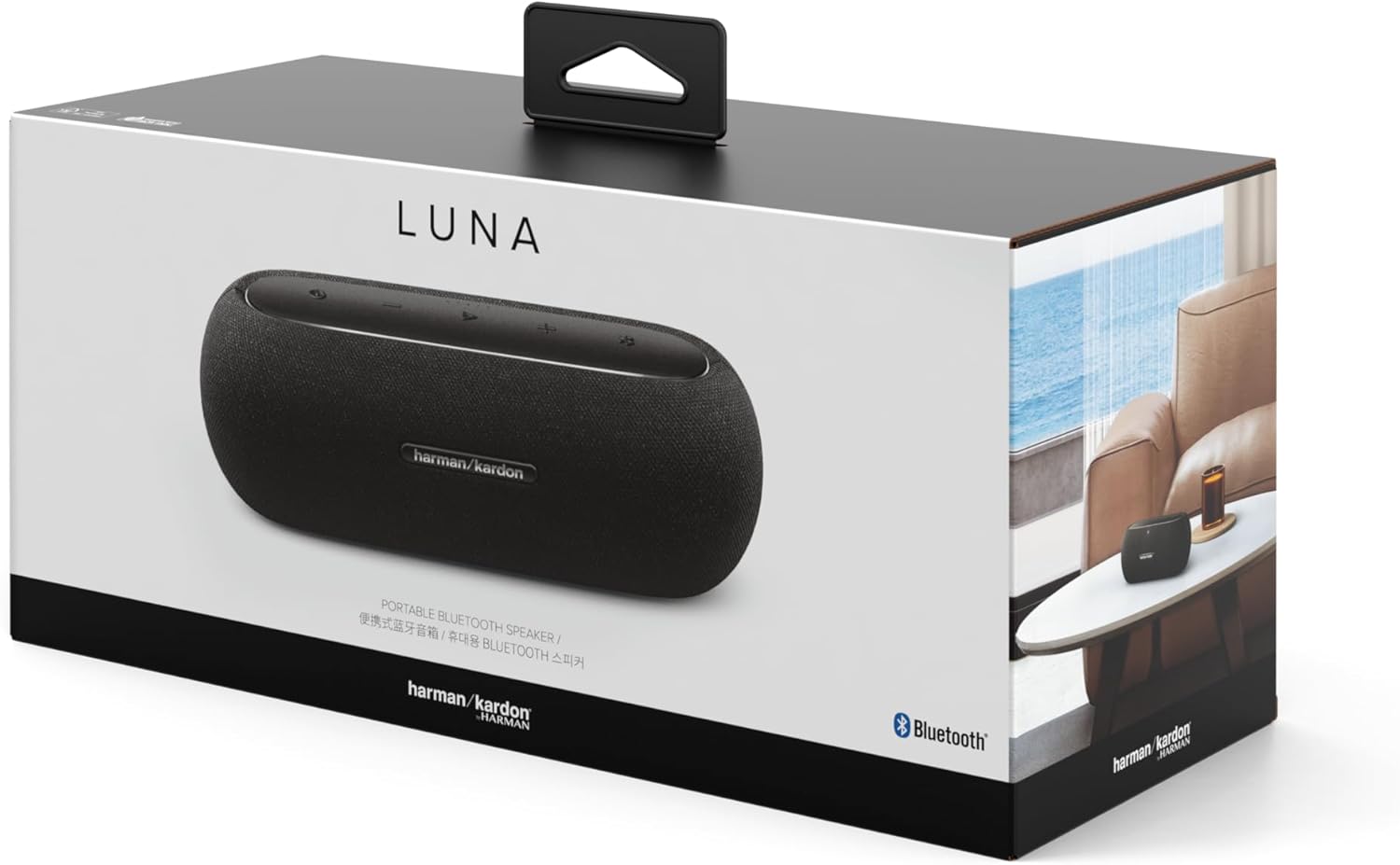
Figure 2: The Harman Kardon Luna speaker packaging, showing the product and brand.
Setup
Charging the Battery
Before first use, fully charge the Harman Kardon Luna speaker. Connect the supplied USB Type-C cable to the speaker's charging port and the other end to a compatible USB power adapter (not included).
- Locate the USB Type-C port on the speaker.
- Insert the USB Type-C cable into the speaker's port.
- Connect the other end of the cable to a USB power source.
A full charge takes approximately 2.5 hours and provides up to 12 hours of playtime.
Powering On/Off
- To power on, press and hold the Power button on the top panel until the indicator lights illuminate.
- To power off, press and hold the Power button again until the indicator lights turn off.

Figure 3: Top panel of the Harman Kardon Luna, showing power, volume, and Bluetooth controls.
Operating Instructions
Bluetooth Pairing
The Harman Kardon Luna speaker uses Bluetooth technology for wireless audio streaming.
- Ensure the speaker is powered on.
- Press the Bluetooth button on the top panel. The Bluetooth indicator light will flash, indicating it's in pairing mode.
- On your mobile device, enable Bluetooth and search for available devices.
- Select "Harman Kardon Luna" from the list of devices.
- Once connected, the Bluetooth indicator light will become solid.
The speaker can connect with up to two mobile devices simultaneously.
Stereo Pairing (Two Luna Speakers)
For an enhanced audio experience, you can connect two Harman Kardon Luna speakers for stereo sound.
- Ensure both Luna speakers are powered on and not connected to any device.
- On one speaker (this will be the primary speaker), press and hold the Bluetooth button until it enters pairing mode.
- On the second speaker, press the Bluetooth button once. It will automatically search for the primary speaker.
- Once connected, the indicator lights on both speakers will confirm the stereo pairing.
- Connect your mobile device to the primary speaker via Bluetooth as described above.
Volume Control
- Press the - button to decrease volume.
- Press the + button to increase volume.
Maintenance
Cleaning
To clean the speaker, use a soft, damp cloth. Do not use abrasive cleaners or solvents, as they may damage the finish.
Water and Dust Resistance (IP67)
The Harman Kardon Luna is IP67 rated, meaning it is protected from dust ingress and can withstand immersion in water up to 1 meter for up to 30 minutes. While it is water and dust resistant, it is not waterproof. Avoid prolonged exposure to water or extreme conditions.
- Ensure the USB-C port cover is securely closed before exposing the speaker to water or dust.
- If the speaker gets wet, dry it thoroughly before charging.
Troubleshooting
| Problem | Possible Cause | Solution |
|---|---|---|
| Speaker does not power on. | Battery is depleted. | Charge the speaker using the supplied USB Type-C cable. |
| Cannot pair via Bluetooth. | Speaker is not in pairing mode; device Bluetooth is off; speaker is already connected to another device. | Press the Bluetooth button to enter pairing mode. Ensure Bluetooth is enabled on your device. Disconnect from other devices if necessary. |
| No sound or low volume. | Volume is too low on speaker or connected device; speaker is muted. | Increase volume on both the speaker and your connected device. Ensure speaker is not muted. |
| Stereo pairing fails. | Speakers are too far apart; one speaker is already connected to a device. | Ensure speakers are within close proximity. Disconnect any devices from both speakers before attempting stereo pairing. |
Specifications
- Model Name: Luna
- Model Number: HKLUNABLKEU
- Dimensions (L x W x H): 24 x 10 x 11.5 cm (approximately 9.4 x 3.9 x 4.5 inches)
- Weight: 1.12 kg (approximately 2.47 lbs)
- Max Speaker Output Power: 40 Watts
- Connectivity: Bluetooth
- Audio Output Mode: Stereo
- Input Voltage: 5 Volts
- Battery Life: Up to 12 hours
- Charging Time: Approximately 2.5 hours
- Water and Dust Resistance: IP67
- Material: Aluminum, Fabric (partially recycled)
Warranty and Support
For warranty information and technical support, please refer to the safety sheet included in your product packaging or visit the official Harman Kardon website. Keep your proof of purchase for warranty claims.
Harman Kardon is a trademark of Harman International Industries, Incorporated.
Related documentsHKLUNABLKEU


Ask a question about this manual
Ask about setup, troubleshooting, compatibility, parts, safety, or missing instructions. Manuals+ will review the question and use this page’s manual context to help answer it.