
anyloop ALW1
anyloop Smart Watch User Manual
Model: ALW1 | Brand: anyloop
1. Introduction
Welcome to the anyloop Smart Watch user manual. This guide provides detailed instructions on how to set up, operate, and maintain your new smartwatch. Please read this manual thoroughly to ensure optimal performance and longevity of your device.
1.1 What's in the Box
- Smart Watch x 1
- Charging Cable x 1
- Quick Start Guide x 1
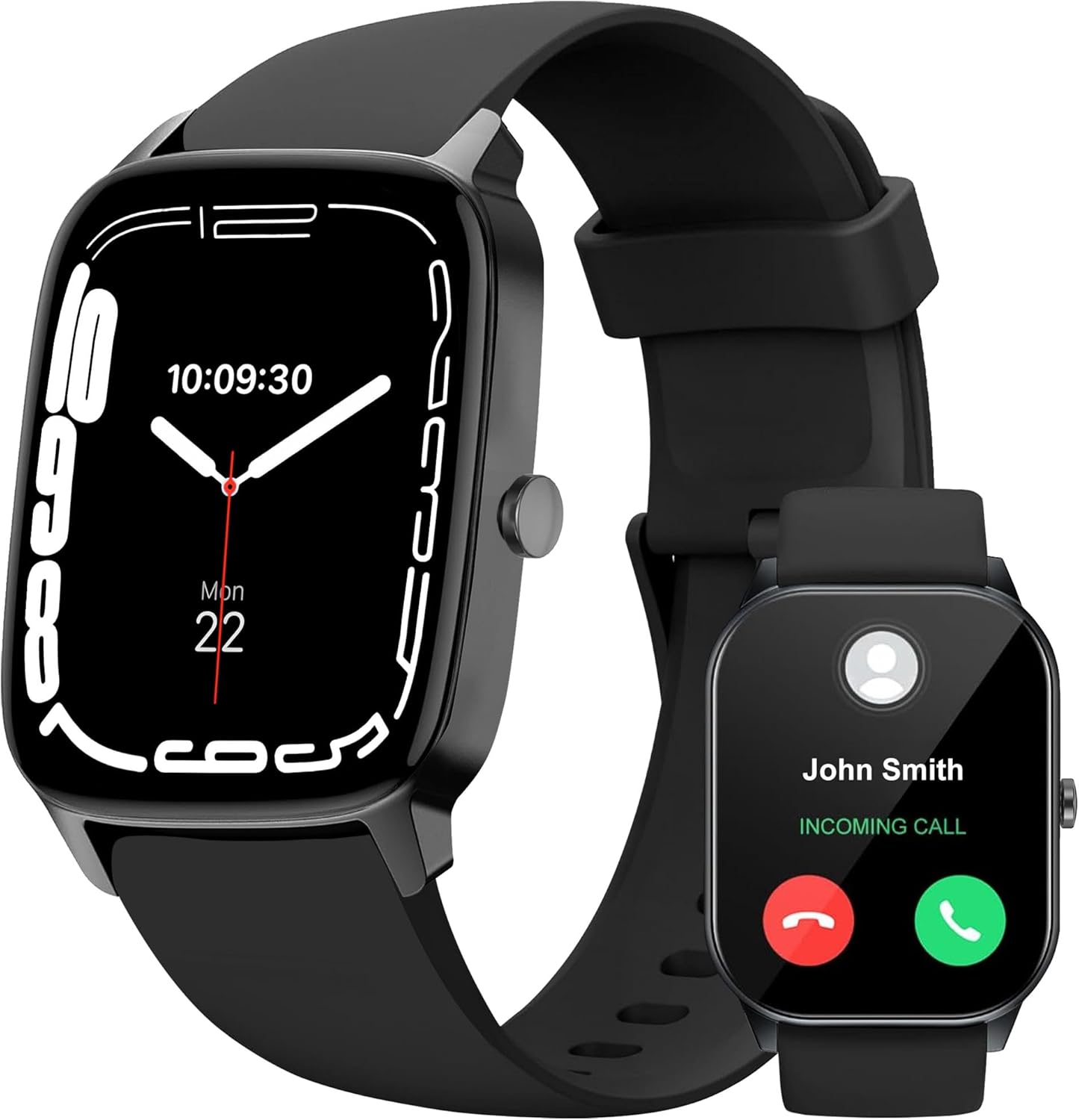
Figure 1.1: The anyloop Smart Watch, showcasing its sleek design and the ability to display incoming calls directly on the wrist.
2. Setup
2.1 Initial Charging
Before first use, fully charge your anyloop Smart Watch. A full charge typically takes approximately 2 hours.
- Connect the magnetic charging cable to the charging contacts on the back of the watch.
- Plug the USB end of the cable into a standard USB power adapter (5V/1A recommended) or a computer USB port.
- The watch display will show the charging progress.

Figure 2.1: The smartwatch connected to its magnetic charging cable, illustrating the charging process and highlighting its long battery life.
2.2 App Installation and Pairing
To unlock the full potential of your anyloop Smart Watch, download and install the companion app on your smartphone.
- Scan the QR code in the Quick Start Guide or search for "Da Fit APP" in your smartphone's app store (compatible with iOS 9.0+ and Android 5.0+).
- Enable Bluetooth on your smartphone.
- Open the Da Fit app, register or log in, and follow the on-screen instructions to add your device.
- Select "ALW1" or the corresponding device name from the list of available Bluetooth devices in the app to pair.
- Confirm the pairing request on both your phone and the watch.
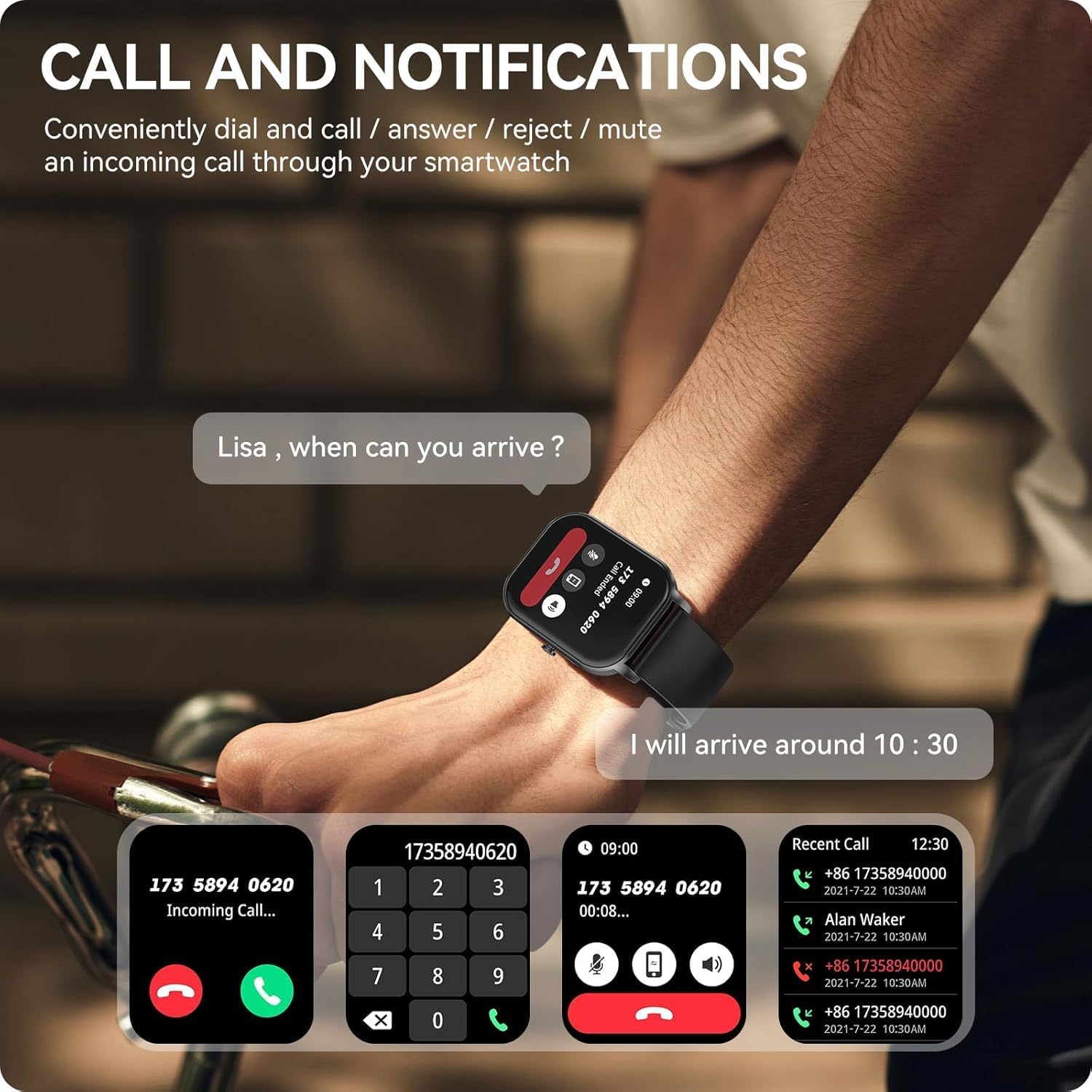
Figure 2.2: The smartwatch interface showing options for handling calls and notifications, demonstrating its seamless integration with your smartphone.
3. Operating Your Smart Watch
3.1 Basic Navigation
- Touchscreen: Swipe left/right, up/down to navigate through menus and features. Tap to select.
- Side Button: Press to wake the screen, return to the home screen, or access the app menu.
3.2 Call and Notification Features
Once paired, your watch can handle calls and display notifications.
- Bluetooth Calls: Make and receive calls directly from your wrist using the built-in microphone and speaker. Access call history and sync contacts via the app.
- Notifications: Receive vibrating alerts for SMS, WhatsApp, Facebook, Instagram, and other app notifications.
3.3 Health Monitoring
The anyloop Smart Watch provides comprehensive health tracking features.
- Heart Rate Monitoring: Continuous 24/7 heart rate tracking with real-time alerts for high or low readings. (Note: 24/7 monitoring needs to be turned on manually in the app; default is five minutes once).
- Blood Oxygen (SpO2): Support for single-time SpO2 measurements.
- Stress Level: Monitor your stress levels for holistic health insights.
- Sleep Tracking: Automatically tracks Deep, Light, and Awake stages of sleep, providing detailed sleep scores and reports to help improve sleep habits.

Figure 3.1: The smartwatch interface showing a summary of body health data, including steps, heart rate trends, and blood oxygen levels.

Figure 3.2: The smartwatch and companion app displaying detailed sleep quality metrics, including sleep stages and duration.
3.4 Fitness Tracking
Engage in various physical activities with over 100 built-in sport modes.
- Workout Modes: Select from 100+ modes including walking, running, swimming, cycling, hiking, and more.
- Real-time Data: Monitor pace, distance, calories burned, heart rate, and other relevant metrics during your workouts.
- GPS Tracking: Utilize GPS via your smartphone for accurate route and distance tracking during outdoor activities.

Figure 3.3: A visual representation of the diverse range of over 100 sport modes available on the anyloop Smart Watch.
Video 3.1: This video demonstrates various features of the anyloop Smart Watch, including sleep tracking, diverse sports modes, real-time heart rate monitoring, workout tracking, health monitoring (SpO2), customizable watch faces, call and notification handling, charging, and IP68 water resistance. It highlights the watch's capabilities in supporting an active and connected lifestyle.
3.5 Customization
Personalize your watch to match your style.
- Watch Faces: Choose from over 220+ watch faces available in the Da Fit app or upload your own photos to create personalized dials.
- Quick-Release Strap: Easily switch straps to change the look of your watch.

Figure 3.4: A collection of diverse watch faces available for the anyloop Smart Watch, demonstrating the extensive customization options.
3.6 Other Smart Features
Your anyloop Smart Watch comes packed with additional convenient features:
- AI Voice Assistant
- Do Not Disturb Mode
- Power Saving Mode
- Breath Training
- Flashlight
- Weather Display
- Music Control
- Timer & Alarm
- Menstrual Cycle Tracking
- Find My Phone
- Sedentary Reminder
- Drinking Water Reminder
4. Maintenance
4.1 Charging Guidelines
- Use only the provided magnetic charging cable.
- Ensure the charging contacts on the watch and cable are clean and dry before charging.
- Avoid charging in extreme temperatures.
- The watch offers up to 7 days of battery life with daily use and up to 12 days in power-saving mode.
4.2 Cleaning and Care
- Wipe the watch and strap regularly with a soft, damp cloth.
- Avoid using harsh chemicals or abrasive materials.
- Ensure the watch is completely dry before wearing or charging.
4.3 Water Resistance
Your anyloop Smart Watch has an IP68 waterproof rating.
- It is resistant to sweat, splashes, and can withstand immersion in water up to 1.5 meters for 30 minutes.
- It is suitable for daily use, hand washing, and light swimming.
- Not suitable for hot showers, saunas, diving, or high-pressure water activities.
- After contact with water, wipe the watch dry before use or charging.

Figure 4.1: The smartwatch being splashed with water, visually confirming its IP68 waterproof capability.
5. Troubleshooting
If you encounter any issues with your anyloop Smart Watch, please refer to the following common solutions:
| Problem | Possible Solution |
|---|---|
| Watch not turning on | Ensure the watch is fully charged. Press and hold the side button for 5-10 seconds to force restart. |
| Cannot pair with smartphone | Ensure Bluetooth is enabled on your phone. Make sure the watch is within range. Restart both the watch and phone. Clear previous pairings in phone's Bluetooth settings. |
| Notifications not received | Check app notification permissions on your phone. Ensure the Da Fit app is running in the background. Verify notification settings within the Da Fit app. |
| Inaccurate health data | Ensure the watch is worn snugly on your wrist, not too tight or too loose. Keep the sensor clean. Avoid excessive movement during measurements. |
| Short battery life | Reduce screen brightness. Turn off unnecessary features like continuous heart rate monitoring if not needed. Limit frequent screen wake-ups. |
6. Specifications
| Feature | Detail |
|---|---|
| Model Number | ALW1 |
| Screen Size | 49 Millimeters (AMOLED Display) |
| Operating System | Da Fit APP (compatible) |
| Connectivity | Bluetooth |
| Battery Capacity | 400 Milliamp Hours (Lithium Polymer) |
| Battery Life | Up to 7 days (daily use), up to 12 days (power-saving) |
| Water Resistance | IP68 |
| Item Weight | 40 Grams (1.41 ounces) |
| Compatibility | iPhone (iOS 9.0+), Android (5.0+) |
| Special Features | 24/7 Heart Rate, Blood-Oxygen Monitor, Sleep Tracking, Bluetooth Call, Contacts, Notifications, AI Voice Assistant, 100+ Sport modes, Pedometer, Calorie Tracker, Activity Fitness Tracker, Weather, Time Display, Calculator, Do Not Disturb Mode, Music, Alarm, Menstrual Cycle, Find My Phone, Sedentary Reminder, Drinking Water Reminder, Customized Dials |
7. Warranty and Support
7.1 Warranty Information
Your anyloop Smart Watch comes with a 365-day warranty from the date of purchase, covering manufacturing defects. Please retain your proof of purchase for warranty claims.
7.2 Customer Support
For further assistance, technical support, or warranty inquiries, please contact anyloop customer service through the following channels:
- Email: Refer to the contact information provided in your Quick Start Guide or on the official anyloop website.
- Online Support: Visit the anyloop store on Amazon or the official brand website for FAQs and support resources.
Related documentsALW1


Ask a question about this manual
Ask about setup, troubleshooting, compatibility, parts, safety, or missing instructions. Manuals+ will review the question and use this page’s manual context to help answer it.