
1. Introduction
Thank you for choosing the MAXTOP Hiking Backpack. This lightweight, packable, and water-resistant backpack is designed for various outdoor activities such as hiking, camping, and travel. This manual provides essential information for the proper setup, operation, maintenance, and troubleshooting of your backpack to ensure optimal performance and longevity.
2. Setup and Adjustment
2.1 Unpacking and Unfolding
Upon receiving your backpack, carefully remove it from its packaging. If the backpack is in its folded, compact state, unfold it by reversing the packing steps. The backpack is designed to unfold from its integrated front pocket.
2.2 Adjusting Shoulder and Chest Straps
For comfortable carrying, adjust the shoulder straps to fit your torso. The length of the shoulder straps is adjustable to distribute weight evenly. Utilize the adjustable chest strap to secure the backpack in place and reduce strain on your shoulders. The chest strap features a whistle for emergency signaling.

This image focuses on the back panel and straps, illustrating the chest strap with an integrated whistle for emergencies, a D-ring for attaching small items, and the breathable mesh material on the shoulder straps for comfort.
3. Operating the Backpack
3.1 Large Capacity & Multi Pockets
The backpack offers a generous 40L or 50L capacity with multiple compartments for organized storage. The main compartment includes two spacious sections for clothes and travel gear. Three front pockets, with additional internal pockets, provide quick access to smaller items like cameras, pens, or guidebooks. Two mesh pockets on the sides are suitable for water bottles or umbrellas.

This image highlights the various storage compartments of the backpack, including the main compartment, front zippered pockets, and side mesh pockets for bottles.
3.2 Wet Pocket Design
An upgraded waterproof wet pocket is integrated into the main compartment. This feature allows you to separate wet items, such as sweaty clothes or towels after swimming or exercise, from your dry belongings. Access to this wet pocket is provided via a zipper on the back of the backpack.

This image details the dedicated waterproof wet pocket within the main compartment, designed to separate damp items like clothes or towels from dry gear.
3.3 Durable and Water-Resistant Features
The backpack is constructed from high-quality tear and water-resistant nylon fabric, ensuring durability and protection against light rain. Stress points are reinforced with bar tacking for increased longevity. It features durable 2-way Abrasion Resistant SBS Metal Zippers for smooth operation.

This image provides a detailed view of the backpack's construction, showcasing the water-resistant material, durable SBS metal zippers, adjustable side buckles, reflective safety strips, and reinforced stitching at stress points.
3.4 Carrying and Usage
When loading the backpack, distribute weight evenly to maintain balance and comfort. Utilize the adjustable shoulder and chest straps to secure the load close to your body. The reflective strip enhances visibility during night outdoor adventures.
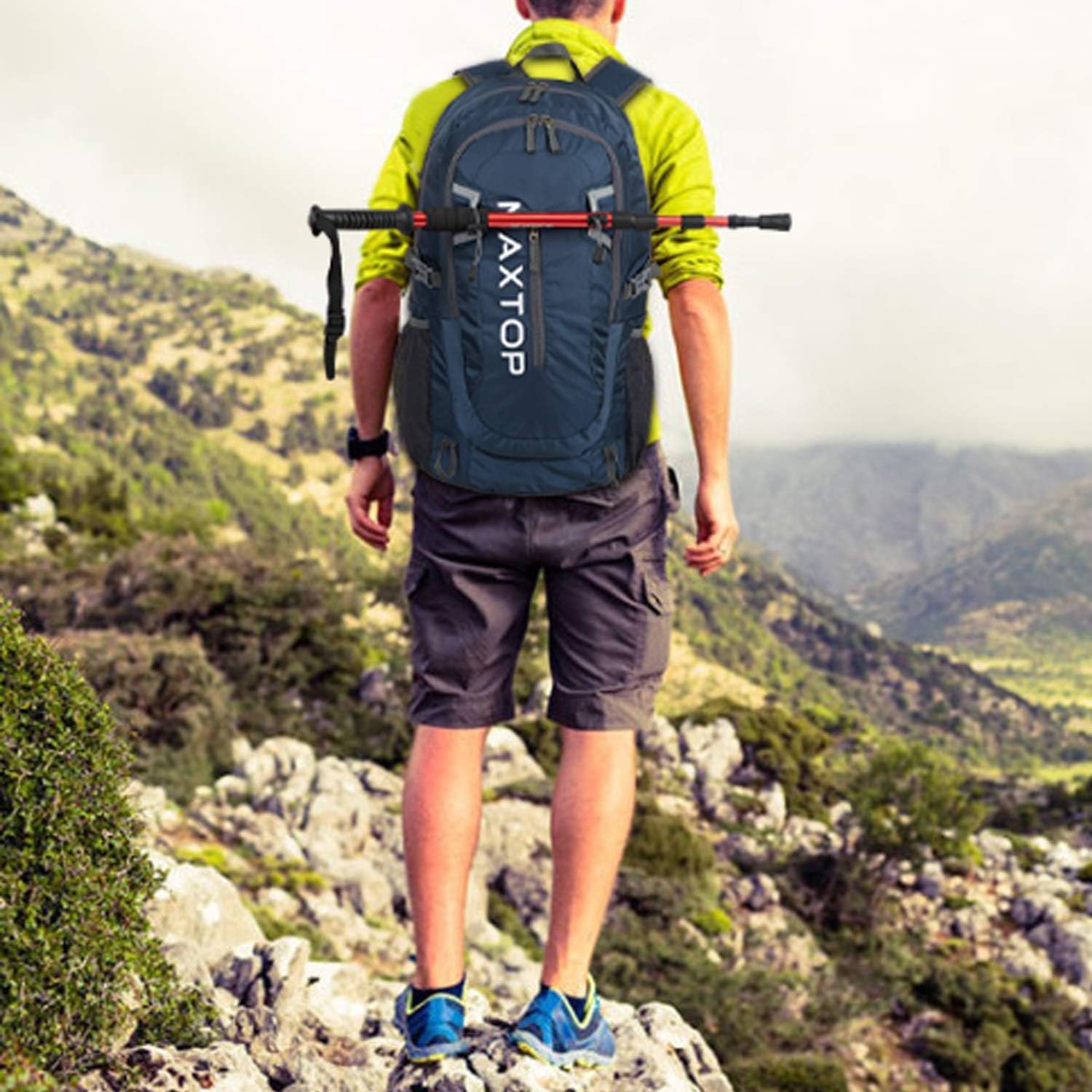
This image shows the backpack being worn by a person during a hike, illustrating its practical application and how it sits on the back.
4. Folding Instructions
To store the backpack compactly, fold it into its own front zip pocket. This feature makes it ideal for travel, allowing you to avoid excess baggage fees and easily store it when not in use. The folding process can be completed in approximately 10 seconds.
- Lay the backpack flat with the front facing up.
- Fold the sides inwards towards the center.
- Fold the top and bottom sections towards the middle.
- Tuck the folded backpack into its designated front pocket and zip it closed.

This series of images demonstrates the four steps to fold the backpack into its integrated front pocket, making it compact for storage or travel.
5. Maintenance
5.1 Cleaning
- Spot Cleaning: For small stains, use a damp cloth with mild soap. Gently rub the affected area.
- Hand Washing: For a thorough clean, hand wash the backpack in cool water with a mild detergent. Do not use bleach or harsh chemicals.
- Drying: Air dry the backpack completely in a shaded, well-ventilated area. Do not tumble dry or expose to direct sunlight for extended periods, as this can damage the fabric.
5.2 Care for Zippers and Fabric
- Regularly check zippers for any debris and clean them if necessary to ensure smooth operation.
- Avoid overpacking the backpack, as this can strain zippers and seams.
- Store the backpack in a dry, cool place away from direct sunlight when not in use.
6. Troubleshooting
- Zippers Catching: Ensure no fabric is caught in the zipper teeth. Apply a small amount of zipper lubricant or graphite if the zipper is stiff.
- Discomfort During Wear: Re-adjust shoulder and chest straps to ensure even weight distribution. Avoid overloading the backpack beyond its recommended capacity.
- Water Penetration: While the backpack is water-resistant, it is not fully waterproof. In heavy rain, use a rain cover (not included) for additional protection of contents. Ensure all zippers are fully closed.
- Tears or Damage: For minor tears, repair kits for nylon fabric can be used. For significant damage, professional repair may be necessary.
7. Specifications
| Feature | Detail |
|---|---|
| Brand Name | MAXTOP |
| Model Number | MH002 |
| Item Package Dimensions L x W x H | 9.92 x 7.52 x 1.54 inches |
| Package Weight | 0.49 Kilograms |
| Item Dimensions LxWxH (Unfolded) | 9.06 x 12.99 x 21.65 inches |
| Color | Dark Blue |
| Material | Nylon Fabric (Polyester) |
| Suggested Users | Unisex-adult |
| Style | Casual |
| Size | 50L (With Wet Pocket) / 40L option available |
| Sport Type | Cycling, Hiking, Travelling |
| Age Range Description | Adult |
8. Warranty and Support
For warranty information or customer support, please refer to the product packaging or contact MAXTOP customer service through the retailer where the product was purchased. Keep your purchase receipt as proof of purchase.