
ZHIYUN Crane 4
ZHIYUN Crane 4 Gimbal Stabilizer User Manual
Model: Crane 4
Introduction
This manual provides detailed instructions for the safe and effective use of your ZHIYUN Crane 4 3-Axis Gimbal Stabilizer. Please read this manual thoroughly before operation to ensure optimal performance and to prevent damage to the device.
Product Overview
The ZHIYUN Crane 4 is a professional 3-axis gimbal stabilizer designed for DSLR and mirrorless cameras. It features enhanced compatibility, versatile shooting modes, a built-in fill light, and intuitive controls.
Key Features:
- Enhanced Compatibility: Accommodates full-frame DSLR and compact cinema cameras with longer arm length and stronger motors.
- Seamless Shooting Modes: Quick-release module for effortless switching between landscape and portrait modes.
- Versatile Sling Grip: Adjustable sling grip and wrist rest for reduced fatigue and precise control.
- Built-in 10W Fill Light: Provides 3200 Lux maximum illuminance, CRI 95+, and CCT range of 2700K-5500K.
- Bluetooth Control and Color Screen: 1.22" color touchscreen for adjustments, motion timelapse, and customizable controls.
Package Contents
Please verify that all items are present in your package:
- ZHIYUN Crane 4 Gimbal Stabilizer
- Adjustable Sling Grip
- Wrist Rest
- Quick-Release Plate
- Charging Cable (PD Fast Charge compatible)
- User Manual (this document)
- Additional accessories may vary based on package version.
Setup
1. Charging the Gimbal
Before first use, fully charge the Crane 4. The device supports PD fast charging. A full charge takes approximately 1 hour and 50 minutes, providing up to 12 hours of runtime.

Image: Illustration of the Crane 4's battery and charging capabilities, highlighting the 1 hour 50 minute full charge time and up to 12 hours of runtime.
2. Mounting the Camera
- Attach the quick-release plate to your camera's tripod mount.
- Slide the camera with the quick-release plate onto the gimbal's mounting base until it locks securely.
- Ensure the camera is firmly attached before proceeding.
3. Balancing the Gimbal
Proper balancing is crucial for optimal performance and motor longevity. The Crane 4 features an intelligent balance indicator to assist with this process.
- Unlock all three axes (Pan, Tilt, Roll).
- Adjust each axis until the camera remains stable in any position without motor assistance.
- Utilize the balance indicator lights: a white light indicates balance, while a red light indicates an unbalanced axis.

Image: The ZHIYUN Crane 4 gimbal with an intelligent balance indicator, showing how white lights signify a balanced state and red lights indicate an unbalanced state on the axes.
Operating Instructions
Power On/Off
- To power on: Press and hold the power button until the screen illuminates.
- To power off: Press and hold the power button until the screen turns off.
Using the 1.22" Color Touchscreen
The color touchscreen allows for easy adjustment of settings and access to built-in functions like motion timelapse. Navigate through menus by swiping and tapping.
Bluetooth Shutter Control
Connect your camera via Bluetooth for seamless control. Use the recording button on the gimbal to start/stop recording or trigger photo capture. Refer to your camera's manual for Bluetooth pairing instructions.
Customizable Controls
The trigger button and front dial can be customized for intuitive control over ISO, shutter, aperture, focus motor, and gimbal modes. Access customization options through the touchscreen menu.
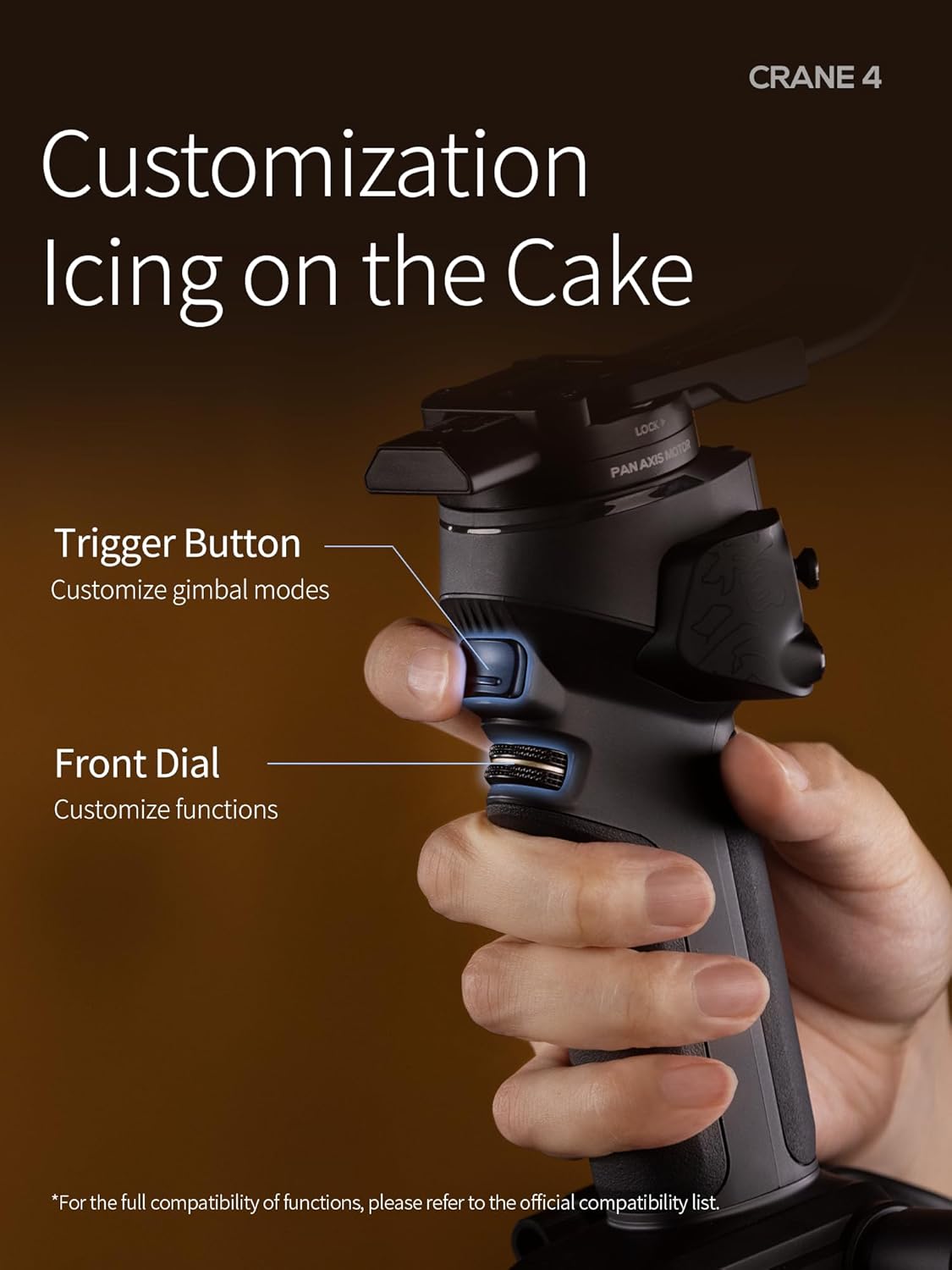
Image: Close-up of the ZHIYUN Crane 4 handle, highlighting the customizable trigger button and front dial for personalized control over gimbal functions and camera settings.
Switching Shooting Modes (Landscape/Portrait)
The innovative quick-release module allows for rapid switching between native landscape and portrait shooting modes. Simply adjust the camera's orientation on the quick-release plate and re-balance if necessary.
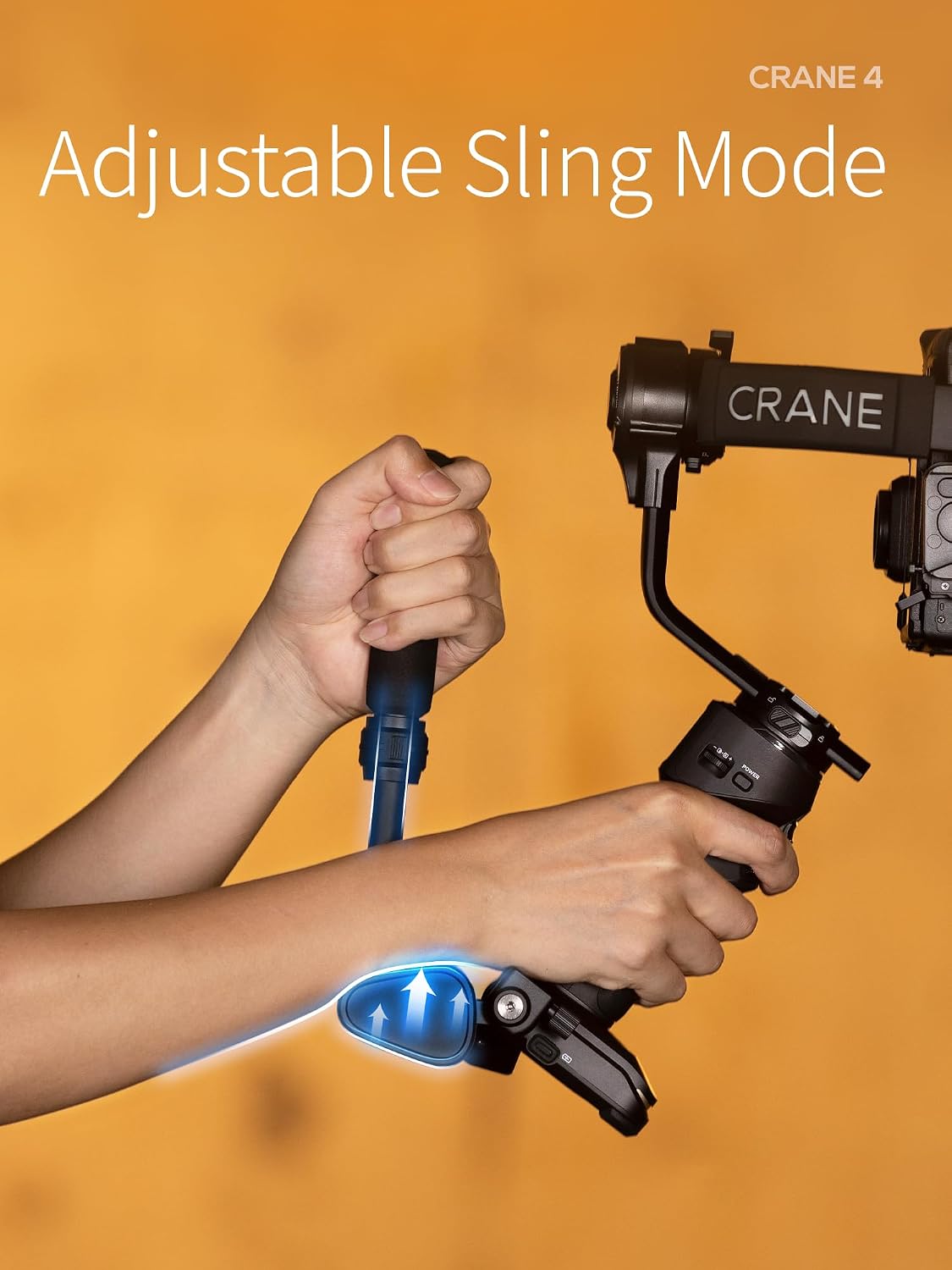
Image: Demonstrates the adjustable sling mode of the ZHIYUN Crane 4, illustrating how the grip can be configured for comfortable and versatile handling.
Using the Built-in Fill Light
The Crane 4 includes a 10W fill light. Activate and adjust its brightness (up to 3200 Lux), Color Rendering Index (CRI 95+), and Correlated Color Temperature (CCT 2700K-5500K) via the gimbal's controls or touchscreen.

Image: The ZHIYUN Crane 4 with its integrated 10W fill light illuminated, showcasing its capability to provide up to 3200 Lux with adjustable color temperature.
Adjustable Sling Grip
The adjustable sling grip and wrist rest are designed to reduce shooting fatigue. The sling grip can be extended and adjusted to the gimbal's central axis, allowing for easy switching between sling mode and two-handed modes.

Image: A user demonstrating the versatile sling grip of the ZHIYUN Crane 4, highlighting its ergonomic design for comfortable and stable operation.
Maintenance
- Cleaning: Use a soft, dry cloth to clean the gimbal. Do not use liquid cleaners or solvents.
- Storage: Store the gimbal in a dry, cool place away from direct sunlight. Ensure all axes are locked before storage.
- Battery Care: For long-term storage, charge the battery to approximately 50-60% every three months to prolong battery life.
- Avoid Water: The Crane 4 is not water resistant. Avoid exposure to rain or moisture.
Troubleshooting
| Problem | Possible Cause | Solution |
|---|---|---|
| Gimbal not powering on | Low battery; Power button not pressed correctly | Charge the gimbal fully; Press and hold the power button for 3 seconds. |
| Gimbal vibrates or drifts | Improper balancing; Overloaded motors | Re-balance the camera carefully; Ensure camera weight is within specifications. |
| Bluetooth control not working | Not paired; Camera compatibility issue | Ensure camera and gimbal are paired; Check ZHIYUN's official compatibility list. |
| Fill light not working | Light off; Low battery | Activate fill light via controls; Charge the gimbal. |
Specifications
| Feature | Detail |
|---|---|
| Model Name | Crane 4 |
| Brand | ZHIYUN |
| Image Stabilization | 3-axis gimbal stabilization |
| Compatible Devices | DSLR and Mirrorless Cameras (Nikon, Sony, Panasonic, Canon, Fujifilm, BMPCC 6K) |
| Built-in Fill Light | 10W, Max Illuminance 3200 Lux, CRI 95+, CCT 2700K-5500K |
| Display | 1.22" Color Touchscreen |
| Charging Time | Approx. 1 hour 50 minutes (PD Fast Charge) |
| Runtime | Up to 12 hours |
| Folded Size | 15 inches (L) x 6 inches (W) x 6 inches (H) |
| Water Resistance | Not Water Resistant |
| Shooting Modes | Landscape, Portrait |

Image: A visual representation of various cameras compatible with the ZHIYUN Crane 4, such as Canon EOS 5D Mark IV, BMPCC 6K Pro, Nikon Z8, LUMIX S1H, and SONY A7S3.
Warranty Information
ZHIYUN products typically come with a limited warranty. Please refer to the official ZHIYUN website or your purchase documentation for specific warranty terms and conditions, including duration and coverage details. Keep your proof of purchase for warranty claims.
Support
For technical support, troubleshooting assistance, or further inquiries, please visit the official ZHIYUN support website or contact their customer service. You can often find FAQs, firmware updates, and additional resources online.
- Official ZHIYUN Website: www.zhiyun-tech.com
- Customer Service: Refer to the website for contact information.
Related documentsCrane 4


Ask a question about this manual
Ask about setup, troubleshooting, compatibility, parts, safety, or missing instructions. Manuals+ will review the question and use this page’s manual context to help answer it.