
1. Introduction
Thank you for choosing the SUNNYJANE U8W Wireless Video Doorbell Camera. This manual provides detailed instructions for the setup, operation, and maintenance of your new device. Please read this manual thoroughly before use to ensure proper functionality and safety.
2. What's in the Box
- Camera Body
- Chime
- 2 Lithium Polymer batteries (included)
- Mounting bracket
- Micro-USB charging cable (for batteries)
3. Setup Instructions
3.1. Charging and Battery Installation
- Remove the mounting bracket: Place your thumbs on the sides of the doorbell. Use your thumbs as levers and pull away from the mounting bracket.
- Remove the battery tab: Gently pull out the battery tab to access the battery compartment.
- Insert Batteries: Ensure the two Lithium Polymer batteries are correctly inserted into the doorbell camera.
- Recharge Your Doorbell Before First Use: Use the provided micro-USB cable to charge the doorbell. A power source of at least 5V/1A is recommended.
- Reattach the mounting bracket: Align the bracket and slide it back onto the doorbell until it clicks into place.

Figure 1: Steps for battery installation and initial charging.
3.2. App Download and Connection
- Download the App: Search for the official SUNNYJANE app on your smartphone's app store (Android or iOS).
- Open the App and Follow On-Screen Instructions: The app will guide you through the process of connecting your doorbell camera to your 2.4GHz Wi-Fi network. (Note: 5GHz Wi-Fi is not supported).
- Install the Smart Video Doorbell: Once connected, install the doorbell to your desired outdoor location using the provided mounting hardware.

Figure 2: App download, connection, and physical installation overview.
4. Operating Instructions
- AI-Powered Human Detection: The doorbell uses advanced AI to accurately identify people, reducing false alerts from other moving objects.
- Smart Motion Sensing: Receive instant alerts on your mobile device when human motion is detected at your doorstep.
- Real-Time Two-Way Communication: Engage with visitors from anywhere using the two-way audio feature via the app.
- Night Vision: The doorbell features enhanced night vision, allowing clear visibility of who is at your door or passing by, even in low light conditions.
- Secure Cloud Storage: Access, view, save, and play recorded videos from the cloud with an optional subscription plan (sold separately).
- Wireless Chime: The included chime will sound inside your home when the doorbell button is pressed.

Figure 3: AI Human Detection in action, identifying human movement.

Figure 4: Two-way audio functionality for real-time communication.

Figure 5: Comparison of day and night vision capabilities.

Figure 6: Overview of the doorbell camera's main features.
5. Maintenance
- Battery Life: The battery life can vary based on usage and settings. Regularly check the battery status via the app.
- Recharging: When the battery is low, remove the doorbell from its mounting bracket and charge it using the micro-USB port.
- Weather Resistance: The doorbell is IP65 weather-resistant, protecting it from dust, rain, and other elements. However, avoid submerging it in water or exposing it to extreme conditions beyond its operating temperature range (14°F to 140°F).
- Cleaning: Use a soft, damp cloth to clean the camera lens and body. Avoid abrasive cleaners or solvents.
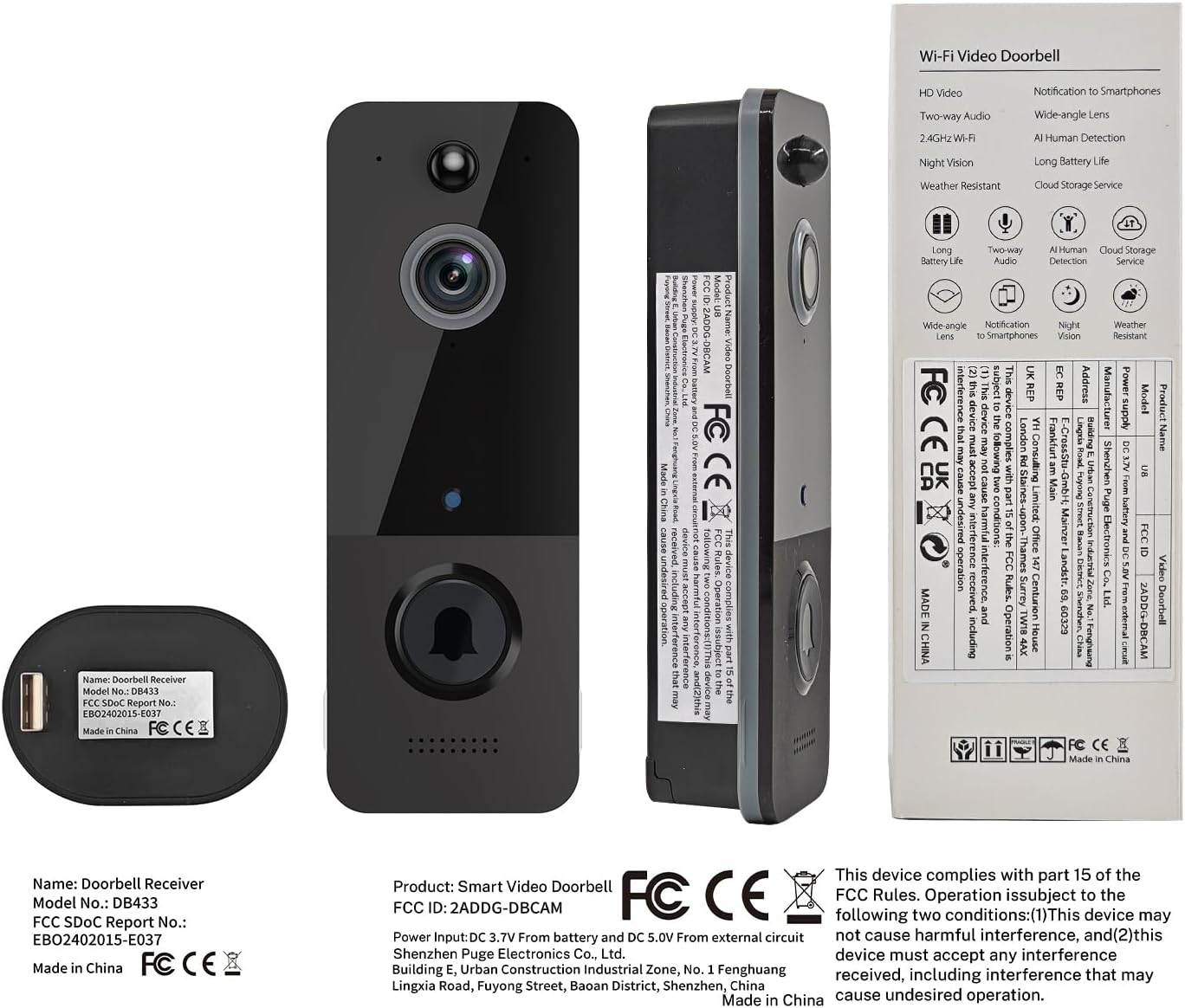
Figure 7: IP65 Weather Resistance for outdoor use.
6. Troubleshooting
If you encounter any issues with your SUNNYJANE U8W Video Doorbell Camera, please refer to the in-app help section or contact customer support for assistance. Common issues often relate to Wi-Fi connectivity (ensure 2.4GHz network is used) or battery charge levels.
7. Specifications
| Feature | Specification |
|---|---|
| Model Name | U8W |
| Indoor/Outdoor Usage | Indoor, Outdoor |
| Compatible Devices | Smartphone (Android, iOS) |
| Power Source | Battery Powered (2 Lithium Polymer batteries included) |
| Connectivity Protocol | Wi-Fi (2.4GHz only) |
| Mounting Type | Wall Mount |
| Video Capture Resolution | 720p |
| Effective Still Resolution | 4 MP |
| Color | Black |
| Item Dimensions L x W x H | 5.3 x 1.4 x 2 inches |
| Item Weight | 9.9 ounces |
| Field Of View | 166 Degrees |
| Low Light Technology | Yes |
| Special Feature | 2-Way Audio |

Figure 8: Dimensions of the SUNNYJANE U8W Video Doorbell Camera and Chime.
8. Warranty and Support
For warranty information or technical support, please refer to the product packaging or contact SUNNYJANE customer service directly. Contact details can typically be found on the manufacturer's website or within the product's mobile application.