
QFX BT-1965-RED
QFX Bluetooth 1965 Retro Car Replica Speaker User Manual
Model: BT-1965-RED | Brand: QFX
Product Overview
The QFX BT-1965-RED is a Bluetooth-enabled speaker designed as a replica of a 1965 muscle car, combining vintage aesthetics with modern audio technology. It features 3-inch speakers, LED party lights, and multiple connectivity options including Bluetooth, FM radio, USB, and TF card ports. The speaker also supports hands-free calling with a built-in microphone and True Wireless Stereo (TWS) for pairing two units for enhanced sound.

Figure 1: Front view of the QFX 1965 Retro Car Replica Speaker.
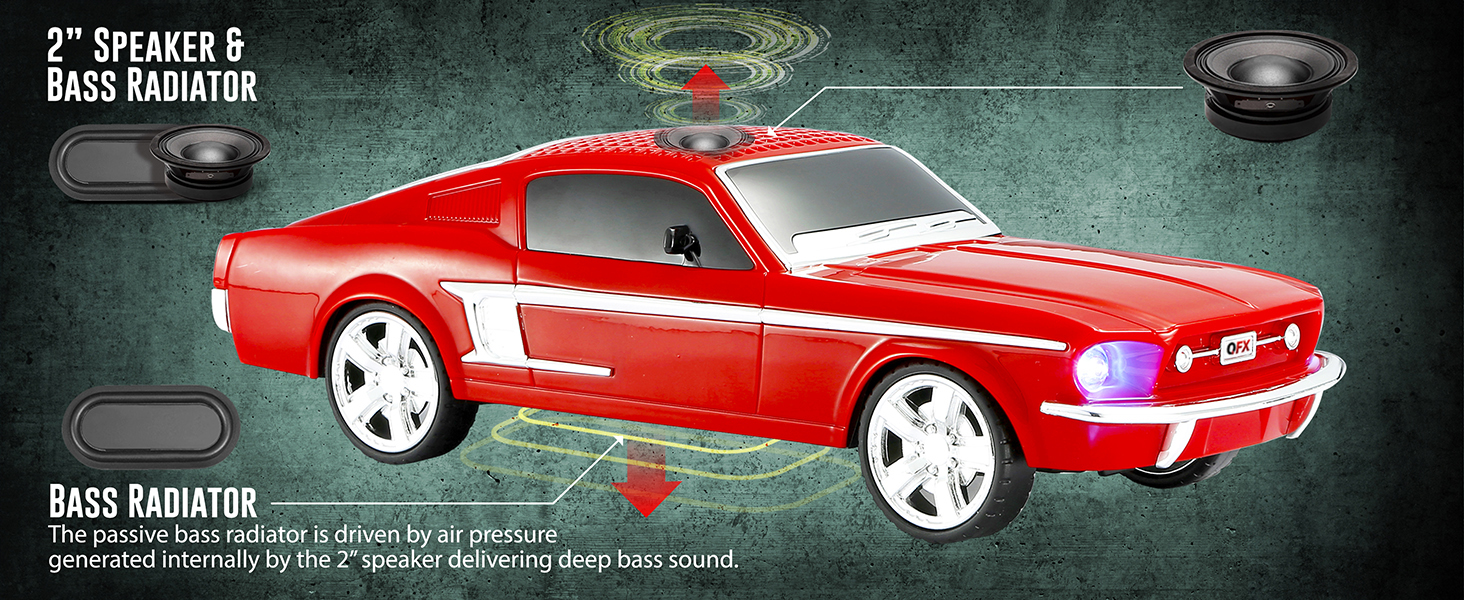
Figure 2: Internal components illustrating the 2-inch speaker and bass radiator for enhanced sound.
Setup
1. Charging the Speaker
Before first use, fully charge the speaker using the provided USB cable. Connect the USB cable to the DC 5V port on the rear of the speaker and the other end to a compatible USB power source (e.g., computer USB port, USB wall adapter).
2. Powering On/Off
To power on the speaker, press and hold the Power/Mode button located on the rear panel. The speaker will emit a startup sound and the LED headlights will illuminate. To power off, press and hold the same button again.
3. Bluetooth Pairing
- Ensure the speaker is powered on and in Bluetooth mode. If not, short press the Power/Mode button to cycle through modes until "Bluetooth" is announced or displayed.
- On your mobile device (smartphone, tablet, laptop), enable Bluetooth and search for available devices.
- Select "QFX BT-1965" from the list of devices.
- Once paired, the speaker will confirm the connection, and you can begin playing audio from your device.
4. FM Radio Operation
To use the FM radio, short press the Power/Mode button until FM mode is activated. For best reception, ensure the charging cable is connected as it doubles as the FM antenna. Press and hold the Play/Pause button to auto-scan and save available stations. Use the Previous/Next Track buttons to navigate through saved stations.
5. USB/TF Card Playback
Insert a USB flash drive or TF (microSD) card into the corresponding port on the rear of the speaker. The speaker will automatically switch to USB/TF mode and begin playing audio files (MP3 format recommended). Use the control buttons for playback.
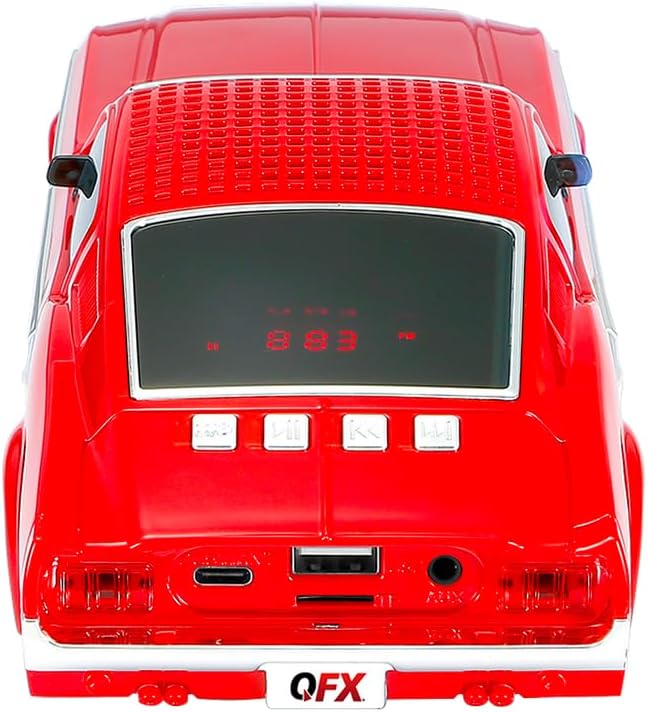
Figure 3: Rear panel controls and ports.
Operating Instructions
1. Basic Controls
- Power/Mode Button: Long press to power on/off. Short press to switch between Bluetooth, FM, USB, TF, and AUX modes.
- Play/Pause Button: Short press to play or pause audio. In FM mode, long press to auto-scan stations.
- Previous Track/Volume Down Button: Short press for previous track. Long press to decrease volume.
- Next Track/Volume Up Button: Short press for next track. Long press to increase volume.
2. Hands-Free Calling
When connected via Bluetooth to a smartphone, the speaker can be used for hands-free calls thanks to its built-in microphone.
- Answer Call: Short press the Play/Pause button when an incoming call rings.
- End Call: Short press the Play/Pause button during a call to hang up.
- Reject Call: Long press the Play/Pause button when an incoming call rings.
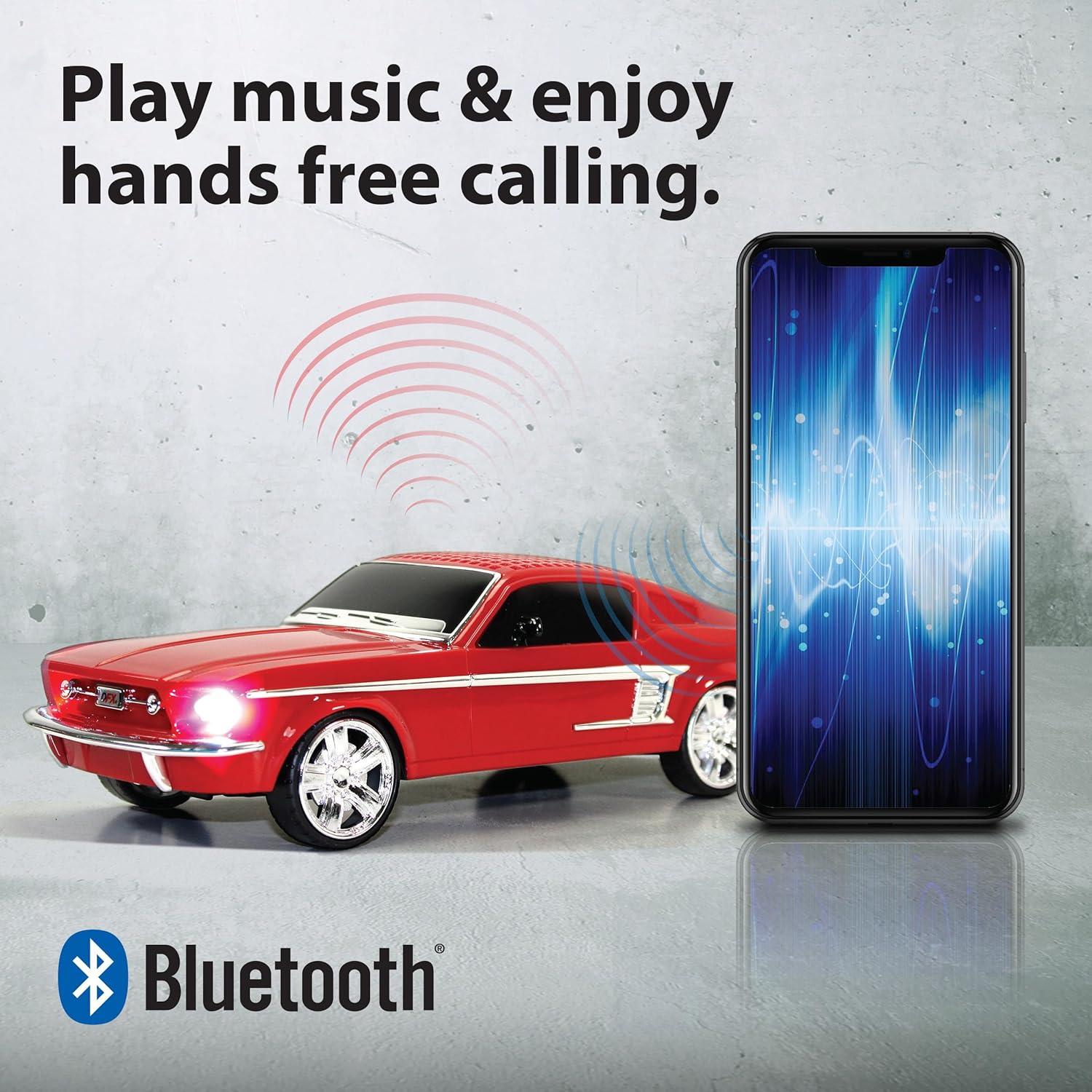
Figure 4: Hands-free calling feature.
3. True Wireless Stereo (TWS) Pairing
To achieve a stereo sound experience, you can pair two QFX BT-1965 speakers together.
- Ensure both BT-1965 speakers are powered on and in Bluetooth mode, but NOT connected to any device.
- On one of the speakers (this will be the primary speaker), double-press the Power/Mode button. You will hear an indication sound.
- The two speakers will automatically search and connect to each other. Once connected, you will hear a confirmation sound.
- Now, connect your mobile device to the primary speaker via Bluetooth as described in the "Bluetooth Pairing" section. Audio will play in stereo through both speakers.
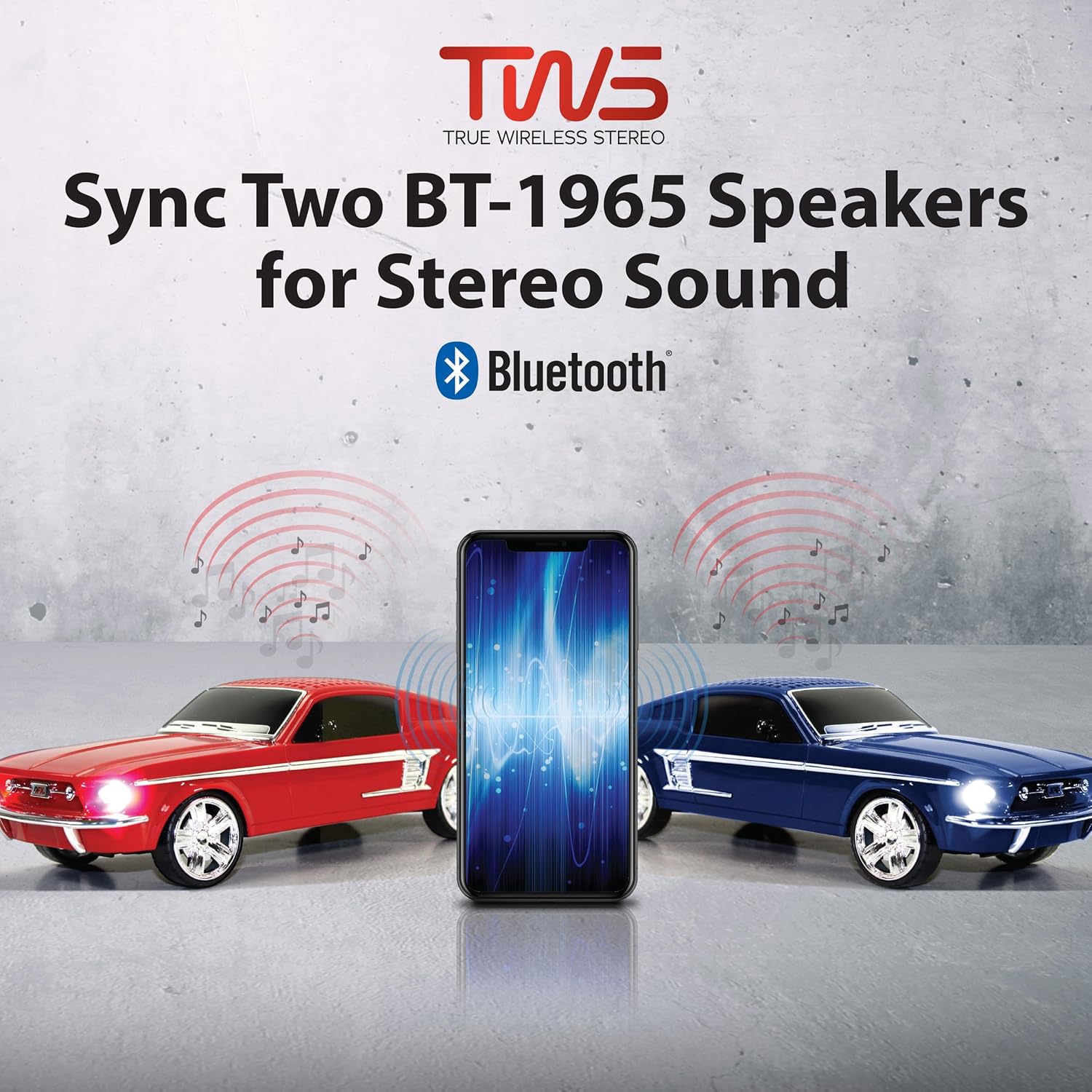
Figure 5: True Wireless Stereo (TWS) pairing for enhanced sound.
Maintenance
- Keep the speaker clean by wiping it with a soft, dry cloth. Avoid using abrasive cleaners or solvents.
- Do not expose the speaker to water or excessive moisture, as it is not waterproof.
- Store the speaker in a cool, dry place when not in use.
- To prolong battery life, avoid fully discharging the battery frequently and charge it regularly.
Troubleshooting
| Problem | Possible Cause | Solution |
|---|---|---|
| Speaker does not power on. | Battery is low or depleted. | Charge the speaker fully. |
| No sound. | Volume is too low; device not connected; incorrect mode. | Increase volume; ensure Bluetooth is connected or correct input mode is selected. |
| Bluetooth connection fails. | Speaker is too far from device; interference; speaker already paired. | Move device closer; clear previous pairings on device; ensure speaker is in pairing mode. |
| Poor FM radio reception. | No antenna connected; weak signal. | Ensure USB charging cable is connected (acts as antenna); try repositioning the speaker. |
Specifications
| Feature | Detail |
|---|---|
| Model Name | BT-1965-RED |
| Speaker Type | Single Speaker |
| Speaker Size | 2 Inches (Woofer Diameter: 2 Inches) |
| Connectivity Technology | Bluetooth, USB |
| Wireless Communication Technology | Bluetooth |
| Bluetooth Range | 10 Meters |
| Audio Output Mode | Stereo |
| Surround Sound Channel Configuration | 2.0 |
| Power Source | Battery Powered |
| Control Method | Touch |
| Number of Microphones | 1 |
| Product Dimensions | 10.1"D x 3.74"W x 3.03"H |
| Item Weight | 0.74 Kilograms (1.63 pounds) |
| Color | Red |
| Style | 1965 Muscle Car |
| Included Components | Speaker, USB Cable, User Manual |
| Is Waterproof | False |
| UPC | 606540010273 |

Figure 6: Product dimensions.
Warranty and Support
Warranty Information
This QFX BT-1965-RED speaker comes with a limited warranty. Please refer to the warranty card included in your product packaging for specific terms and conditions.
Customer Support
For technical assistance or customer service inquiries, please contact QFX customer support:
- Phone: 800-864-2582
- Email: support@qfxusa.com
QFX is committed to providing quality electronics and customer support.
Related documentsBT-1965-RED


Ask a question about this manual
Ask about setup, troubleshooting, compatibility, parts, safety, or missing instructions. Manuals+ will review the question and use this page’s manual context to help answer it.