
1. Introduction
1.1 Product Overview
The BoxWave DualTip Capacitive Stylus is designed to enhance your interaction with capacitive touchscreens, including devices like the Huion Inspiroy RTE-100. It features two distinct tips to cater to various tasks: a FiberMesh tip for smooth navigation and a FineTouch clear disc tip for precision work.
This stylus offers a natural and comfortable writing experience, combining a metallic aluminum body with responsive and durable tips. It requires no batteries or Bluetooth pairing, ensuring immediate usability.

Image: The BoxWave DualTip Capacitive Stylus features both a FiberMesh tip and a FineTouch clear disc tip for versatile use.
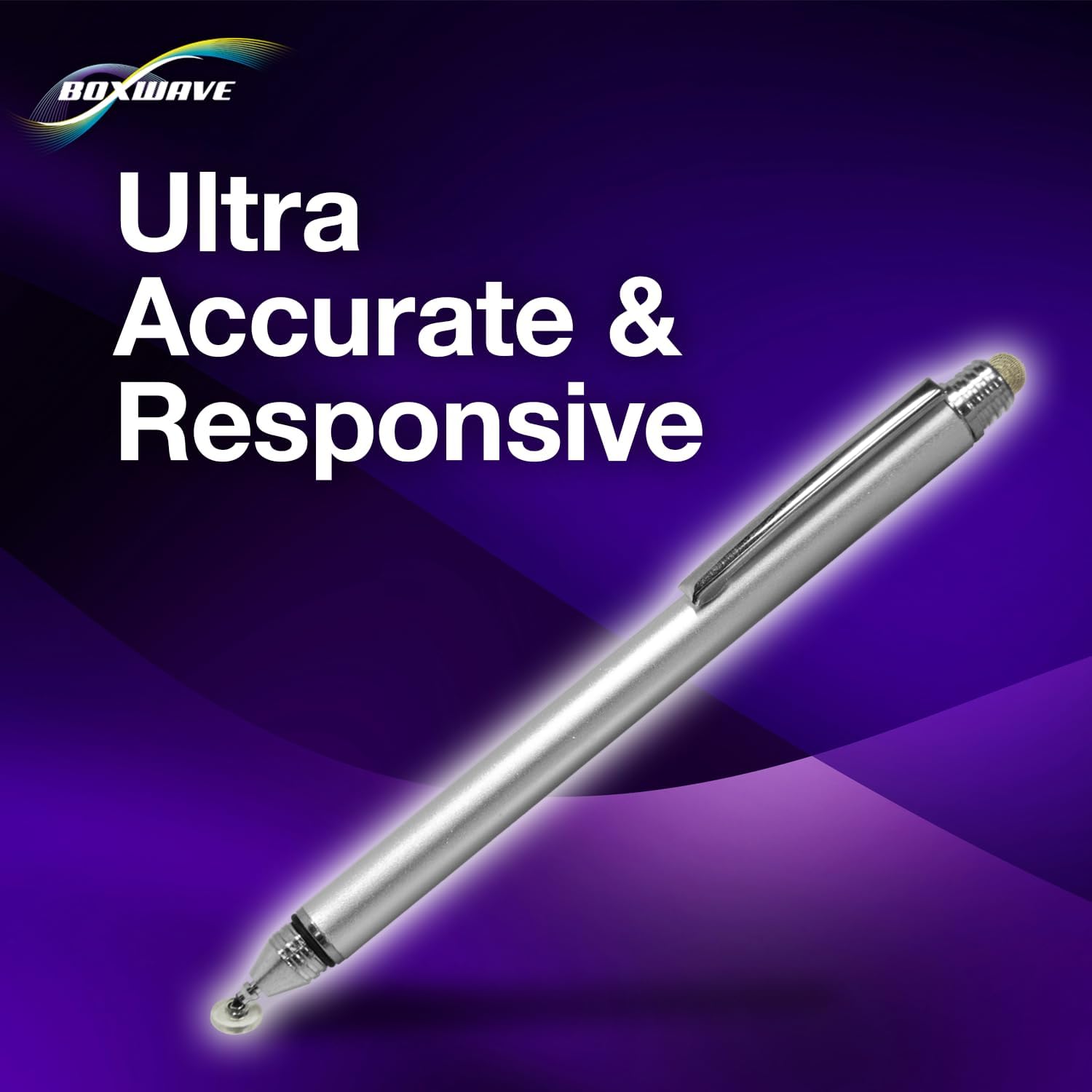
Image: The stylus is designed for ultra-accurate and responsive interaction with your device's screen.
2. Setup
2.1 Initial Use
The BoxWave DualTip Capacitive Stylus is a passive device and requires no pairing, batteries, or software installation. It is ready for immediate use upon removal from its packaging. Simply touch the desired tip to your device's capacitive touchscreen to begin interaction.
3. Operating Instructions
3.1 Using the FiberMesh Tip
The FiberMesh tip is constructed from a tightly woven conductive fabric mesh. This tip provides a soft, cushioned feel, making it ideal for general navigation, scrolling, swiping, and broad strokes. It is highly durable and resistant to breakdown, offering a smooth and pressure-sensitive feedback for a comfortable user experience.
3.2 Using the FineTouch Clear Disc Tip
The FineTouch clear disc tip features an innovative transparent disc that allows for vision-enhancing precision. This design enables you to see the exact contact point on your screen, which is crucial for detailed tasks such as writing, drawing, or precise tapping. It provides fine-point accuracy for intricate work.

Image: The stylus offers a natural and comfortable feel for extended use.
3.3 Stylus Grip and Angle
Both the FiberMesh and FineTouch tips are designed to function effectively from any angle. This flexibility allows for a natural grip and comfortable use, regardless of your preferred writing or drawing position. This feature also makes the stylus suitable for use in cold environments where gloves are worn, as it eliminates the need to remove them for screen interaction.
3.4 Portability
The stylus includes a built-in metal clip. Use this clip to securely attach the DualTip Capacitive Stylus to your shirt pocket, jacket, jeans, or a tablet case for convenient access and portability. This ensures your stylus is always within reach when you need it.

Image: The stylus in use on a tablet, demonstrating its functionality for various applications.
4. Maintenance
4.1 Cleaning the Stylus
To maintain the appearance and functionality of your stylus, wipe the metallic body with a soft, dry cloth. For the tips, gently wipe with a slightly damp, lint-free cloth if necessary. Avoid using harsh chemicals, abrasive cleaners, or excessive moisture, as these can damage the stylus tips or finish.
4.2 Protecting the Tips
The FineTouch clear disc tip is delicate and should be protected when not in use. Always replace the threaded cap over the FineTouch tip to prevent accidental damage, bending, or loss of the clear disc. Store the stylus in a safe place to avoid impact.

Image: The threaded cap protects the FineTouch clear disc tip when not in use.
5. Troubleshooting
5.1 Stylus Not Responding
- Clean Screen: Ensure your device's screen is clean and free of dust, smudges, or debris that might interfere with touch recognition.
- Proper Contact: Verify that the stylus tip is making full and proper contact with the screen surface.
- Inspect Tips: If using the FineTouch disc tip, ensure the clear disc is intact, not bent, and securely attached. For the FiberMesh tip, check for any visible damage or wear.
- Device Compatibility: Confirm that your device has a capacitive touchscreen. This stylus is designed for capacitive screens only.
- Restart Device: If the issue persists, try restarting your device. This can often resolve temporary software glitches.
6. Specifications
| Feature | Detail |
|---|---|
| Brand | BoxWave |
| Model Name | DualTip Capacitive Stylus |
| Manufacturer Part Number | bw-1975-41332-11761 |
| ASIN | B0CHKSNJ8G |
| Color | Metallic Silver |
| Item Weight | 1.3 Ounces |
| Batteries Required | No |
| Compatibility | Huion Inspiroy RTE-100 and other capacitive touchscreens |
7. Warranty and Support
7.1 Warranty Information
This BoxWave product is covered by a standard manufacturer's warranty. For detailed information regarding warranty terms, duration, and conditions, please refer to the product packaging or visit the official BoxWave website. Keep your proof of purchase for warranty claims.
7.2 Technical Support
Limited third-party technical support for your device (up to 3 inquiries via messaging) is included with this product. Please note that this support is not affiliated with or endorsed by Huion. For product-specific inquiries, technical assistance, or further support regarding your BoxWave DualTip Capacitive Stylus, please contact BoxWave Corporation directly through their official customer service channels.
For more information and support resources, please visit: BoxWave Support