
1. Product Overview
The TENGA Vacuum GYRO Roller VGR-003S is a personal pleasure device designed to provide a unique experience through a combination of rotating motion and air suction. This manual provides essential information for safe and effective use of your device.
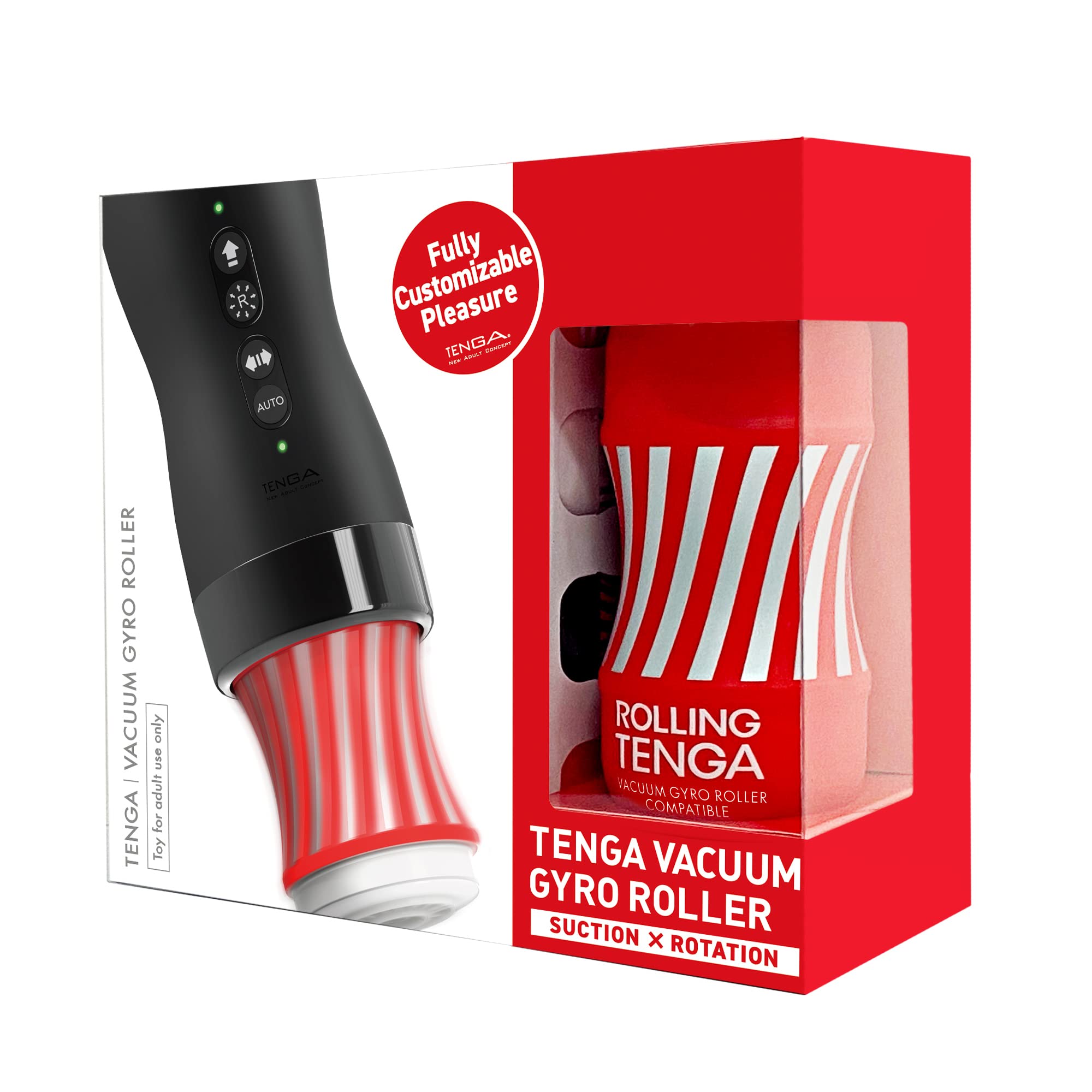
Image 1: The TENGA Vacuum GYRO Roller VGR-003S device. This image shows the main unit with a red and white striped cup inserted, highlighting its sleek black design and control buttons.
2. Package Contents
Verify that all items are present in your package:
- TENGA Vacuum GYRO Roller main unit
- 1 Regular disposable Gyro Roller CUP
- USB Type-C charging cable
- Instruction Manual (this document)
3. Setup and Charging
3.1 Initial Charge
Before first use, fully charge the device. Connect the USB Type-C charging cable to the charging port on the device and to a compatible USB power source. The device includes 2 Lithium Polymer batteries.
3.2 Inserting the Gyro Roller Cup
The TENGA Vacuum GYRO Roller requires a compatible Gyro Roller CUP for operation. Ensure the cup is correctly inserted for optimal performance.
- Remove the wrapping and the air hole sticker from the Gyro Roller CUP.
- Insert the CUP directly into the holder of the main unit as far as it will go. Ensure it is seated firmly.

Image 2: Diagram illustrating the correct method for inserting a Gyro Roller CUP into the device. It shows removing the wrapping and air hole sticker, then pushing the cup into the main unit.
Important: Only use cups specifically designed for the Vacuum GYRO Roller. Verify cup compatibility before use.

Image 3: Examples of compatible Rolling TENGA Cups designed for use with the Vacuum GYRO Roller. Three different cup designs are shown: red, white, and black.
4. Operating Instructions
The TENGA Vacuum GYRO Roller features four control buttons for managing rotation and vacuum functions.
4.1 Rolling Function (Rotation)
The device offers both manual and automatic rotation modes.
- MANUAL Mode Button:
- Hold for 2 seconds: Switches the device ON/OFF.
- Press: Activates/Deactivates the SPEED LOCK function. The gyro sensor allows intuitive control of rotation speed and direction by tilting the product.
- AUTO Mode Selector Button:
- Hold for 2 seconds: Switches the device ON/OFF.
- Press: Cycles through the 4 available AUTO Modes (Program 1, Program 2, Program 3, Program 4).

Image 4: Detailed diagram of the Rolling Function controls, including the Manual Mode button and Auto Mode Selector button, and the four auto mode patterns (P1, P2, P3, P4).
4.2 Vacuum Function (Air Suction)
The device provides adjustable vacuum strength and rhythmic patterns.
- VACUUM Selector Button:
- Hold for 2 seconds: Switches the vacuum function ON/OFF.
- Press: Cycles through the available VACUUM modes, including Low Vacuum Strength, High Vacuum Strength, and 4 rhythmic patterns (RV1, RV2, RV3, RV4).
- Release Button:
- Hold down the button to release the vacuum and relieve suction pressure.

Image 5: Detailed diagram of the Vacuum Function controls, including the Vacuum Selector button and Release button, and the two strengths (Low, High) and four rhythmic patterns (RV1, RV2, RV3, RV4).
5. Maintenance and Care
Proper maintenance ensures the longevity and hygiene of your TENGA Vacuum GYRO Roller.
- Cleaning: After each use, remove and dispose of the used Gyro Roller CUP. The main unit should be wiped clean with a damp cloth. Do not submerge the main unit in water or use harsh cleaning agents.
- Storage: Store the device in a cool, dry place away from direct sunlight and extreme temperatures.
- Battery Care: To maintain battery health, avoid fully discharging the device frequently. Charge it regularly, even if not in use for extended periods.
6. Troubleshooting
If you encounter issues with your device, refer to the following common solutions:
| Problem | Possible Cause | Solution |
|---|---|---|
| Device does not turn on or charge. | Low or depleted battery; charging cable not properly connected; faulty charging cable or adapter. | Ensure the USB Type-C cable is securely connected to both the device and a working power source. Try a different charging cable or adapter. Allow sufficient time for charging. If the issue persists, contact customer support. |
| Vacuum function is weak or inconsistent. | Gyro Roller CUP not properly inserted; air hole sticker not fully removed; device needs cleaning. | Ensure the Gyro Roller CUP is fully inserted and the air hole sticker is completely removed. Clean the device as per maintenance instructions. |
| Difficulty removing the Gyro Roller CUP. | Residual vacuum pressure. | Press and hold the Release Button while gently pulling the cup to relieve suction and facilitate removal. |
7. Specifications
| Feature | Detail |
|---|---|
| Model Number | VGR-003S |
| Product Dimensions (L x W x H) | 3.41 x 3.41 x 7.52 inches |
| Weight | 1.17 pounds |
| Power Source | 2 Lithium Polymer batteries (included) |
| Charging Interface | USB Type-C |
| Material | Plastic |
| Brand | TENGA |
| Designed In | Japan |
8. Warranty and Support
For warranty information, product support, or to purchase replacement parts and compatible cups, please visit the official TENGA website or contact TENGA customer service directly. Keep your proof of purchase for warranty claims.
Official TENGA Website: www.tenga.co.jp/en/
9. Safety Information
Please read and understand all safety warnings before using this product. This device is intended for adult use only. Discontinue use immediately if you experience any discomfort or pain. Do not use if the device or any component is damaged.
Statements regarding this product have not been evaluated by the FDA and are not intended to diagnose, treat, cure, or prevent any disease or health condition.


