
1. Introduction
Welcome to the world of Xtrem Bots! This manual provides essential information for the safe and proper operation, maintenance, and troubleshooting of your new Crazy Pets Dino Punk robot. Please read this manual thoroughly before using the product and retain it for future reference.
The Xtrem Bots Crazy Pets Dino Punk is an interactive robotic toy designed to provide engaging play experiences. It features various movements and sounds, bringing a robotic dinosaur to life.
2. Safety Information
To ensure safe operation and prevent damage, please observe the following safety precautions:
- Age Recommendation: This product is intended for users aged 5 years and older.
- Battery Safety:
- Use only the specified battery type and size.
- Do not mix old and new batteries, or different types of batteries.
- Insert batteries with correct polarity (+ and -).
- Remove exhausted batteries promptly.
- Do not recharge non-rechargeable batteries.
- Rechargeable batteries should only be charged under adult supervision.
- Remove rechargeable batteries from the toy before charging.
- Do not short-circuit the battery terminals.
- Choking Hazard: Contains small parts. Not suitable for children under 3 years.
- Operating Environment: Use the robot on a clean, flat, and dry surface. Avoid water, excessive dust, or extreme temperatures.
- Handling: Do not drop, throw, or subject the robot to excessive force. Avoid obstructing moving parts.
- Cleaning: Clean only with a dry cloth. Do not use harsh chemicals or immerse in water.
- Disposal: Dispose of batteries and the product responsibly according to local regulations.
3. Package Contents
Please check the package contents to ensure all items are present:
- 1 x Xtrem Bots Crazy Pets Dino Punk Robot
- 1 x Instruction Manual (this document)
- (Batteries are typically not included and must be purchased separately)
4. Setup
4.1. Battery Installation
The Crazy Pets Dino Punk requires [Number] x [Battery Type, e.g., AA] batteries (not included).
- Locate the battery compartment on the underside of the robot.
- Using a small Phillips head screwdriver, unscrew the battery compartment cover.
- Insert the batteries, ensuring correct polarity (+ and -) as indicated inside the compartment.
- Replace the battery compartment cover and secure it with the screw.
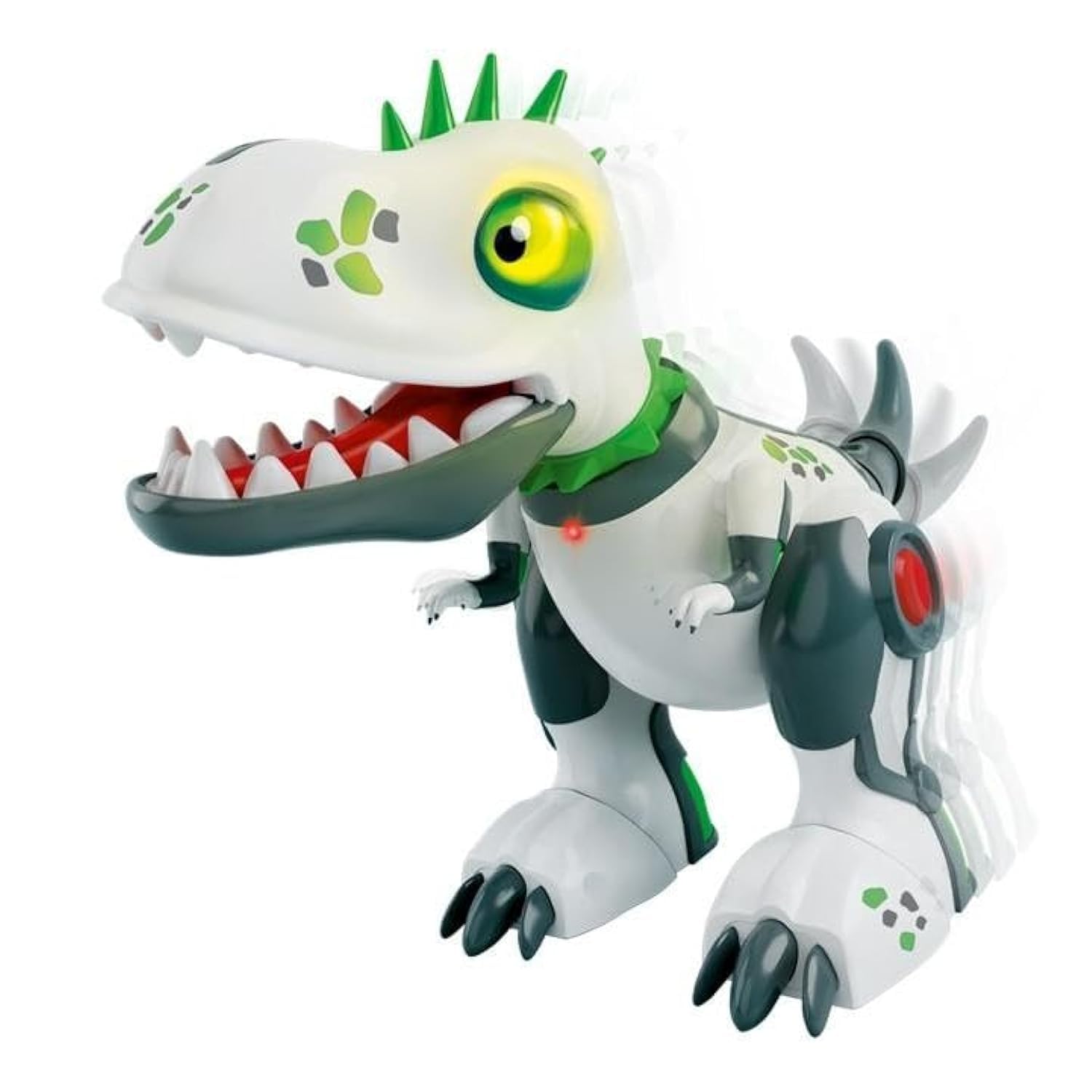
An image showing the Xtrem Bots Crazy Pets Dino Punk robot. It is a white and dark green dinosaur-like robot with bright green spikes on its back and head, and large yellow eyes. Its mouth is open, revealing white teeth and a red tongue. A small red LED light is visible on its chest. The robot has large, clawed feet and articulated limbs, suggesting movement.
5. Operating Instructions
5.1. Powering On/Off
Locate the ON/OFF switch, usually on the robot's back or underside. Slide the switch to the "ON" position to activate the robot. Slide it to "OFF" to power down.
5.2. Basic Functions
Once powered on, the Dino Punk robot will typically enter an idle mode or begin its default sequence. Specific functions may include:
- Movement: The robot can walk forward, backward, and turn.
- Sound Effects: It produces various dinosaur-like roars and other sounds.
- Light Effects: Eyes or other parts may light up during operation.
- Interactive Modes: Some models may feature touch sensors or sound detection for interactive responses. Refer to the packaging or product description for specific interactive features.
To activate specific actions, gently press the designated buttons or interact with the robot as described on the product packaging or quick start guide (if included).
6. Maintenance
Proper maintenance ensures the longevity of your Dino Punk robot:
- Cleaning: Wipe the robot with a soft, dry cloth. Do not use water, solvents, or abrasive cleaners.
- Storage: When not in use for extended periods, remove the batteries to prevent leakage. Store the robot in a cool, dry place away from direct sunlight.
- Battery Replacement: Replace batteries when the robot's movements become sluggish or sounds become distorted.
7. Troubleshooting
If your Dino Punk robot is not functioning as expected, refer to the following common issues and solutions:
| Problem | Possible Cause | Solution |
|---|---|---|
| Robot does not turn on. | Batteries are dead or incorrectly installed. | Check battery polarity. Replace with fresh batteries. |
| Robot moves slowly or sounds are distorted. | Low battery power. | Replace all batteries with new ones. |
| Robot stops responding. | Interference or internal reset needed. | Turn the robot off, wait 10 seconds, then turn it back on. Ensure no strong electromagnetic interference nearby. |
| Moving parts are stuck. | Obstruction or debris. | Carefully inspect for any foreign objects or debris obstructing the gears or joints. Remove them gently. Do not force movement. |
If the problem persists after trying these solutions, please contact customer support.
8. Specifications
| Feature | Detail |
|---|---|
| Model Number | 3803235 |
| Brand | Xtrem Bots |
| Product Type | Robotic Toy / Interactive Pet |
| Power Source | [Number] x [Battery Type, e.g., AA] batteries (not included) |
| Recommended Age | 5+ years |
| Item Weight | 1.23 pounds (approx. 0.56 kg) |
| Manufacturer | AMO TOYS |
| Release Date | January 1, 2023 |
9. Warranty and Support
Xtrem Bots products are manufactured to high-quality standards. For information regarding warranty coverage, please refer to the warranty card included with your product or visit the official Xtrem Bots website.
For technical support, troubleshooting assistance beyond this manual, or spare parts inquiries, please contact Xtrem Bots customer service:
- Website: www.xtrembots.com (Please note: This is a placeholder URL. Refer to product packaging for actual support contact.)
- Email: support@xtrembots.com (Please note: This is a placeholder email. Refer to product packaging for actual support contact.)
- Phone: Refer to local distributor information on packaging.
When contacting support, please have your product model number (3803235) and purchase date ready.