
1. Introduction
The Weyot Personal Alarm Smartwatch is designed to enhance the safety and independence of seniors. This device integrates multiple functions including an SOS emergency call system, fall detection, GPS tracking, and comprehensive health monitoring. This manual provides detailed instructions for setup, operation, and maintenance to ensure optimal use of your smartwatch.

Image 1.1: Overview of the Weyot Smartwatch highlighting its health management capabilities.
2. Safety Information
- Do not attempt to disassemble or modify the device.
- Keep the device away from extreme temperatures and direct sunlight.
- Use only the provided charging cable.
- While the watch is waterproof for daily use (hand washing, rain), avoid prolonged submersion or hot water.
- This device is not a medical instrument. Health data is for reference only and should not replace professional medical advice.
3. Package Contents
Please check the box for the following items:
- Weyot Personal Alarm Smartwatch
- Magnetic Charging Cable
- User Manual (this document)
4. Device Overview
The smartwatch features a compact design with essential buttons and sensors for easy interaction and monitoring.

Image 4.1: Front and side view of the Weyot Smartwatch, illustrating its primary buttons and a scenario for fall detection.
Key Components:
- SOS Button (Red): Long-press for emergency calls.
- Microphone Button (Green): Used for communication.
- Display Screen: Shows time, notifications, and health data.
- Optical Sensor (underside): For heart rate, blood pressure, and SpO2 monitoring.
- Thermal Conductivity Sensor (underside): For body temperature monitoring.
- SIM Card Slot: For 4G connectivity.
5. Getting Started (Setup)
5.1 Charging the Device
Before first use, fully charge the smartwatch. Connect the magnetic charging cable to the charging points on the back of the watch and plug the USB end into a power adapter (not included) or a computer USB port. The screen will indicate charging status.
5.2 SIM Card Installation
The smartwatch supports 4G connectivity for calls and GPS tracking. Insert a nano-SIM card into the designated slot on the side of the watch. Ensure the watch is powered off before inserting or removing the SIM card.
5.3 App Download and Pairing
Download the dedicated mobile application (search for 'Weyot' or refer to the QR code in the packaging) on your smartphone. Follow the in-app instructions to pair your smartwatch. This app allows you to manage settings, view health data, track location, and set up emergency contacts.
6. Key Features and Operation

Image 6.1: Visual representation of the smartwatch's comprehensive health and safety features.
6.1 SOS Emergency Call
In an emergency, long-press the red SOS button. The watch will automatically dial pre-set emergency contacts in sequence until one answers. It will also send location information to these contacts.
6.2 Fall Detection
The smartwatch is equipped with sensors to detect accidental falls. If a fall is detected, the watch will automatically initiate an alert to emergency contacts via the mobile application, providing location details.
6.3 GPS Tracking & Geofencing
Utilizing WIFI, GPS, and base station positioning, the watch provides accurate real-time location tracking. Through the mobile app, you can view the device's historical movement trajectory. You can also set up 'electronic fences' (safe zones); if the wearer leaves this defined area, an alert will be sent to the family's mobile phone.
6.4 Health Monitoring
The smartwatch continuously monitors various health metrics:
- Heart Rate & Blood Pressure: Real-time monitoring using a senior optical sensor. Data is visible on the watch screen and in the app.
- SpO2 (Blood Oxygen): Measures blood oxygen levels via the optical sensor.
- Body Temperature: Utilizes a new generation thermal conductivity sensor for precise and rapid temperature detection. Automatic monitoring periods can be set.
- Pedometer: Tracks daily steps, encouraging physical activity.
- Sleep Monitor: Analyzes sleep patterns and quality based on different sleep stages. Users can set their bedtime for comprehensive monitoring.
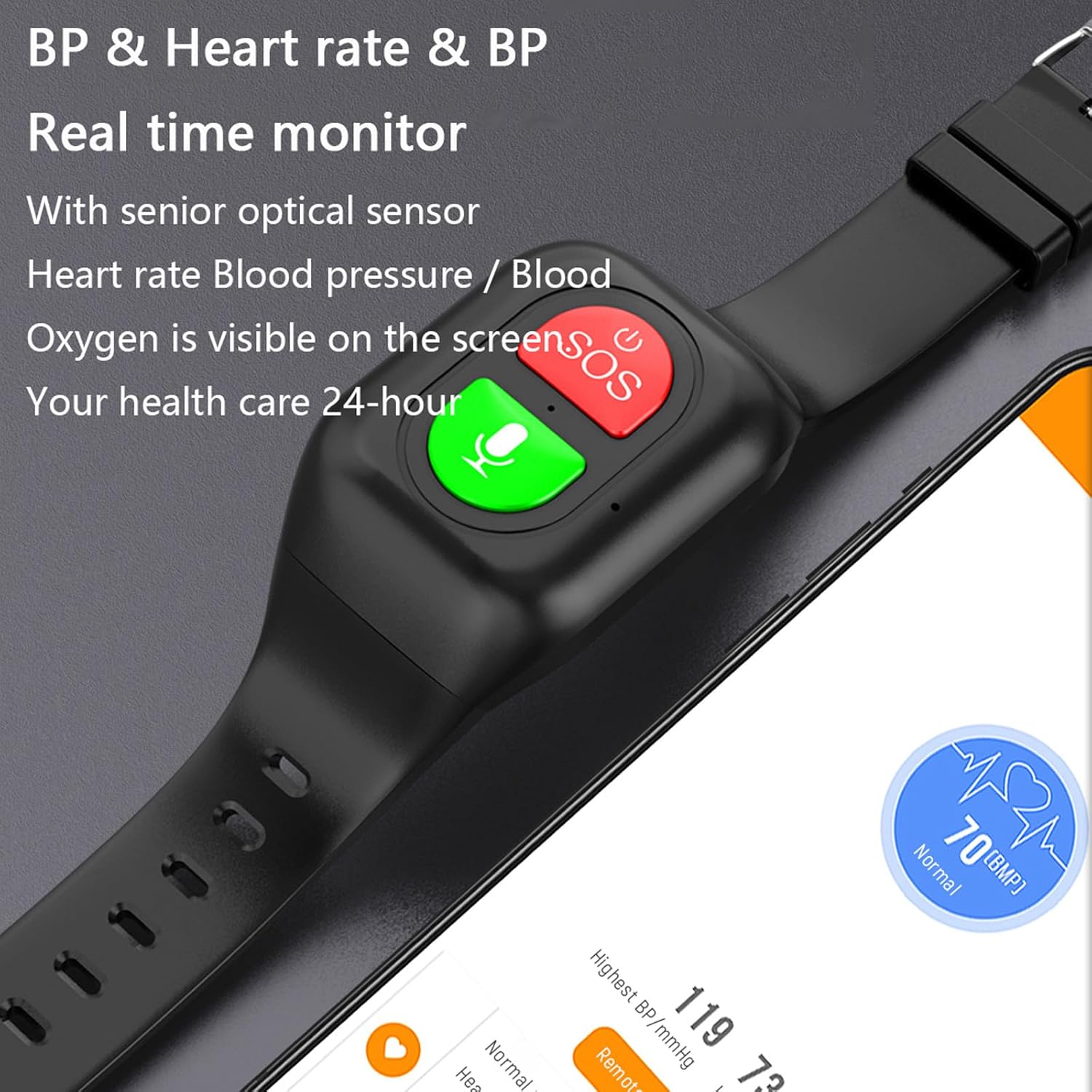
Image 6.4.1: Real-time heart rate and blood pressure monitoring on the smartwatch and companion app.

Image 6.4.2: SpO2 monitoring interface and the location of the optical sensor.
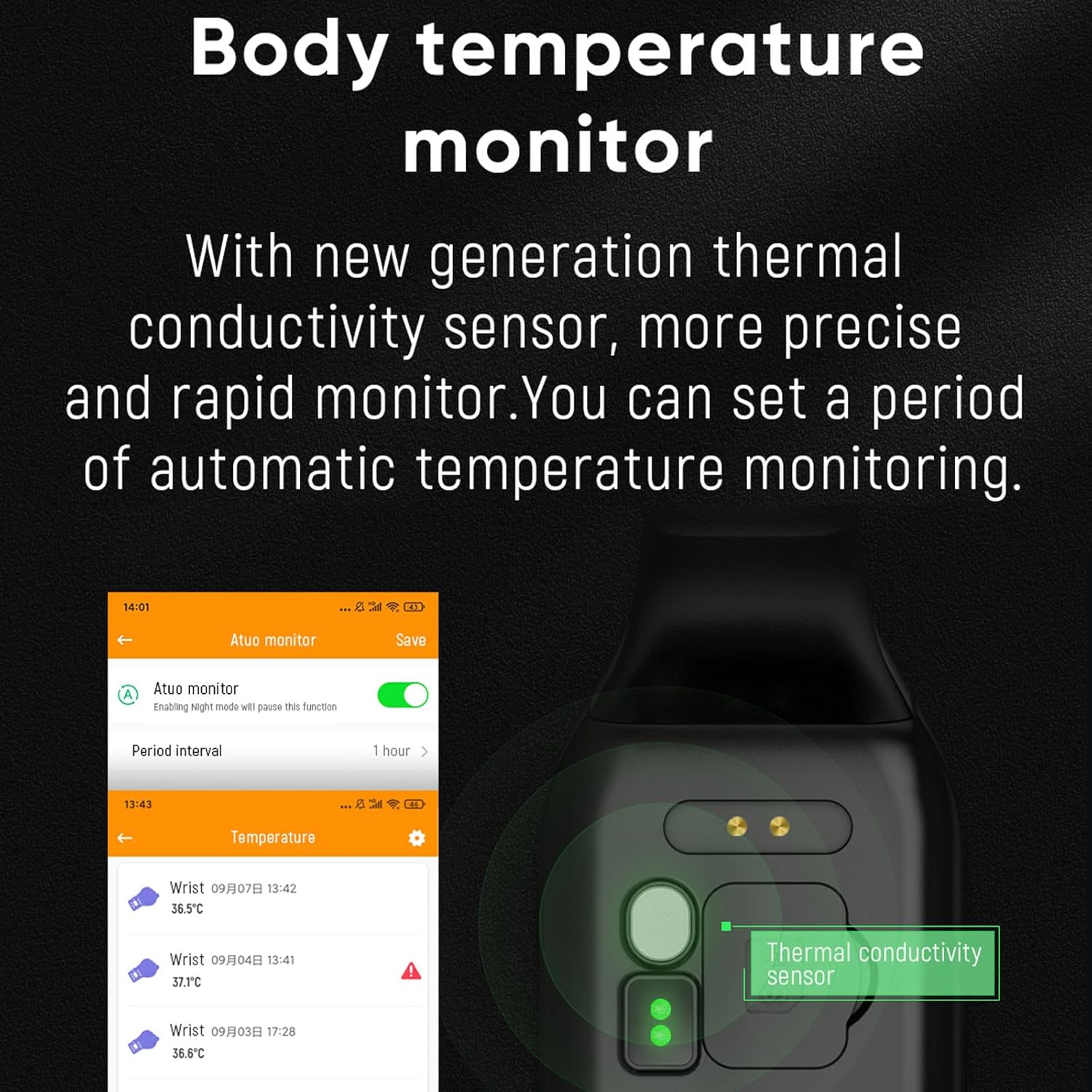
Image 6.4.3: Body temperature monitoring display and sensor location.

Image 6.4.4: Sleep monitoring feature displaying deep sleep duration.
6.5 Medication Reminders
Set up medication reminders through the mobile application to ensure timely intake of prescribed medicines.
6.6 Vibration Notifications
The smartwatch provides vibration alerts for incoming calls and other important notifications, ensuring they are not missed even in noisy environments.

Image 6.6.1: Vibration notification for an incoming call.
7. Maintenance and Care
- Cleaning: Wipe the watch and strap with a soft, damp cloth. Avoid harsh chemicals.
- Battery Care: To prolong battery life, avoid fully discharging the battery frequently. Charge the device regularly.
- Storage: Store the device in a cool, dry place when not in use.
8. Troubleshooting
- Device not powering on: Ensure the device is fully charged. If it still doesn't power on, contact support.
- No GPS signal: Ensure the device is outdoors or in an area with clear sky view. Check SIM card installation and network coverage.
- Inaccurate health readings: Ensure the watch is worn snugly on the wrist. Clean the sensors regularly. Remember, readings are for reference only.
- App not connecting: Ensure Bluetooth is enabled on your smartphone and the watch is within range. Restart both the watch and the app.
9. Specifications
| Feature | Detail |
|---|---|
| Brand | Weyot |
| Model Number | 1091808719385 |
| Screen Size | 1.2 Inches |
| Connectivity Technology | GPS, Wi-Fi, 4G (via SIM card) |
| Special Features | Text messaging, Notification, Alarm clock, SOS, Fall Detection, Health Monitoring |
| Compatible Devices | Smartphone |
| Supported Application | Mobile application |
| Specific Product Uses | Elderly care, outdoor activities |
| Included Components | Device, Charging Cable |
| Battery | 700 mAh Polymer Lithium Battery |
| Material | ABS + PC |
10. Warranty and Support
Warranty information for this product is not explicitly provided in the available data. Please refer to your purchase documentation or contact the retailer for specific warranty details.
For technical support or further assistance, please contact the manufacturer or your point of purchase. Ensure you have your model number (1091808719385) and purchase details ready.