1. Introduction
Welcome to the user manual for your Imou 2K Solar Security Camera. This manual provides essential information for setting up, operating, maintaining, and troubleshooting your device. Please read it thoroughly before using the camera to ensure proper functionality and safety.
Safety Information
- Ensure the camera is installed in a stable location to prevent falling.
- Do not expose the camera to extreme temperatures or corrosive environments.
- Use only the specified power adapter or solar panel for charging.
- Keep the camera and its components out of reach of children.
- Avoid pointing the camera directly at strong light sources, as this may affect image quality.
2. Product Overview
The Imou 2K Solar Security Camera is a wireless outdoor camera designed for comprehensive home security. It features a 360° pan-tilt-zoom (PTZ) function, 2K resolution, color night vision, AI human detection, two-way audio, and is powered by a 15000mAh battery with solar charging capabilities.
Components
- Imou 2K Solar Security Camera Unit
- Solar Panel (integrated or separate with cable)
- Mounting Bracket
- Mounting Screws and Wall Plugs
- USB Type-C Charging Cable
- User Manual (this document)
- Drilling Guide
- Surveillance Warning Sticker

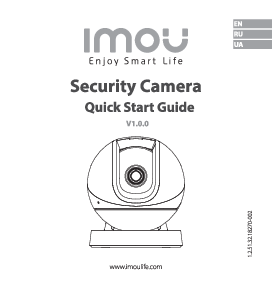
Figure 2.1: Front view of the Imou 2K Solar Security Camera, showing the camera lens, LED lights, and integrated solar panel.

Figure 2.2: Key features of the Imou 2K Solar Security Camera, including 2K QHD resolution, 15000mAh battery, 360° visual coverage, full-color night vision, enhanced dual detection, auto motion tracking, IP66 weatherproofing, and customizable sound and light alarms.
3. Setup
3.1 Pre-installation Checklist
- Ensure your Wi-Fi network is 2.4GHz (5GHz is not supported).
- Charge the camera fully before installation for optimal performance.
- Choose a mounting location with good Wi-Fi signal and direct sunlight exposure for the solar panel.
3.2 Mounting the Camera
- Select a suitable outdoor location, preferably on a wall or eave, ensuring the solar panel receives maximum sunlight throughout the day.
- Use the provided drilling guide to mark the screw holes on the mounting surface.
- Drill holes and insert wall plugs if mounting on masonry.
- Attach the mounting bracket to the wall using the screws.
- Secure the camera unit to the mounting bracket. Adjust the angle to cover the desired surveillance area.

Figure 3.1: The camera mounted outdoors, illustrating the solar panel connection and long battery life.
3.3 App Download and Camera Pairing
- Download the "Imou Life" app from your smartphone's app store (iOS or Android).
- Open the app and create an account or log in if you already have one.
- Tap the "+" icon in the app to add a new device.
- Scan the QR code located on the camera or its packaging.
- Follow the on-screen prompts to connect the camera to your 2.4GHz Wi-Fi network. Ensure your phone is connected to the same Wi-Fi network during setup.
- Once connected, the camera's indicator light will turn solid green, and you will hear a confirmation sound.
4. Operating Instructions
4.1 Live View and PTZ Control
Access the live feed of your camera through the Imou Life app. Use the on-screen controls to pan (horizontal movement) and tilt (vertical movement) the camera for a 360° view. You can also set up to 6 preset points for quick navigation to specific areas.

Figure 4.1: Illustrates the 360° PTZ capability and the use of preset points to cover a wide area without blind spots.

Figure 4.2: An overhead view demonstrating how preset points can be configured to monitor different areas around a property.
4.2 Video Quality and Night Vision
The camera records in 2K UHD (3MP) resolution, providing clear and detailed images. It features color night vision up to 20 meters (66 feet), allowing you to see vivid details even in low-light conditions.

Figure 4.3: Demonstrates the clarity of 2K resolution, capturing fine details in the scene.

Figure 4.4: Shows the effectiveness of color night vision, providing clear and colorful images up to 66 feet in dark environments.
4.3 AI Human Detection and Smart Tracking
The camera uses advanced AI to accurately detect human shapes, significantly reducing false alarms from pets, insects, or environmental changes. When a human is detected, the camera can automatically track their movement and record the activity.

Figure 4.5: Illustrates the AI human detection feature, accurately identifying human figures in the camera's view.

Figure 4.6: Demonstrates the auto-tracking function, where the camera follows detected movement within its field of view.
4.4 Two-Way Audio and Alarm Functions
Communicate with visitors or deter intruders using the built-in microphone and speaker. The camera supports custom bidirectional voice settings (original, male, robotic). When an event is detected, the camera can activate a bright spotlight and a customizable siren alarm to warn off unwanted guests.

Figure 4.7: Shows the two-way audio feature in action, allowing communication with individuals at your property, along with voice changing options for privacy.

Figure 4.8: Depicts the camera's active deterrence features, including a bright spotlight and customizable sound alarms to deter intruders.
4.5 Storage Options
Recordings can be stored locally on a microSD card (up to 256GB, not included) or via the Imou Cloud service (30-day free trial, 7-day recording cycle). The camera uses H.265 video coding for efficient storage.

Figure 4.9: Overview of storage solutions, including local SD card support and cloud storage, highlighting efficient H.265 video compression.
4.6 Customizing Detection Area and Time
You can define specific motion detection zones within the app to focus on critical areas and avoid unwanted alerts from public spaces. Additionally, you can set schedules for when motion detection is active.

Figure 4.10: Illustrates how to set custom detection zones to monitor specific areas of interest.

Figure 4.11: Shows the in-app interface for setting detection schedules, allowing the user to define active monitoring periods.
4.7 Multi-Screen View and Multi-User Sharing
View live footage from up to four Imou cameras simultaneously on one phone. You can also share access to your camera with up to six family members through the Imou Life app.

Figure 4.12: Demonstrates the multi-screen viewing capability, allowing simultaneous monitoring of multiple cameras.
4.8 Smart Home Integration (Alexa)
The Imou 2K Solar Security Camera is compatible with Amazon Alexa, allowing you to view live feeds on compatible smart displays using voice commands.
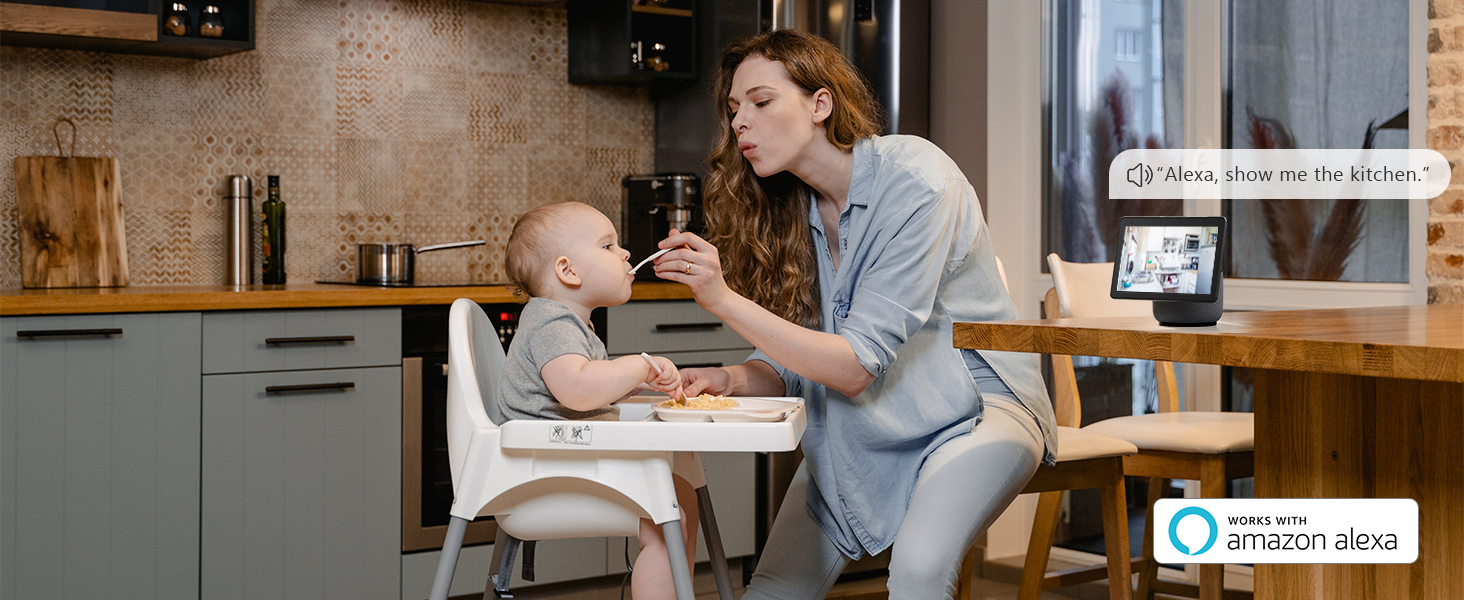
Figure 4.13: Shows the camera's compatibility with Amazon Alexa for voice-controlled viewing on smart displays.
5. Maintenance
5.1 Solar Panel and Lens Cleaning
Regularly clean the solar panel surface to ensure optimal charging efficiency. Use a soft, damp cloth to wipe away dust, dirt, or debris. Similarly, keep the camera lens clean for clear image quality.
5.2 Battery Care
The camera features a 15000mAh rechargeable battery. While the solar panel provides continuous charging, ensure the camera is placed in an area with sufficient sunlight. If the battery level drops significantly due to prolonged cloudy weather, you may need to manually charge it using the provided USB Type-C cable.
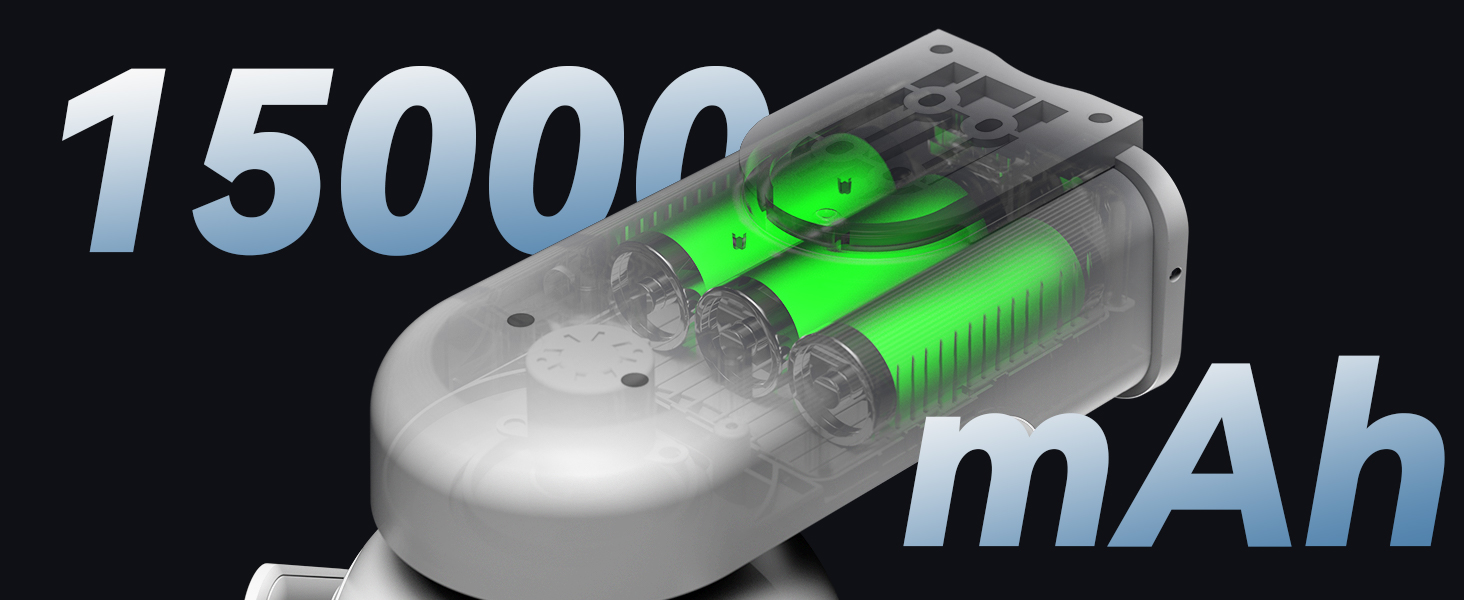
Figure 5.1: Internal view highlighting the 15000mAh battery capacity.
5.3 Firmware Updates
Periodically check the Imou Life app for available firmware updates. Keeping your camera's firmware up-to-date ensures optimal performance, security, and access to new features. Firmware support is guaranteed for at least 2 years, with updates ceasing on 2027/12/31.
6. Troubleshooting
| Problem | Possible Cause | Solution |
|---|---|---|
| Camera offline/cannot connect to Wi-Fi |
|
|
| Frequent false alarms |
|
|
| Battery not charging via solar panel |
|
|
| Poor image quality at night |
|
|
If you encounter issues not listed here or require further assistance, please contact Imou customer support.
7. Specifications
| Feature | Detail |
|---|---|
| Model | B0CHJJ716Y |
| Connectivity Protocol | Wi-Fi (2.4GHz only) |
| Controller Type | Amazon Alexa |
| Mounting Type | Wall Mount |
| Video Capture Resolution | 3 MP (2K UHD) |
| Color | White |
| Included Components | Batteries (built-in) |
| Viewing Angle | 360 Degrees (PTZ) |
| Night-vision Range | 20 Metres (66 feet) |
| Material | Plastic |
| Wattage | 3.5 watts |
| Maximum Power | 3 Watts |
| Type of Bulb | Infrared |
| Coverage | 25m |
| Special Features | Night Vision, AI Human Detection, Auto Tracking, Two-Way Audio, Siren, Solar Powered |
| Usage | Outside (IP66 Weatherproof) |
| Power Source | Solar Powered (15000mAh Battery) |
| Item Weight | 1.4 kg |
| First Available Date | 7 Sept. 2023 |
8. Warranty and Support
Imou products typically come with a standard manufacturer's warranty. Please refer to the warranty card included with your product or visit the official Imou website for detailed warranty terms and conditions specific to your region.
For technical support, troubleshooting assistance, or warranty claims, please contact Imou customer service through their official website or the contact information provided in the Imou Life app.
Official Imou Website: www.imoulife.com
9. Official Product Videos
No official product videos from the seller are available for embedding in this manual.