
Introduction
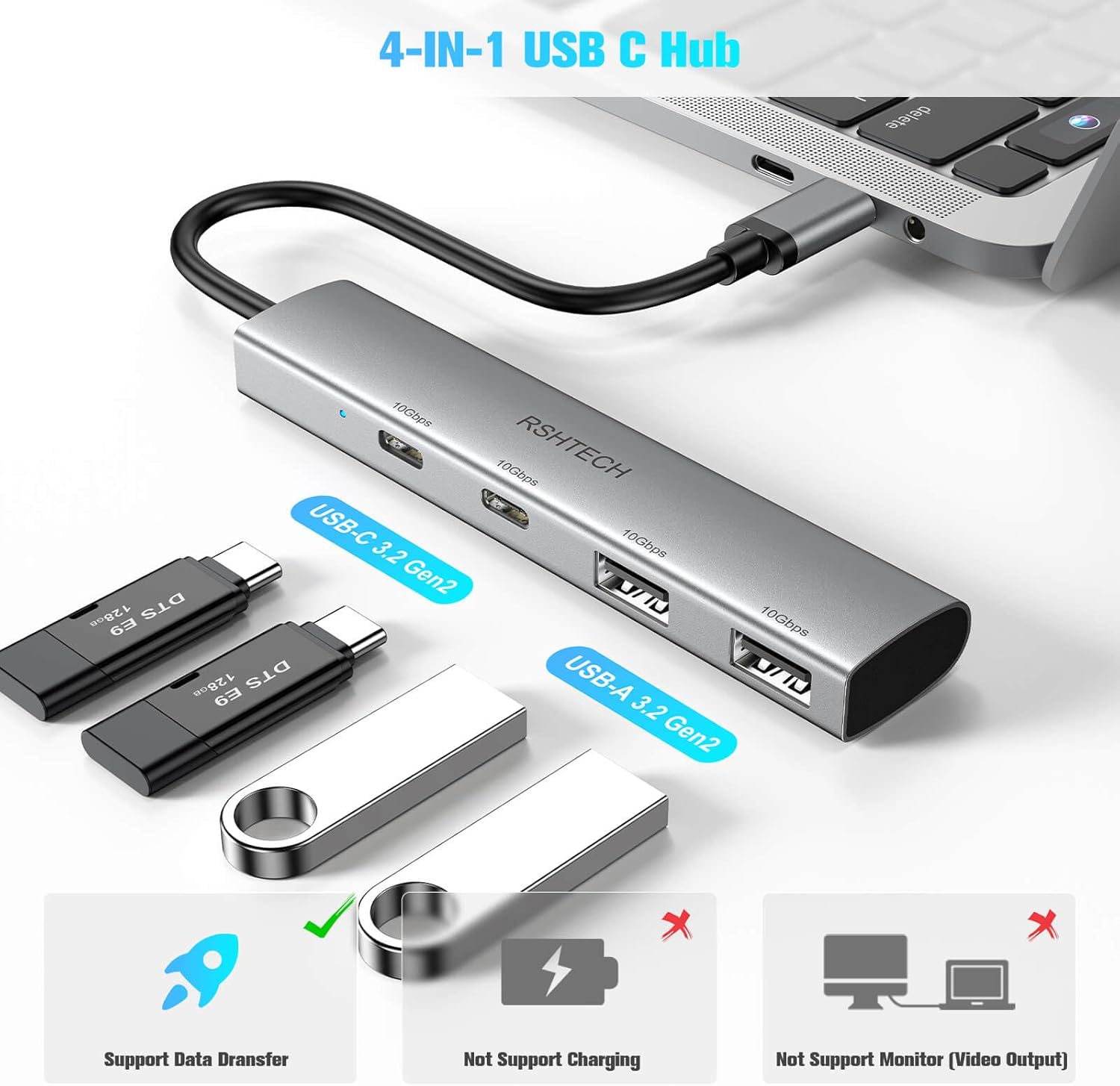
The RSHTECH 4-Port USB C 3.2 Gen 2 Hub (Model RSH-RX05) is a compact and portable device designed to expand the connectivity of your USB-C enabled devices. It converts a single USB-C port into two USB-C 3.2 data ports and two USB-A 3.2 data ports, facilitating high-speed data transfer for various peripherals. This manual provides essential information for setting up, operating, and maintaining your USB hub.
Product Features
- 4-Port USB C Hub Adapter: Expands a single USB-C port into 2 USB-C 3.2 and 2 USB-A 3.2 data ports.
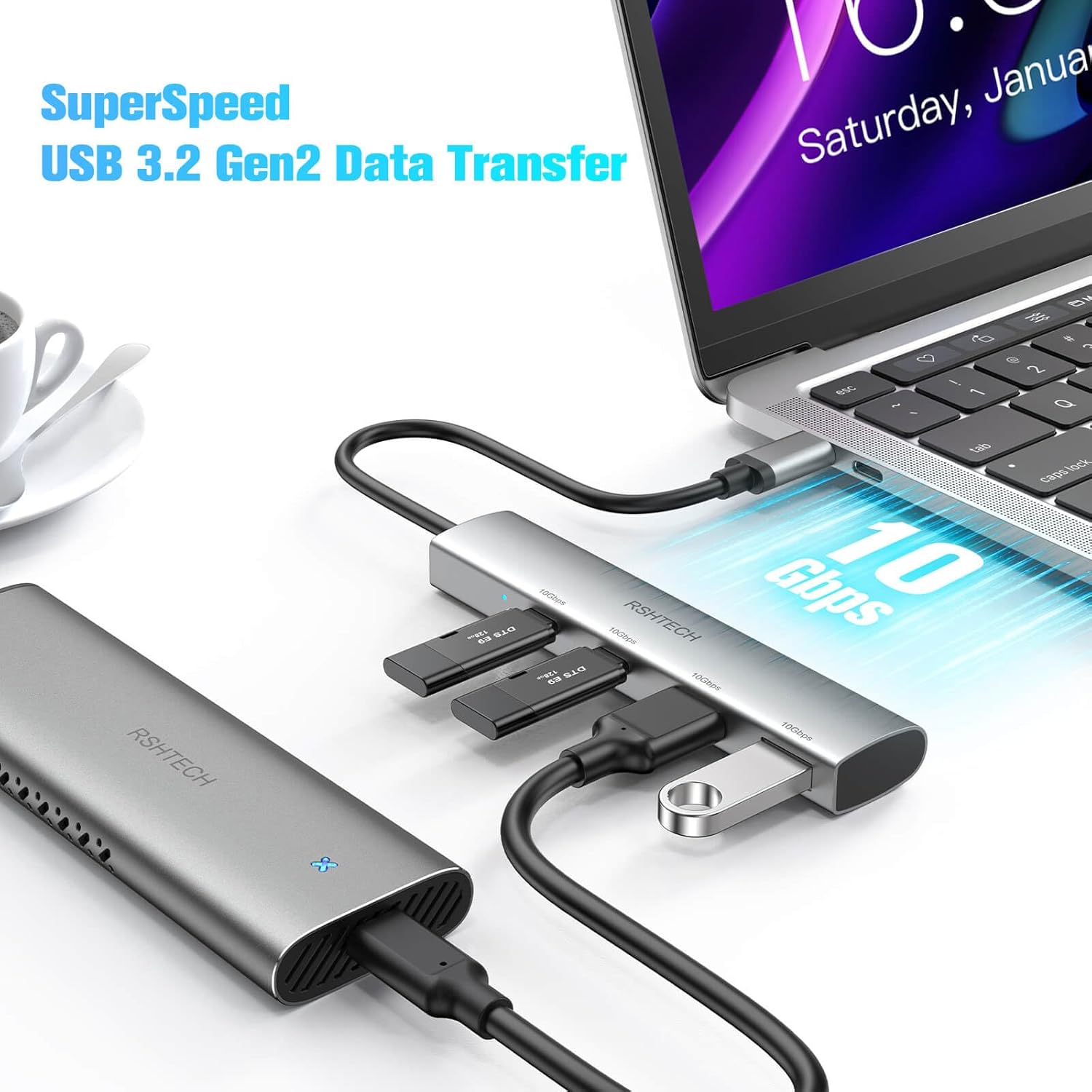
- SuperSpeed USB 10Gbps: Data transfer rates up to 10Gbps, significantly faster than older USB standards. Ideal for large file transfers.
- Wide Compatibility: Compatible with MacBook Pro/Air, iPad Pro, Surface Pro, Huawei Matebook, Dell, HP, Lenovo, and other USB-C/USB 4.0/Thunderbolt 3/4 devices. Supports Windows, Mac OS, Linux, Chrome OS, iPad OS, and Android operating systems.
- OTG Support: Enables tablets or smartphones to act as hosts, allowing connections to other USB devices like digital cameras, hard drives, mice, or keyboards.
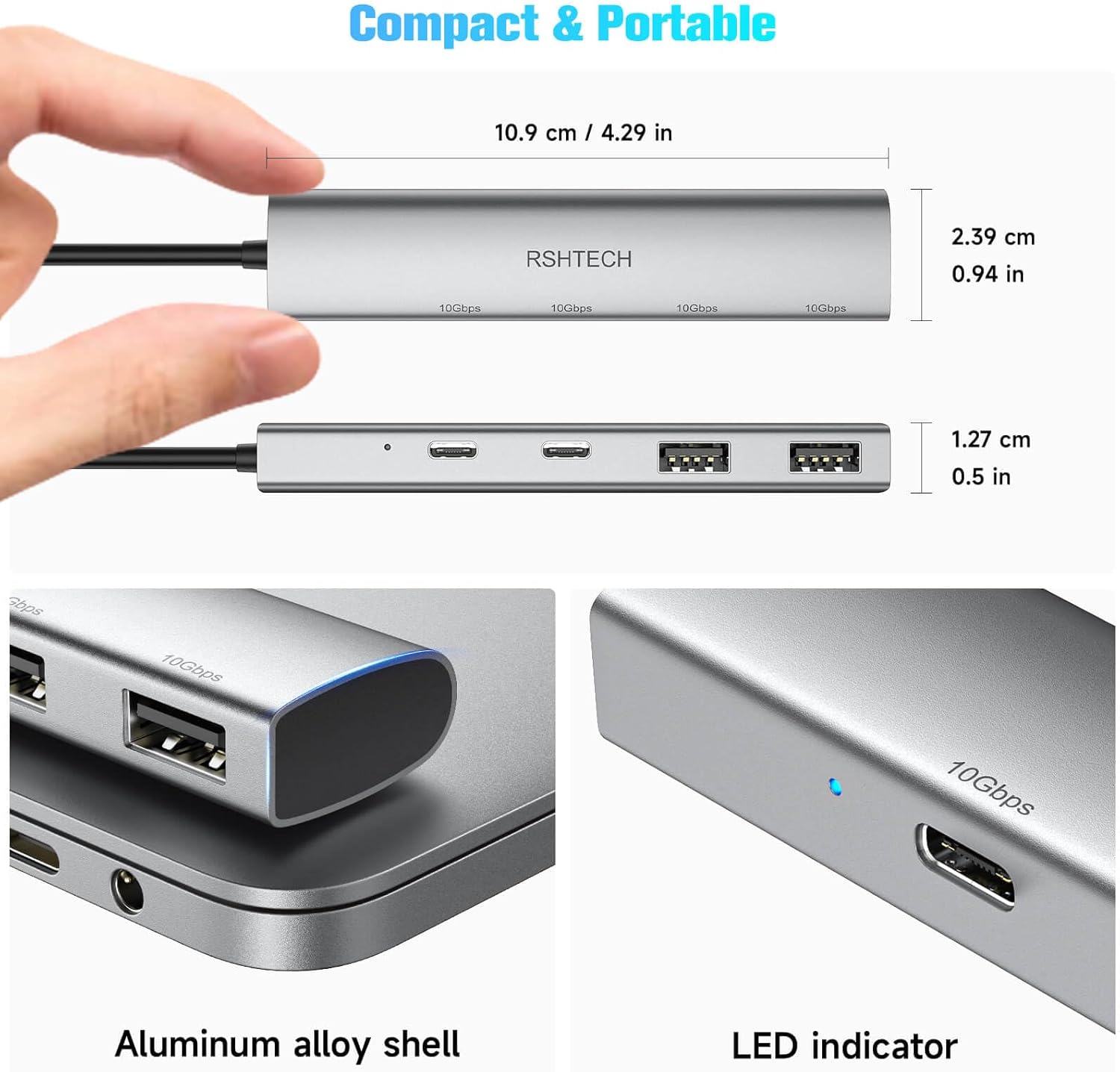
- Compact and Portable: Measures only 4.3 x 0.9 x 0.5 inches, making it easy to carry in a backpack, pocket, or computer bag.
- Premium Aluminum Housing: Designed for good heat dissipation performance and durability.

Setup and Installation
The RSHTECH USB C Hub is designed for simple plug-and-play operation, requiring no additional drivers for most operating systems.
- Connect the Hub: Plug the integrated USB-C cable of the hub directly into an available USB-C port on your host device (laptop, tablet, smartphone, etc.).
- Connect Peripherals: Insert your USB-C or USB-A devices (e.g., hard drives, flash drives, mice, keyboards) into the corresponding ports on the hub.
- Automatic Recognition: Your operating system should automatically detect the connected hub and its peripherals.
Operating Instructions
Once connected, the RSHTECH USB C Hub functions as a data expansion device for your compatible host system.
- Data Transfer: Utilize the 10Gbps USB-C and USB-A ports to transfer files between your host device and connected storage devices at high speeds.
- Peripheral Connectivity: Connect various USB peripherals such as mice, keyboards, and card readers for extended functionality.
- OTG Functionality: For devices supporting USB On-The-Go (OTG), the hub allows direct connection and interaction with USB peripherals without needing a computer as an intermediary.


Important Notes
Please be aware of the following limitations and characteristics of the RSHTECH 4-Port USB C 3.2 Gen 2 Hub:
- Data Transfer Only: This USB hub is designed exclusively for data transfer. It does not support charging of host devices or connected peripherals.
- No Video Output: The hub does not support video streaming or display output (e.g., HDMI, DisplayPort).
- Power Requirements: For optimal performance, especially when connecting multiple high-power devices, ensure your host device can provide sufficient power (minimum 5V3A).

Specifications
| Feature | Detail |
|---|---|
| Product Dimensions | 4.3 x 0.9 x 0.5 inches |
| Item Weight | 1.76 ounces |
| Brand | RSHTECH |
| Color | Gray |
| Hardware Interface | USB, USB Type C |
| Special Feature | Plug and Play, Portable, SuperSpeed USB 10Gbps |
| Compatible Devices | Card Readers, Hard Disk Drive, Laptops, Smartphones, USB Flash Drives |
Maintenance and Care
To ensure the longevity and optimal performance of your RSHTECH USB C Hub, follow these simple maintenance guidelines:
- Keep Clean: Gently wipe the hub with a soft, dry cloth to remove dust or smudges. Avoid using liquid cleaners or abrasive materials.
- Protect from Damage: The aluminum housing is durable, but avoid dropping the device or exposing it to excessive force.
- Optimal Environment: Use the hub in a dry environment and avoid extreme temperatures.
- Cable Care: Do not bend or twist the integrated USB-C cable excessively to prevent internal damage.
Troubleshooting
If you encounter issues with your RSHTECH USB C Hub, consider the following:
- Device Not Recognized: Ensure the hub's USB-C connector is fully inserted into your host device. Try connecting to a different USB-C port on your host device if available.
- Slow Data Transfer: While the hub supports 10Gbps, actual speeds depend on the connected devices and the host port. Connecting multiple high-speed devices simultaneously may distribute the available bandwidth, potentially reducing individual device speeds. Ensure your cables and connected devices also support USB 3.2 Gen 2 speeds.
- Power Issues: This hub is for data transfer only and does not provide power delivery for charging. If a connected device requires external power, ensure it has its own power source. Some host devices may not provide enough power for multiple high-power peripherals through the hub (minimum 5V3A recommended for the host port).
- No Video Output: This hub does not support video output. If you require video display, please use a hub specifically designed for that purpose.
Warranty and Support
The RSHTECH 4-Port USB C 3.2 Gen 2 Hub comes with an 18-month warranty from the date of purchase.
For technical support, warranty claims, or any inquiries regarding your product, please contact RSHTECH customer service through the retailer's platform or visit the official RSHTECH website for contact information.


