
PELONIS PHF15RSAPH30
PELONIS 30" Ceramic Tower Space Heater User Manual
Model: PHF15RSAPH30 | Brand: PELONIS
1. Important Safety Information
Please read all instructions carefully before using this heater and retain for future reference. Failure to follow these instructions may result in fire, electric shock, serious injury, or death.
- Always plug heaters directly into a wall outlet/receptacle. Never use with an extension cord or relocatable power tap (outlet/power strip).
- This heater is hot when in use. To avoid burns, do not let bare skin touch hot surfaces.
- Keep combustible materials, such as furniture, pillows, bedding, papers, clothes, and curtains at least 3 feet (0.9 m) from the front of the heater and away from the sides and rear.
- Extreme caution is necessary when any heater is used by or near children or invalids and whenever the heater is left operating and unattended.
- Do not operate any heater with a damaged cord or plug or after the heater malfunctions, has been dropped or damaged in any manner.
- Do not use outdoors.
- To disconnect heater, turn controls to OFF, then remove plug from outlet.
- Do not insert or allow foreign objects to enter any ventilation or exhaust opening as this may cause an electric shock or fire, or damage the heater.
- To prevent a possible fire, do not block air intakes or exhaust openings in any manner. Do not use on soft surfaces, like a bed, where openings may become blocked.
- This heater includes a Tip-Over Safety Switch and Overheating Protection for enhanced safety. If the heater tips over or overheats, it will automatically shut off.

Image: Visual representation of Tip-Over and Overheat Protection features.
2. Product Overview
The PELONIS 30" Ceramic Tower Space Heater provides efficient and reliable warmth for small to medium-sized rooms. Featuring PTC ceramic heating technology, it delivers instant and directional heat, improving indoor temperature quickly.

Image: Front view of the PELONIS 30" Ceramic Tower Space Heater with its remote control.
Key Features:
- Rapid Heating & Constant Temperature: Utilizes PTC ceramic heating to reach 70°F in 3 seconds, maintaining a consistent and comfortable temperature.
- Wide Heating Coverage: 30" tower design covers up to 280 ft² with 75° wide oscillation for even heat distribution.
- Easy to Use: Digital panel and remote control allow for precise temperature adjustment (1°F increments) and an extra-long 12-hour timer.
- Quiet Settings: Offers 4 functions (High, Low, ECO, Fan) with operation noise below 55dB, ideal for bedrooms and offices.
- Comprehensive Safety Protection: Constructed from V0 flame retardant materials, includes overheating and tip-over switch protection.
3. Setup Guide
3.1 Unpacking
- Carefully remove the heater from its packaging.
- Check the contents for any damage or missing parts. If any issues are found, contact customer support.
3.2 Placement
- Place the heater on a firm, level surface.
- Ensure there are no obstructions within 3 feet (0.9 m) of the front, sides, and rear of the heater.
- Do not place the heater on soft surfaces like rugs or carpets that may block air vents.

Image: The PELONIS heater positioned in a room, illustrating its 75° oscillation and 280 ft² maximum coverage.
3.3 Power Connection
- Plug the heater directly into a 110V AC, 60Hz wall outlet.
- Do not use extension cords, power strips, or surge protectors.
4. Operating Instructions
4.1 Control Panel and Remote Control
The heater can be operated using the touch-sensitive control panel on top of the unit or the included remote control. Both offer full functionality.
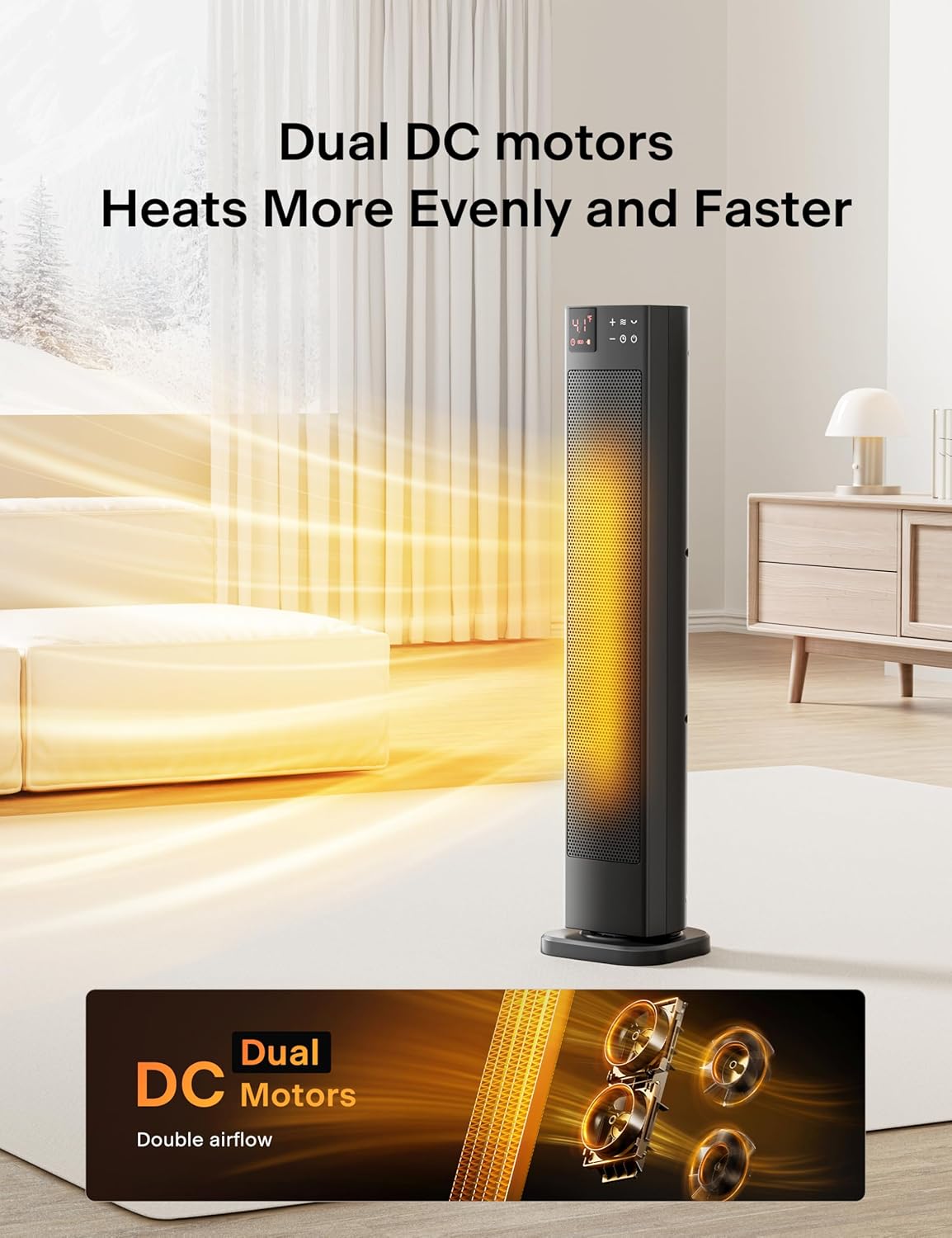
Image: Detailed view of the heater's digital control panel with temperature display and function buttons.

Image: The PELONIS heater shown alongside its compact remote control.
4.2 Power On/Off
- Press the Power button (
 ) on the control panel or remote to turn the heater ON or OFF.
4.3 Setting Temperature
- Use the + and - buttons to adjust the desired temperature from 41°F to 95°F in 1°F increments.
4.4 Selecting Modes
- Press the Mode button () to cycle through the 4 available settings: High (1500W), Low (900W), ECO, and Fan only.
- In ECO mode, the heater automatically adjusts power consumption to maintain the set temperature efficiently.

Image: The heater's ECO mode, illustrating up to 40% energy savings compared to other heaters.
4.5 Oscillation Function
- Press the Oscillation button () to activate or deactivate the 75° wide oscillation feature for broader heat distribution.
4.6 Timer Function
- Press the Timer button () to set the auto-off timer from 1 to 12 hours. The heater will automatically turn off after the set time.
5. Maintenance and Storage
5.1 Cleaning
- Always unplug the heater from the power outlet and allow it to cool completely before cleaning.
- Use a soft, damp cloth to wipe the exterior surfaces of the heater.
- Do not use abrasive cleaners, polishes, or any chemical solutions as these may damage the heater's finish.
- Gently vacuum the air intake and exhaust grilles to remove any dust or lint buildup.
5.2 Storage
- When not in use, store the heater in its original packaging or a suitable container.
- Store in a cool, dry place, away from direct sunlight and extreme temperatures.
6. Troubleshooting Guide
| Problem | Possible Cause | Solution |
|---|---|---|
| Heater does not turn on | Not plugged in Power switch off Tip-over switch activated Overheating | Ensure plug is securely in outlet Turn power switch to ON Place heater upright on a flat surface Unplug and allow to cool for 30 minutes before restarting |
| No heat output | Low mode selected Temperature setting too low | Select High mode Increase desired temperature setting |
| Oscillation not working | Oscillation function is off | Press the Oscillation button to activate |
7. Product Specifications
| Specification | Detail |
|---|---|
| Brand | PELONIS |
| Model Number | PHF15RSAPH30 |
| Heat Output | 1500 Watts |
| Voltage | 110 Volts |
| Amperage | 12.5 Amps |
| Product Dimensions | 7.09"D x 6.93"W x 30"H |
| Item Weight | 6.78 pounds |
| Special Features | Adjustable Temperature, Fast Heating, 75° Oscillation, 12H Timer, Tip-Over Switch, Overheating Protection |

Image: The PELONIS heater with its key dimensions (height, width, depth) indicated.
8. Warranty and Customer Support
For detailed warranty information, please refer to the warranty card included with your product or visit the official PELONIS website.
If you have any questions, require technical assistance, or need to report an issue, please contact PELONIS customer support through their official channels.
Related documentsPHF15RSAPH30


Ask a question about this manual
Ask about setup, troubleshooting, compatibility, parts, safety, or missing instructions. Manuals+ will review the question and use this page’s manual context to help answer it.