Introduction
This manual provides comprehensive instructions for the RETROSUN replacement remote control, designed for use with Onn 100004118 32" 2.1 CH Sound Bar Home Theater systems. This remote offers a direct replacement solution without the need for complex programming or pairing, featuring durable ABS material and soft plastic buttons for comfortable use.
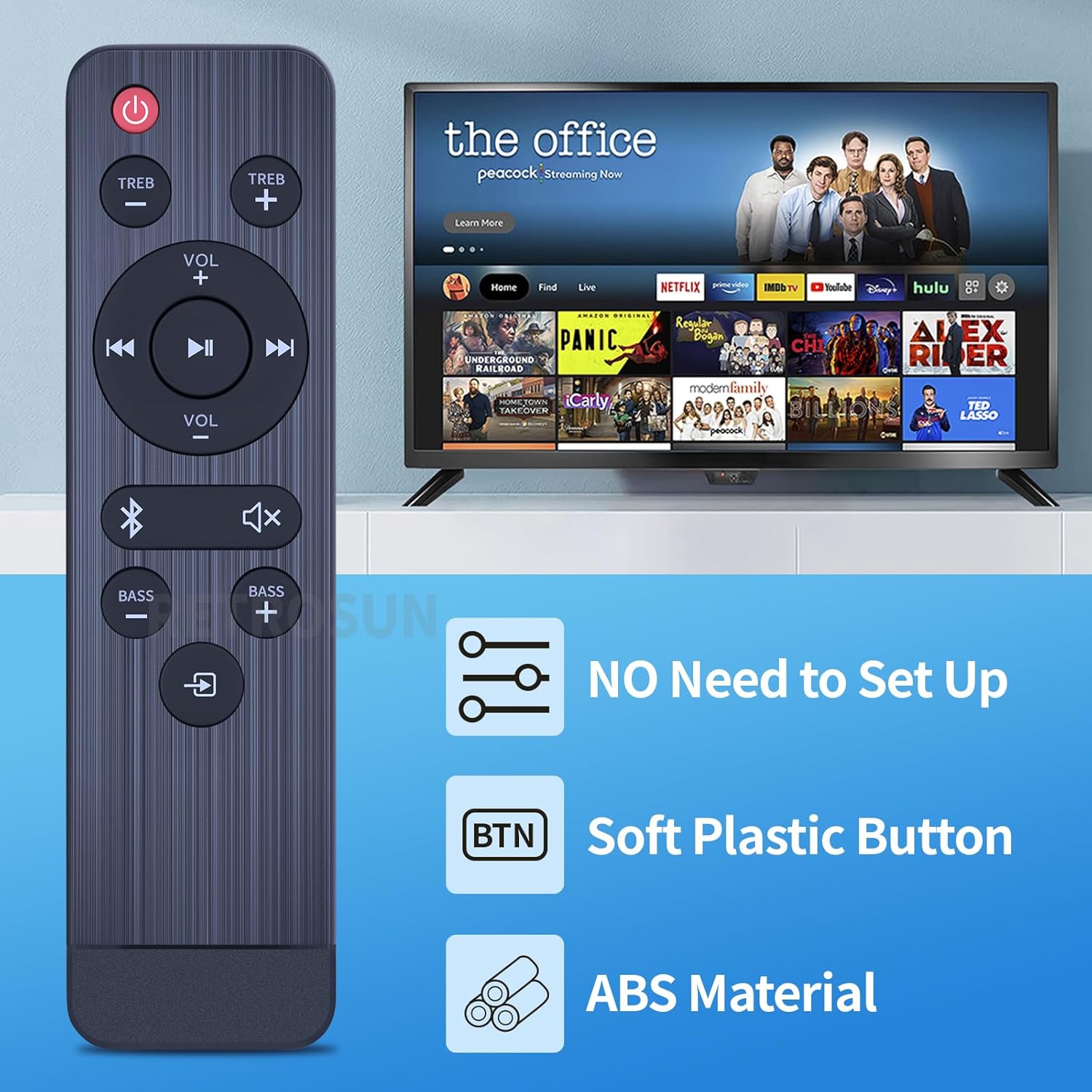
Image: The RETROSUN remote control highlights key features: no setup required, soft plastic buttons, and durable ABS material construction.
Setup
1. Battery Installation
The remote control requires two (2) AAA 1.5V batteries (not included). Follow these steps to install them:
- Locate the battery compartment cover on the back of the remote control.
- Slide the cover downwards or press the latch (if present) to open the compartment.
- Insert two AAA batteries, ensuring the positive (+) and negative (-) terminals align correctly with the markings inside the compartment.
- Replace the battery compartment cover by sliding it back into place until it clicks securely.
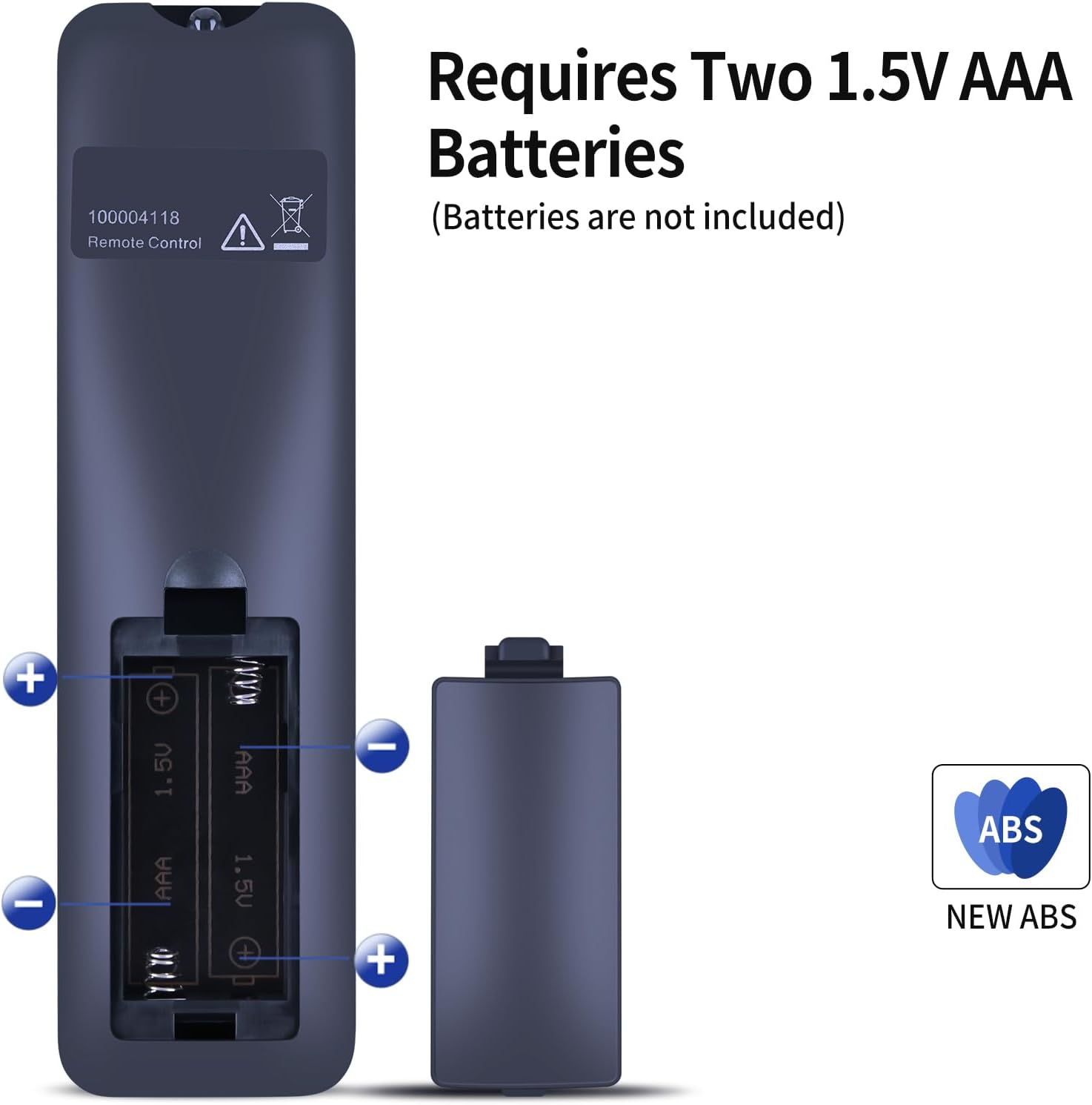
Image: Back of the remote control with the battery compartment open, illustrating the correct placement for two AAA batteries. Batteries are not included.
2. Initial Use
This replacement remote control is designed to work immediately with compatible Onn soundbar models (specifically 100004118) without any programming or pairing. Once batteries are installed, it is ready for use.
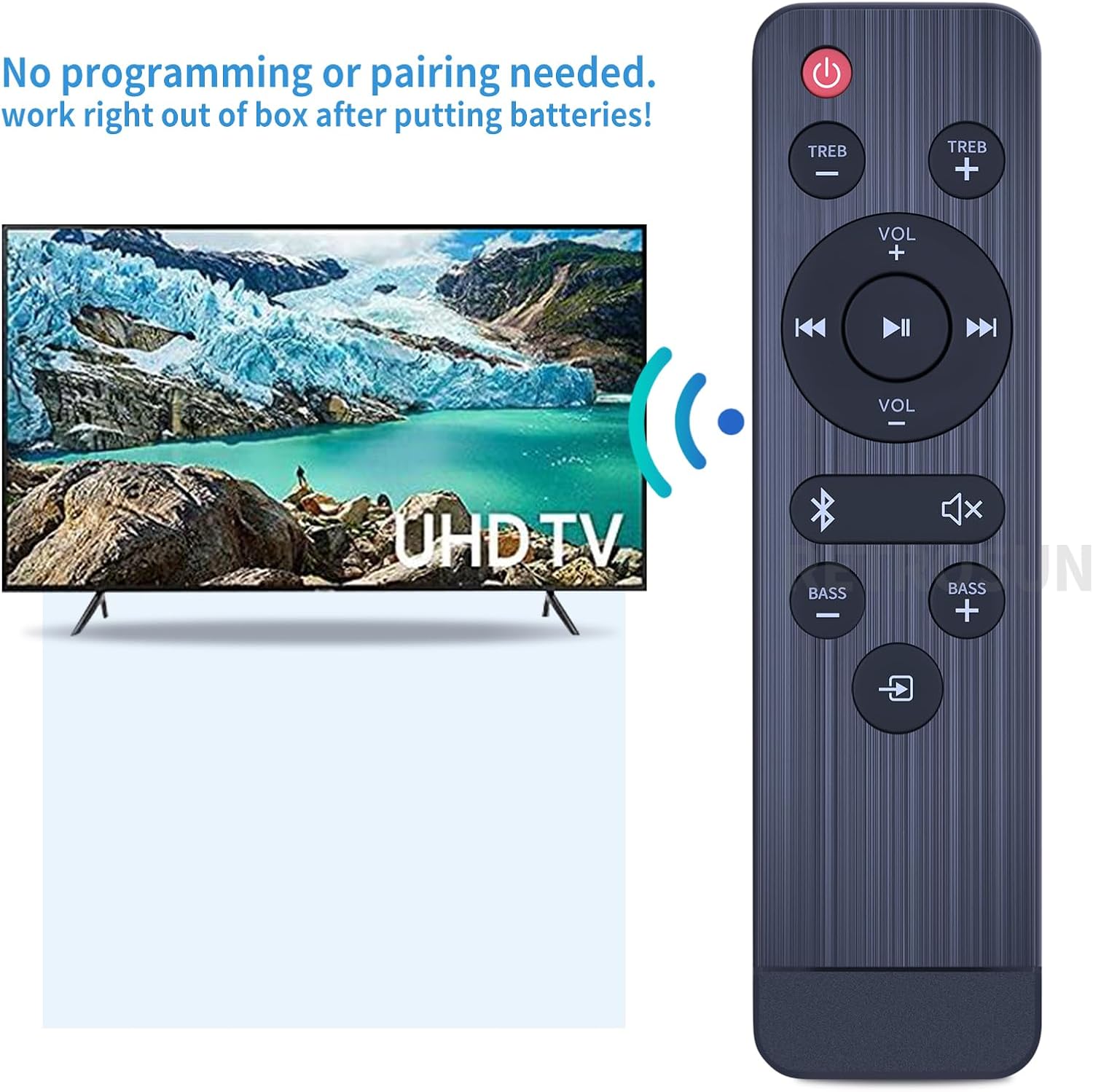
Image: The remote control is ready for immediate use after battery installation, requiring no programming or pairing.
Operating Instructions
The remote control features an intuitive layout for controlling your Onn soundbar. Below is a general overview of the buttons and their functions:
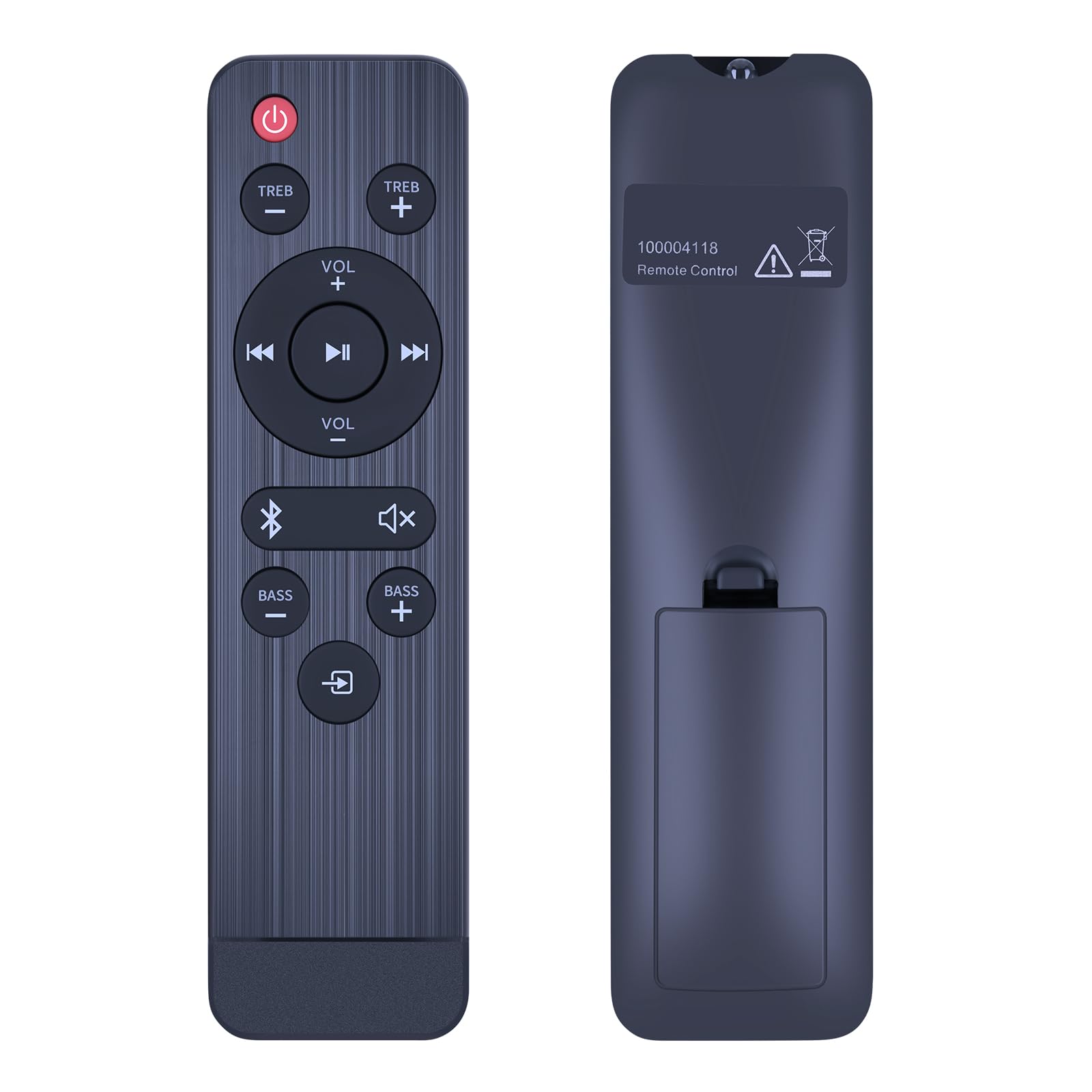
Image: Front view of the remote control, displaying its button layout.
- Power Button (●): Turns the soundbar on or off.
- TREB +/-: Adjusts the treble level.
- VOL +/-: Increases or decreases the main volume.
- Play/Pause (►▮▮): Plays or pauses media playback.
- Previous/Next Track (◀◀ / ►►): Skips to the previous or next track.
- Bluetooth Button (&): Activates or switches to Bluetooth input mode.
- Mute Button (🔇): Mutes or unmutes the sound.
- BASS +/-: Adjusts the bass level.
- Input/Source Button (↳): Cycles through available input sources (e.g., HDMI, Optical, AUX).
The remote utilizes infrared (IR) technology for control, providing a precise signal transmission up to 10 meters (33 feet) for multi-angle induction.

Image: The remote control offers long-distance, precise infrared control up to 33 feet.
Maintenance
To ensure the longevity and optimal performance of your remote control, follow these maintenance guidelines:
- Cleaning: Wipe the remote control with a soft, dry cloth. Do not use liquid cleaners, sprays, or abrasive materials, as these can damage the surface or internal components.
- Battery Replacement: Replace batteries when the remote's responsiveness decreases. Always replace both batteries at the same time with new ones of the same type (AAA 1.5V). Remove batteries if the remote will not be used for an extended period to prevent leakage.
- Storage: Store the remote in a cool, dry place away from direct sunlight, extreme temperatures, and high humidity.
- Handling: Avoid dropping the remote control or subjecting it to strong impacts, which can damage its internal circuitry.
Troubleshooting
If you encounter issues with your remote control, refer to the following common problems and solutions:
| Problem | Possible Cause | Solution |
|---|---|---|
| Remote not responding | Dead or incorrectly installed batteries. Obstruction between remote and soundbar. Remote out of range. |
|
| Specific buttons not working | Dirty contacts under the button. Remote damage. |
|
| Soundbar not turning on/off | Soundbar power issue. |
|
Specifications
| Feature | Detail |
|---|---|
| Model Number | ONN 100004118 (Replacement for) |
| Compatibility | Onn 100004118 32" 2.1 CH Sound Bar Home Theater |
| Power Source | 2 x AAA 1.5V Batteries (not included) |
| Control Technology | Infrared (IR) |
| Operating Range | Up to 10 meters (33 feet) |
| Dimensions (L x W x H) | Approx. 7.40 x 1.57 x 0.70 inches (18.8 x 4.0 x 1.8 cm) |
| Item Weight | Approx. 1.41 ounces (40 grams) |
| Material | ABS |
| Special Feature | Ergonomic design |
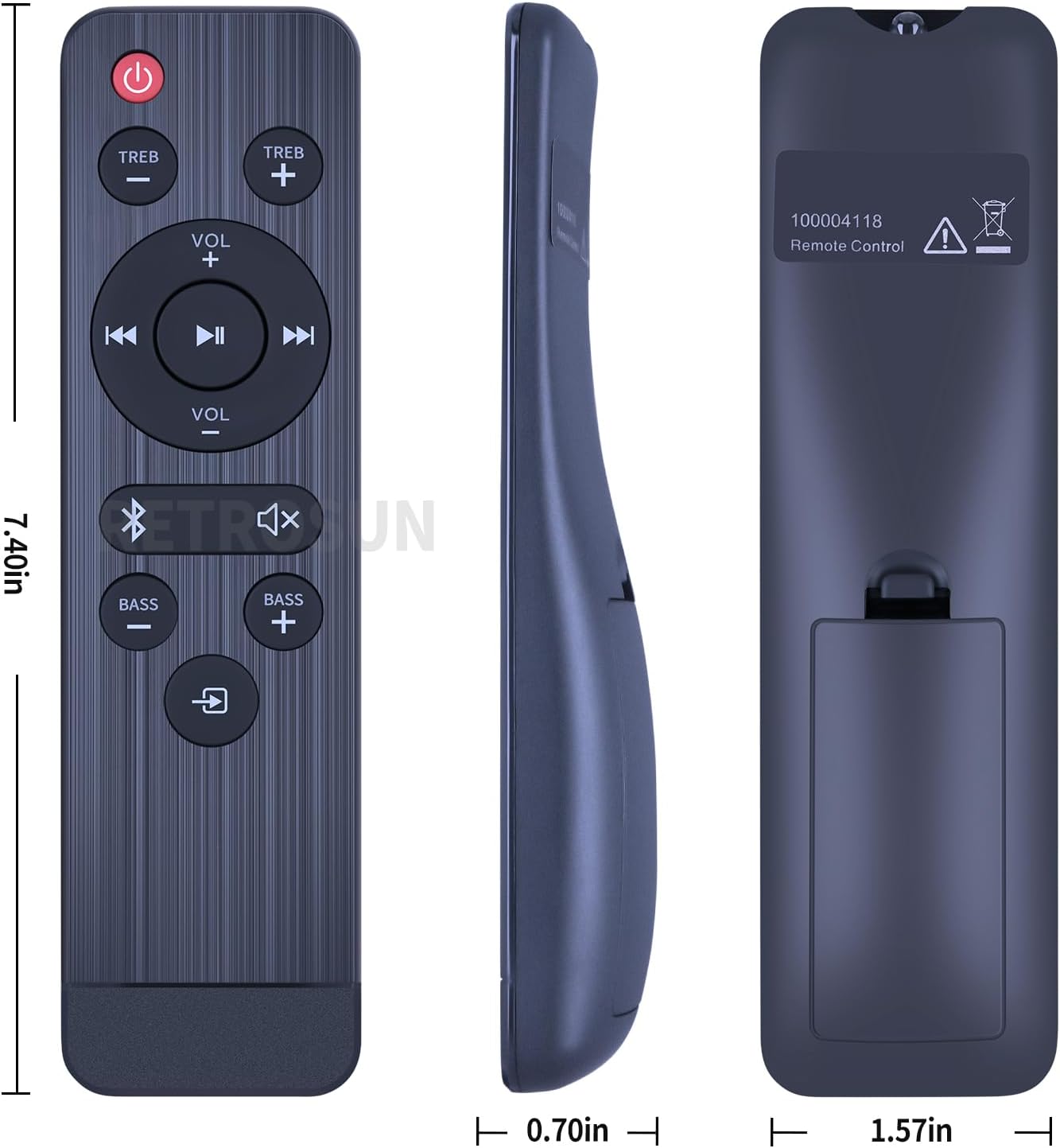
Image: Detailed dimensions of the remote control.
Warranty and Support
For any issues or questions regarding your RETROSUN replacement remote control, please contact the seller via Amazon messenger. We are committed to resolving any problems within 24 hours.
This product is designed as a direct replacement and is expected to function upon battery installation without additional setup.


