Introduction
Thank you for choosing the OLIGHT Baton4 Premium Edition EDC Flashlight. This compact yet powerful device is designed for everyday carry, offering exceptional brightness, versatile functionality, and extended battery life through its innovative charging case. This manual provides essential information for the safe and effective operation, maintenance, and troubleshooting of your Baton4 Premium Edition.

The OLIGHT Baton4 Premium Edition flashlight securely housed within its charging case.
What's in the Box
Please verify that all items listed below are included in your package:
- Baton4 flashlight (Battery Included) x1
- Charging Case x1
- Lanyard (with pin tool) x1
- Type-C USB Charging Cable x1
- Cleaning Cloth x1

All components included in the Baton4 Premium Edition package.
Setup
Initial Charging
Before first use, fully charge both the Baton4 flashlight and its charging case. The flashlight charges magnetically within the case, and the case itself charges via a USB-C cable.
- Place the Baton4 flashlight into the charging slot inside the charging case. Ensure the magnetic base of the flashlight connects securely.
- Connect the provided Type-C USB Charging Cable to the charging case's USB-C port and plug the other end into a compatible USB power source (e.g., wall adapter, computer USB port).
- The digital display on the charging case will show the battery percentage, indicating charging progress. The flashlight's indicator will also show charging status.
- Charging is complete when both indicators show 100% or a steady green light.
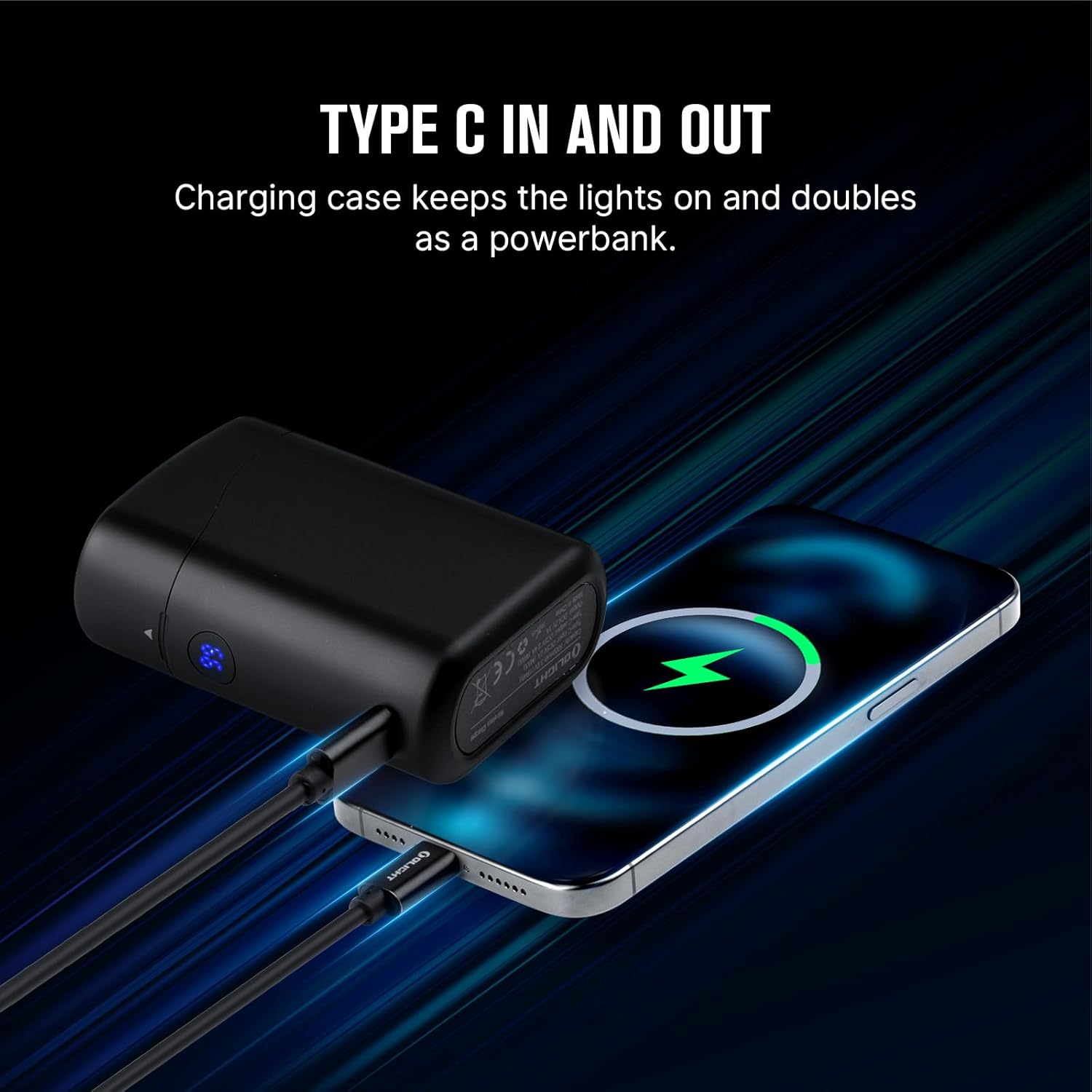
The charging case can charge the flashlight and also serve as a power bank for other devices via its USB-C port.
Operating Instructions
Flashlight Operation
- Turn ON/OFF: Single click the side switch to turn the flashlight ON/OFF.
- Change Brightness Level: When the flashlight is ON, press and hold the side switch to cycle through Low, Medium, and High modes. Release the switch to select the desired brightness.
- Moonlight Mode: When the flashlight is OFF, press and hold the side switch for over one second to activate Moonlight mode.
- Turbo Mode: Double click the side switch to activate Turbo mode. Double click again to return to the previous mode.
- Strobe Mode: Triple click the side switch to activate Strobe mode. Single click or press and hold to exit.
- Lockout/Unlock: When the flashlight is OFF, press and hold the side switch for over two seconds to enter lockout mode. The moonlight mode will briefly turn on and then turn off. To unlock, press and hold the side switch for over one second until the moonlight mode turns on.
Charging Case Operation
- Check Battery Level: Press the digital display button on the charging case to view the remaining battery percentage.
- Charge Flashlight: Place the Baton4 flashlight into the charging slot. It will automatically begin charging.
- Activate Flashlight in Case: While the flashlight is docked in the case and the lid is open, press the digital display button to turn the flashlight on, allowing it to function as a small area light.

The Baton4 flashlight features micro-perforated indicators for brightness level and battery status.

Control the Baton4 flashlight with the display button on the charging case when docked.
Versatile Carry and Use
The Baton4 is designed for convenience and adaptability:
- The two-way clip allows for attachment to pockets, belts, or even the brim of a hat for hands-free lighting.
- The magnetic tailcap enables attachment to metal surfaces, providing convenient illumination for tasks like vehicle maintenance or working in confined spaces.

The magnetic tailcap provides hands-free convenience by attaching to metal surfaces.

Example of hands-free use, with the flashlight attached under a car hood.
Maintenance
Proper maintenance ensures the longevity and optimal performance of your OLIGHT Baton4 Premium Edition.
- Cleaning: Use the provided cleaning cloth to wipe the flashlight and charging case. For stubborn dirt, a damp cloth can be used. Avoid harsh chemicals or abrasive materials.
- Battery Care: To maintain battery health, avoid fully discharging the flashlight or charging case frequently. Recharge them regularly, especially if stored for extended periods.
- Water Resistance: The flashlight is IPX8 waterproof. Ensure the charging port cover is properly sealed before exposing it to water. The charging case is not waterproof.
- Storage: Store the device in a cool, dry place away from direct sunlight and extreme temperatures.
Troubleshooting
If you encounter issues with your Baton4 Premium Edition, refer to the following common problems and solutions:
| Problem | Possible Cause | Solution |
|---|---|---|
| Flashlight does not turn on. | Low battery; Lockout mode active; Poor contact. | Charge the flashlight; Unlock the flashlight (press and hold side switch for >1s); Ensure magnetic base is clean and making good contact. |
| Charging case not charging. | USB-C cable not connected properly; Power source issue. | Check USB-C cable connection; Try a different USB power source or cable. |
| Flashlight brightness is low. | Low battery; Currently in a lower mode. | Charge the flashlight; Cycle through brightness modes (press and hold side switch). |
| Charging case display not working. | Low battery in case; Malfunction. | Charge the charging case; If issue persists, contact customer support. |
If the problem persists after trying these solutions, please contact OLIGHT customer support for further assistance.
Specifications
Flashlight (Baton4)
- Max Output: 1300 Lumens
- Max Beam Distance: 170 Meters
- Light Source: High-Performance LED
- Battery: 1 x Customized Lithium Ion Battery (included)
- Material: Aluminum Alloy
- Water Resistance: IPX8 (Submersible up to 2 meters)
- Dimensions: 3.11"D x 2.51"W x 5.82"H (Overall product dimensions, flashlight is smaller)
- Weight: 14.88 ounces (Overall product weight)
- Light Modes: Moonlight (0.5lm), Low (12lm), Medium (60lm), High (600-60lm), Turbo (1300-300lm), Strobe (1300lm)
Charging Case
- TYPE-C Input: 5V 2A (MAX)
- TYPE-C Output: 5V 2.4A (MAX)
- Flashlight Charging Output: 4.2V 1A
- Time to Charge Baton4: 1 hour
- Time to Charge Case: 2.5 hours (with adapter >10W)
- Runtime Extension: Provides up to 190 days of runtime for Baton4 (multiple full charges)
- Compatibility: Fully compatible with Baton3; supports storing and charging S1R ll, Perun Mini, and Perun 2 Mini.

Detailed specifications for the Baton4 charging case.

The charging case offers full compatibility with Baton4 and Baton3, and can store/charge other mini Olight models.
Warranty & Support
OLIGHT stands behind the quality of its products.
- Warranty: The OLIGHT Baton4 Premium Edition comes with a Lifetime Warranty. Please refer to the official OLIGHT website for detailed warranty terms and conditions.
- Customer Support: For any questions, technical assistance, or warranty claims, please visit the official OLIGHT website or contact their customer service team directly.

OLIGHT offers a lifetime warranty on its products.


