
1. Introduction
This manual provides instructions for the ALLIMITY RLA502A700B replacement remote control, designed for use with various Mitsubishi and Heavy Ind Air Conditioner models. This remote control offers a direct replacement solution without the need for complex setup or programming. Please read this manual carefully to ensure proper operation and longevity of your remote control.
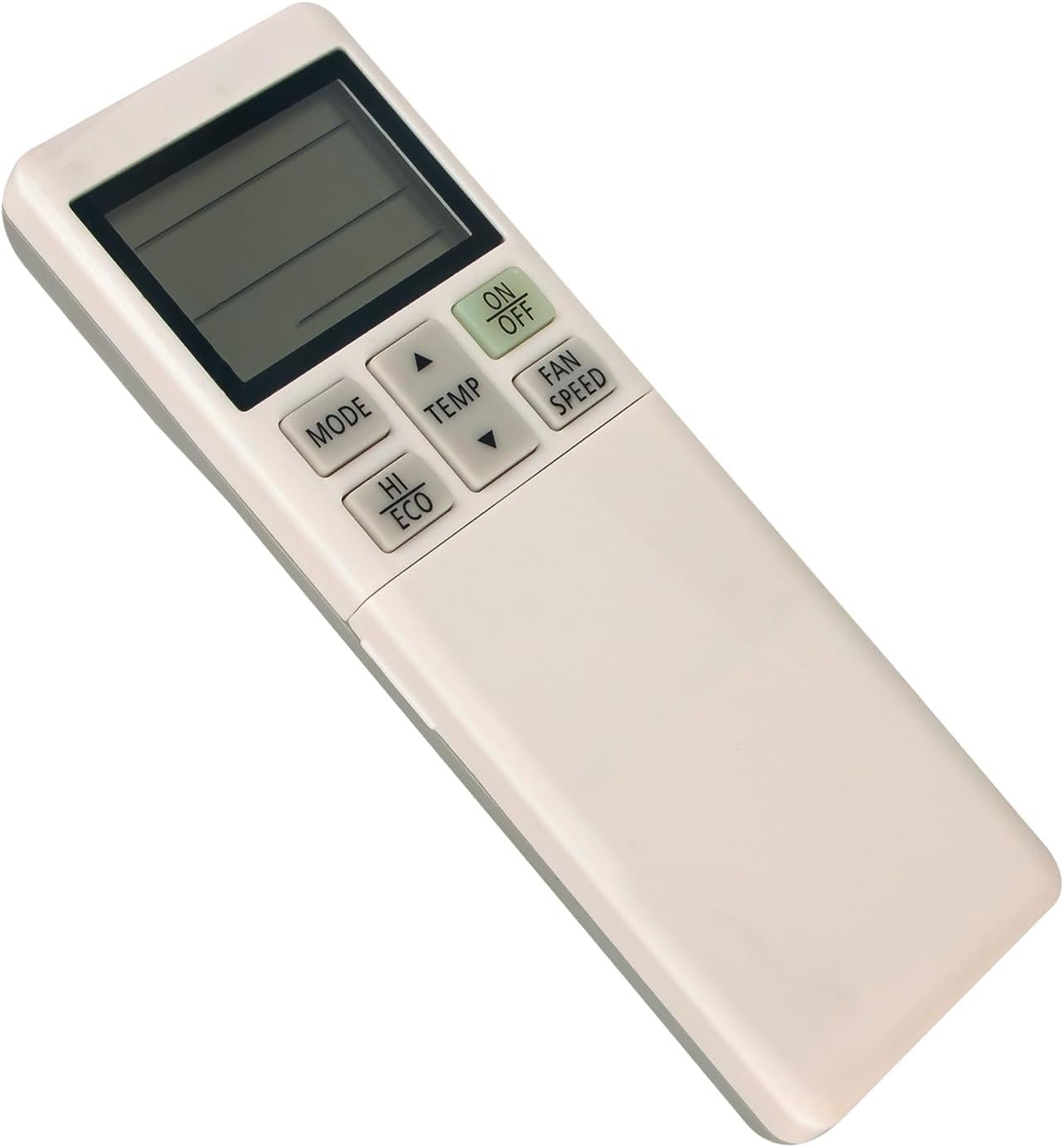
Image 1: Front view of the ALLIMITY RLA502A700B Remote Control.
2. Setup
2.1 Battery Installation
The remote control requires two AAA alkaline batteries (not included). Follow these steps to install them:
- Locate the battery compartment cover on the back of the remote control.
- Slide the cover downwards or press the latch and lift to open the compartment.
- Insert two new AAA alkaline batteries, ensuring the positive (+) and negative (-) terminals match the diagrams inside the compartment.
- Replace the battery compartment cover by sliding it back into place until it clicks securely.
No setup or programming is required after battery installation. The remote is ready for use.

Image 2: Back view of the remote control showing the battery compartment and battery installation instructions.
3. Operating Instructions
Point the remote control directly towards the air conditioner's signal receiver. Ensure there are no obstructions between the remote and the air conditioner.

Image 3: Detailed view of the remote control's buttons.
3.1 Basic Functions
- ON/OFF Button: Press to turn the air conditioner on or off.
- MODE Button: Press to cycle through operating modes (e.g., Cool, Heat, Fan, Dry, Auto).
- TEMP ▲/▼ Buttons: Press to increase or decrease the desired temperature setting.
- FAN SPEED Button: Press to adjust the fan speed (e.g., Low, Medium, High, Auto).
- HI ECO Button: Activates or deactivates the High Economy mode for energy saving.
3.2 Advanced Functions
- AIR FLOW (L/R, U/D, 3D AUTO) Buttons: Control the direction of the airflow. L/R for left/right swing, U/D for up/down swing, and 3D AUTO for automatic multi-directional airflow.
- SILENT Button: Activates a quiet operation mode.
- NIGHT SETBACK Button: Adjusts the temperature automatically during sleep for comfort and energy saving.
- TIMER Buttons:
- ON TIMER: Sets a time for the air conditioner to turn on.
- OFF TIMER: Sets a time for the air conditioner to turn off.
- WEEKLY: Programs weekly operation schedules.
- SLEEP: Activates sleep mode, which adjusts temperature gradually.
- P/T: Used for program/time settings within timer functions.
- SET: Confirms timer settings.
- CANCEL: Cancels active timer settings.
- CLEAN Button: Initiates a self-cleaning function for the indoor unit.
- TIME SETUP Button: Used to set the current time on the remote control.
- ACL (All Clear) Switch: A small reset button, typically recessed, used to reset the remote control to its factory default settings. Use a thin, pointed object (like a paperclip) to press it.
4. Maintenance
Proper maintenance ensures the longevity and optimal performance of your remote control.
- Cleaning: Wipe the remote control with a soft, dry cloth. Do not use liquid cleaners, abrasive pads, or chemical solvents, as these can damage the surface or internal components.
- Battery Replacement: Replace batteries when the remote's range decreases or the display becomes dim. If the remote will not be used for an extended period, remove the batteries to prevent leakage and potential damage.
- Storage: Store the remote control in a cool, dry place away from direct sunlight and extreme temperatures.
5. Troubleshooting
If you experience issues with your remote control, try the following steps:
- Remote Not Responding: Check if the batteries are inserted correctly with the correct polarity. Replace old batteries with new AAA alkaline batteries.
- Poor Signal Transmission: Ensure there are no obstructions between the remote control and the air conditioner's receiver. Make sure you are within the effective operating range.
- Abnormal Display or Function: If the remote control displays unusual characters or functions incorrectly, press the recessed ACL (All Clear) switch on the back of the remote using a thin, pointed object. This will reset the remote to its default settings.
6. Specifications
| Model Number | RLA502A700B |
| Compatible Models | Mitsubishi RLA502A700L, RLA502A700B, SRF35ZMXA-S, SRF50ZMXA-S, and Heavy Ind Air Conditioners |
| Battery Type | 2 x AAA Alkaline Batteries (not included) |
| Product Dimensions | 6 x 2 x 0.6 inches (approximately) |
| Item Weight | 3.67 ounces (approximately) |
| Color | White |
| Special Feature | Ergonomic design |
7. Support
For any questions or concerns regarding your ALLIMITY RLA502A700B remote control, please contact the seller directly. We are committed to providing support and will respond to inquiries within 24 hours.