Introduction
Thank you for choosing the Pamray 47 Inch Computer Desk. This manual provides detailed instructions for assembly, operation, maintenance, and troubleshooting to ensure you get the most out of your new desk. Designed for small spaces, this desk offers a functional workspace with convenient storage solutions.
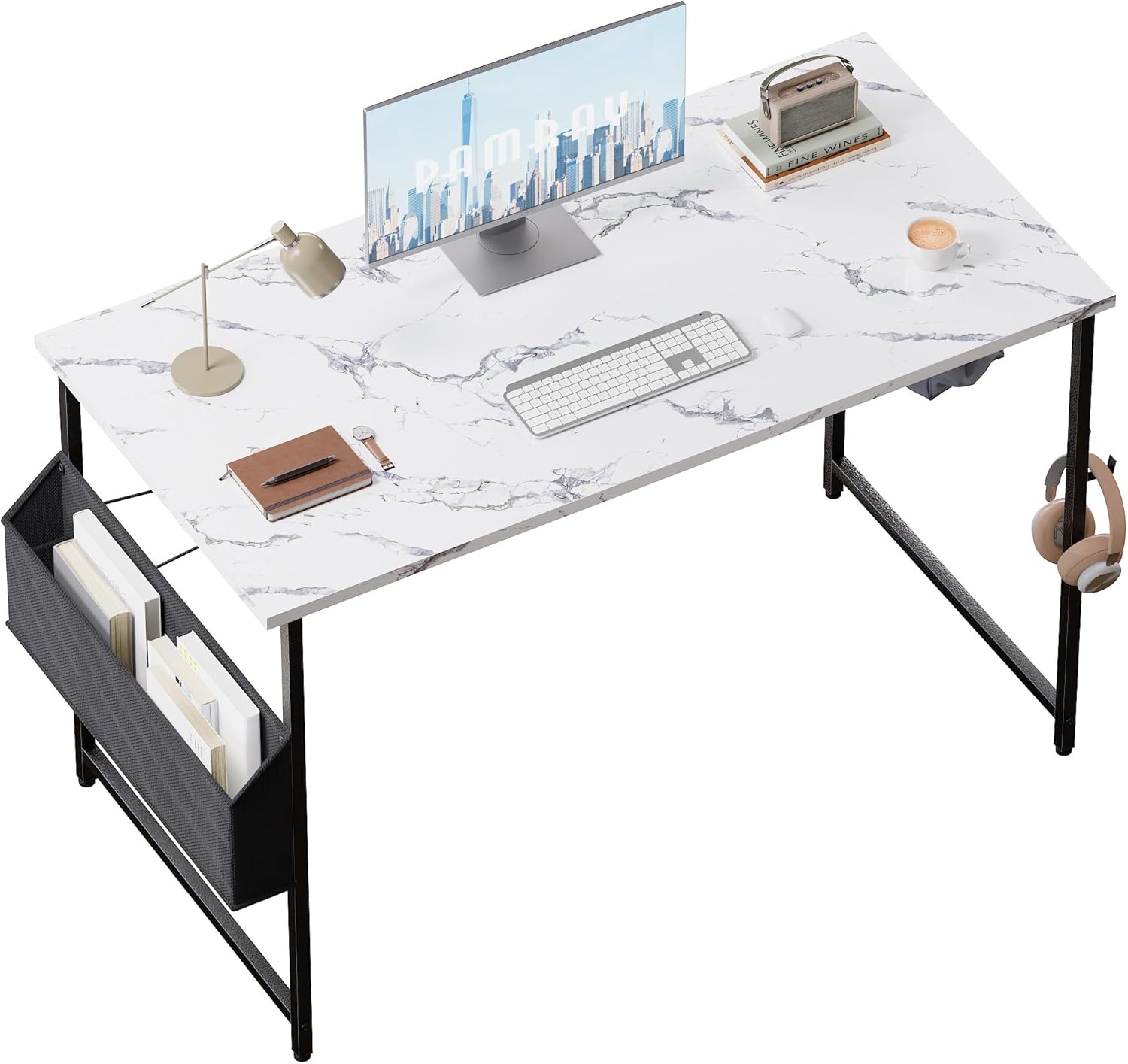
Image: The Pamray 47 Inch Computer Desk, featuring a marble-patterned top, black metal frame, and an attached side storage bag.
Setup and Assembly
This desk is designed for quick and easy assembly, typically within 5 minutes. All necessary tools are included.
Components Checklist:
- Desktop (Engineered Wood)
- Metal Frame Legs (4 pieces)
- X-shaped Back Braces (2 pieces)
- Side Storage Bag (1 piece)
- Headphone Hook (1 piece)
- Adjustable Leg Pads (4 pieces, pre-installed or separate)
- Assembly Hardware (screws, wrench, hexagonal screwdriver)
Assembly Steps:
- Assemble the Frame: Attach the X-shaped back braces to the metal frame legs using the provided hardware. Ensure all screws are tightened securely.
- Attach the Side Storage Bag: Secure the side storage bag to the designated side of the desk frame. The video demonstrates inserting a bottom support piece into the pocket before bolting it to the side, which helps maintain the bag's shape and openness.
- Attach the Headphone Hook: Install the headphone hook to the desired side of the desk frame. This can be placed on either the inside or outside, depending on your preference and space requirements.
- Secure the Desktop: Carefully place the desktop onto the assembled frame and secure it using the remaining hardware.
- Adjust Leveling Feet: The desk features adjustable feet on all four legs. In case your floor is uneven, you can twist these feet to adjust the height and ensure the desk is stable and level, preventing items like pens from rolling off.

Image: The metal frame of the desk, showing the X-shaped back brace for stability and the pre-drilled holes for attachments.

Image: A close-up view of the black fabric side storage bag, designed to hold books or other office supplies, attached to the desk frame.

Image: A detailed view of the adjustable leveling foot at the base of a desk leg, which can be twisted to stabilize the desk on uneven surfaces.
Operating and Usage
The Pamray Computer Desk is designed for versatile use in various settings, including home offices, bedrooms, dormitories, and study rooms. Its compact size makes it ideal for small spaces while providing ample surface area for work, study, or gaming.

Image: Two Pamray desks arranged in an office environment, each supporting a computer monitor and other office essentials, demonstrating their suitability for collaborative or multi-user setups.
Key Features:
- Spacious Desktop: Provides sufficient room for a computer, monitor, keyboard, and other accessories.
- Side Storage Bag: Offers convenient storage for books, magazines, documents, or other items, helping to keep your desktop clutter-free.
- Headphone Hook: A dedicated hook for hanging headphones, bags, or other small gadgets, keeping them easily accessible and off the desk surface.
Maintenance and Care
To ensure the longevity and appearance of your Pamray Computer Desk, follow these simple maintenance guidelines:
- Cleaning: Wipe the desktop and metal frame with a soft, damp cloth. Avoid using harsh chemicals or abrasive cleaners, as they may damage the finish.
- Spills: Clean up spills immediately to prevent staining or damage to the engineered wood surface.
- Regular Checks: Periodically check all screws and connections to ensure they remain tight. Re-tighten if necessary to maintain stability.
Weight Capacity:
Do not exceed the maximum weight recommendation of 30 pounds to maintain desk stability and safety. Exceeding this limit may cause damage to the desk or lead to injury.
Troubleshooting
If you encounter any issues with your Pamray Computer Desk, refer to the following common problems and their solutions:
| Problem | Possible Cause | Solution |
|---|---|---|
| Desk is wobbly or uneven. | Uneven floor surface or loose leg pads. | Adjust the adjustable leveling feet on each leg until the desk is stable. |
| Screws are difficult to tighten or remain loose. | Nuts not properly held during tightening. | Simultaneously use the wrench included in the package to hold the nut in place when tightening screws with a hexagonal screwdriver. This ensures proper tightening. |
| Side storage bag does not hold shape. | Bottom support piece not inserted. | Ensure the rigid bottom support piece is fully inserted into the base of the fabric storage bag before attaching it to the frame. |
Specifications
| Feature | Detail |
|---|---|
| Brand | Pamray |
| Model Number | A3whitemarble47 |
| Product Dimensions | 47"D x 20"W x 29"H (119.38 cm D x 50.8 cm W x 73.66 cm H) |
| Color | Marble (White Marble top, Black/Grey metal base) |
| Top Material Type | Engineered Wood |
| Base Material | Metal |
| Item Weight | 9.17 Kilograms |
| Maximum Weight Recommendation | 30 Pounds |
| Special Feature | Lightweight, Adjustable Leg Pads, Side Storage Bag, Headphone Hook |
| Assembly Required | Yes (All assembly tools included) |
Warranty Information
The Pamray 47 Inch Computer Desk comes with a Limited Warranty. For specific details regarding coverage and duration, please refer to the warranty card included with your product packaging or contact Pamray customer service.
Customer Support
Your satisfaction is our first priority. If you have any questions, concerns, or require assistance with your Pamray Computer Desk, please do not hesitate to contact our customer service team. We are committed to providing quick and helpful solutions.
For additional information, you may also refer to the official Installation Manual (PDF) available online: Download PDF Manual


