
Introduction
Thank you for purchasing the Andoer H8 Compact Digital Camera. This manual provides essential information for the safe and effective use of your camera. Please read it thoroughly before operating the device and retain it for future reference.
Safety Information
- Do not expose the camera to water or moisture.
- Avoid dropping the camera or subjecting it to strong impacts.
- Keep the camera away from extreme temperatures and direct sunlight.
- Use only the specified charging cable and power adapter.
- Do not attempt to disassemble or repair the camera yourself. Contact customer support for assistance.
- Keep out of reach of small children.
Product Overview
The Andoer H8 camera is designed for ease of use, featuring a 2.8-inch IPS screen and 8X digital zoom. It supports both photo and video recording.
What's in the Box:
- Andoer H8 Digital Camera
- Type-C USB Cable
- Lanyard
- User Manual

Image: The Andoer H8 digital camera in purple, displayed with its Type-C charging cable and a matching lanyard. This image illustrates the complete package contents.
Setup
1. Charging the Battery
Connect the camera to a power source using the provided Type-C USB cable. The charging indicator will illuminate. A full charge typically takes approximately 2-4 hours. The camera is equipped with a 700mAh, 3.7V battery.
2. Inserting a Memory Card
The camera supports TF (Micro SD) cards up to 32GB. Locate the memory card slot, typically on the side or bottom of the camera. Insert the TF card with the gold contacts facing the correct direction until it clicks into place. Ensure the camera is powered off before inserting or removing the memory card.
3. Powering On/Off
Press and hold the power button (usually located on the top or back of the camera) for a few seconds to turn the camera on or off.
Operating the Camera
1. Taking Photos
- Select Photo Mode: Use the mode button to navigate to photo mode.
- Adjust Resolution: Access the settings menu to select your desired photo resolution (e.g., 48MP, 30MP, 25MP, 12MP, 10MP, 8MP, 5MP, 3MP).
- Zoom: Use the zoom buttons (often labeled 'W' for wide and 'T' for telephoto) to adjust the 8X digital zoom.
- Capture: Press the shutter button to take a picture.

Image: A purple Andoer H8 camera with its screen showing a high-definition image, indicating its 48MP photo resolution capability.

Image: The camera's 2.8-inch IPS screen displaying a subject with zoom indicators and options for 2-second, 5-second, and 10-second timed shots.
2. Recording Videos
- Select Video Mode: Switch to video recording mode using the mode button.
- Adjust Resolution: In the settings, choose your preferred video resolution (e.g., 1080P FHD, 1080P, 720P).
- Start/Stop Recording: Press the shutter button to begin recording. Press it again to stop.

Image: A pink Andoer H8 camera with its screen showing a video recording in progress, indicating 1080P resolution.
3. Playback Mode
Enter playback mode to review your photos and videos. Use the navigation buttons to scroll through your media. Press the 'OK' or 'Play' button to view videos.
4. Special Features (Filters, Stickers, Games, Music)
- Photo Effects: The camera includes 40 types of head stickers, 26 photo frames, and 6 filters. Access these options through the camera's menu while in photo mode.
- Games and Music: The camera supports games and music playback. Navigate to these functions via the main menu.
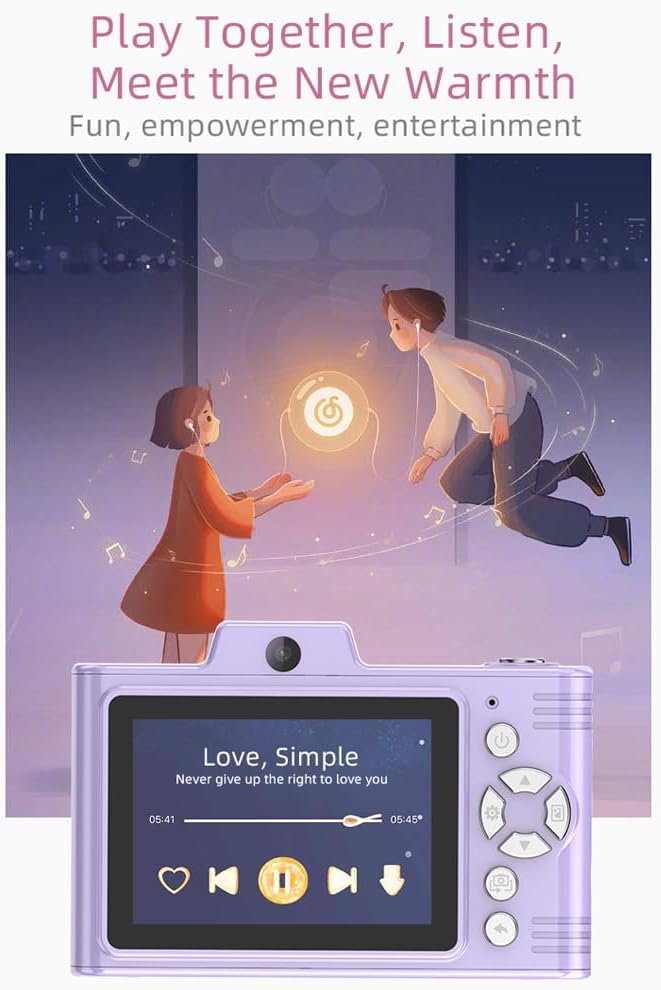
Image: A purple Andoer H8 camera with its screen showing a music playback interface, demonstrating its multimedia capabilities.
5. Data Transfer
Connect the camera to a computer using the Type-C USB cable to transfer photos and videos. The camera also supports OTG compatibility for direct transfer to compatible smartphones.
Maintenance
- Cleaning: Use a soft, dry cloth to clean the camera body. For the lens and screen, use a specialized lens cleaning cloth and solution.
- Battery Care: To prolong battery life, avoid fully discharging the battery frequently. Charge the camera regularly, even if not in use for extended periods.
- Storage: Store the camera in a cool, dry place, away from dust and direct sunlight. Remove the memory card if storing for a long duration.
Troubleshooting
- Camera does not power on: Ensure the battery is charged. Connect the camera to a power source and try again.
- Cannot take photos/videos: Check if a TF card is inserted and if it has sufficient free space. Ensure the camera is in the correct mode.
- Images are blurry: Ensure the lens is clean. Check lighting conditions.
- Camera freezes: If the camera becomes unresponsive, try removing and reinserting the battery (if accessible) or holding the power button for an extended period to force a shutdown.
- Data transfer issues: Ensure the USB cable is securely connected. Try a different USB port or computer.
Specifications
| Model | H8 |
| Display Screen | 2.8 inch IPS |
| Photo Resolution | Up to 48MP |
| Video Resolution | 1080P FHD, 1080P, 720P |
| Digital Zoom | 8X |
| File Format | JPG/AVI/MP3 |
| Battery Capacity | 700mAh, 3.7V |
| Charging Time | Approx. 2-4 hours |
| Charging Voltage | DC5V 1A |
| Memory Support | TF card (up to 32GB) |
| Product Weight | 110g |
| Product Size | 105.5*72*46mm |
| Special Features | OTG Compatibility, Filters, Stickers, Games, Music |
Warranty and Support
For warranty information or technical support, please refer to the documentation provided with your purchase or contact Andoer customer service. Keep your purchase receipt as proof of purchase.

