
1. Safety Information
Please read all safety instructions before using the Sportneer Smart Bike Trainer S1 to ensure safe operation and prevent injury or damage.
- Maximum Weight Limit: The trainer supports a maximum weight of 130 kg (286 lbs), including the weight of the bicycle. Do not exceed this limit.
- Bike Compatibility: This trainer is designed for bicycles with 26-inch, 28-inch, 29-inch, or 700C wheels. The rear wheel axle must be between 3 inches and 6.37 inches. Ensure your bike meets these specifications before use.
- Thru-Axle Bikes: If your bicycle has a thru-axle, a separate adapter is required. The included quick-release skewer is for quick-release axles only.
- Tire Pressure: Maintain proper tire pressure for optimal performance and to prevent tire slippage during resistance changes.
- Stable Surface: Always place the trainer on a flat, stable surface to prevent wobbling or tipping.
- Children and Pets: Keep children and pets away from the trainer during operation.
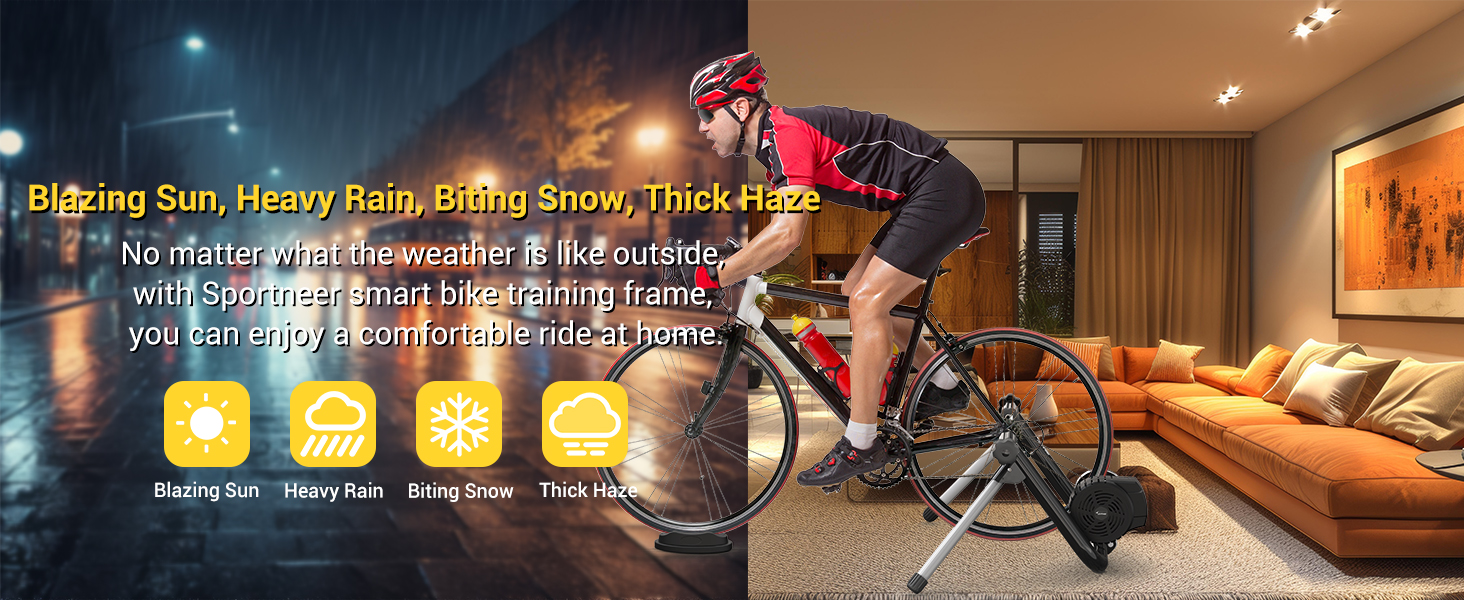
Image: Compatibility requirements for wheel size and rear axle width.
2. Package Contents
Verify that all components are present in the package before assembly.
- Sportneer Smart Bike Trainer Unit
- Front Wheel Support Pad
- Quick Release Skewer (for quick-release axles)
- Quick Release Lever
- AC Power Adapter and Cord
- ANT+ Dongle (for non-Bluetooth devices)
- Instruction Manual

Image: Trainer components and accessories.
3. Setup
Follow these steps to assemble and prepare your Sportneer Smart Bike Trainer for use.
- Unfold the Trainer: Carefully unfold the trainer frame. The U-shaped structure provides stability.
- Mount the Resistance Unit: Align the resistance unit with the main frame. Insert the horizontal bolt to secure the flywheel and electronics, ensuring it acts as a hinge.
- Install Quick Release Skewer: Replace your bike's rear wheel skewer with the provided quick-release skewer. If your bike has a thru-axle, you will need to purchase a compatible thru-axle adapter separately.
- Mount the Bicycle: Place your bicycle's rear wheel into the trainer. Secure the bike by tightening the knobs on both sides of the trainer's axle mounts. Ensure the bike is centered and stable.
- Adjust Resistance Roller: Position the resistance roller against the rear tire. Tighten the handle bolt into the cylinder to apply tension. For optimal performance, tighten the roller 1.5 to 2 turns after it makes contact with the tire.
- Place Front Wheel Support: Position the front wheel support pad under your bike's front wheel to level the bicycle and provide stability.
- Connect Power: Plug the AC power adapter into the trainer and then into a power outlet.
Video: Demonstrates the setup process for the Sportneer Smart Bike Trainer, including mounting the bike and adjusting the resistance roller.

Image: Bicycle mounted on the trainer with front wheel support.
4. Operating Instructions
The Sportneer Smart Bike Trainer offers an interactive indoor cycling experience.
4.1 Connectivity
The trainer supports both Bluetooth 4.0 and ANT+ connections for maximum flexibility with various cycling applications and devices.
- Bluetooth Connection: For Bluetooth-enabled devices (phones, tablets, computers), simply pair the trainer via your device's Bluetooth settings or directly within your chosen cycling app.
- ANT+ Connection: For devices without Bluetooth or for a dedicated connection, use the included ANT+ dongle. Plug the dongle into your computer or compatible device.
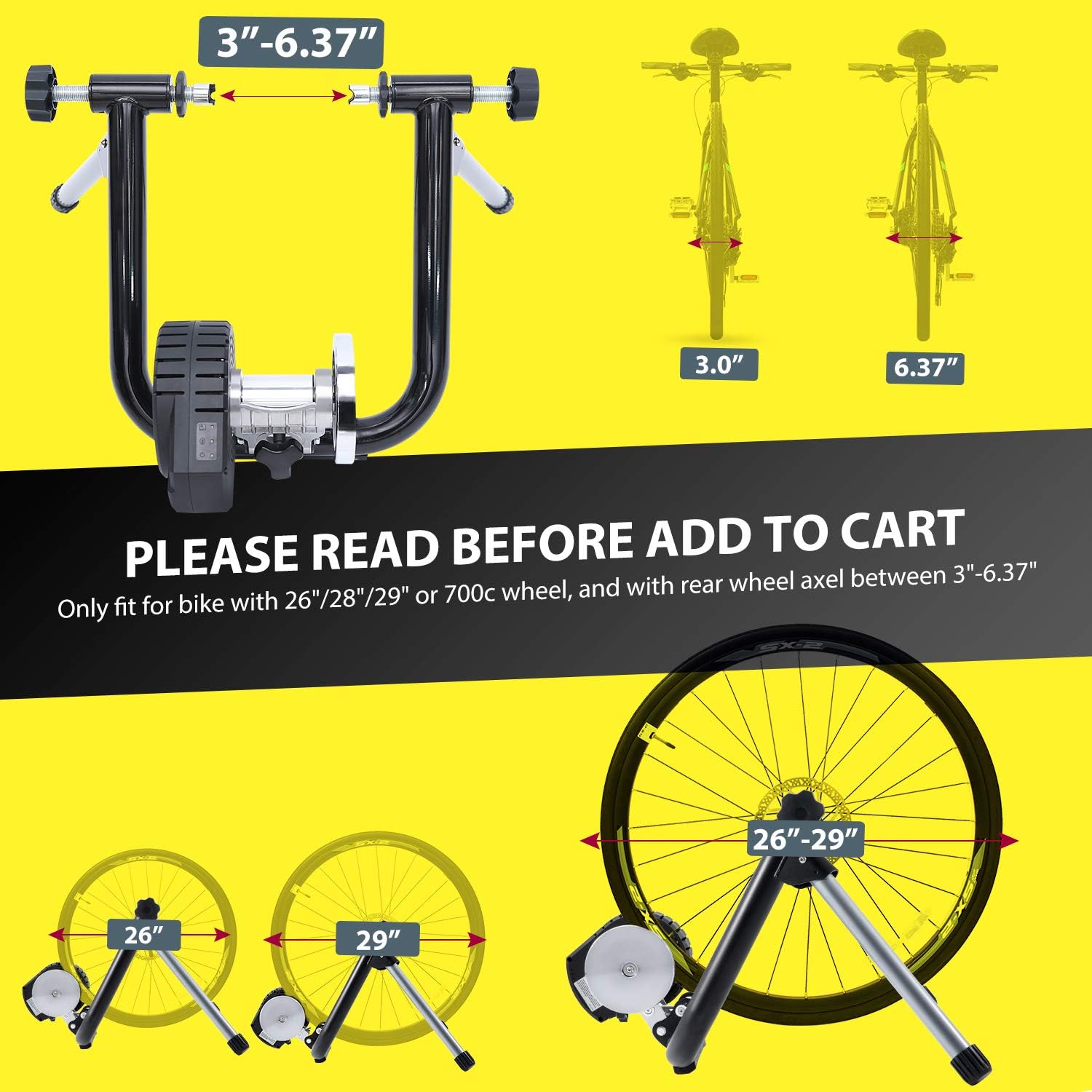
Image: Trainer compatibility with smart devices and ANT+ dongle.
4.2 Using Cycling Applications
The trainer is compatible with popular cycling apps such as Zwift, Onelap (includes a free 6-month trial), and others. These apps provide interactive training, group rides, and virtual routes.
- Interactive Resistance: The electromagnetic resistance technology automatically adjusts to simulate inclines and declines within the virtual environment, replicating grades up to 15%.
- Target Power Mode: Utilize Target Power mode for structured workouts, allowing the trainer to maintain a specific power output.
- Performance Tracking: Integrated sensors detect power, speed, and cadence, transmitting data to your connected cycling app for comprehensive performance tracking.
- Onelap Utility App: For initial setup and calibration, download the Onelap Utility app (not the main Onelap cycling app). This utility helps ensure the trainer is properly configured for your bicycle, including speed-up and cool-down settings for resistance.

Image: Key features of the Sportneer Smart Bike Trainer.
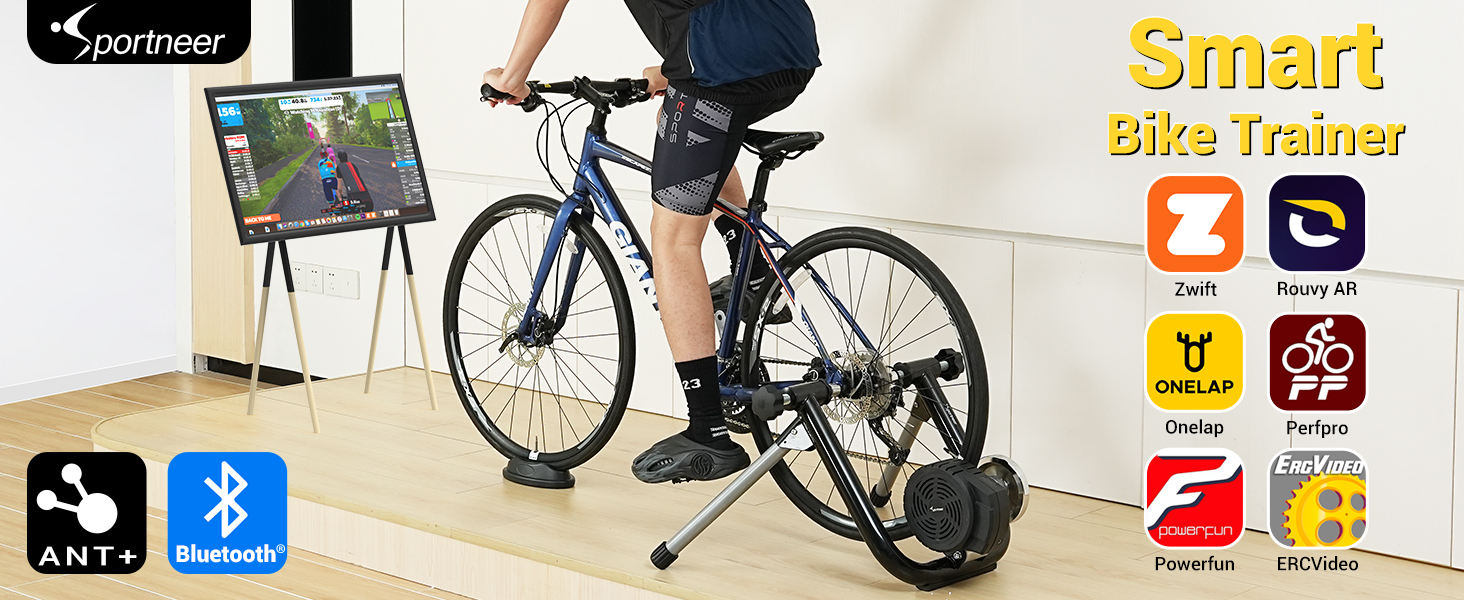
Image: Real-time cycling data displayed on a screen during a workout.
5. Maintenance
Proper maintenance ensures the longevity and performance of your Sportneer Smart Bike Trainer.
- Cleaning: Wipe down the trainer with a damp cloth after each use to remove sweat and dust. Avoid using abrasive cleaners.
- Tire Care: As this is a wheel-on trainer, it will cause wear on your bicycle's rear tire. Consider using a dedicated training tire to minimize wear on your regular road or mountain bike tires.
- Storage: The trainer features a foldable design for easy storage. When not in use, fold the legs and store it in a dry, cool place away from direct sunlight.
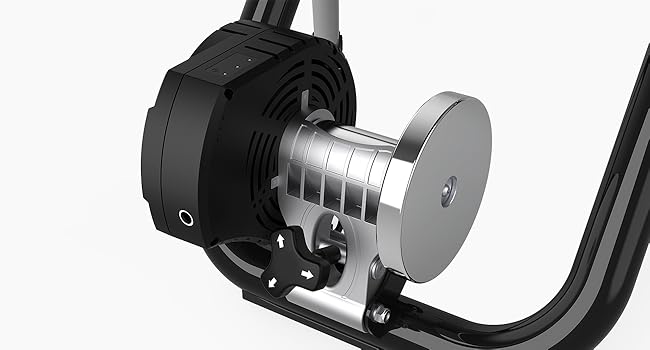
Image: Trainer in folded position for storage.
6. Troubleshooting
If you encounter issues with your Sportneer Smart Bike Trainer, refer to the following common solutions.
| Problem | Possible Cause | Solution |
|---|---|---|
| Tire slips on resistance roller | Insufficient tire pressure or roller tension. | Ensure your tire is adequately inflated. Tighten the resistance roller 1.5 to 2 turns after it contacts the tire. |
| Trainer not connecting to app (Bluetooth/ANT+) | Bluetooth/ANT+ not enabled, trainer not powered, app issues, or interference. | Verify the trainer is plugged in and powered on. Ensure Bluetooth or ANT+ is enabled on your device. Close and restart the cycling app. Try pairing again. If using ANT+, ensure the dongle is properly connected. |
| Resistance not changing automatically | App not controlling trainer, or trainer not properly calibrated. | Confirm the trainer is connected and selected as the controllable device within your cycling app. Use the Onelap Utility app to perform calibration and ensure proper resistance settings. |
| Unusual noise during operation | Loose components, tire rubbing, or worn parts. | Check all bolts and connections to ensure they are secure. Verify the tire is not rubbing against any part of the trainer frame. Ensure the resistance roller is clean. |
7. Specifications
| Feature | Detail |
|---|---|
| Brand | Sportneer |
| Model Name | S1 |
| Model Number | Y23-86000-14 |
| Color | Black |
| Material | Metal, Aluminum (Frame) |
| Wheel Size Compatibility | 26-29 inches & 700C wheels |
| Rear Axle Compatibility | 3-6.37 inches |
| Resistance Mechanism | Electromagnetic |
| Max Power Output | 2000 watts |
| Power Accuracy | ±3% |
| Max Simulated Grade | 15% |
| Noise Level | ≤68db at 30km/h |
| Connectivity | Bluetooth 4.0, ANT+ |
| Maximum Load Capacity | 130 kg (286 lbs) |
8. Warranty and Support
The Sportneer Smart Bike Trainer S1 comes with a 1-year limited warranty from the date of purchase. This warranty covers manufacturing defects and malfunctions under normal use.
8.1 What is Covered
The warranty covers defects in materials and workmanship for a period of one year. Sportneer will repair or replace, at its discretion, any product or part that is found to be defective.
8.2 What is Not Covered
This warranty does not cover:
- Damage caused by improper assembly or installation.
- Damage resulting from misuse, abuse, neglect, or accident.
- Normal wear and tear, including tire wear.
- Damage caused by unauthorized repairs or modifications.
8.3 Customer Support
For warranty claims, technical assistance, or any questions regarding your Sportneer Smart Bike Trainer S1, please contact Sportneer customer service. Our support team is dedicated to providing prompt and helpful assistance.
Contact information can typically be found on the Sportneer official website or through your purchase platform.


