
Introduction
Thank you for choosing the Jectse G6 Wired RGB Gaming Mouse. This manual provides detailed instructions for setting up, operating, and maintaining your new gaming mouse. Please read this manual thoroughly before use to ensure optimal performance and longevity of your device.
Package Contents
- 1 x Jectse G6 Wired RGB Gaming Mouse
- 1 x User Manual
Product Overview and Key Features
The Jectse G6 gaming mouse is designed for precision and comfort, offering a superior gaming experience with its advanced features.

Image: Top-down view of the Jectse G6 Wired RGB Gaming Mouse, showcasing its design and RGB lighting.
- Adjustable DPI: 6 levels of adjustable DPI (1200, 1600, 2400, 6400, 7200, 12800) for precise control.
- High Polling Rate: 4 polling rate options (125 Hz, 250 Hz, 500 Hz, 1000 Hz) for smooth and responsive gameplay.
- Ergonomic Design: Comfortable grip and contoured shape reduce fatigue during extended use.
- Gaming-Grade Optical Sensor: High-performance sensor for precise accuracy, durability, and ultra-fast responsiveness.
- 10 Programmable Buttons: Customize your gaming experience with macro programming.
- RGB Lighting: Features 13 types of RGB lighting effects.
- Wide Compatibility: Compatible with Windows XP, Vista, 7, 8, 10, and iOS.

Image: Visual representation of key features including RGB multicolor, 12800 DPI, A826 IC Chip, Macro programming, 1000Hz polling rate, Voice activated lighting, Million micro movements, sweat prevention, and 1.65m USB cable.
Setup Instructions
- Connect the Mouse: Plug the USB connector of the Jectse G6 gaming mouse into an available USB port on your computer.
- Driver Installation: The mouse is plug-and-play. Your operating system should automatically detect and install the necessary drivers. No additional software installation is typically required for basic functionality.
- Software for Customization: For advanced customization, such as macro programming and specific RGB lighting effects, you may need to download dedicated software from the official Jectse website (if available). Refer to the official website for software availability and instructions.

Image: The Jectse G6 mouse connected via its USB cable, ready for setup.
Operating Instructions
Button Functions
The Jectse G6 mouse features 10 buttons, many of which are programmable for enhanced functionality.

Image: A detailed diagram illustrating the location and default functions of the 10 keys: Left Key, Right Key, Fire Key, One Click Desktop, One Click Webpage, Forward Key, Back Key, Middle Key of the Scroll Wheel, RGB Lighting Adjustment, and DPI Cycle.
- Left Key: Standard left-click function.
- Right Key: Standard right-click function.
- Middle Key (Scroll Wheel): Clickable scroll wheel, typically for middle-click or auto-scroll.
- Forward Key: Navigates forward in web browsers or file explorers.
- Back Key: Navigates backward in web browsers or file explorers.
- Fire Key: Often used for rapid-fire actions in games.
- One Click Desktop: Quickly minimizes all windows to show the desktop.
- One Click Webpage: Opens a new web browser window or a specific webpage.
- DPI Cycle Button: Cycles through the available DPI settings.
- RGB Lighting Adjustment Button: Changes the RGB lighting effects.
DPI Adjustment
Press the DPI Cycle Button (as indicated in the diagram) to switch between the 6 adjustable DPI levels: 1200, 1600, 2400, 6400, 7200, and 12800. Each press will cycle to the next DPI setting, allowing you to adjust sensitivity on the fly.
RGB Lighting Control
Use the RGB Lighting Adjustment Button to cycle through the 13 different RGB lighting effects. This allows you to personalize the mouse's appearance to match your setup or mood.
Macro Programming
The 10 programmable buttons support macro programming. To utilize this feature, you will need to install the dedicated software (if available) from the Jectse official website. The software allows you to assign custom commands, complex sequences, and auxiliary functions to each button, optimizing your workflow and gaming performance.
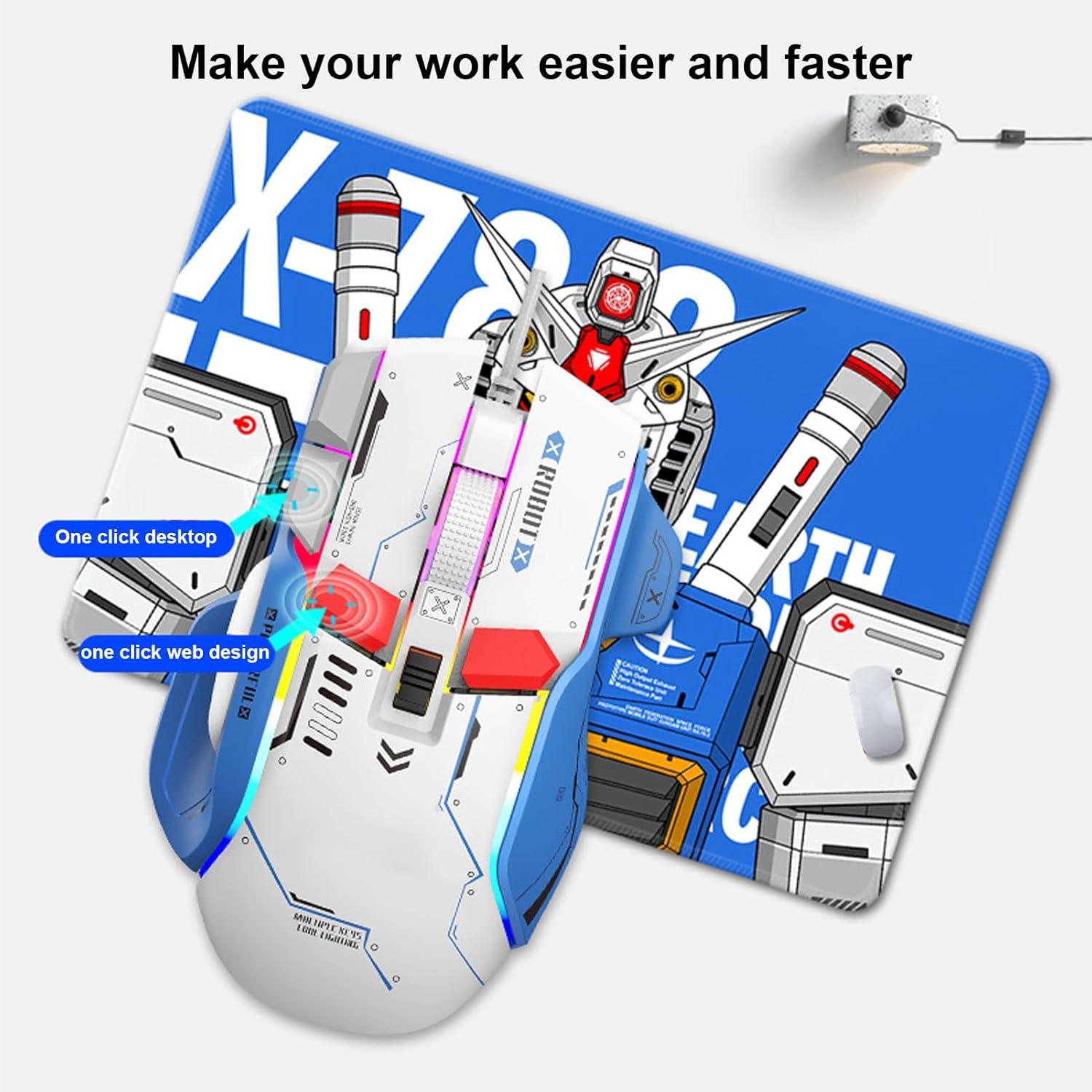
Image: The Jectse G6 mouse demonstrating the 'one click desktop' and 'one click web design' functions, illustrating how programmable buttons can enhance productivity.
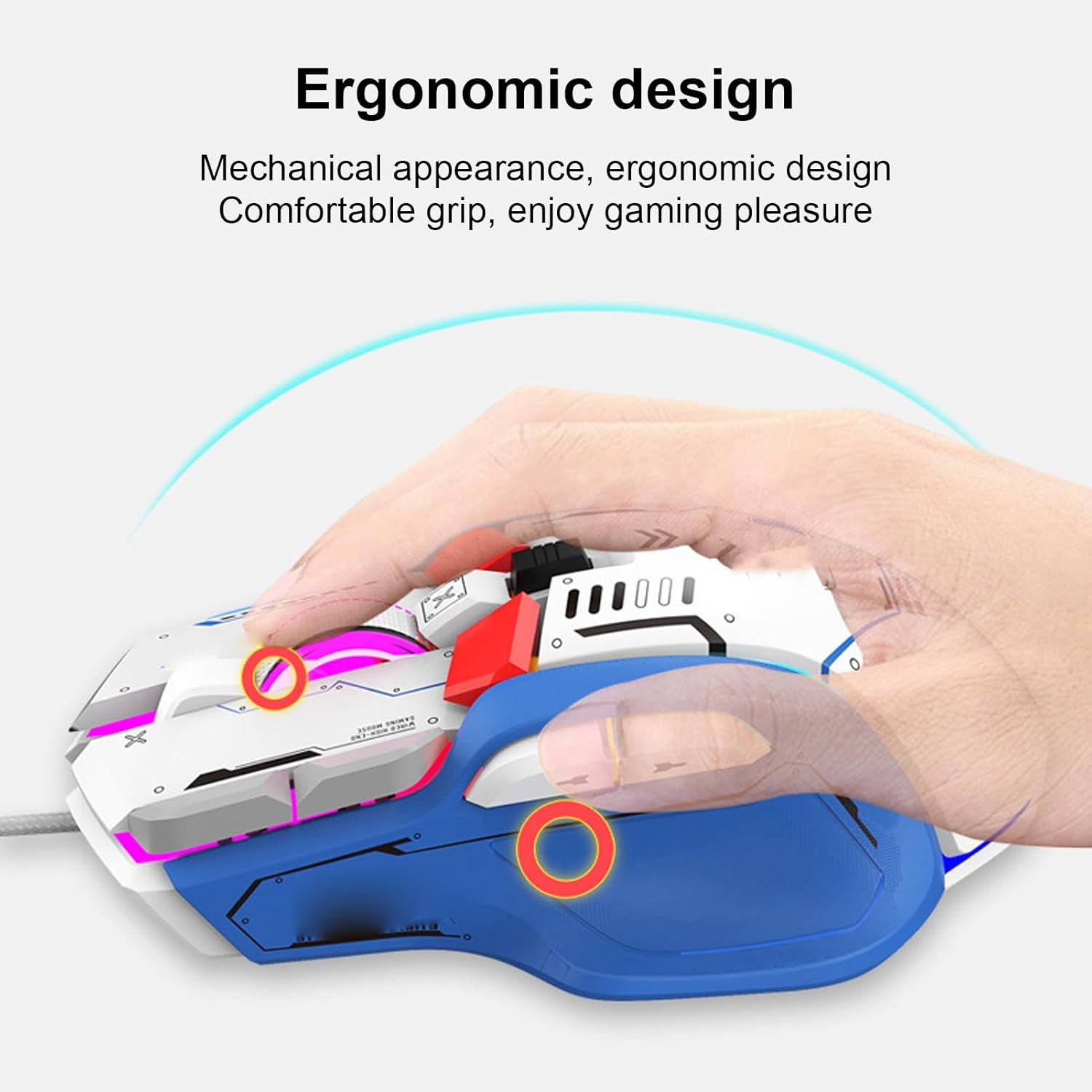
Image: A hand comfortably gripping the Jectse G6 mouse, emphasizing its ergonomic design for extended use.
Maintenance
- Cleaning: Use a soft, dry cloth to clean the surface of the mouse. For stubborn dirt, slightly dampen the cloth with water. Avoid using harsh chemicals or abrasive cleaners.
- Sensor Care: Keep the optical sensor on the underside of the mouse clean and free from dust or debris to ensure accurate tracking.
- Cable Management: Avoid sharp bends or excessive pulling on the USB cable to prevent damage.
- Storage: When not in use, store the mouse in a clean, dry environment away from extreme temperatures.
Troubleshooting
- Mouse not responding:
- Ensure the USB cable is securely plugged into a working USB port on your computer.
- Try plugging the mouse into a different USB port.
- Restart your computer.
- Check your computer's device manager to see if the mouse is recognized.
- Inaccurate tracking or cursor erratic behavior:
- Clean the optical sensor on the underside of the mouse.
- Ensure you are using the mouse on a suitable surface (e.g., a mouse pad). Avoid highly reflective or transparent surfaces.
- Adjust the DPI settings using the DPI Cycle Button.
- RGB lighting not working or stuck:
- Press the RGB Lighting Adjustment Button to cycle through effects.
- Ensure the mouse is properly connected.
- If using customization software, check its settings.
Specifications
| Model Name | Jectse G6 (Jectses9o10h3abu) |
| Connectivity Technology | Wired USB |
| Movement Detection Technology | Optical |
| Adjustable DPI Levels | 1200, 1600, 2400, 6400, 7200, 12800 (Max 12800 DPI) |
| Polling Rate Options | 125 Hz, 250 Hz, 500 Hz, 1000 Hz |
| Number of Buttons | 10 (Programmable) |
| RGB Lighting Effects | 13 types |
| Switch Lifetime | 20 million clicks |
| Cable Length | 1.65 m (5.4 ft) |
| Acceleration | 20 G |
| Frame Rate | 7000 FPS |
| Compatible Operating Systems | Windows XP, Vista, 7, 8, 10, iOS |
| Recommended Use | Gaming |

Image: Top and bottom views of the Jectse G6 mouse, displaying the USB cable, model number (G6), and regulatory information on the underside.
Compatibility
The Jectse G6 gaming mouse is compatible with a wide range of operating systems and devices, including:
- Windows XP, Vista, Windows 7, Windows 8, Windows 10
- iOS (for compatible devices)
- Laptops, PCs, Notebooks, MacBooks, etc.
Warranty and Support
For warranty information and technical support, please refer to the documentation provided at the time of purchase or visit the official Jectse website. Specific details regarding spare parts availability and software update guarantees are not provided in this manual.