
1. Introduction
This manual provides essential information for the safe and efficient operation, maintenance, and care of your VELECO SHARPY mobility scooter. Please read this manual thoroughly before operating the device and retain it for future reference. Proper understanding and adherence to these instructions will ensure optimal performance and longevity of your scooter.

Figure 1: The VELECO SHARPY mobility scooter in black.
2. Safety Guidelines
Your safety is paramount. Always observe the following safety precautions:
- Always wear a seatbelt when operating the scooter.
- Ensure the magnetic brake system is functioning correctly before each use.
- Avoid sudden stops or turns, especially on uneven terrain.
- Do not exceed the maximum weight recommendation of 160 kg (352.7 lbs).
- Always engage the drive system before an occupant is left unattended or attempts to operate the mobility scooter.
- The mobility scooter is designed for single-person use only. Do not carry passengers.
- Exercise caution when navigating different terrains and avoid obstacles.
- Regularly check tires, brakes, and battery for optimal safety.
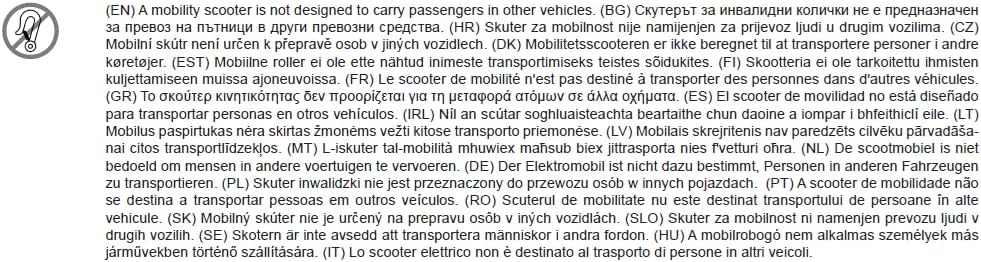
Figure 2: Important safety notice: This mobility scooter is not designed to carry passengers.
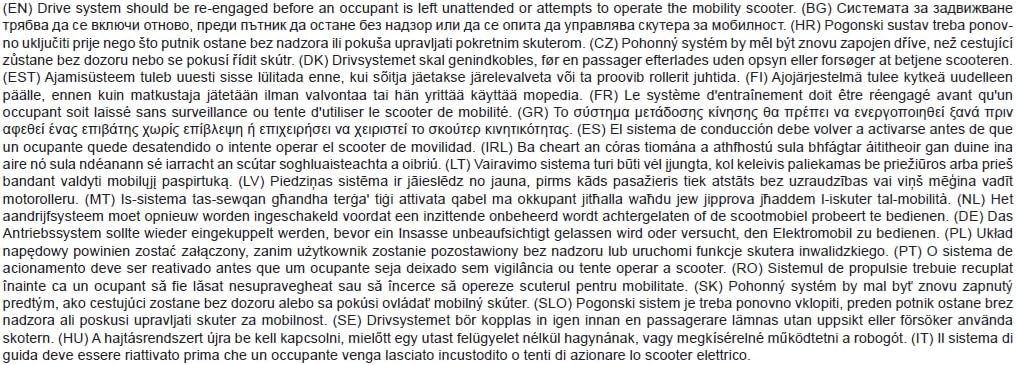
Figure 3: Important safety notice: Re-engage the drive system before operation or leaving unattended.
3. Components Overview
Familiarize yourself with the key components of your SHARPY mobility scooter:

Figure 4: Annotated diagram of the SHARPY mobility scooter components.
- Adjustable Captain's Seat: Ergonomic, swivel seat for comfort and easy transfer.
- Control Panel: Intuitive interface with digital display for speed, battery, and essential information.
- Dual Control Levers: Forward and reverse operation on both sides for flexible, single-hand driving.
- Adjustable Steering Column: Customize the steering position for personalized driving.
- Magnetic Brake System: Ensures reliable and safe stopping.
- Anti-tip Wheels: Provides enhanced stability.
- Integrated Bluetooth Speaker: For entertainment during travel.
- USB Port & Card Slot: For charging devices and media access.
- Rearview Mirrors & Phone Holder: Included for convenience and safety.
- Full Suspension: For a smooth and stable ride on various terrains.
4. Setup and Initial Use
4.1 Unpacking and Assembly
Carefully remove all components from the packaging. Assembly typically involves attaching the seat, mirrors, and any other accessories. Refer to the quick start guide included with your scooter for detailed assembly instructions.
4.2 Charging the Battery
Before first use, fully charge the scooter's battery. Locate the charging port (refer to Figure 4) and connect the provided charger. The digital display will indicate the charging status. Do not interrupt the charging cycle until the battery is full.
4.3 Adjusting the Seat and Steering
Adjust the captain's seat for optimal comfort and accessibility. The seat can swivel and its height can be adjusted. The steering column is also adjustable to suit your preferred driving posture. Ensure all adjustments are securely locked before operation.
5. Operating Instructions
5.1 Starting the Scooter
- Ensure you are seated comfortably and the seatbelt is fastened.
- Insert the key into the ignition and turn it to the 'ON' position.
- The digital display will illuminate, showing battery level and speed.

Figure 5: The scooter's control panel and digital display.
5.2 Driving the Scooter
The SHARPY is operated using dual control levers located on both sides of the handlebars. Push the levers forward to move forward, and pull them back to reverse. Release the levers to engage the magnetic brake and stop the scooter.
- Speed Control: Use the speed adjustment dial on the control panel to set your desired maximum speed.
- Steering: Use the handlebars to steer the scooter.
- Lights and Indicators: Utilize the LED headlights and indicators for visibility and signaling.
5.3 Using Multimedia Features
The scooter features an integrated Bluetooth speaker, USB port, and card slot. Pair your mobile device via Bluetooth to play music. Use the USB port to charge your devices or play media from a USB drive. The card slot supports compatible memory cards for media playback.

Figure 6: Front storage compartment and charging access.
6. Maintenance and Care
Regular maintenance ensures the longevity and safe operation of your SHARPY scooter.
- Cleaning: Wipe down the scooter with a damp cloth. Avoid using abrasive cleaners or direct water spray.
- Battery Care: Always fully charge the battery after each use. If storing the scooter for an extended period, charge the battery at least once a month.
- Tire Pressure: Periodically check the tire pressure and inflate to the recommended levels.
- Brake System: Inspect the magnetic brake system regularly for proper function. If you notice any issues, contact customer support.
- General Inspection: Routinely check all nuts, bolts, and connections for tightness. Ensure all lights and indicators are working.
7. Troubleshooting
This section addresses common issues you might encounter with your SHARPY mobility scooter.
| Problem | Possible Cause | Solution |
|---|---|---|
| Scooter does not power on. | Battery is discharged; key is not in 'ON' position; loose battery connection. | Charge the battery; turn the key to 'ON'; check battery connections. |
| Scooter moves slowly or lacks power. | Low battery charge; incorrect speed setting; motor issue. | Recharge battery; adjust speed setting; contact service if issue persists. |
| Brakes are not engaging properly. | Brake system malfunction; obstruction. | Inspect for obstructions; contact service for brake system inspection. |
| Bluetooth speaker not connecting. | Device not in pairing mode; speaker not powered on. | Ensure speaker is on and in pairing mode; check device's Bluetooth settings. |
If you encounter an issue not listed here or if the suggested solutions do not resolve the problem, please contact VELECO customer support.
8. Product Specifications
| Feature | Detail |
|---|---|
| Brand | VELECO |
| Model Name | SHARPY |
| Model Number | SHA |
| Product Dimensions (L x W x H) | 57.1 x 27.6 x 58.3 cm (22.5 x 10.9 x 22.9 inches) |
| Product Weight | 135 kg (297.6 lbs) |
| Maximum Weight Recommendation | 160 kg (352.7 lbs) |
| Material | Aluminum |
| Brake Style | Magnetic Brake |
| Power Source | Battery |
| Color Options | Black, Blue, Red, White |
9. Warranty and Support
For warranty information, please refer to the documentation provided with your purchase or visit the official VELECO website. If you require technical support, spare parts, or have any questions regarding your SHARPY mobility scooter, please contact your retailer or VELECO customer service directly.
VELECO Contact Information:
- Website: VELECO Official Store on Amazon (for general inquiries and product information)
- For specific support, please consult the contact details provided in your product packaging.


