
Keepsmile 65.6ft/20M LED Black Light Strip Set
Keepsmile 65.6ft/20M LED Black Light Strip Set User Manual
Model: 65.6ft/20M LED Black Light Strip Set
1. Introduction
This manual provides detailed instructions for the installation, operation, and maintenance of your Keepsmile 65.6ft/20M LED Black Light Strip Set. Please read this manual thoroughly before use to ensure proper function and safety.
2. Safety Information
- Ensure the power supply is disconnected before installation or maintenance.
- Do not expose the LED strips to water or high humidity. This product is designed for indoor use only.
- Do not cut the LED strip unless specifically indicated at designated cutting marks.
- Avoid bending the LED strip sharply, as this may damage the circuit.
- Keep out of reach of children.
- Use only the provided power adapter. Using unauthorized adapters may cause damage or fire.
3. Package Contents
Verify that all items listed below are included in your package:
- LED Light Strip (65.6ft/20M)
- Remote Control
- Power Adapter
- Controller Box
- User Manual (this document)

Image 3.1: Contents of the Keepsmile LED Black Light Strip Set package, including the coiled LED strips, remote control, power adapter, and the main control box.
4. Setup and Installation
4.1 Preparation
- Choose a clean, dry, and smooth surface for installation. Dust, oil, or moisture can affect the adhesive.
- Unroll the LED strip completely before powering it on to prevent overheating.
4.2 Installation Steps
- Clean the Surface: Wipe the desired installation area with a clean cloth to remove any dust or debris. Ensure the surface is completely dry.
- Peel and Stick: Carefully peel off the protective backing from the adhesive tape on the back of the LED strip. Press the strip firmly onto the prepared surface, working in small sections.
- Connect Components: Connect the LED strip to the controller box. Ensure the arrows on the connectors align.
- Connect Power: Plug the power adapter into the controller box, then plug the power adapter into a standard electrical outlet.
4.3 App Download and Pairing
- Download the App: Scan the QR code provided in the packaging or search for "Keepsmile" (or the specified app name) in your mobile device's app store (App Store for iOS, Google Play for Android).
- Enable Bluetooth: Ensure Bluetooth is enabled on your smartphone or tablet.
- Open the App: Launch the Keepsmile app. It should automatically detect and connect to your LED strip. If not, follow the in-app instructions to add a device.

Image 4.1: Example of app control for the LED strip lights, demonstrating color selection and mode options on a smartphone.
5. Operating Instructions
5.1 Remote Control Operation
The included remote control allows for basic functions:
- Power On/Off: Press the ON/OFF button.
- Color Selection: Choose from various preset colors using the color buttons.
- Brightness Adjustment: Use the BRIGHTNESS +/- buttons to increase or decrease light intensity.
- Mode Selection: Cycle through different dynamic modes (e.g., flash, fade, jump) using the MODE buttons.
- Music Sync: Activate music synchronization mode (if available on remote) to make lights react to sound.

Image 5.1: Remote control in use, demonstrating its functionality for changing colors and modes in a room setting.
5.2 App Control Operation
The Keepsmile app offers advanced control features:
- Custom Colors: Select from a wide spectrum of colors using the color wheel.
- Music Sync: The lights can synchronize with music played through your phone's microphone or internal music library.
- Scenario Mode: Choose from various preset lighting scenes for different moods or occasions.
- Timer Mode: Set schedules for the lights to turn on or off automatically.
- DIY Modes: Create and save your own custom lighting effects.

Image 5.2: Demonstration of the music sync feature, where LED lights change in rhythm with music.
6. Applications and Features
The Keepsmile LED Black Light Strip Set is versatile and can be used for various decorative purposes:
- Room Decor: Enhance bedrooms, living rooms, and other indoor spaces.
- Party Decor: Create vibrant atmospheres for parties, holidays, and special events.
- Black Light Effects: Ideal for illuminating black light reactive materials, posters, and paints.
- DIY Decorations: Suitable for home theater decor, furniture accent lighting, computer screen backlighting, and photo frame illumination.

Image 6.1: Examples of the LED strip lights used for various party and holiday decorations.

Image 6.2: Examples of the LED strip lights used for DIY home and personal space decorations.
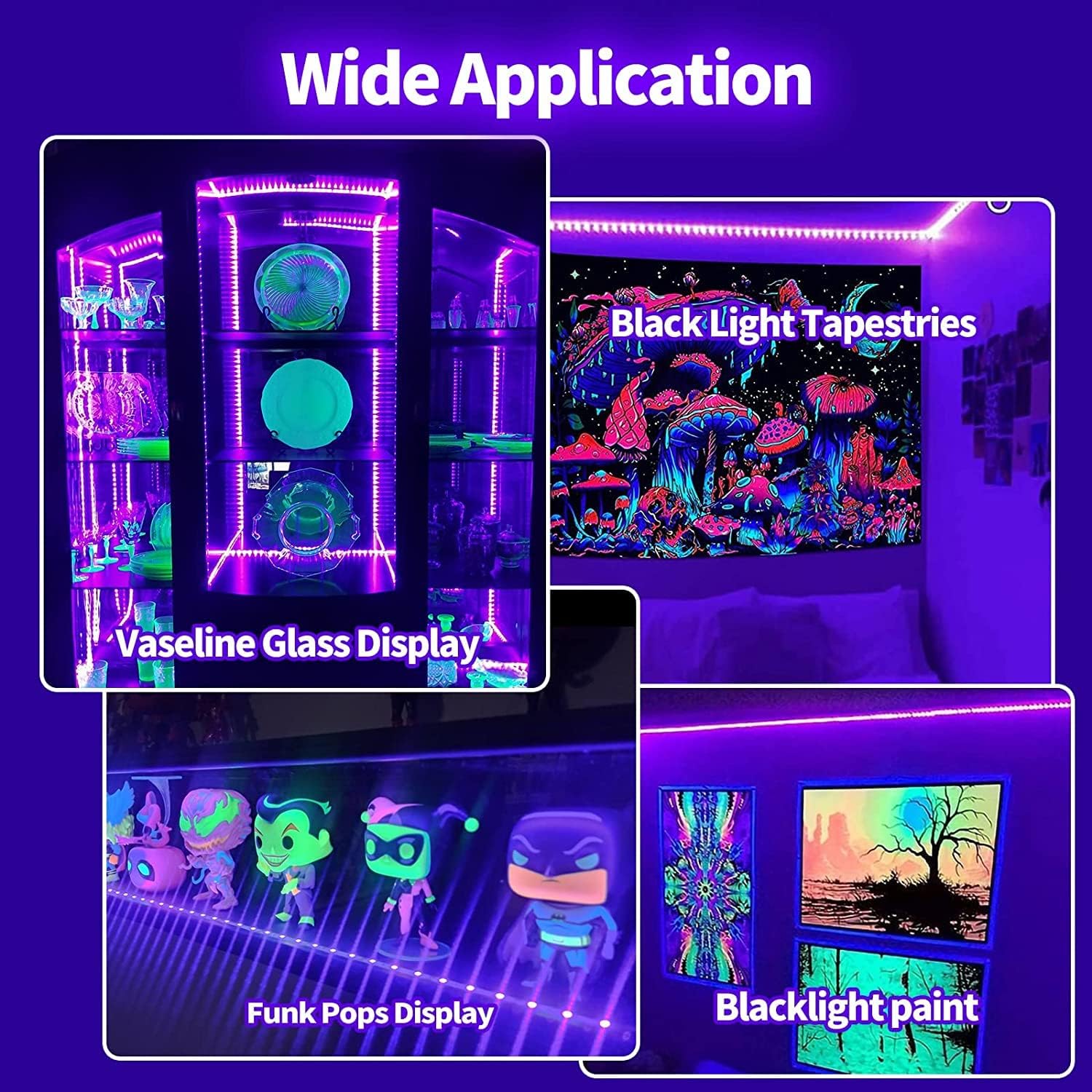
Image 6.3: Examples of the LED strip lights used for wide applications, including illuminating specific collections and art.
7. Maintenance
- Cleaning: Gently wipe the LED strips with a dry, soft cloth if they accumulate dust. Do not use liquid cleaners.
- Storage: If storing the lights for an extended period, ensure they are clean, dry, and coiled loosely to prevent damage.
- Adhesive: The adhesive is designed for single-use application. Re-applying the strip may result in reduced adhesion.
8. Troubleshooting
| Problem | Possible Cause | Solution |
|---|---|---|
| Lights do not turn on. |
|
|
| Remote control not working. |
|
|
| App cannot connect to lights. |
|
|
| Lights are dim or flickering. |
|
|
9. Specifications
| Brand | Keepsmile |
| Model | 65.6ft/20M LED Black Light Strip Set |
| Indoor/Outdoor Usage | Indoor |
| Special Feature | Color Changing |
| Light Source Type | LED |
| Light Color | Multicolor |
| Style | Modern |
| Controller Type | Remote Control |
| Number of Light Sources | 150 (for 65.6ft/20M, assuming standard density) |
| Control Method | App, Remote |
| Maximum Compatible Wattage | 36 Watts |
| Item Weight | 220 Grams / 7.8 ounces |
| Package Dimensions | 8.03 x 7.2 x 0.75 inches |
10. Warranty and Support
For warranty information or technical support, please refer to the contact details provided on the product packaging or visit the official Keepsmile website. Keep your purchase receipt as proof of purchase.
Ask a question about this manual
Ask about setup, troubleshooting, compatibility, parts, safety, or missing instructions. Manuals+ will review the question and use this page’s manual context to help answer it.