
Product Overview
This manual provides instructions for the KFD 24V AC/DC Adapter, designed to power various electronic devices. It is compatible with HP Sprocket Studio photo printers and select Datacard, Evolis, Brady, and Magicard printer models, among others.
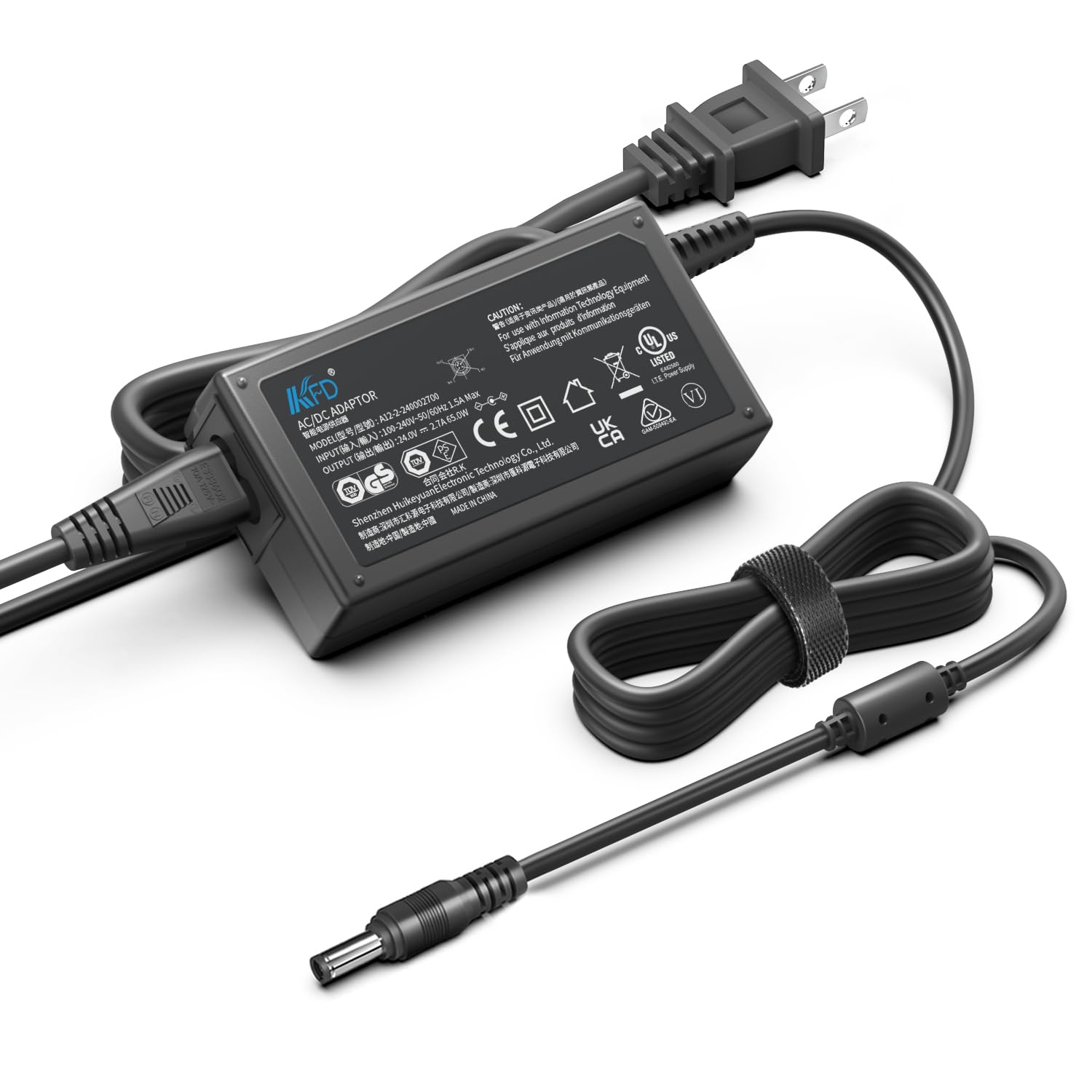
The adapter converts standard AC wall power (100-240V) to a stable 24V DC output, suitable for compatible electronic devices requiring this power specification.
Safety Features
The KFD 24V AC/DC Adapter incorporates multiple safety protections to ensure reliable operation and device safety:
- Over Voltage Protection (OVP): Prevents damage from excessive voltage output.
- Over Current Protection (OCP): Safeguards against damage from excessive current.
- Short Circuit Protection (SCP): Protects against short-circuit conditions.
- Over Temperature Protection: Prevents overheating of the adapter.
- Current Surge Protection: Shields devices from sudden power surges.

This product is certified by UL, CE, FCC, and RoHS standards, ensuring compliance with international safety and quality regulations.

The adapter is designed with a robust plastic enclosure for durability.
Package Contents
Verify that the following items are included in your package:
- 1 x KFD 24V AC/DC Adapter
- 1 x US Power Cable
- 1 x User Manual (this document)

The power cable features a standard 2-pin Type A plug for North American outlets.
Setup and Connection
- Ensure your device is powered off before connecting the adapter.
- Connect the barrel connector of the KFD 24V AC/DC Adapter to the DC input port of your compatible device.
- Connect the US power cable to the AC input port of the adapter.
- Plug the US power cable into a standard 100-240V AC wall outlet.
- Power on your device.

Always ensure a secure connection to prevent power interruptions.
Operation
Once properly connected, the KFD 24V AC/DC Adapter will automatically provide the necessary 24V DC power to your device. No additional user interaction is required for power delivery during normal operation. The adapter is designed for efficient power conversion and stable output, ensuring consistent performance for your compatible electronics.
Compatible Devices
This KFD 24V AC/DC Adapter is compatible with a wide range of devices, including but not limited to:
- HP Sprocket Studio: 3MP72A, 3MP73A, 3MP74A Digital Photo Printer, HP Sprocket Studio Power Bank (Model: 3MP72-60051), HP Sprocket Studio Plus HPISPS4X6 WiFi Photo Printer.
- Brady: BBP12, BBP12-US Label Printer.
- Datacard: SD260, SD360, SP35, SP55, CP60, CD800, SP25+, SD160, FP65i Printers.
- Evolis: Primacy, Badgy 100, 200, Dualys 2, 3, Zenius, Tattoo, Elypso Printers.
- Magicard: Pronto 3649-0001 Printer.
- Fujitsu ScanSnap: S1500, S1500M, fi-5120C, fi-5220C, fi-5530C, fi-5530C2, fi-6110, fi-6130, fi-6140, fi-6230, fi-6240, fi-6130Z, fi-6230Z, fi-6140Z, fi-6240Z, fi-7160, fi-7180, fi-7260, fi-7280 Scanners.
- Canon Selphy: CP1500, CP1300, CP1200, CP1000, CP910, CP900, CP820, CP810, CP800, CP790, CP780, CP770, CP760, CP750, CP740, CP730, CP720, CP710, CP700, CP600, CP510, CP500, CP400, CP330, CP200 Printers.
Always verify the voltage and connector type requirements of your device before use.
Troubleshooting
No Power Output
If your device does not power on or charge when connected to the adapter:
- Verify that the adapter's power cable is securely plugged into both the adapter and a functional wall outlet.
- Ensure the barrel connector is fully inserted into your device's DC input port.
- Confirm that your device is listed as compatible with this 24V adapter and that the connector size matches. Incompatible voltage or connector size will prevent proper function.
- Test the wall outlet with another device to ensure it is supplying power.
Adapter Overheating
While the adapter is designed to operate efficiently, slight warmth during use is normal. If the adapter becomes excessively hot to touch, disconnect it immediately and contact support. Ensure adequate ventilation around the adapter and avoid covering it during operation.
Specifications
| Feature | Detail |
|---|---|
| Brand | KFD |
| Model Number | A12-2-240002700 |
| Input Voltage | 100-240V AC, 50-60Hz |
| Output Voltage | 24V DC |
| Output Current | 2.7 Amps |
| Wattage | 24 Watts |
| Connector Type | Barrel Connector |
| Color | Black |
| Material | Plastic |
| Safety Certifications | UL, CE, FCC, RoHS |

The power cable features a pure copper wire core for efficient and stable power transmission.
Warranty and Support
KFD products are backed by a 30-day free exchange policy and a 36-month (3-year) warranty, ensuring peace of mind regarding product quality and performance.

For technical support, warranty claims, or any inquiries regarding your KFD 24V AC/DC Adapter, please contact KFD customer service through the retailer where the product was purchased. Please have your model number (A12-2-240002700) and purchase details ready.