
1. Introduction
Thank you for choosing the Philco PVT491 Maxx Force 2-in-1 Fan. This fan is designed for versatility, powerful ventilation, and convenience, offering both table and wall-mounted configurations. It features an 8-blade, 40cm propeller, 174W of power, and three speed settings for optimal airflow. Please read this manual carefully before use to ensure proper operation and maintenance.
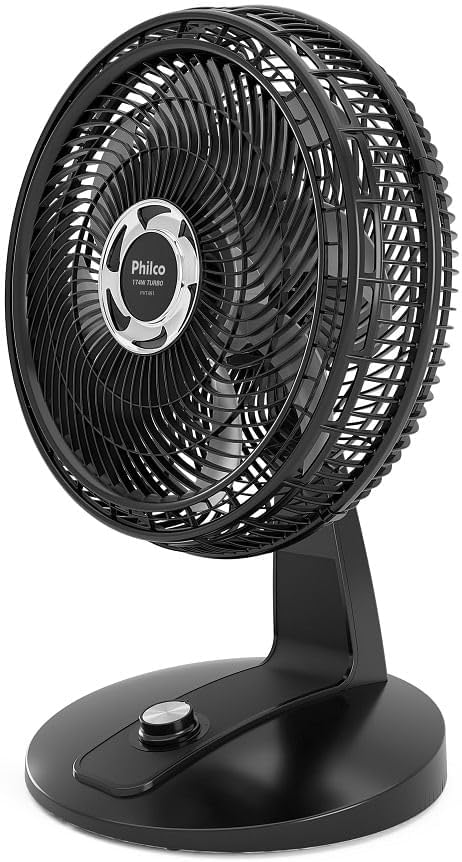
Figure 1: Front view of the Philco PVT491 Maxx Force 2-in-1 Fan, showcasing its 8-blade design and protective grille.
2. Important Safety Instructions
To reduce the risk of fire, electric shock, or injury, always follow these basic safety precautions:
- Voltage Compatibility: Ensure that the product's voltage (127 Volts) matches your household electrical supply. Connecting the fan to an incompatible voltage may cause damage to the appliance and pose a safety risk.
- Power Connection: Do not use adapters or multiple-outlet power strips (often called "benjamins" or "T-adapters") with this product. Connect the fan directly to a suitable wall outlet.
- Supervision: Close supervision is necessary when any appliance is used by or near children.
- Power Cord: Do not operate any fan with a damaged cord or plug. Discard fan or return to an authorized service facility for examination and/or repair.
- Placement: Do not place the fan near an open flame, cooking or heating appliance, or hot surface.
- Moisture: Do not immerse the fan in water or other liquids. Do not use the fan in wet locations such as bathrooms or laundry areas.
- Foreign Objects: Do not insert fingers or other objects through the grille when the fan is operating.
3. Setup
3.1 Unpacking
- Carefully remove the fan and all packaging materials from the box.
- Check for any damage during transit. If damage is found, do not use the product and contact customer support.
- Retain packaging for future storage or transport.
3.2 Assembly and Placement
The Philco PVT491 offers 2-in-1 functionality, allowing use as a table fan or a wall-mounted fan.
- Table Fan Configuration: Place the fan on a stable, flat surface. Ensure there is adequate space around the fan for optimal airflow and to prevent obstruction.
- Wall-Mounted Configuration: The fan can be adapted for wall mounting. Refer to the specific instructions provided in the separate wall-mounting kit (if included) or consult the Philco website for detailed wall-mounting guidelines. Ensure the wall is capable of supporting the fan's weight and that mounting is done securely.

Figure 2: Side view of the fan, illustrating its base and adjustable head for various angles.
4. Operating Instructions
4.1 Power Connection
Before plugging in, ensure the fan is in the OFF position. Insert the power plug into a 127V electrical outlet.
4.2 Speed Control
The fan features a control knob located on its base to adjust the fan speed. Rotate the knob to select your desired airflow intensity:
- 0: Off
- 1: Low Speed (Suave)
- 2: Medium Speed (Moderada)
- 3: High Speed (Intensa)

Figure 3: Detail of the control knob on the fan's base, used for power and speed selection.
4.3 Oscillation and Tilt
- Automatic Horizontal Oscillation: To activate the automatic side-to-side oscillation, press down the oscillation button located on the top rear of the motor housing. Pull it up to stop oscillation.
- Manual Vertical Tilt: The fan head can be manually tilted up or down to direct airflow. Gently adjust the fan head to the desired vertical angle.
5. Maintenance
Regular cleaning and proper maintenance will ensure the longevity and efficient operation of your fan.
5.1 Cleaning
- Disconnect Power: Always unplug the fan from the electrical outlet before cleaning.
- Removable Grille: The 47cm front grille is removable for easy cleaning of the blades. Carefully detach the front grille by following the instructions in the assembly section (reverse order of assembly).
- Cleaning Blades and Grille: Use a soft, damp cloth to wipe the fan blades and grilles. For stubborn dirt, a mild soap solution can be used. Ensure all parts are completely dry before reassembling.
- Motor Housing: Wipe the exterior of the motor housing and base with a soft, dry cloth. Do not allow water or other liquids to enter the motor housing.
- Reassembly: Reattach the front grille securely after cleaning.
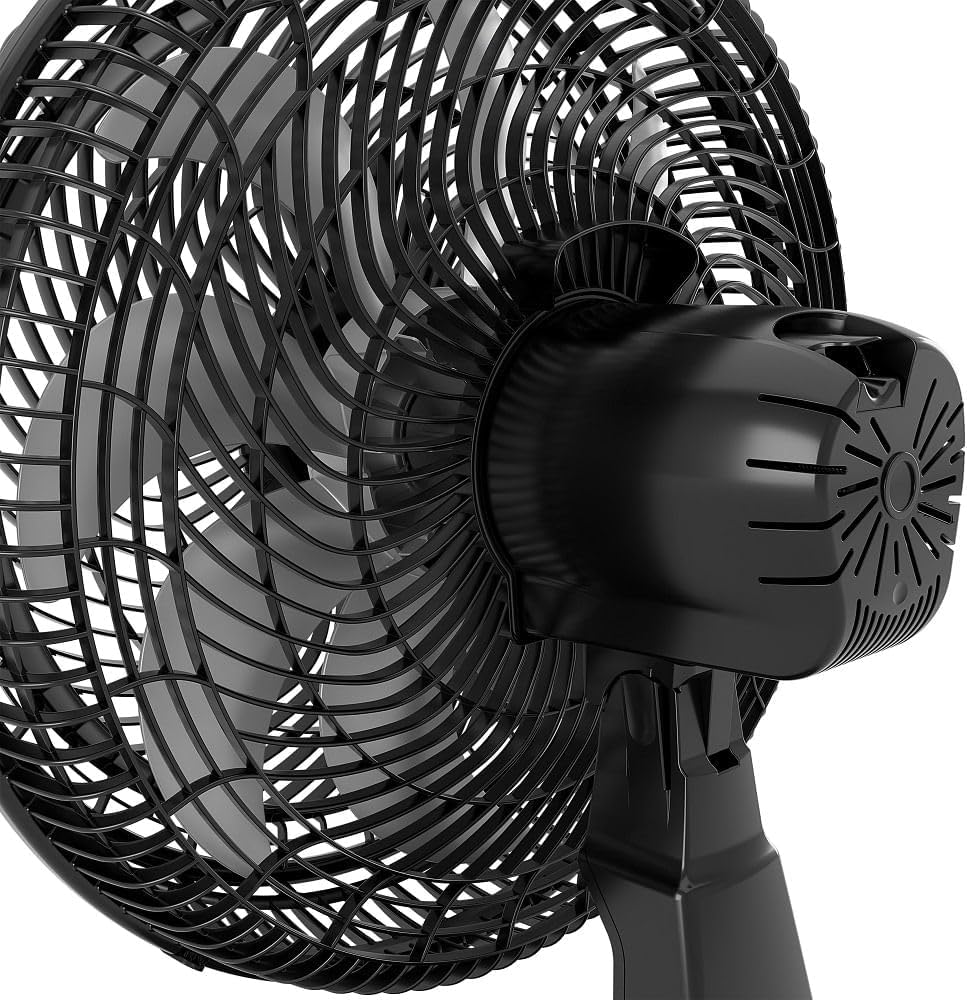
Figure 4: Close-up view of the fan blades and the removable front grille, highlighting ease of access for cleaning.
5.2 Storage
When not in use for extended periods, store the fan in its original packaging in a cool, dry place, away from direct sunlight and moisture.
6. Troubleshooting
If you encounter any issues with your Philco PVT491 fan, please refer to the following common problems and solutions:
| Problem | Possible Cause | Solution |
|---|---|---|
| Fan does not turn on | No power supply Incorrect voltage Fan not plugged in correctly | Check if the power cord is securely plugged into a working 127V outlet. Verify that the outlet is receiving power. Ensure the fan's voltage matches your electrical supply. |
| Weak airflow | Fan speed set too low Grille or blades are dirty Obstruction near the fan | Increase the fan speed using the control knob. Clean the fan blades and grilles as described in the Maintenance section. Remove any objects blocking the fan's intake or output. |
| Unusual noise | Loose parts Fan not on a stable surface Dirt or debris in the motor/blades | Ensure all parts are securely assembled. Place the fan on a flat, stable surface. Unplug the fan and carefully inspect for any foreign objects or excessive dirt. Clean if necessary. |
| Oscillation not working | Oscillation button not engaged | Press down the oscillation button on the motor housing to activate automatic oscillation. |
If the problem persists after attempting these solutions, please contact Philco customer support for assistance.
7. Specifications
| Feature | Specification |
|---|---|
| Brand | Philco |
| Model Number | PVT491 |
| Color | Black |
| Electric Fan Design | Table Fan (2-in-1, also wall-mountable) |
| Power Source | Electric Power |
| Style | Modern |
| Product Dimensions (D x W x H) | 37P x 47.5L x 65.5A centimeters |
| Room Type | Living Room (Indoor use) |
| Special Features | 174W Power, 47cm Removable Grille, 8-Blade Propeller |
| Mounting Type | Table Mount (convertible to Wall Mount) |
| Recommended Uses | Ventilation and Cooling |
| Control Type | Button Control (Knob) |
| Number of Speeds | 3 |
| Power | 174 Watts |
| Number of Blades | 8 |
| Voltage | 127 Volts (as per product title, check local supply) |
| Switch Type | Push Button (Rotary Knob) |
| Material | Plastic |
| Blade Material | Plastic |
| Item Weight | 2906 Grams |
| Included Components | Power Cable |
8. Warranty and Support
This Philco product is covered by a manufacturer's warranty against defects in materials and workmanship. For specific warranty terms, duration, and conditions, please refer to the warranty card included with your product or visit the official Philco website. In case of any issues or for technical support, please contact Philco customer service.
For further assistance, please visit the official Philco website or contact their customer support line.