
1. Important Safety Information
Please read all instructions carefully before assembly and use. Keep this manual for future reference.
- Weight Limit: Do not exceed the maximum weight capacity of 220 lbs (100 kg).
- Assembly: Two people are required for safe assembly.
- Stability: Ensure proper anchoring to the wall to prevent tipping, especially when the desk is at its maximum height.
- Electrical Safety: Ensure all electrical connections are secure and follow local electrical codes. Keep liquids away from electrical components.
- Children and Pets: Keep children and pets away from the desk during operation to prevent injury.
2. Package Contents
Verify that all components are present before beginning assembly. Your product will arrive in 3 packages via LTL freight. Please ensure you are available to receive the goods.

Image: The desk components are shipped in three separate packages, secured within a wooden frame, indicating freight delivery.
The following items are included:
- Desk Top (Snowflake White Rock Slab)
- Desk Legs (Trapezoidal design, Carbon Steel and Wood)
- Electric Lifting Mechanism (Dual Motor System)
- Control Panel with 4 Memory Presets
- Dual Drawers with Smooth-Gliding Mechanism
- Monitor Stand
- Cable Power Outlet Holder
- Mousepad
- Assembly Hardware and Tools
- Instruction Manual
3. Assembly Instructions
Detailed assembly instructions are provided in the included manual. Please follow them step-by-step. Assembly typically requires two people.
- Unpack all components and verify against the package contents list.
- Attach the electric lifting columns to the desk legs.
- Secure the desk frame to the underside of the desktop.
- Install the dual drawers into their designated slots.
- Connect all electrical cables for the lifting mechanism and control panel.
- Place the monitor stand and cable power outlet holder as desired.
- Carefully flip the desk upright with assistance.

Image: An overhead diagram illustrating the desk's dimensions and key components, such as the monitor stand and drawers.
4. Operating Instructions
4.1 Height Adjustment
The desk features an electric dual-motor lifting system for smooth and quiet height adjustments. The height can be adjusted from 29.8 inches (75.7 cm) to 49.2 inches (125 cm).

Image: A visual comparison of the desk at its minimum (sitting) and maximum (standing) heights, with individuals demonstrating ergonomic use.
Control Panel Operation:

Image: A detailed view of the control panel, highlighting the up/down arrows, memory preset buttons, and digital display for current height.
- Use the Up (^) and Down (v) arrows to manually adjust the desk height.
- Set Memory Presets:
- Adjust the desk to your desired height.
- Press the "M" button. The display will flash.
- Press one of the numbered buttons (1, 2, 3, or 4) within 3 seconds to save the current height to that preset.
- Recall Memory Presets: Press the corresponding numbered button (1, 2, 3, or 4) to automatically move the desk to the saved height.
EUREKA APP Control:
Connect your smartphone to the desk using the EUREKA APP (available for Android & iOS) for a smarter way to adjust your desk. The app allows for remote control and additional customization.
4.2 Drawer Operation
The desk includes two smooth-gliding drawers for convenient storage. Each drawer features a cushioned liner to prevent items from shifting.
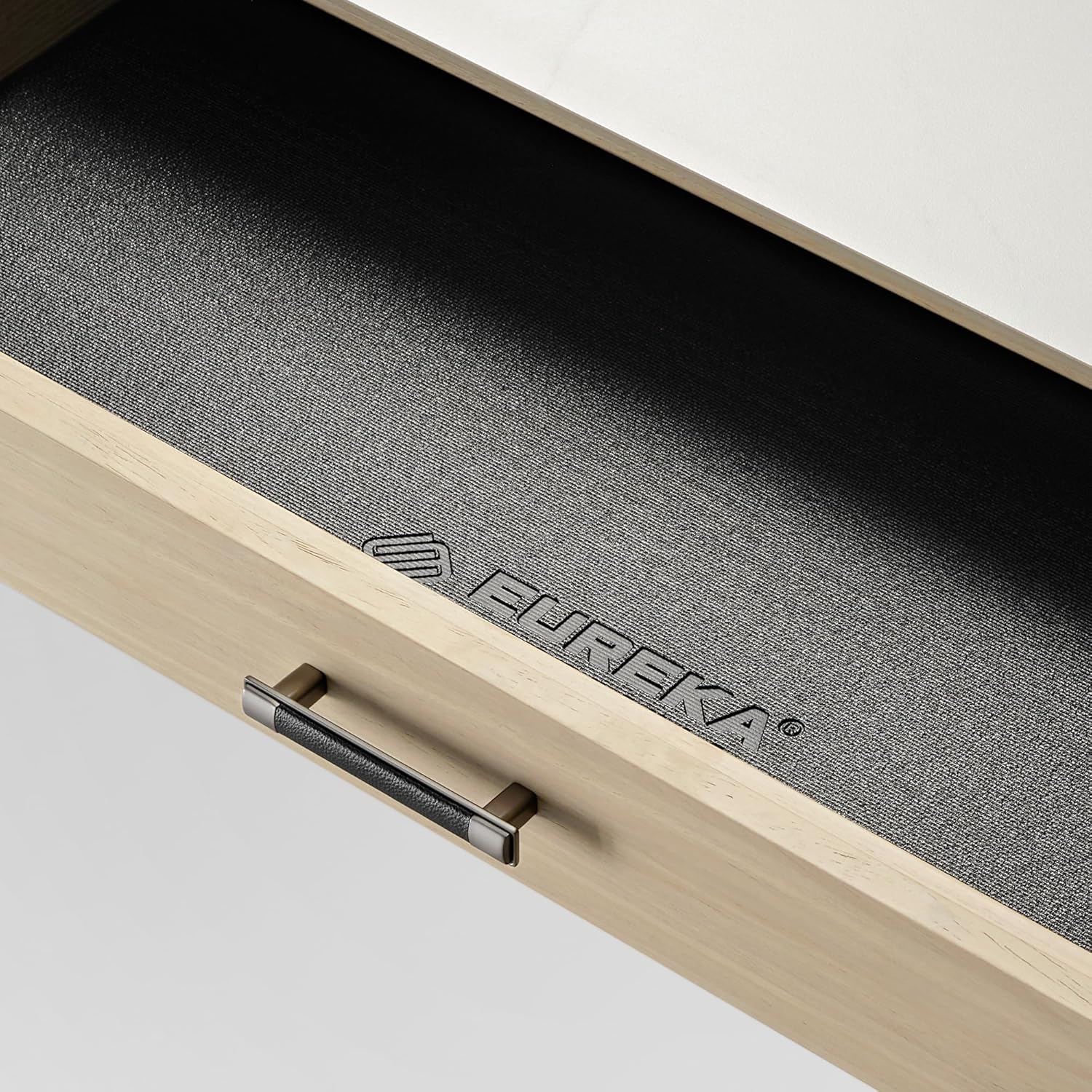
Image: An open drawer revealing its interior, which is lined with a non-slip material featuring the EUREKA ERGONOMIC logo.
- Pull the handle to open the drawer.
- Push the drawer firmly to close it. The smooth-gliding mechanism ensures quiet operation.
4.3 Cable Management
A cable Power Outlet Holder is integrated under the table to keep cables organized and out of sight, maintaining a tidy workspace.
5. Maintenance
- Cleaning: Wipe the Snowflake White Rock Slab top with a damp cloth and mild cleaner. Avoid abrasive materials. For wooden parts, use a soft, dry cloth.
- Inspection: Periodically check all screws and connections to ensure they are tight.
- Electrical Components: Keep the control panel and motor free from dust and moisture.
6. Troubleshooting
| Problem | Possible Cause | Solution |
|---|---|---|
| Desk does not move. | Power cable disconnected, motor overload, control panel error. | Check power connections. Unplug and replug the desk. Reduce weight on the desk. Contact customer support if the issue persists. |
| Uneven height adjustment. | Obstruction, uneven weight distribution. | Clear any obstructions. Redistribute weight evenly on the desktop. |
| Memory presets not working. | Presets not saved correctly. | Re-save your desired heights following the "Set Memory Presets" instructions. |
If you encounter any issues not listed here, or if the problem persists after attempting the solutions, please contact EUREKA ERGONOMIC customer service.
7. Specifications
| Feature | Detail |
|---|---|
| Model Number | ERK-ED-TX60R-W-US |
| Dimensions (D x W x H) | 63" x 42.1" x 48.06" (160 cm x 106.9 cm x 122.1 cm) |
| Height Adjustment Range | 29.8 inches (75.7 cm) to 49.2 inches (125 cm) |
| Maximum Weight Capacity | 220 lbs (100 kg) |
| Desktop Material | Snowflake White Rock Slab (Water and heat-resistant) |
| Base Material | Wood and Carbon Steel (Trapezoidal legs) |
| Lifting Mechanism | Electric Dual Motor |
| Drawers | 2, smooth-gliding with cushioned liners |
| Control Options | Integrated Control Panel (4 memory presets), EUREKA APP (Android & iOS) |
| Included Accessories | Monitor Stand, Cable Power Outlet Holder, Mousepad |
| Assembly Required | Yes (2 people recommended) |
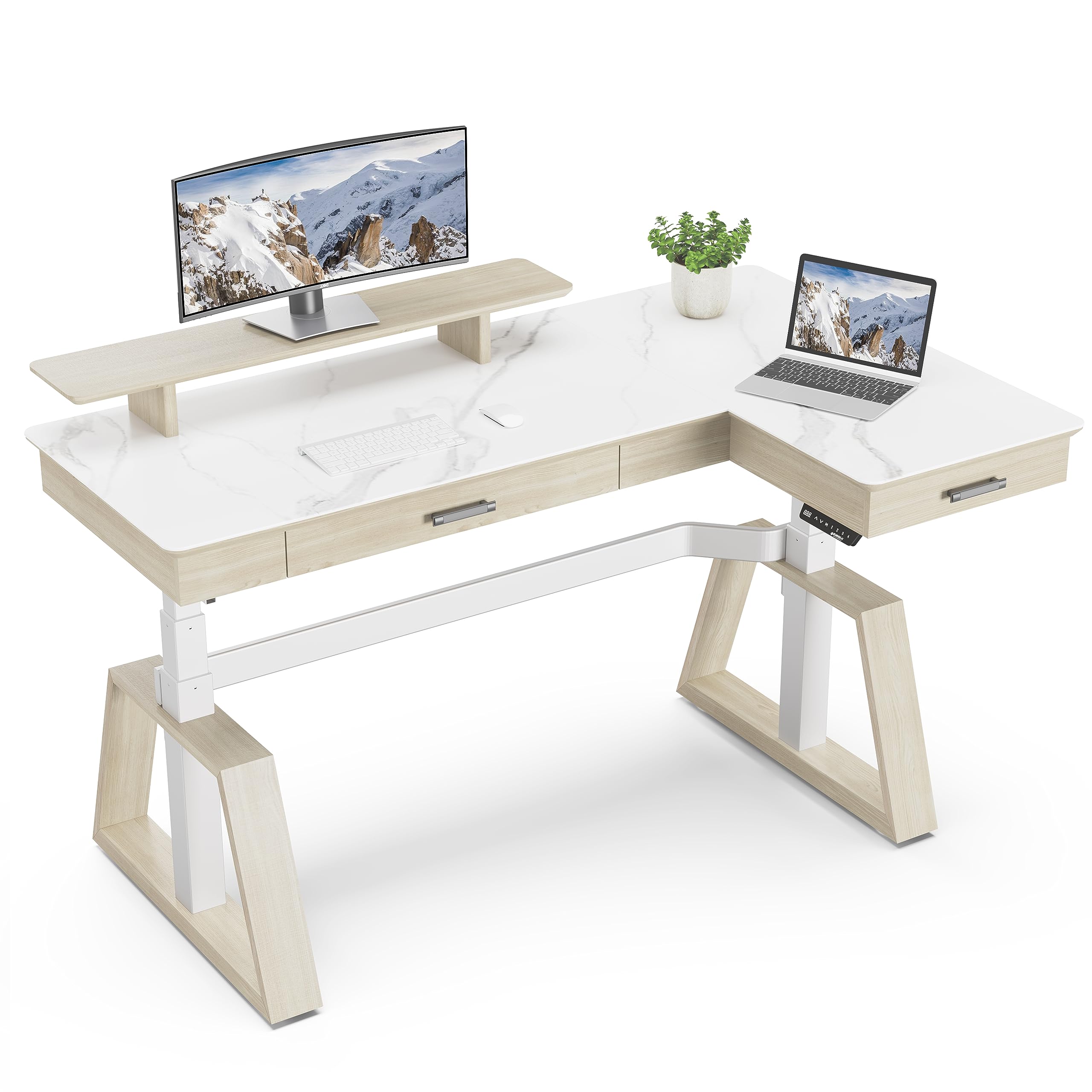
Image: The EUREKA ERGONOMIC L-shaped electric standing desk, highlighting its design and features in a contemporary office environment.
8. Warranty and Support
This EUREKA ERGONOMIC desk comes with a 1-Year Limited Service Warranty.
For any questions, concerns, or assistance with your EUREKA ERGONOMIC electric standing desk, please contact our customer service team. Our 24-hour US-based customer service is available to provide timely help.
You can find more information and contact details on the official EUREKA ERGONOMIC website: EUREKA ERGONOMIC Store
9. Product Video
Watch the official product video for a visual guide on the features and operation of the EUREKA ERGONOMIC L60 Executive Standing Desk with Drawers.
Video: An official video showcasing the EUREKA ERGONOMIC L60 Executive Standing Desk, demonstrating its design, features, and electric height adjustment functionality.


