
1. Introduction
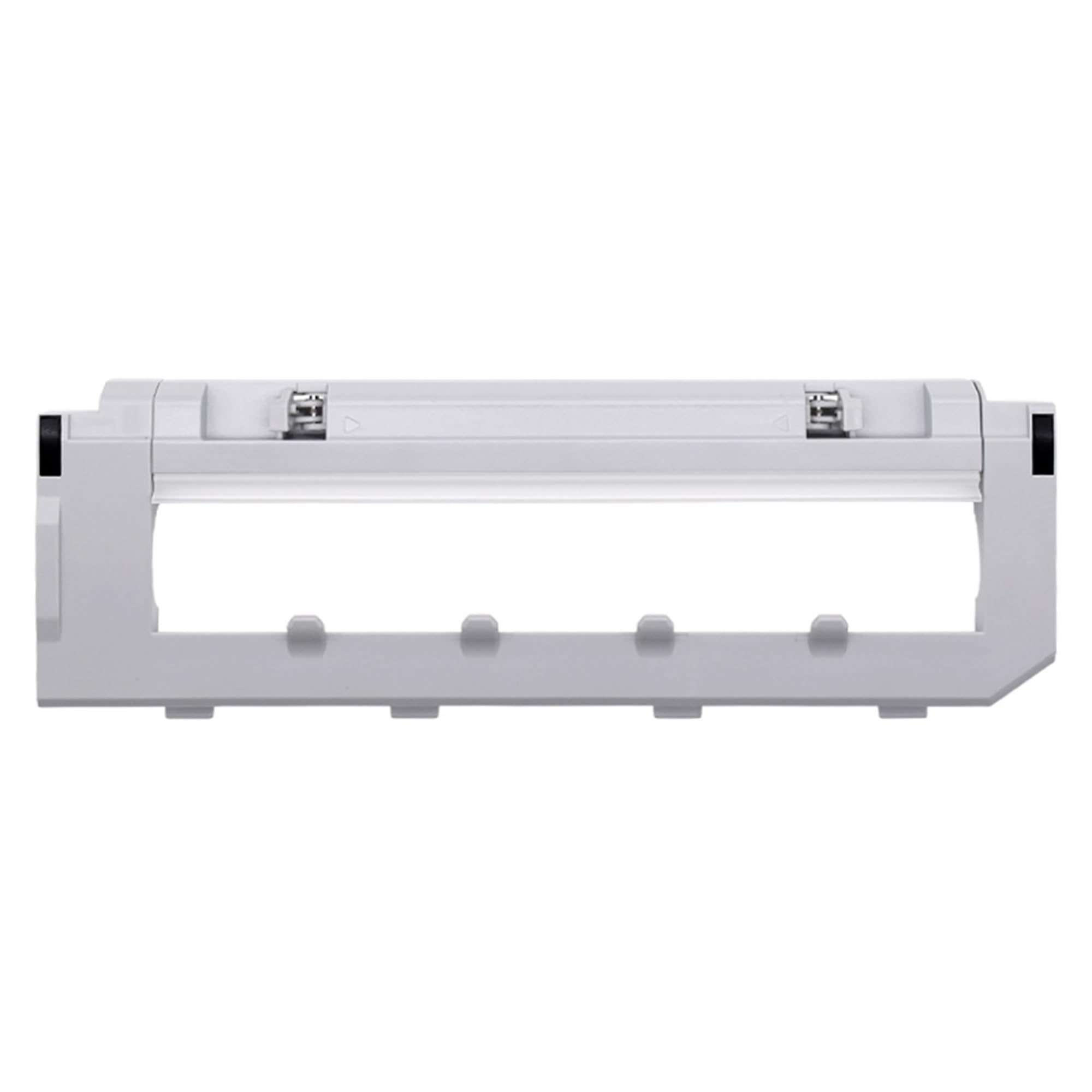
This instruction manual provides guidance for the installation, maintenance, and troubleshooting of the HMHAMA Main Brush Cover, designed as a replacement accessory for the Roborock P10 Robot Vacuum Cleaner. Ensure your robot vacuum model is Roborock P10 for proper compatibility.
2. Setup and Installation
Proper installation of the main brush cover is crucial for the optimal performance of your Roborock P10 robot vacuum cleaner. Follow these steps carefully:
- Prepare the Vacuum: Turn off your Roborock P10 robot vacuum cleaner and place it on a flat, stable surface with the underside facing up.
- Remove Old Brush Cover: Locate the main brush compartment on the underside of the vacuum. There are usually two release tabs or buttons on either side of the brush cover. Press these tabs to unlock and lift the old brush cover.
- Clean Compartment (Optional but Recommended): Before installing the new cover, inspect the brush compartment for any accumulated dust, hair, or debris. Clean it thoroughly with a small brush or cloth to ensure a clear fit for the new cover.
- Install New Brush Cover: Align the new HMHAMA Main Brush Cover with the brush compartment. Ensure the tabs or clips on the new cover match the slots on the vacuum. Gently press down until you hear a click, indicating it is securely locked in place. Verify that the cover is flush with the vacuum's surface and does not wobble.
3. Operating Considerations
Once the new main brush cover is installed, the Roborock P10 can resume normal operation. The cover's primary function is to protect the main brush and maintain optimal suction by creating a sealed environment. Ensure the cover is always securely fastened before operating the vacuum.
- Secure Fit: A loose brush cover can lead to reduced cleaning efficiency and potential damage to the main brush or vacuum.
- Regular Checks: Periodically check the brush cover for any signs of wear or damage, especially if the vacuum's cleaning performance declines.
4. Maintenance
Regular maintenance of the main brush cover helps prolong its lifespan and ensures consistent cleaning performance of your Roborock P10.
- Cleaning: From time to time, remove the main brush cover as described in the installation section. Wipe it clean with a dry or slightly damp cloth to remove dust and debris. Ensure it is completely dry before reattaching.
- Inspection: Check the cover for any cracks, deformities, or damage to the locking tabs. A damaged cover should be replaced to prevent issues with the main brush or vacuum.
5. Troubleshooting
If you encounter issues after installing the HMHAMA Main Brush Cover, refer to the following common problems and solutions:
| Problem | Possible Cause | Solution |
|---|---|---|
| Vacuum reports "Main brush error" or "Brush stuck" | Main brush cover not properly installed or debris trapped. | Remove the cover, clear any obstructions from the brush and compartment, and reinstall the cover ensuring it clicks into place. |
| Reduced cleaning performance | Brush cover is loose or damaged, affecting suction. | Check if the cover is securely fastened. If damaged, replace it with a new one. |
| Unusual noise from brush area | Cover not seated correctly or foreign object trapped. | Turn off the vacuum, remove the cover, inspect for foreign objects, and reinstall. |
6. Specifications
- Product Type: Robot Vacuum Cleaner Main Brush Cover
- Brand: HMHAMA
- Compatibility: Specifically designed for Roborock P10 Robot Vacuum Cleaner
- Material: Durable plastic
- Color: As supplied (typically black or grey)
7. Warranty and Support
This HMHAMA product comes with a 3-month warranty from the date of purchase. This warranty covers manufacturing defects and material flaws under normal use.
For any questions, concerns, or warranty claims regarding your HMHAMA Main Brush Cover, please contact our customer support team:
- Email: Refer to your purchase documentation or the seller's contact information on the platform where the product was purchased.
- Online Support: Visit the HMHAMA official website (if available) for further assistance.
Please provide your purchase order number and a detailed description of the issue when contacting support to facilitate a quicker resolution.