
1. Product Overview
The Topcony DK401 is an advanced outdoor surveillance camera featuring a 2K resolution floodlight, solar power capabilities, and Wi-Fi connectivity. Designed for enhanced security, it includes motion detection, human detection alarms, and is built to be waterproof for reliable outdoor use.
This camera provides both illumination for large areas like driveways and robust security monitoring. Its integrated floodlight offers 200 lumens of brightness and four 850nm IR lamps for clear color night vision. The solar panel ensures continuous power, making installation straightforward and operation energy-efficient.

Image: The Topcony DK401 camera unit with its attached solar panel, illustrating its motion-activated floodlight, solar/battery power, 3-meter power cable, and customizable motion zone features.
2. Setup and Installation
2.1 Unpacking
Carefully remove all components from the packaging. Ensure all parts are present before proceeding with installation.
2.2 Mounting the Camera
The DK401 camera is designed for wall mounting. Choose a location that provides the desired viewing angle and receives adequate sunlight for the solar panel. Ensure the mounting surface is stable and secure.
- Mark the drilling points on the wall using the camera's mounting bracket as a template.
- Drill holes at the marked positions.
- Insert wall anchors if necessary.
- Secure the mounting bracket to the wall using the provided screws.
- Attach the camera to the mounting bracket and adjust its angle for optimal coverage.
2.3 Powering the Camera
The camera is powered by an integrated battery, continuously charged by the solar panel. Connect the solar panel to the camera using the provided cable. Position the solar panel in an area that receives direct sunlight for several hours daily to ensure optimal charging and uninterrupted operation.
2.4 Network Connection
The DK401 uses wireless connectivity. Download the "Topcony Cam" application on your smartphone. Follow the in-app instructions to connect the camera to your home Wi-Fi network. This typically involves scanning a QR code on the camera or entering network details manually.
3. Operating Instructions
3.1 Live View and Recording
Access live video feeds through the Topcony Cam app. The camera records in 2K resolution, providing clear images with a 130-degree field of view. Recordings can be stored locally via a microSD card (slot shown in image) or potentially cloud storage (check app for options).

Image: A visual comparison demonstrating the superior clarity of 2K ultra-clear resolution compared to other 2K cameras, highlighting fine details in an outdoor scene with a golden retriever.

Image: A close-up view of the camera's side, showing the MicroSD card slot for motion event recording and other storage options, along with the reset and on/off buttons.
3.2 Motion and Human Detection
The camera features a PIR sensor for motion detection and specific human detection capabilities. When motion or a person is detected, the camera can trigger an alarm and begin recording.
- Customizable Zones: Define specific areas within the camera's view for motion detection to reduce false alarms.
- Sensitivity Adjustment: Adjust the detection sensitivity to suit your environment.
- Alarm Schedule: Set specific times for detection alerts to be active.
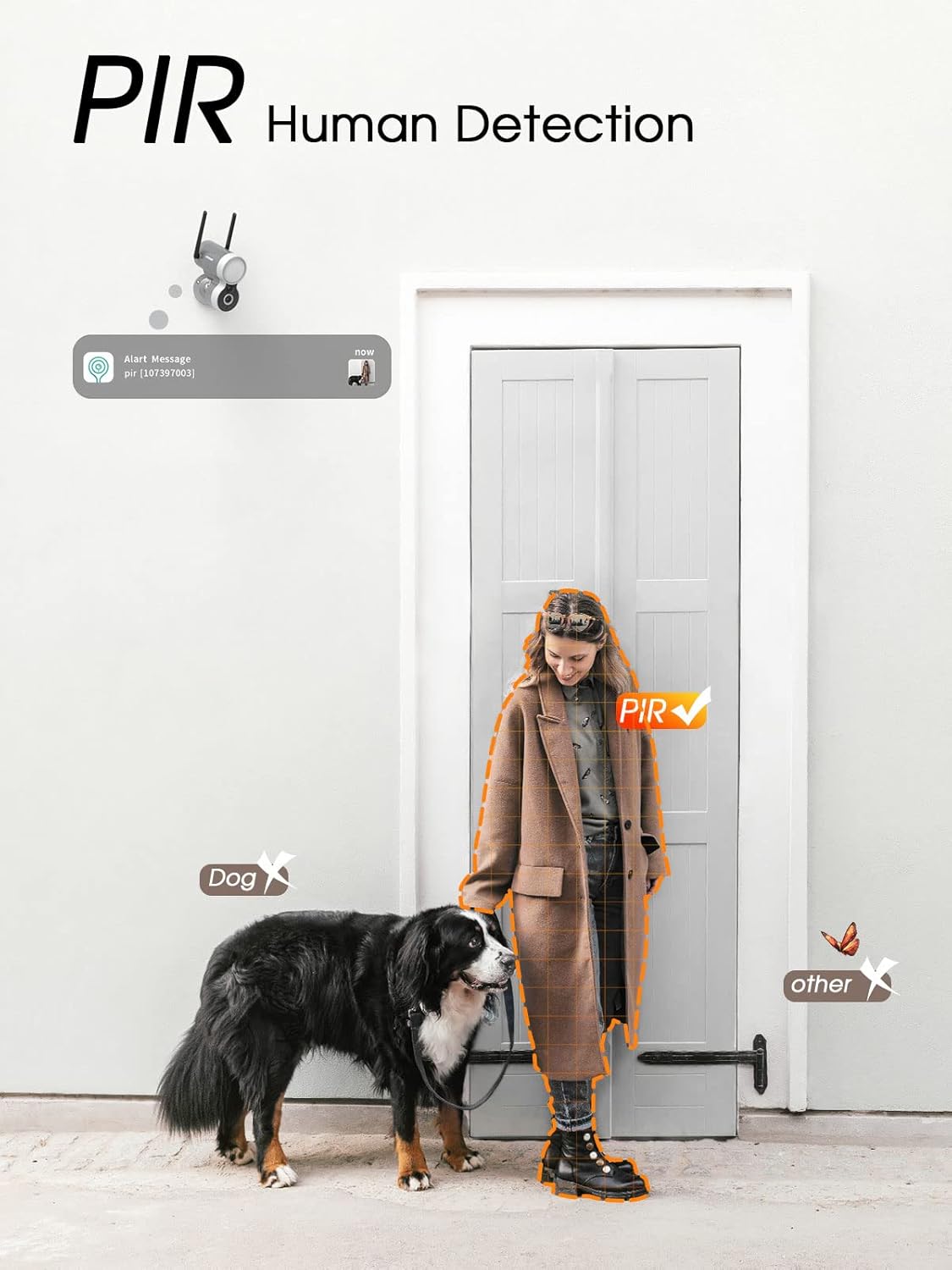
Image: An illustration demonstrating the PIR human detection feature, showing how the camera accurately identifies a person while ignoring pets (dog) and other non-human movements (butterfly).
3.3 Night Vision and Floodlight
The integrated floodlight provides 200 lumens of brightness, enabling color night vision. In low-light conditions, the camera can switch to infrared night vision or activate the floodlight for full-color recording and enhanced visibility.

Image: A nighttime view demonstrating the 2K FHD color night vision capability, showing a person walking on a paved path with clear, illuminated details, contrasting with infrared night vision.

Image: A wide shot of a house and driveway at night, illuminated by the camera's floodlight, illustrating the 130-degree PIR sensor range and 110-degree wider angle of view, covering a distance of 15 meters (50 feet).
3.4 Sound-Light Alarm and Two-Way Audio
Upon detection of an intruder, the camera can activate a sound and light alarm to deter unwanted visitors. The built-in speaker and microphone enable two-way audio communication, allowing you to speak with visitors or warn intruders directly through the app.

Image: A person appearing startled as the camera's floodlight activates and emits an alarm, demonstrating the sound-light alarm feature designed to deter intruders.
4. Maintenance
The Topcony DK401 is designed with an IP65 waterproof and dustproof rating, ensuring its durability against rain, snow, sand, and dust. Regular maintenance is minimal:
- Solar Panel: Periodically clean the surface of the solar panel to ensure maximum sunlight absorption and efficient charging.
- Lens Cleaning: Gently wipe the camera lens with a soft, damp cloth to remove any dirt or smudges that might affect image clarity.
- Firmware Updates: Check the Topcony Cam app regularly for any available firmware updates to ensure optimal performance and security.

Image: The Topcony DK401 camera mounted on a wall, with water droplets visible, illustrating its IP65 waterproof rating and ability to withstand outdoor weather conditions.
5. Troubleshooting
If you encounter issues with your Topcony DK401 camera, consider the following common troubleshooting steps:
- No Power: Ensure the solar panel is clean and receiving direct sunlight. Check the connection between the solar panel and the camera. Allow time for the battery to charge.
- Wi-Fi Connection Issues: Verify your Wi-Fi network is active and the camera is within range of your router. Restart your router and the camera. Re-attempt the network setup process via the Topcony Cam app.
- Poor Image Quality: Clean the camera lens. Ensure there are no obstructions in the camera's field of view. Check your internet connection speed if streaming live video.
- Motion Detection Not Working: Check the motion detection settings in the app, including sensitivity and detection zones. Ensure the PIR sensor is not obstructed.
- False Alarms: Adjust motion detection sensitivity and refine detection zones in the app to minimize triggers from non-human sources like pets or swaying branches.
For persistent issues, refer to the help section within the Topcony Cam app or contact Topcony customer support.
6. Specifications
| Feature | Specification |
|---|---|
| Model Number | DK401 |
| Brand | Topcony |
| Material | Plastic |
| Power | 3 Watts |
| Dimensions (L x W x H) | 12 x 10 x 6 cm |
| Weight | 350 grams |
| Battery | 2 Lithium-polymer (included) |
| Bulb Type | LED |
| Certification | Energy Star |
| Special Features | Night Vision (Color & IR) |
| Recommended Use | Outdoor Surveillance |
| Connectivity Technology | Wireless (Wi-Fi) |
| Video Recording Resolution | 3MP (equivalent to 2K) |
| Viewing Angle | 130 degrees |
| Installation Type | Wall Mount |
| Waterproof Rating | IP65 |
7. Warranty and Support
For information regarding product warranty, please refer to the documentation included with your purchase or visit the official Topcony website. For technical support or further assistance, please contact Topcony customer service through the contact information provided on their website or within the Topcony Cam application.

