
Tronsmart Nimo
Tronsmart Nimo Portable Bluetooth Speaker User Manual
Model: Nimo
Introduction
The Tronsmart Nimo Portable Bluetooth Speaker is a super-compact, metal-crafted mini speaker designed for on-the-go audio. Featuring IPX7 waterproofing, 12 hours of battery life, stereo pairing capabilities, and hands-free call functionality, it delivers impressive volume and clear vocals in a small form factor. This manual provides detailed instructions for setting up, operating, and maintaining your Nimo speaker.

Figure 1: Tronsmart Nimo Portable Bluetooth Speaker (Green)
Product Features Overview
- Impressive Volume and Clear Vocals: Equipped with a 5W high-performance driver for crystal clear sound.
- Easy to Carry: Weighs 0.24 lbs and measures Φ1.93*H1.81 inches, includes a lanyard for portability.
- Bluetooth 5.3 & Long Battery Life: Offers lower power consumption, faster transmission, and approximately 12 hours of playtime on a full charge.
- IPX7 Waterproof & Stylish Design: Durable silicone and metal casing allows for use in wet environments, including showers. Available in vibrant colors.
- Stereo Pairing & Hands-Free Call: Connect two Nimo speakers for immersive stereo sound. Built-in microphone enables convenient hands-free calling.

Figure 2: Internal components of the Nimo speaker, highlighting its compact design and powerful driver.
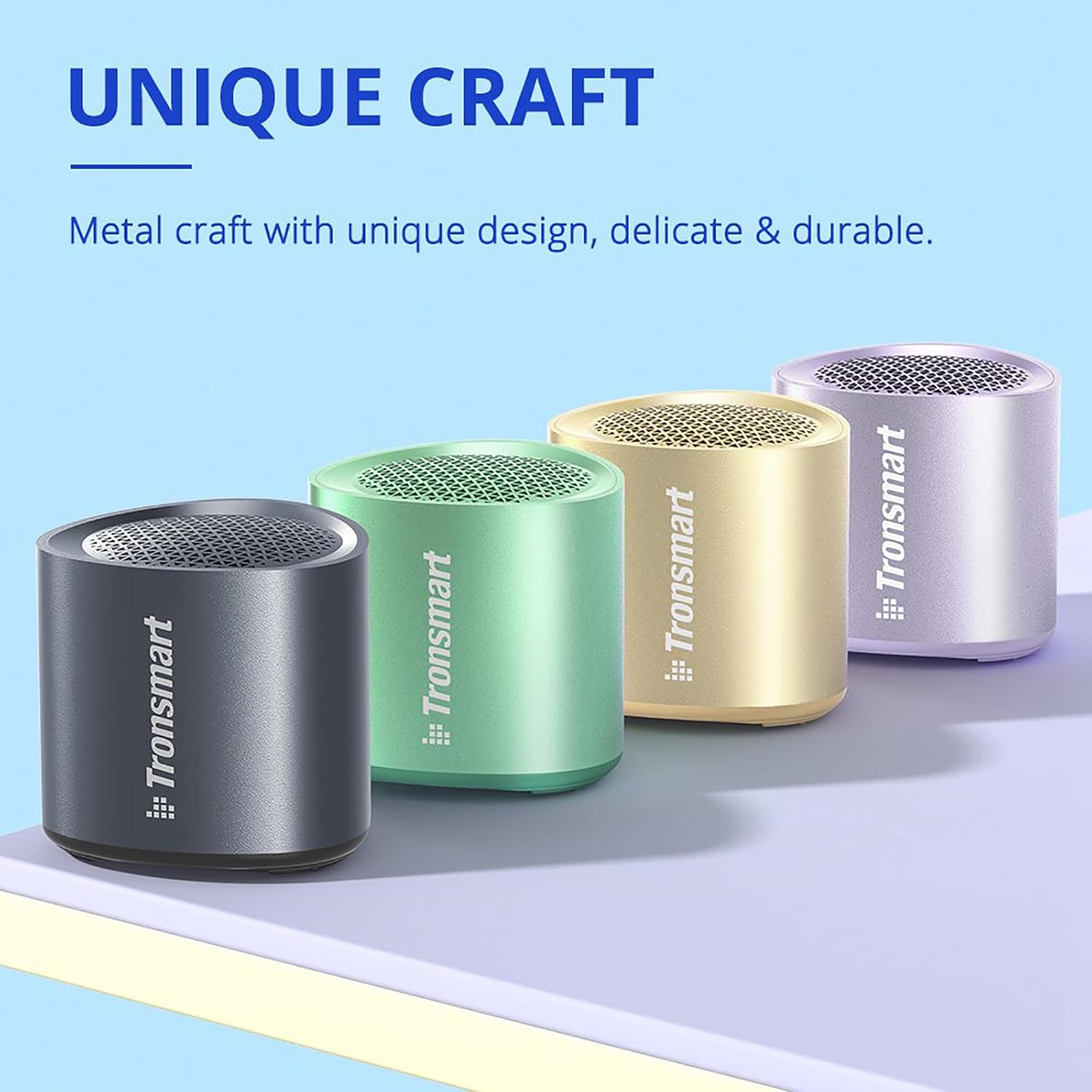
Figure 3: Tronsmart Nimo speakers showcasing their unique metal craft and vibrant color options.
Setup
Charging the Speaker
Before first use, fully charge your Tronsmart Nimo speaker. Connect the included USB-C cable to the charging port on the speaker and to a compatible USB power adapter (not included).
- The LED indicator will show charging status.
- A full charge provides approximately 12 hours of playtime (may vary with volume and content).
Power On/Off
- To power on: Press and hold the Power button for 2 seconds.
- To power off: Press and hold the Power button for 2 seconds.
Operating Instructions
Bluetooth Pairing
- Ensure the speaker is powered on and in pairing mode (LED indicator will flash).
- On your device (smartphone, tablet, etc.), enable Bluetooth.
- Search for "Tronsmart Nimo" in the Bluetooth device list and select it to connect.
- Once connected, the speaker will provide an audible confirmation.
Video 1: Demonstrates the basic operation of the Tronsmart Nimo Mini Speaker, including power on, Bluetooth pairing, and music playback controls.
Music Playback Controls
- Play/Pause: Press the Multifunctional button once.
- Volume Up: Press the Power button once.
- Volume Down: Press the Multifunctional and Power buttons once simultaneously.
- Next Track: Double press the Multifunctional button.
- Previous Track: Triple press the Multifunctional button.
Call Handling
- Answer/End Call: Press the Multifunctional button once.
- Reject Call: Double press the Multifunctional button.
Voice Assistant
- Activate Voice Assistant: Press and hold the Multifunctional button for 2 seconds.
Stereo Pairing (TWS)
The Tronsmart Nimo speaker supports True Wireless Stereo (TWS) pairing, allowing you to connect two Nimo speakers for an enhanced stereo sound experience.
- Ensure both Nimo speakers are powered on and disconnected from any Bluetooth device.
- Double press the Power button on either speaker to enter TWS pairing mode. The speakers will automatically connect to each other.
- Once paired, one speaker will act as the master (left channel) and the other as the slave (right channel).
- Connect your device to the master speaker ("Tronsmart Nimo") via Bluetooth as described in the "Bluetooth Pairing" section.
- To exit TWS mode, double press the Power button on either speaker again.

Figure 4: Stereo pairing setup with two Nimo speakers and a laptop.
Video 2: Overview of the Tronsmart Nimo Portable Mini Speaker, including a demonstration of its stereo pairing feature.
Maintenance
- Keep the speaker away from extreme temperatures, humidity, and corrosive substances.
- Clean the speaker with a soft, damp cloth. Do not use harsh chemicals or abrasive materials.
- Ensure the charging port cover is securely closed when not charging, especially when exposed to water, to maintain IPX7 rating.
- If the speaker will not be used for an extended period, charge it at least once every three months to preserve battery life.
Troubleshooting
| Problem | Possible Cause | Solution |
|---|---|---|
| Speaker does not turn on. | Low battery. | Charge the speaker fully. |
| Cannot pair with device. | Bluetooth is off on device; speaker is not in pairing mode; speaker is already connected to another device. | Ensure Bluetooth is enabled on your device. Press and hold the Power button for 2 seconds to enter pairing mode. Disconnect from other devices. |
| No sound or low volume. | Volume too low on speaker or device; speaker not connected. | Increase volume on both speaker and device. Re-pair the speaker. |
| Sound distortion. | Volume too high; low battery. | Reduce volume. Charge the speaker. |
| Cannot enter TWS pairing. | Speakers are already connected to a device. | Disconnect both speakers from any Bluetooth device before attempting TWS pairing. |
| Speaker not responding. | Temporary software glitch. | Press the 'Reset' button for 5 seconds to perform a factory reset. (Note: The reset button is located on the bottom of the speaker, often within the passive radiator area as indicated by some users, but it's a physical button). |
Specifications
| Feature | Detail |
|---|---|
| Brand | Tronsmart |
| Model | Nimo |
| Speaker Maximum Output Power | 5 Watts |
| Connectivity Technology | Bluetooth 5.3 |
| Audio Output Mode | Stereo (with TWS pairing) |
| Waterproof Rating | IPX7 |
| Battery Life | Up to 12 hours (varied by audio content & volume levels) |
| Dimensions | Φ1.93*H1.81 inches (approx.) |
| Weight | 0.24 lbs (approx.) |
Warranty & Support
Tronsmart products come with a standard warranty. For detailed warranty information, product registration, or technical support, please visit the official Tronsmart website or contact their customer service. Keep your purchase receipt for warranty claims.
Official Tronsmart Store: Tronsmart Amazon Store
Related documentsNimo


Ask a question about this manual
Ask about setup, troubleshooting, compatibility, parts, safety, or missing instructions. Manuals+ will review the question and use this page’s manual context to help answer it.