
Introduction
This manual provides detailed instructions for the installation, operation, and maintenance of your Auxbeam AR-600 Bluetooth RGB 6-Gang Switch Panel. This multifunctional switch panel is designed for various 12-24V vehicles, including UTVs, boats, trucks, and RVs, offering enhanced control over auxiliary lighting and electrical devices. It features an RGB backlight with auto-dimming, a versatile 'Mode' button for lighting settings, and convenient Bluetooth app control.

Figure 1: Auxbeam AR-600 6-Gang Switch Panel with its packaging and a smartphone displaying the control app.
Package Contents
Verify that all components are present before beginning installation:
- 6-Gang Switch Panel
- Circuit Control Box
- Circuit Breaker
- Mounting Brackets (various types)
- Waterproof Cover
- Power Harness, Fuse Wire & Adapter, Installation Kit
- Instruction Manual
- 80pcs Labels

Figure 2: Detailed view of all items included in the Auxbeam AR-600 switch panel kit.
Setup and Installation
Proper installation is crucial for optimal performance and safety. Ensure the vehicle's power is disconnected before starting. The system is designed for DC 12-24V vehicles.
Control Box Installation
The control box should be mounted in a secure, dry location, typically under the hood. Two types of mounting brackets are provided to accommodate different installation needs: a fixed mount and a flush mount. Ensure adequate clearance for wiring and components.

Figure 3: Control box mounting options: fixed mount and flush mount.
Wiring Method
Connect the ACC wire to the cigarette lighter or radio fuse for power. The system includes a built-in solid-state relay and a 60A circuit breaker for protection against reverse polarity, overcurrent, overvoltage, and overheat. The maximum current is 60A, with a maximum rated power of 720W (at 12V) or 1400W (at 24V).

Figure 4: Wiring diagram showing connections to battery, ACC, and output circuits.
Switch Panel Mounting
The switch panel can be mounted using an angle adjustable mount or a slim line flush mount. Ensure the mounting surface thickness is between 1/8" to 1/4". Check for proper wire routing to avoid damage.

Figure 5: Example of switch panel mounted on a vehicle dashboard.
Operating Instructions
RGB Backlight with Auto-Dimming
The switch panel's RGB backlight automatically adjusts its brightness based on ambient light conditions, enhancing visibility and reducing distraction. You can also manually adjust the backlight color and brightness via the Bluetooth app.
Video 1: Demonstration of the auto-dimming feature of the Auxbeam AR-600 switch panel, showing its response to changing light conditions.
Multifunctional 'Mode' Button
The 'Mode' button allows quick backlight shutdown and access to three lighting setting modes: Toggle, Momentary, and Pulsed. Holding the 'Mode' button and any other key allows you to enter color setting mode to customize the backlight color.

Figure 6: The three lighting modes (Toggle, Momentary, Pulsed) controlled by the switch panel.
Video 2: Overview of the Auxbeam AR-600 switch panel features, including app sync and lighting modes.
Bluetooth APP Control
Control the switch panel conveniently from your smartphone using the dedicated Bluetooth app. Adjust backlight color, brightness, and switch between lighting modes. The app also allows customization of device icons and grouping for simultaneous control.
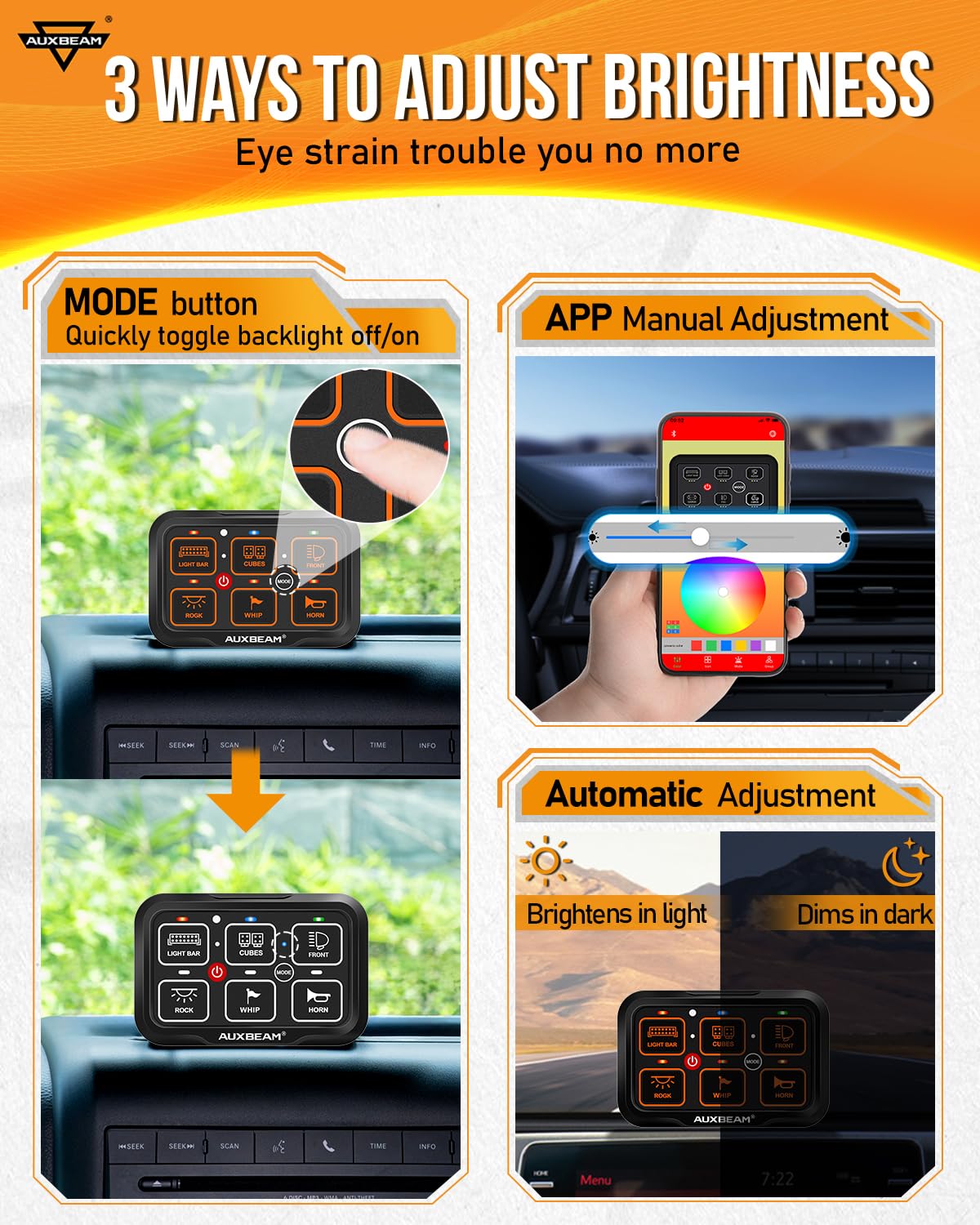
Figure 7: Smartphone app interface for controlling the Auxbeam AR-600 switch panel.
Video 3: Demonstration of using a smartphone as a controller for the Auxbeam switch panel.
Maintenance
The aluminum control panel is designed for durability and includes a waterproof cover. Regularly inspect the wiring and connections for any signs of wear or damage. Keep the panel clean using a soft, damp cloth. Avoid using abrasive cleaners or solvents.

Figure 8: The switch panel with its waterproof silicone cover for protection.
Troubleshooting
If you encounter issues with the app or Bluetooth connectivity, ensure your device's Bluetooth is enabled and the app is up to date. Try restarting both the app and the switch panel. For persistent issues, refer to the detailed troubleshooting section in the full instruction manual or contact customer support.
Video 4: Guidance on resolving app or Bluetooth connectivity issues with the switch panel.
Specifications
| Product Dimensions | 12.99 x 8.66 x 4.33 inches; 5.29 Pounds |
| Operation Mode | Automatic |
| Current Rating | 60 Amps |
| Operating Voltage | 12-24 Volts DC |
| Contact Type | Normally Open |
| Connector Type | Plug In |
| Terminal | Solder |
| Circuit Type | 6-way |
| Actuator Type | Push Button |
| Temperature Range | -40℃~+105℃ / -40℉~+221℉ |
| Maximum Rated Power | 720W (at 12V) / 1400W (at 24V) |
Warranty and Support
This product is covered by a 2-year warranty provided by Auxbeam, ensuring reliable and high-quality service. For any concerns or issues, please contact our customer support team, available 24/7.


