
Introduction
Welcome to the instruction manual for your Speck Gemtones Wireless Earbuds. These earbuds are designed to provide a high-quality audio experience with advanced features for convenience and accessibility. This manual will guide you through the setup, operation, maintenance, and troubleshooting of your new earbuds.
What's in the Box
Please ensure all components are present:
- Speck Gemtones Wireless Earbuds (Left and Right)
- Charging Case with Locking Lid
- USB-C to USB-A Charging Cable
- Four (4) Sizes of Silicone Ear Tips (XS, S, M, L)
Setup
1. Fitting the Earbuds
For optimal sound quality and comfort, selecting the correct ear tip size is crucial. Experiment with the four included sizes (XS, S, M, L) to find the best fit for your ears. A proper seal ensures rich bass and effective noise isolation.

Image: The earbuds are shown alongside the four different sizes of ear tips, emphasizing the customization options for a comfortable and secure fit.
2. Initial Pairing
Your Speck Gemtones Earbuds utilize Bluetooth 5.3 for a stable and efficient wireless connection. To pair them with your device:
- Open the charging case. The earbuds will automatically enter pairing mode.
- On your smartphone, tablet, or other compatible device, navigate to the Bluetooth settings.
- Select "Speck Gemtones Play" from the list of available devices.
- Once connected, you will hear an audible confirmation.
Operating Instructions
1. Touch Controls
The outer surface of each earbud is touch-sensitive, allowing for convenient control of playback, calls, and voice assistant activation. Specific touch functions can be customized via the Speck Gemtones App.
2. Using the Speck Gemtones App
Enhance your listening experience by downloading the free Speck Gemtones App, available for both Android and iOS devices. The app allows you to:
- Customize EQ Settings: Choose from various equalizer profiles (e.g., Dynamic Bass, Balanced, Vocal Range) to tailor the sound to your preference.
- Set Volume Limit: Protect your hearing, especially for younger users, by setting a maximum volume limit of 85dB.
- Adjust Touch Controls: Personalize the touch commands for each earbud.
- Find Your Earbuds: Utilize a feature to emit a loud beeping sound from misplaced earbuds (do not use while wearing earbuds).
- Firmware Updates: Keep your earbuds updated with the latest features and improvements.

Image: The Speck Gemtones app provides comprehensive control over your earbuds' settings, including sound equalization and volume limits.
Charging
Your Speck Gemtones Earbuds and their charging case provide up to 28 hours of total battery life. The earbuds themselves offer approximately 8 hours of playback on a single full charge.
- Charging the Earbuds: Place the earbuds into their respective slots in the charging case. They will magnetically snap into place and begin charging automatically.
- Charging the Case: Connect the provided USB-C to USB-A charging cable to the USB-C port on the back of the charging case and plug the other end into a compatible USB power source.

Image: The earbuds and case offer extended listening time, providing up to 28 hours of music playback.
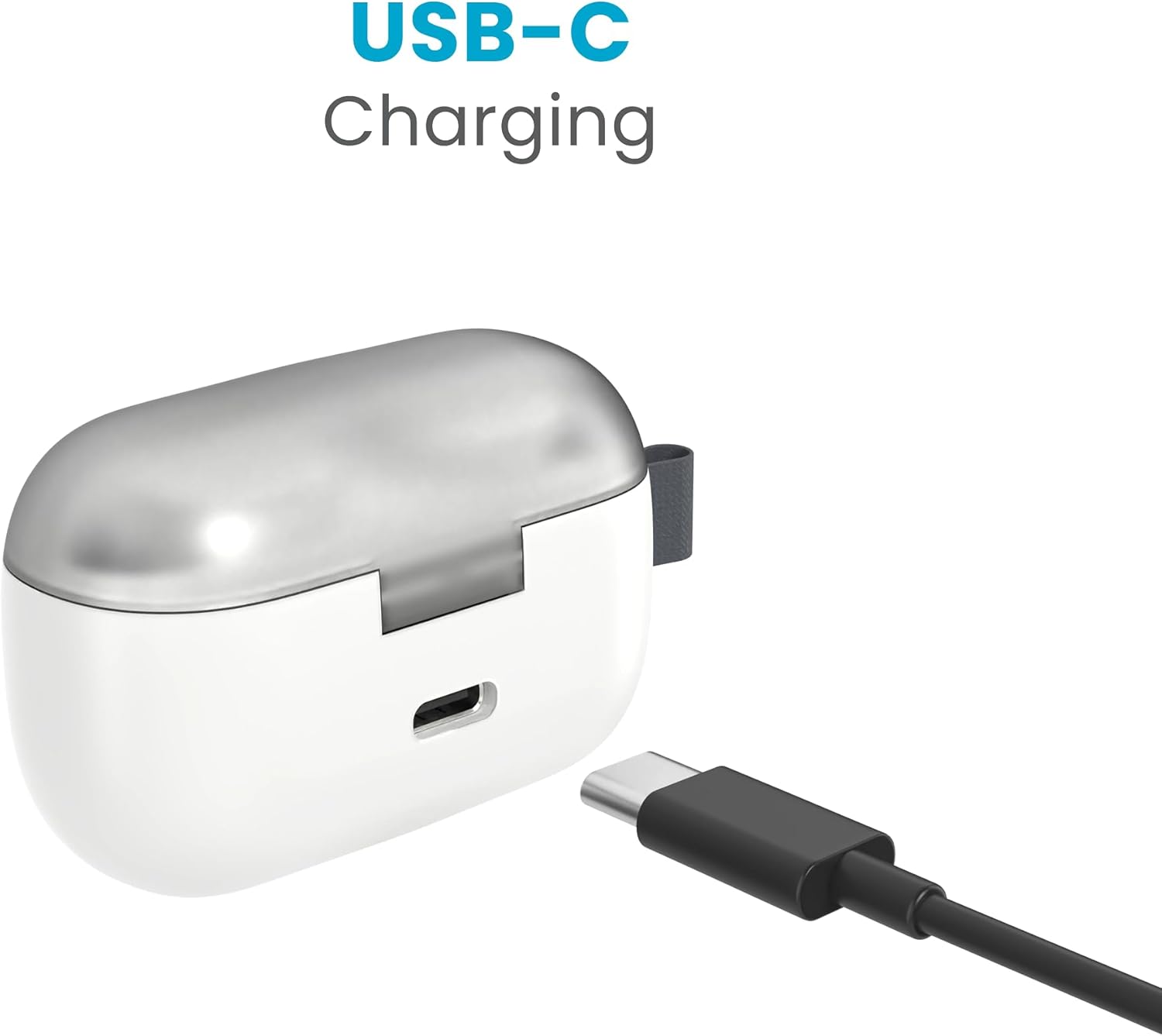
Image: The charging case features a convenient USB-C port for easy and fast recharging.
Maintenance and Care
- Water Resistance: The earbuds are IPX5 water-resistant, meaning they are protected against sweat and light splashes. They are suitable for workouts but should not be submerged in water. The charging case is not water-resistant.
- Preventing Earbud Loss: The charging case features a locking lid and contrasting color wells beneath the earbuds. This design makes it easy to see if an earbud is missing, helping to prevent accidental loss.

Image: The transparent, locking lid of the charging case helps secure the earbuds and makes it easy to see if one is missing.
Troubleshooting
- No Sound/Connectivity Issues:
- Ensure earbuds are fully charged.
- Verify Bluetooth is enabled on your device and the earbuds are selected.
- Try unpairing and re-pairing the earbuds.
- Ensure earbuds are within the 10-meter Bluetooth range of your device.
- Poor Sound Quality:
- Check ear tip fit; an improper seal can affect bass and clarity.
- Adjust EQ settings in the Speck Gemtones App.
- Clean ear tips and earbud grilles to remove any debris.
- Earbuds Not Charging:
- Ensure the charging cable is securely connected to both the case and the power source.
- Check if the charging contacts on the earbuds and inside the case are clean.
- Try a different USB-C cable or power adapter.
- App Not Connecting:
- Ensure Bluetooth is active and earbuds are connected to your device.
- Close and reopen the Speck Gemtones App.
- Restart your device.
Specifications
| Model Name | Gemtones Play |
| Connectivity Technology | Wireless (Bluetooth 5.3) |
| Ear Placement | In Ear |
| Form Factor | In Ear |
| Battery Life | 28 Hours (Total with charging case) |
| Audio Driver Type | Dynamic Driver |
| Bluetooth Range | 10 Meters |
| Water Resistance Level | IPX5 (Earbuds only) |
| Control Method | Touch |
| Compatible Devices | Cellphones, Tablets, Laptops, Smart Speakers |
| Material | Plastic |
| Product Dimensions | 2.37 x 1.59 x 1.11 inches |
| Item Weight | 3.2 ounces |
| Color | White Album |
Warranty and Support
Your Speck Gemtones Wireless Earbuds are backed by a Two-Year Manufacturer's Warranty. This warranty covers defects in materials and workmanship under normal use.
For warranty claims, technical support, or any inquiries regarding your product, please visit the official Speck Products website or contact their customer service directly. Keep your proof of purchase for warranty validation.
