
1. Product Overview
Thank you for choosing the INNOVAR L-Shaped Glass Standing Desk. This manual provides essential information for the safe and efficient assembly, operation, and maintenance of your new desk. Designed for optimal comfort and improved efficiency, this desk features a quiet dual-motor system, elegant glass desktop, and ample workspace for your home or office needs.

Image: The INNOVAR L-Shaped Glass Standing Desk in a modern office environment, showcasing its design and ample surface area for multiple monitors and accessories.
2. Assembly Instructions
Please read all instructions carefully before beginning assembly. It is recommended that two people assemble this desk due to its size and weight. Ensure all parts are present and undamaged before proceeding. The desk is delivered in two separate boxes: one for the desktop and one for the frame and hardware.
2.1 Unboxing and Part Identification
Carefully unpack all components. Keep all parts in their original packaging until needed, as bags are often labeled to correspond with assembly steps. Lay out all parts on a soft, clean surface to prevent scratches.
2.2 Frame Assembly
Assemble the desk frame according to the detailed diagrams provided in the included manual. Pay close attention to the orientation of the long and short sides of the desk feet and crossbeams. Ensure all screws are tightened securely.
Video: INNOVAR standing desk with drawer installation guide, demonstrating the assembly process for the desk frame and drawer components.
2.3 Desktop Attachment
Once the frame is assembled, carefully place the desktop onto the frame. Align the pre-drilled holes on the desktop with the frame and secure using the provided screws. Ensure the desktop is centered and stable before tightening all fasteners.

Image: A diagram illustrating the optional right or left L-shaped orientation of the desk, allowing customization to fit various room layouts.
2.4 Cable Management and Accessories
Utilize the included cable management clips and two hooks to organize power cords and accessories, maintaining a tidy workspace. The desk also features two zones drawers for convenient storage.

Image: Close-up view of the desk's practical features, including a 22.9"x9" dual-zone drawer, six adjustable feet, six lockable swivel casters, and two hooks for headphones or bags.
3. Operating Instructions
Your INNOVAR L-Shaped Glass Standing Desk is equipped with an intuitive control panel for effortless height adjustment and memory presets.
3.1 Height Adjustment
Use the up (^) and down (v) arrow buttons on the control panel to adjust the desk height. The desk operates quietly, with sound levels below 45 dB, and offers a height range of 28.3 inches to 46.5 inches.

Image: A detailed view of the desk's smart control panel, featuring an LED display, up/down height adjustment buttons, and four memory presets for customized comfort.
3.2 Memory Presets
The control panel features four memory presets (1, 2, 3, 4). To save a desired height, adjust the desk to your preferred level, then press and hold one of the number buttons until the display confirms the setting. To recall a saved height, simply press the corresponding number button.

Image: The desk is shown at its lowest (28.3") and highest (46.5") settings, demonstrating the wide height adjustment range for both sitting and standing positions.
4. Features
- Quiet & Smooth Height Adjustment: Dual-motor electric system with four height memory presets, offering a range of 28.3” to 46.5” and operating at less than 45 dB.
- Elegant Glass Desktop: 63-inch L-shaped glass desktop that enhances style and sophistication. It can be used with dry-erase markers and easily wiped clean.
- Spacious L-Shaped Design: Adaptable to any corner, with the option to assemble the long side on the left or right.
- Strong Frame and Powerful Motors: All-steel frame and dual electric motors support up to 220 lbs with optimal stability. The 63″ x 55″ surface accommodates multiple monitors and office essentials.
- Outstanding Space Management: Includes cable management, two zones drawers, and two hooks for easy mobility and a clutter-free workspace.
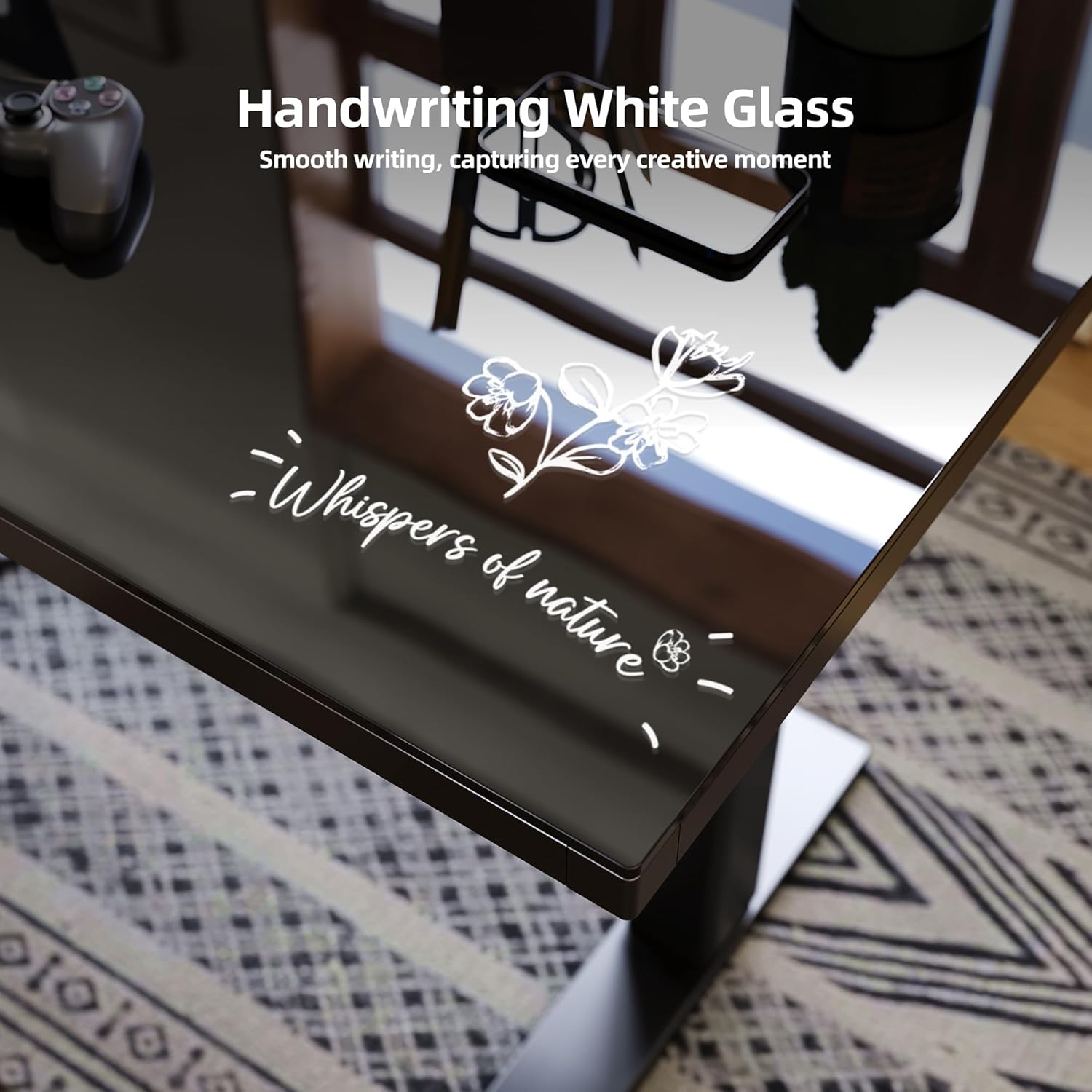
Image: A close-up of the glass desktop surface, showing handwritten notes, emphasizing its dry-erase functionality for quick notes and ideas.
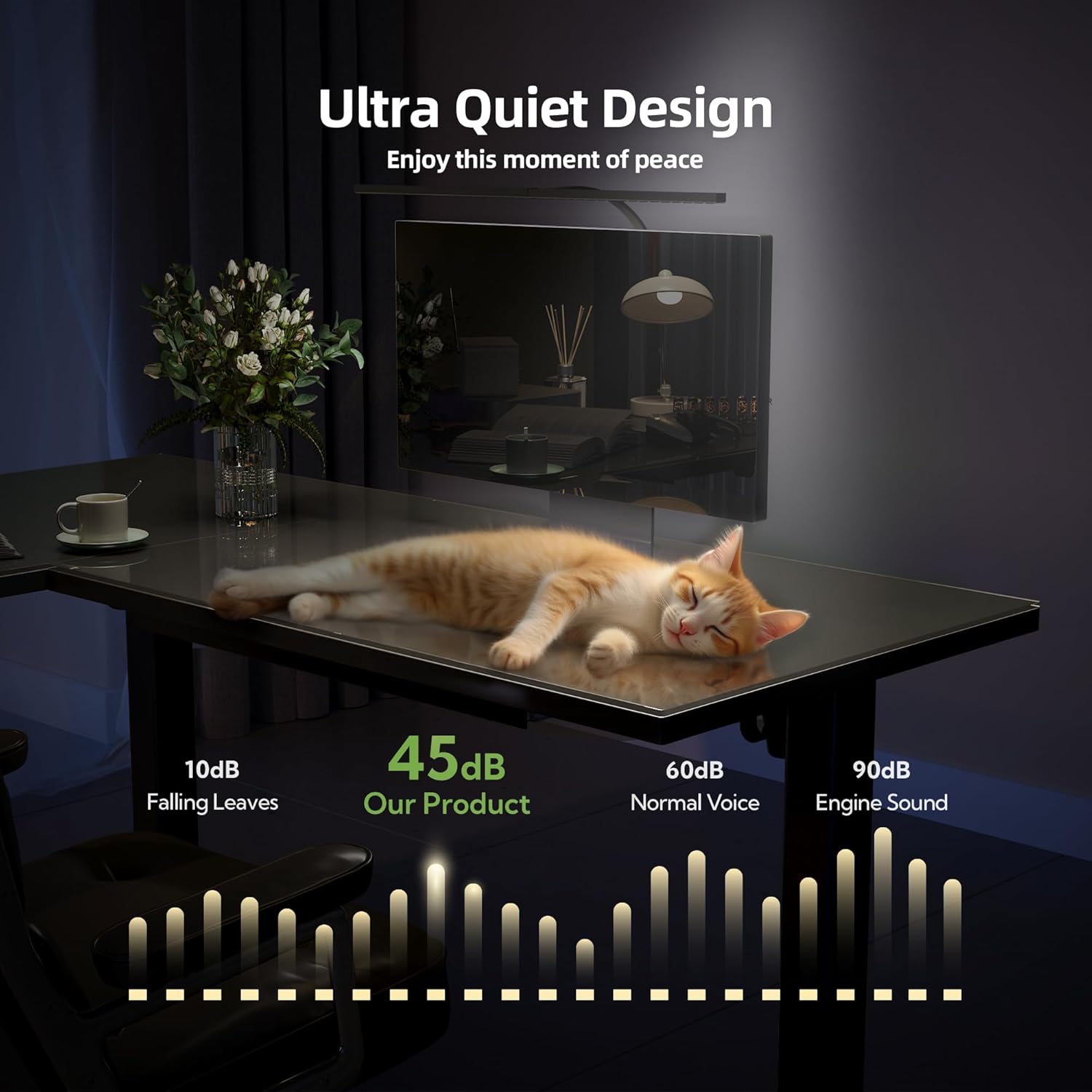
Image: A graphic representation of the desk's ultra-quiet operation, indicating a sound level of 45dB, which is comparable to falling leaves and significantly quieter than normal voice or engine sounds.
5. Maintenance
To ensure the longevity and optimal performance of your INNOVAR L-Shaped Glass Standing Desk, follow these maintenance guidelines:
- Cleaning the Glass Desktop: Use a soft, damp cloth and a mild glass cleaner to wipe the glass surface. For dry-erase marks, use a dry-erase board cleaner or a soft cloth. Avoid abrasive cleaners or harsh chemicals that may damage the glass.
- Frame Care: Wipe the metal frame with a soft, dry cloth. Avoid using harsh chemicals.
- Motor and Electrical Components: Keep the motor and electrical components free from dust and moisture. Do not attempt to open or service the motor unit yourself.
- Regular Checks: Periodically check all screws and fasteners to ensure they are tight. Retighten if necessary.
6. Troubleshooting
If you encounter any issues with your desk, refer to the following common troubleshooting steps:
6.1 Desk Not Responding / 'rES' Mode
If the control panel displays 'rES' and buttons are unresponsive, the desk may need to be reset. This often occurs after a power interruption or if the desk encounters an obstruction.
- Reset Procedure: Press and hold the down (v) arrow button on the control panel for 8 seconds until the display shows '28.3'. Release the button. The desk should now function normally.
Video: Step-by-step guide on resolving 'rES' mode on desk control panels, demonstrating the reset procedure.
6.2 Uneven Height Adjustment
If the desk legs appear uneven during adjustment, ensure that the drive rod is correctly installed and tightened. Refer to the assembly section for proper drive rod installation.
7. Specifications
| Feature | Detail |
|---|---|
| Brand | INNOVAR |
| Shape | L-Shape |
| Desk Design | Standing Desk |
| Product Dimensions | 24"D x 63"W x 36.8"H |
| Color | Black |
| Style | Modern |
| Base Material | Alloy Steel |
| Top Material Type | Glass |
| Special Feature | Adjustable |
| Lifting Mechanism | Electric |
| Number of Height Positions | 4 (Memory Presets) |
| Minimum Height | 28.3 Inches |
| Maximum Height | 46.5 Inches |
| Maximum Weight Recommendation | 220 Pounds |
| Storage Options | 2 drawers (divided into 2 zones each), 2 hooks |
| Required Assembly | Yes (Recommended 2 people) |

Image: A diagram illustrating the key dimensions of the L-shaped desk, including its length (63 inches), width (55 inches), and adjustable height range (28.3 to 46.5 inches).
8. Warranty and Support
The INNOVAR L-Shaped Glass Standing Desk comes with a limited warranty. For specific details regarding warranty coverage, please refer to the warranty information provided with your product packaging or contact INNOVAR customer support.
For any questions, technical assistance, or support needs, please contact INNOVAR Direct customer service. Contact information can typically be found on the product packaging or the official INNOVAR website.
9. Important Safety Information
Please observe the following safety precautions to prevent injury or damage to the product:
- Always ensure the desk is properly anchored to the floor to prevent tipping.
- Be cautious when adjusting the height to avoid injury. Keep hands and objects clear of moving parts.
- Handle the glass top with care to prevent breakage.
- Do not place heavy objects on the edges of the desktop to avoid stressing the glass.
- Maximum weight recommendation for the desk is 220 pounds. Do not exceed this limit.