
CHOETECH CHT-BH-T10-BK
Choetech Choebuds Pro TWS Earphones User Manual
Model: CHT-BH-T10-BK | Brand: CHOETECH
1. Introduction
Thank you for choosing the Choetech Choebuds Pro TWS ANC ENC Earphones. This manual provides essential information for setting up, operating, and maintaining your new earphones. Please read it carefully before use to ensure optimal performance and longevity of your device.
Key Features:
- Ergonomic design for comfortable wear
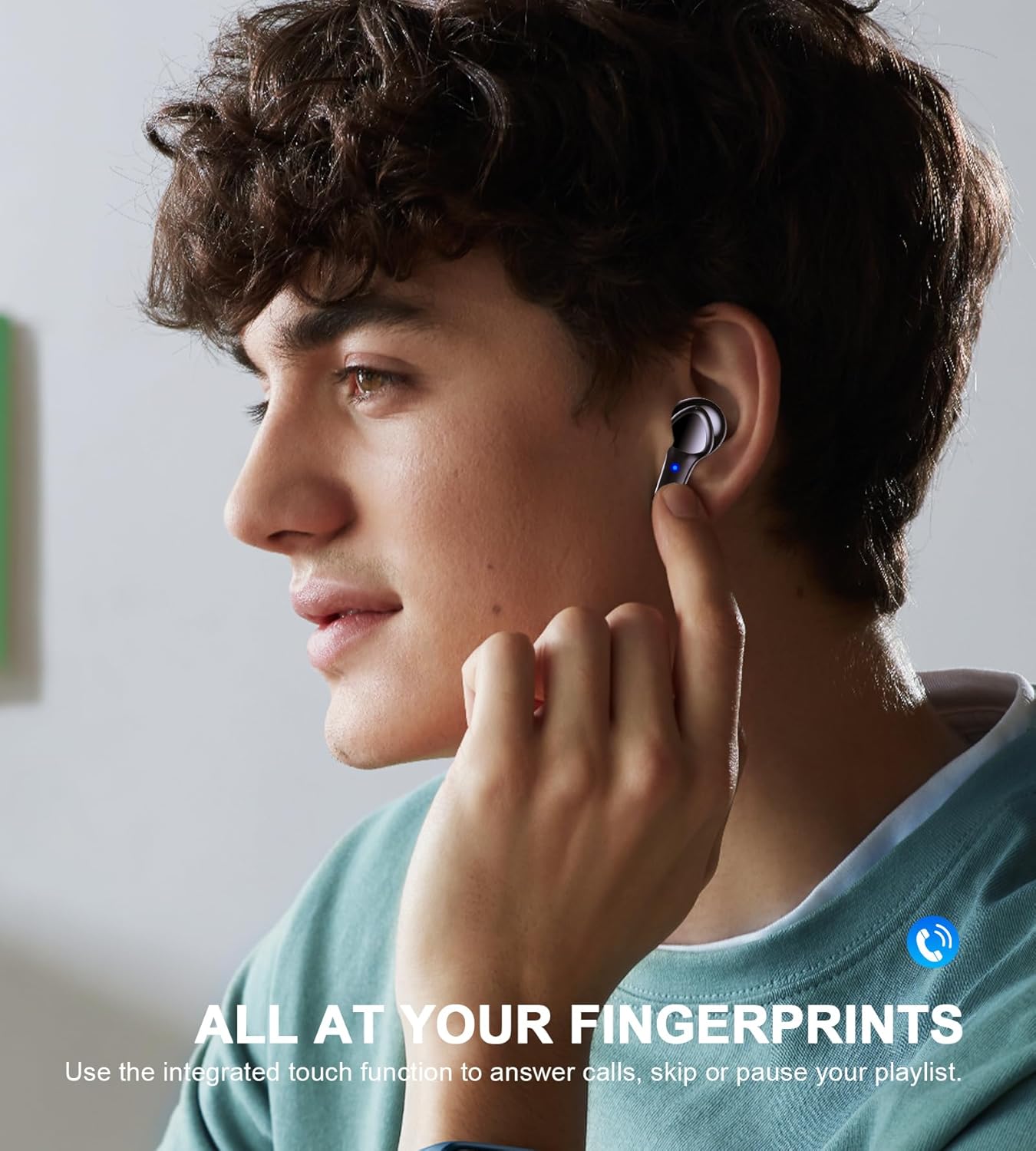
- Sensitive touch controls for easy operation
- Hybrid Active Noise Cancellation (ANC) and Environmental Noise Cancellation (ENC) for immersive audio and clear calls
- 6 Microphones for High-Definition (HD) calls
- Quick connect and simple pairing with advanced Bluetooth 5.3 chip
- IPX7 waterproof rating for protection against sweat and rain
- Master-slave switching for seamless single or dual earbud use
- Low latency for synchronized audio and video
- Long-lasting battery life with portable charging case
- Binaural surround sound and HiFi sound quality
- Hall switch for instant connectivity upon opening the case

A black charging case with three indicator lights on the front, accompanied by two black in-ear earbuds. The earbuds feature a sleek design with a short stem and silicone ear tips.
2. Package Contents
Ensure all items are present in the package:
- 1 x Choetech Choebuds Pro TWS Bluetooth Earbuds
- 1 x USB-C Data Cable
- 1 x User Manual
- Ear Cushions (various sizes)
3. Product Overview
Familiarize yourself with the components of your Choebuds Pro TWS Earphones:
- MFB Power Key: Multi-function button for touch controls.
- Earbud Cap: Silicone ear tip for comfortable fit and sound isolation.
- Magnetic Contact: Charging points on the earbuds and inside the case.
- Sub MIC: Secondary microphone for noise reduction.
- Main MIC: Primary microphone for voice pickup during calls.
- Charging Case Indicator: LED lights on the charging case to show battery status.
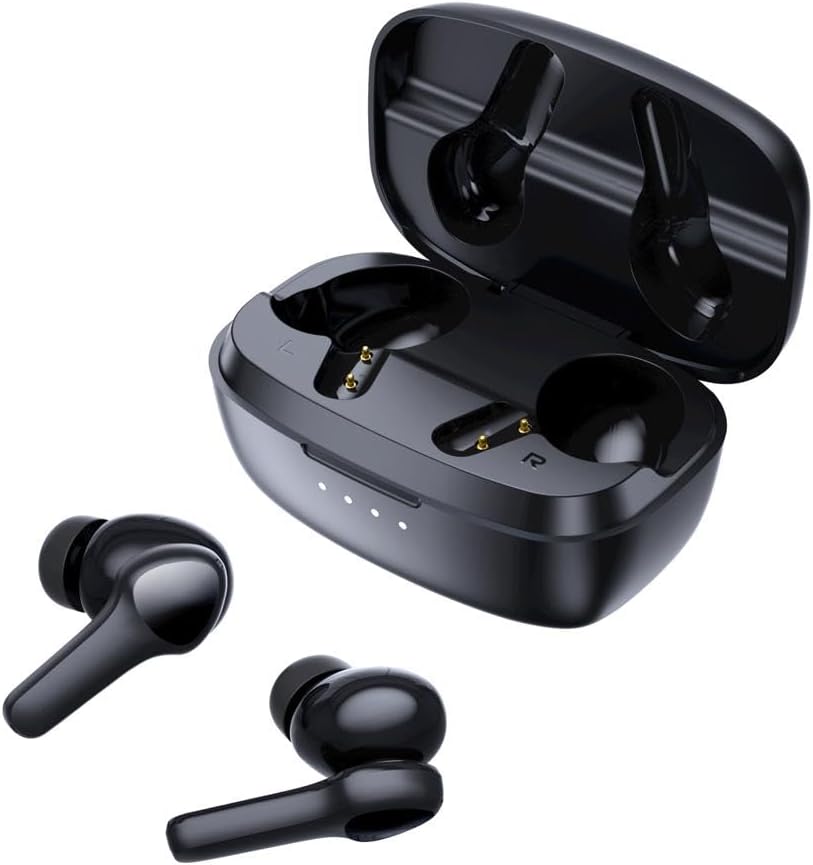
The black Choetech Choebuds Pro TWS charging case is open, revealing the charging slots for the earbuds. The two earbuds are placed outside the case, showing their design and charging contacts.
4. Setup and Pairing
4.1 First Use
- Take out the two earbuds from the charging case.
- Remove any insulating film from the charging contacts on the earbuds.
- Place the earbuds back into the charging case and close the lid. This ensures they are charged and ready for initial pairing.
4.2 Pairing Instructions
- Open the lid of the charging case. The earbuds will automatically turn on and interconnect with each other. They will then enter pairing mode, indicated by alternating red and blue lights on the earbuds.
- On your mobile phone or Bluetooth device, turn on the Bluetooth function.
- Search for "BH-T10" in the list of available Bluetooth devices.
- Select "BH-T10" to connect. Once connected, the earbud lights will turn off or show a steady blue light.
Warm Tip: If the earbuds are not turning on or are muted, place them back into the charging case and allow them to charge. Then, try the pairing process again. The red/blue lights on the earbuds will flash alternately when in pairing mode.
4.3 Troubleshooting Pairing Issues
- Earbuds Fail to Pair (Left/Right): If one earbud is muted or they fail to pair with each other, double-tap either earbud three times after powering on to enter TWS (True Wireless Stereo) pairing state. The blue light will flash quickly, and upon successful pairing, it will switch to alternating red/blue flashing for phone pairing.
- Switching Devices: To connect to a new device, you must first turn off the Bluetooth on the previously connected device or delete "BH-T10" from its Bluetooth history. Then, search for "BH-T10" on the new device and connect.
An illustration showing the earbuds connecting seamlessly to a smartphone via Bluetooth 5.3. The image highlights features like longer transmission range, less power consumption, more stable connection, and lower latency.
5. Operating Instructions
5.1 Power On/Off
- Power On: Open the charging case cover. The earbuds will automatically turn on. Alternatively, if off, long-press the touch key for 2 seconds.
- Power Off: Place the earbuds back into the charging case and close the cover. They will automatically turn off. Earbuds will also turn off if disconnected from a device for 5 minutes, or if the battery voltage drops below 3.1V.
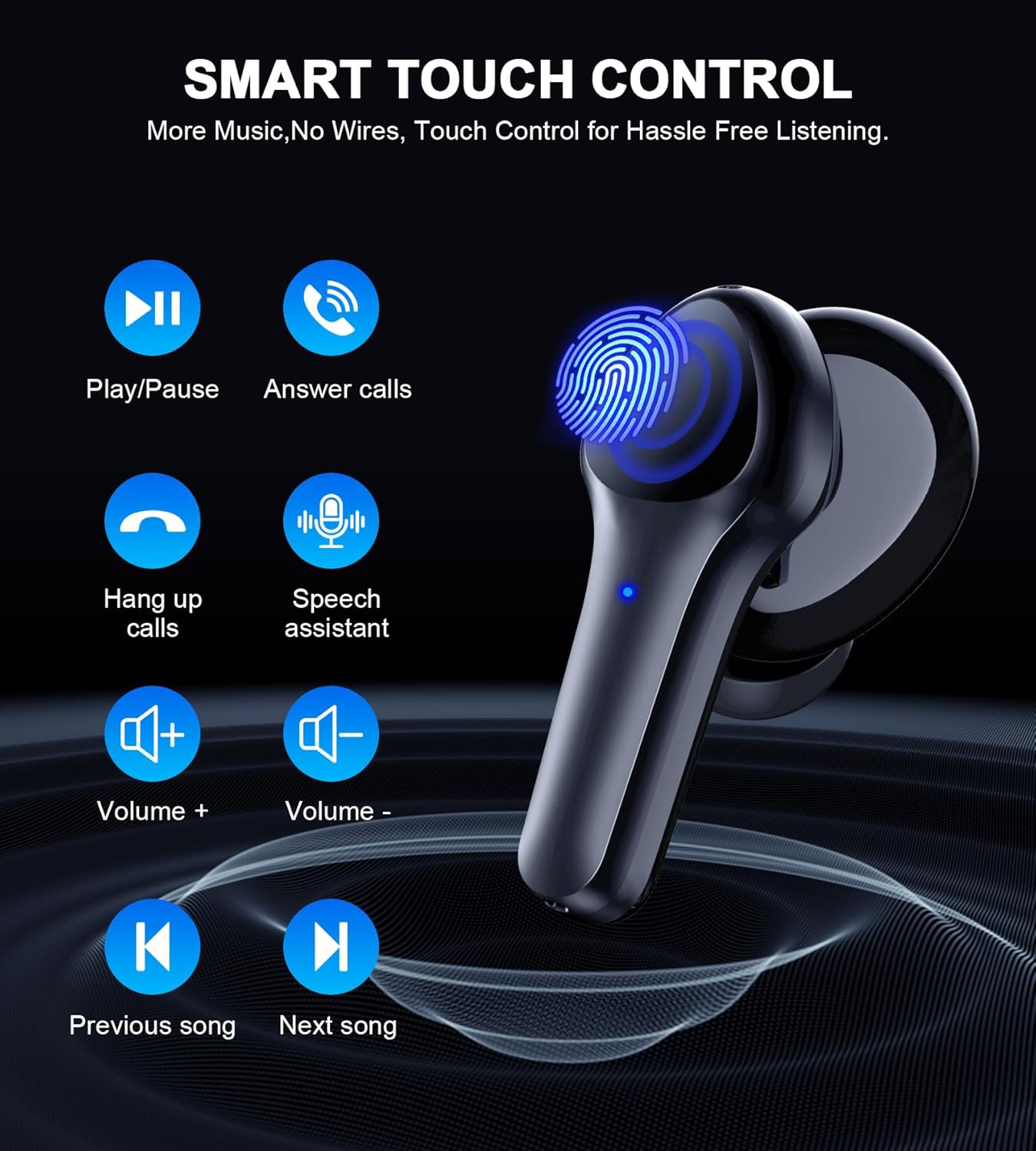
5.2 Smart Touch Controls
The Choebuds Pro TWS Earphones feature sensitive touch controls on each earbud. Refer to the table below for common operations:
An image displaying the various smart touch control functions available on the Choetech Choebuds Pro TWS Earbuds.
| Function | Action | Earbud |
|---|---|---|
| Play/Pause | Double-tap | Right |
| Answer Calls | Single-tap | Left or Right |
| Hang Up Calls | Single-tap | Left or Right |
| Reject Calls | Long press | Left or Right |
| Previous Song | Double-tap | Left |
| Next Song | Triple-tap | Right |
| Volume - | Single-tap | Left |
| Volume + | Single-tap | Right |
| Speech Assistant | Triple-tap | Left |
| Gaming Low Latency Mode | Long press (non-call state) | Right |
5.3 Adjustable Listening Modes (ANC)
The Choebuds Pro TWS Earphones offer three listening modes:
- Transparency Mode: Allows you to hear your surroundings while listening to audio.
- ANC ON (Active Noise Cancellation): Significantly reduces external background noise for an immersive listening experience.
- ANC OFF: Disables active noise cancellation.
To switch between these modes, double-click the MFB button on the left earbud. The modes will cycle in the order: Transparency Mode → ANC ON → ANC OFF.

A diagram illustrating the adjustable listening modes of the Choetech Choebuds Pro TWS Earbuds: Transparency Mode, ANC ON, and ANC OFF.
6. Charging
6.1 Charging the Earbuds
Place the earbuds into the charging case. They will automatically begin charging. The white light on the earbuds will remain on during charging and turn off when fully charged.
6.2 Charging the Case
Connect the charging case to a power source using the provided USB-C cable. The indicator lights on the front of the case will show the charging status:
- Charging: White lights flash.
- Fully Charged: All four white lights remain on simultaneously.
- Low Power: One white light flashes on the left.
- Very Low Power (below 3.1-3.25V): No lights.

An infographic illustrating the battery performance of the Choetech Choebuds Pro TWS Earbuds and charging case.
Important Note: Please charge the case timely when it runs out of power. Otherwise, the earbuds may not turn off when placed back into the case, potentially remaining connected to your mobile phone.
7. Maintenance and Care
- Charging: Always use a charger with an output voltage of DC 5V1A. Ensure the charger is certified by a formal manufacturer. Do not charge with a power adapter with current greater than 2A to avoid damaging the battery.
- Cleaning Earbuds: If you experience muffled or unclear sound, remove the ear caps and wipe the earbud's audio output hole and charging contacts with a cotton swab. If there is residual moisture, swing the earbud downwards several times to expel water or air dry for 1-2 hours.
- Cleaning Case: The charging cable and case are not waterproof. Do not use hot water for disinfection. Wipe the earbuds and case with a cloth containing alcohol or wet paper towels for surface stains.
- Water Exposure: While the earbuds are IPX7 water-resistant, if they are soaked in water, dry them thoroughly with a cloth before placing them back into the charging case. If accidentally dropped in water, retrieve them promptly and air dry for 2 hours.
- Temperature: Do not use the equipment at extreme ambient temperatures below -10°C or above 60°C.
- Storage: Do not leave the product idle for a long time. If unused for more than one month, charge and maintain it regularly to ensure normal functioning.
- General Precautions: Do not expose the product to strong sunlight or fire. Do not clean with corrosive solvents. Do not insert any foreign objects into the earbuds. Do not attempt to disassemble the earbuds.
8. Troubleshooting
8.1 Common Issues and Solutions
- Earbuds not connecting/pairing: Ensure earbuds are charged. Try re-pairing as described in Section 4.2. Delete previous Bluetooth connections on your device.
- One earbud muted: Follow the TWS pairing troubleshooting steps in Section 4.3.
- Muffled/unclear sound: Clean earbud audio output holes and ear caps as described in Section 7.
- Earbuds not charging: Clean the charging contacts on both earbuds and inside the case with a cotton swab. Ensure the charging cable and adapter are functioning correctly and meet specifications.
8.2 Factory Reset
If you encounter persistent issues, a factory reset may resolve them:
- Ensure the earbuds are paired with your phone.
- Rapidly click the earbuds five times. The earbuds will automatically turn off and restart.
- On your mobile phone, delete the previous Bluetooth pairing name "BH-T10" from your device's Bluetooth settings.
- Search for "BH-T10" again and reconnect.
9. Specifications
| Feature | Detail |
|---|---|
| Model Name | Choetech Choebuds Pro TWS ANC ENC Earphone, Black |
| Item Model Number | CHT-BH-T10-BK |
| Brand | CHOETECH |
| Color | Black |
| Connectivity Technology | Wireless (Bluetooth) |
| Bluetooth Version | V5.3 |
| Bluetooth Profiles Supported | HFP, HSP, A2DP, AVRCP |
| Frequency Range | Bluetooth: 2402-2480MHz; BLE: 2402-2400MHz |
| Modulation Technique | Bluetooth: GFSK, π/4-DQPSK, 8DPSK; BLE: GFSK |
| Maximum EIRP | Bluetooth: 7.2dBm; BLE: 7.19dBm |
| Noise Control | Active Noise Cancellation (ANC) |
| Sensitivity | 99 dB |
| Earbuds Battery Capacity | 40mAh (each) |
| Charging Case Battery Capacity | 400mAh |
| Music Time (ANC off) | About 10 Hours |
| Music Time (ANC on) | About 7 Hours |
| Call Time | About 5 Hours |
| Standby Time | About 72 Hours |
| Charging Time for Earbuds | About 1.2 Hours |
| Charging Time for Charging Case | About 1.5 Hours |
| Transfer Distance | <10m |
| Water Resistance Rating | IPX7 |
| Package Dimensions | 13.2 x 11 x 4.2 cm |
| Weight | 24 g |
| Batteries | 1 Lithium Ion batteries required (included) |
| Included Components | Ear Cushions |
10. Warranty and Support
Your Choetech Choebuds Pro TWS Earphones come with an 18-month local warranty. For any product inquiries, technical support, or warranty claims, please contact your local retailer or the official Choetech customer service. Keep your purchase receipt as proof of purchase for warranty purposes.
Additional extended warranty options may be available from third-party providers, such as 1-Year or 2-Year Extended Warranty by Salama Care.
Ask a question about this manual
Ask about setup, troubleshooting, compatibility, parts, safety, or missing instructions. Manuals+ will review the question and use this page’s manual context to help answer it.