
Important Safety Instructions
Please read all instructions carefully before using the appliance and retain them for future reference. Failure to follow these instructions may result in electric shock, fire, or serious injury.
- This appliance is for household use only. Do not use outdoors or on wet surfaces.
- Do not allow children to operate the vacuum cleaner. Close supervision is necessary when used near children.
- Do not pick up flammable or combustible liquids, such as gasoline, or use in areas where they may be present.
- Do not pick up anything that is burning or smoking, such as cigarettes, matches, or hot ashes.
- Do not use without the dust container and filter in place.
- Turn off the appliance before connecting or disconnecting accessories, or performing maintenance.
- Use only the charging cable provided by the manufacturer.
- Do not handle the charging cable or appliance with wet hands.
- If the appliance is not working as it should, has been dropped, damaged, left outdoors, or dropped into water, return it to a service center.
Product Overview
Package Contents
- CLEANmaxx Handheld Cordless Vacuum Cleaner
- Crevice Tool
- USB Charging Cable
- Integrated 2000 mAh Battery

Image: The included crevice tool and USB charging cable.
Product Components
- Main Unit with Handle
- Dust Container (600 ml capacity)
- Washable EPA Class 11 Filter
- Power On/Off Button
- Charging Port (USB)
- Integrated LED Light
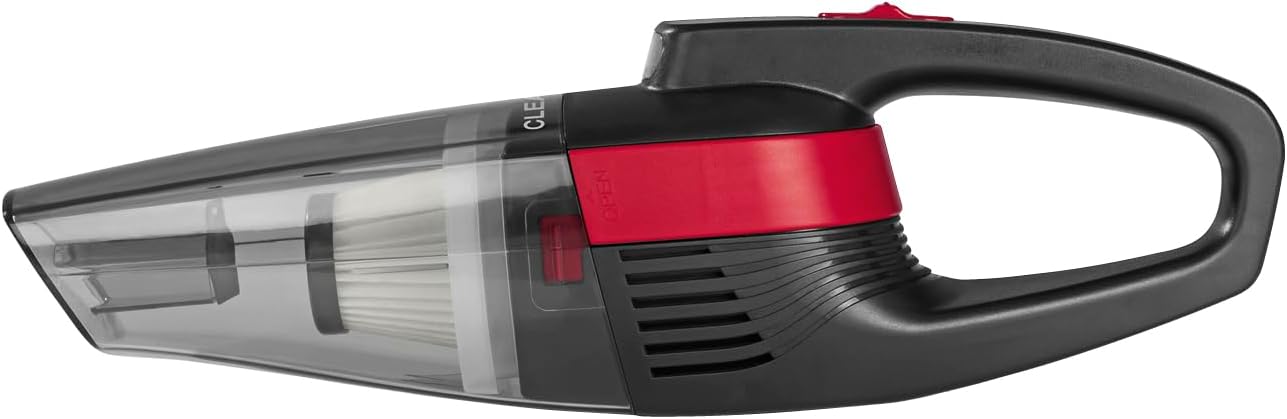
Image: Side view of the CLEANmaxx handheld cordless vacuum cleaner.
Setup
1. Charging the Battery
- Ensure the vacuum cleaner is switched off.
- Connect the provided USB charging cable to the charging port on the vacuum cleaner.
- Plug the other end of the USB cable into a suitable USB power adapter (not included) or a powered USB port.
- Allow the vacuum to charge fully before first use. The charging indicator (if present) will show the charging status. A full charge provides approximately 18 minutes of runtime.
2. Attaching Accessories
- To attach the crevice tool, align it with the suction nozzle opening.
- Push the crevice tool firmly onto the nozzle until it is securely in place.
Operating Instructions
1. Powering On/Off
- To turn on the vacuum cleaner, slide the power button to the 'ON' position.
- To turn off the vacuum cleaner, slide the power button to the 'OFF' position.
2. Vacuuming
- Direct the suction nozzle towards the area to be cleaned.
- For general cleaning of surfaces like carpets or hard floors, use the main nozzle.
- For tight spaces, corners, or upholstery, attach the crevice tool.

Image: Using the vacuum to clean a car seat.

Image: Cleaning upholstery with the handheld vacuum.

Image: Vacuuming dirt from a carpeted surface.
3. Using the LED Light
- The integrated LED light automatically illuminates when the vacuum is turned on.
- This feature helps to brighten dark areas, such as under furniture or in car footwells, ensuring thorough cleaning.
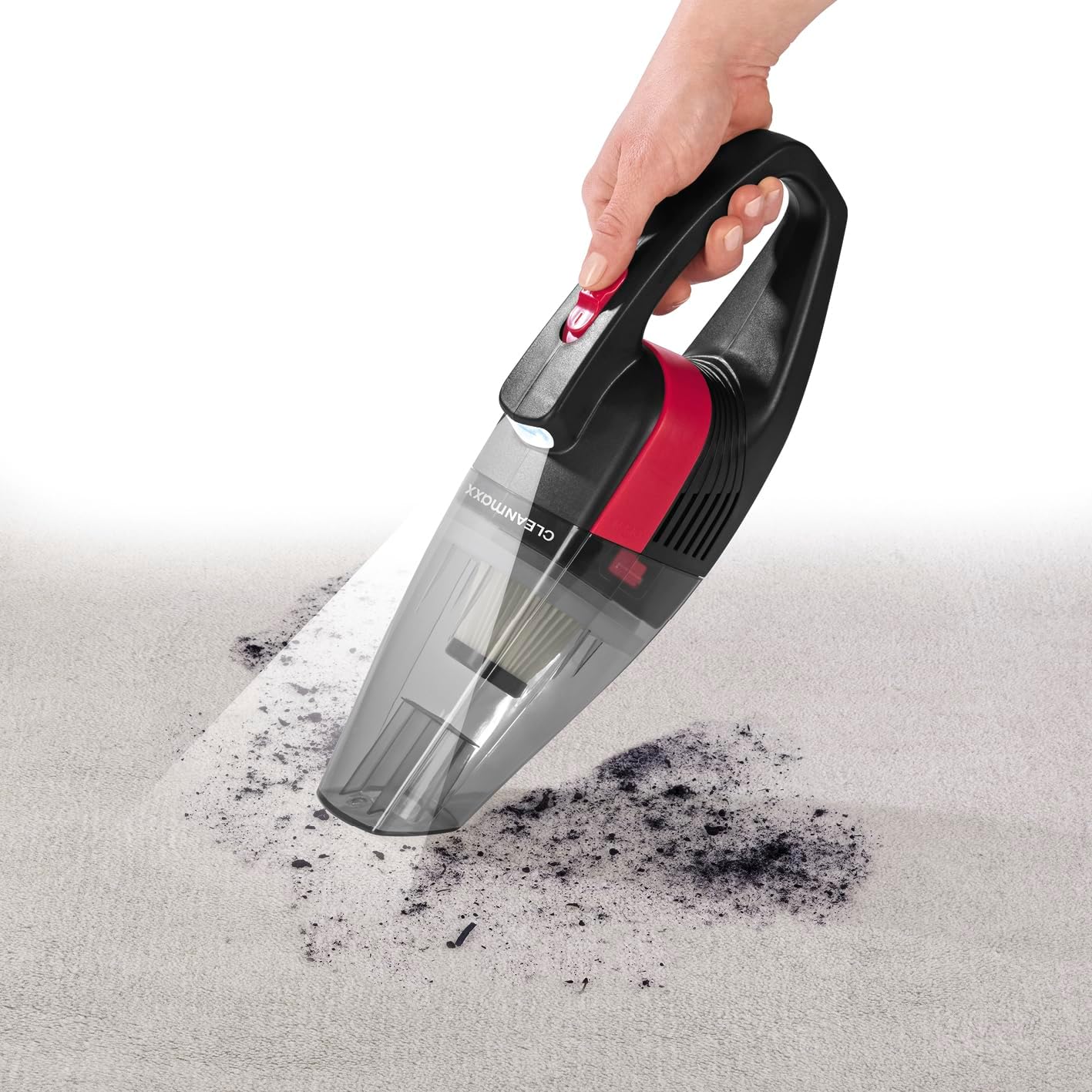
Image: The integrated LED light illuminates the cleaning area.
Maintenance
1. Emptying the Dust Container
- Ensure the vacuum cleaner is switched off.
- Locate the release button or latch for the dust container.
- Press the button/latch and carefully detach the dust container from the main unit.
- Empty the collected dirt and debris into a waste bin.
- Reattach the dust container securely to the main unit.
2. Cleaning the EPA Filter
- After emptying the dust container, remove the EPA filter.
- Tap the filter gently over a waste bin to dislodge loose dust.
- If necessary, rinse the filter under running water. Ensure it is completely dry before reinserting it into the vacuum cleaner. Do not use the vacuum with a wet filter.
- Regular cleaning of the filter helps maintain optimal suction power.
3. General Cleaning
- Wipe the exterior of the vacuum cleaner with a soft, damp cloth.
- Do not use abrasive cleaners or solvents.
- Ensure all parts are dry before storing the appliance.
Troubleshooting
| Problem | Possible Cause | Solution |
|---|---|---|
| Vacuum does not turn on | Battery is discharged | Charge the battery fully using the USB charging cable. |
| Low suction power | Dust container is full | Empty the dust container. |
| Filter is clogged | Clean or wash the EPA filter and ensure it is completely dry before reinserting. | |
| Nozzle or hose is blocked | Check for and remove any blockages in the suction nozzle or attachments. | |
| Short operating time | Battery not fully charged | Ensure the battery is fully charged before use. |
| Battery life degradation | Over time, rechargeable batteries may experience reduced capacity. |
Specifications
| Feature | Detail |
|---|---|
| Brand | CLEANmaxx |
| Model | Handheld Cordless Vacuum |
| Color | Grey/Red |
| Dimensions (L x W x H) | 35.5 x 12.7 x 11.8 cm |
| Item Weight | 620 g |
| Voltage | 7.4 Volts |
| Battery Capacity | 2000 mAh |
| Runtime | Approximately 18 minutes |
| Noise Level | 80 Decibels |
| Material | ABS Plastic |
| Filter Type | EPA Class 11 (filters >95% fine dust) |
| Dust Container Capacity | 600 ml |
| Power Source | Battery Powered (USB rechargeable) |
| Special Features | Compact, Cordless, Integrated LED Light |
| Recommended Uses | Cleaning hard floors, upholstery, car interiors, and hard-to-reach areas. |
Warranty and Support
For information regarding warranty coverage, please refer to the warranty card included with your purchase or contact the retailer where the product was acquired.
For technical support, spare parts, or service inquiries, please contact CLEANmaxx customer service through their official website or the contact information provided in your product packaging.


