Introduction
Thank you for choosing awatrue AT2 Kids Wired Headphones. These headphones are designed with children's safety and comfort in mind, featuring volume-limiting technology and a durable, foldable design. This manual provides essential information for proper setup, operation, and maintenance to ensure a safe and enjoyable listening experience.

Figure 1: awatrue AT2 Kids Wired Headphones
Setup
1. Adjusting the Headband
The headphones feature an adjustable headband to ensure a comfortable and secure fit for various head sizes. Gently slide the earcups up or down along the headband until they rest comfortably over the ears. The headband is designed to be flexible and durable.

Figure 2: Adjustable and Foldable Design for Comfort
2. Folding for Storage
For convenient storage and portability, the headphones can be folded. Gently fold the earcups inwards towards the headband. This compact design helps protect the headphones during travel.

Figure 3: Foldable Design for Easy Storage
3. Connecting to a Device
The awatrue AT2 headphones connect via a standard 3.5mm audio jack. Insert the 3.5mm plug firmly into the audio port of your device. For newer iPhones and iPads that lack a 3.5mm jack, a separate adapter (not included) is required.
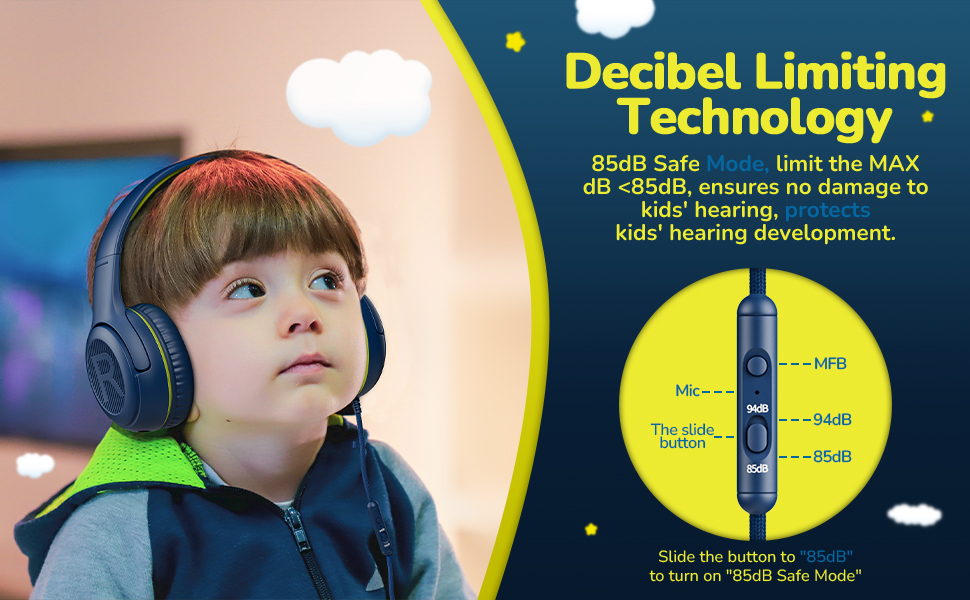
Figure 4: 3.5mm Jack Compatibility
4. Identifying Left and Right
Each earcup is marked with an 'L' for left and 'R' for right to ensure correct orientation for optimal sound experience.
Operating Instructions
1. Volume Control
The headphones feature built-in volume limiting technology with two settings: 85dB and 94dB. Use the slide button on the inline control to select the desired maximum volume level. The 85dB setting is recommended for extended listening to protect young ears, while 94dB can be used for environments with more background noise.

Figure 5: Decibel Limiting Technology for Safe Listening
2. Using the Built-in Microphone
The integrated microphone allows for clear communication during online learning, video calls, or gaming. Ensure the microphone is positioned appropriately for optimal voice pickup.

Figure 6: HD Microphone for Clear Communication
3. Shared Audio Jack
The awatrue AT2 headphones include a shared audio jack, allowing another pair of headphones to connect directly to them. This enables two users to listen to the same audio source simultaneously without needing a separate splitter. When sharing, it is recommended to use the 94dB mode for a balanced listening experience.
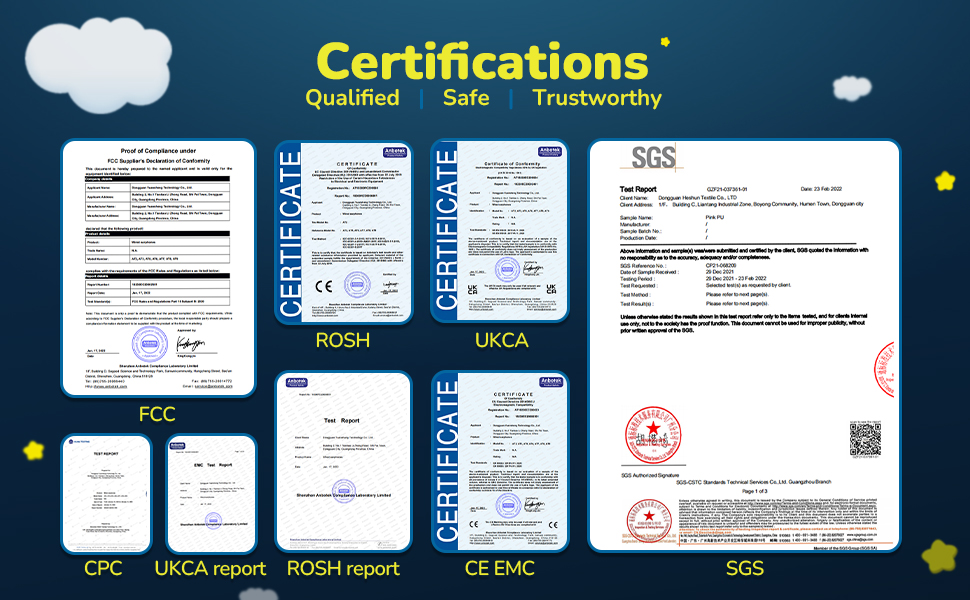
Figure 7: Shared Audio Jack for Group Listening
4. Product Overview Video
Video 1: An overview of the awatrue Kids Headphones with Microphone, demonstrating key features and design.
Maintenance
1. Cleaning
The earmuffs are made from soft cortex material for comfort and hygiene. They can be safely wiped down with disinfecting wipes for cleaning. Ensure the headphones are dry before next use.
2. Durability
The headphones are constructed with tough PP material and a flexible headband designed to withstand typical child use. The headband has been tested for durability, enduring over 3,000 stretches.

Figure 8: Headband Flexibility and Durability
Troubleshooting
1. No Sound or Intermittent Audio
Ensure the 3.5mm audio plug is fully inserted into the device's headphone jack. Check the volume settings on both the headphones (using the inline control) and the connected device. Test with another device to rule out device-specific issues.
2. Compatibility with Newer Devices
For Apple devices such as newer iPhones and iPads that do not have a 3.5mm headphone jack, a specific adapter (e.g., Lightning to 3.5mm adapter) is required. This adapter is not included with the headphones.
Specifications
| Feature | Detail |
|---|---|
| Model Name | AT2 |
| Connectivity Technology | Wired |
| Headphones Jack | 3.5 mm Jack |
| Volume Control | 85dB / 94dB Limiting |
| Microphone | Built-in |
| Form Factor | Over Ear |
| Special Features | Adjustable Headband, Foldable, Lightweight, Shared Audio Jack |
| Material | PP (Polypropylene), Faux Leather, Metal, Plastic, Polycarbonate (PC), Stainless Steel |
| Product Dimensions | 2.48 x 4.8 x 5.5 inches |
| Item Weight | 14.4 ounces |
| Age Range (Description) | Kid, Adult, Teen |
Size Comparison

Figure 9: Headphone Size Comparison for Various Ages
Certifications
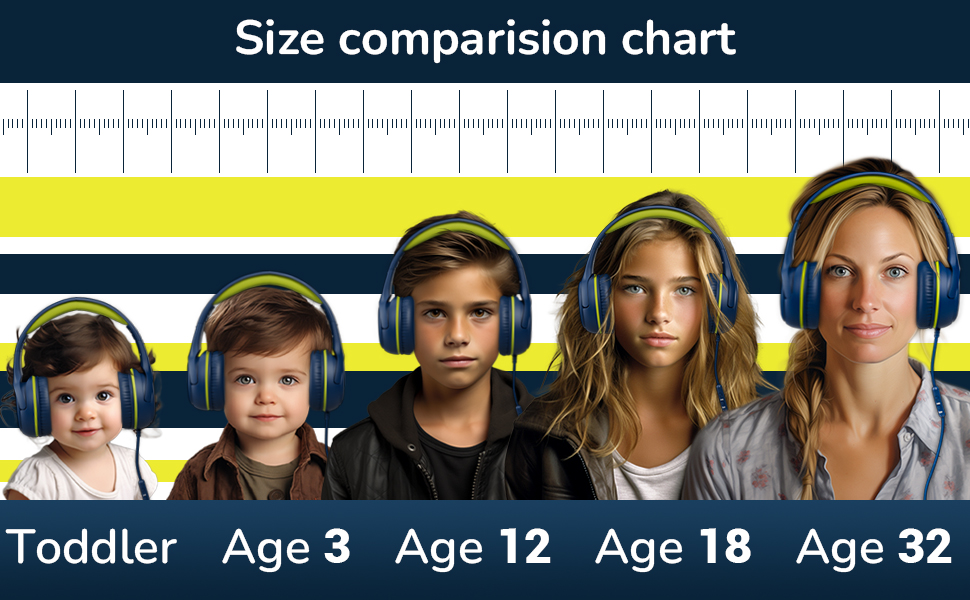
Figure 10: Product Certifications
Warranty and Support
awatrue provides a 365-day free warranty service for this product. In addition, a 3-year after-sales policy is in place for any quality issues, ensuring a swift replacement at no cost.
For any questions, concerns, or support needs, please contact our customer service team. We are committed to the healthy development of children's hearing and providing reliable products.

Figure 11: Warranty Information


